
Kunert Tiaro Premium
Kunert Tiaro Premium 2-in-1 Stroller User Manual
Model: Tiaro Premium
1. Introduction
Thank you for choosing the Kunert Tiaro Premium 2-in-1 Stroller. This versatile system is designed to provide comfort and safety for your child from infancy through toddlerhood, functioning as both a comfortable bassinet and a practical stroller. Please read this manual carefully before assembly and use to ensure proper operation and to maximize the lifespan of your product. Keep this manual for future reference.

Image 1.1: The Kunert Tiaro Premium 2-in-1 Stroller, illustrating its dual functionality as a bassinet and a stroller seat on a gold-colored frame with black and grey fabric components.
2. Safety Information
Your child's safety is paramount. Always adhere to the following safety guidelines:
- Never leave your child unattended in the stroller.
- Always use the harness system to secure your child.
- Ensure all locking devices are engaged before use.
- Do not overload the stroller or accessory basket. The maximum recommended weight for the child is 15 kg.
- Do not use accessories or spare parts other than those approved by the manufacturer.
- Be aware of the risks of open fires and other sources of strong heat, such as electric bar fires, gas fires, etc., in the near vicinity of the stroller.
- Always apply the brakes when parking the stroller.
- This product is not suitable for running or skating.
- Regularly inspect the stroller for loose parts, damaged components, or signs of wear.
- Ensure your child is clear of any moving parts when making adjustments.
This product conforms to European safety standards.
3. Setup and Assembly
The Kunert Tiaro Premium stroller is designed for easy assembly. Follow these steps to set up your stroller:
3.1. Unfolding the Frame
- Place the folded frame on a flat surface.
- Release the folding latch, usually located on the side of the frame.
- Lift the handlebar upwards until the frame clicks into its fully open position. Ensure all locking mechanisms are securely engaged.
3.2. Attaching the Wheels
- Insert the rear wheels into their respective axles on the frame until they click into place. Pull gently to ensure they are secure.
- Attach the front swivel wheels by pushing them into the front wheel housings until they lock.
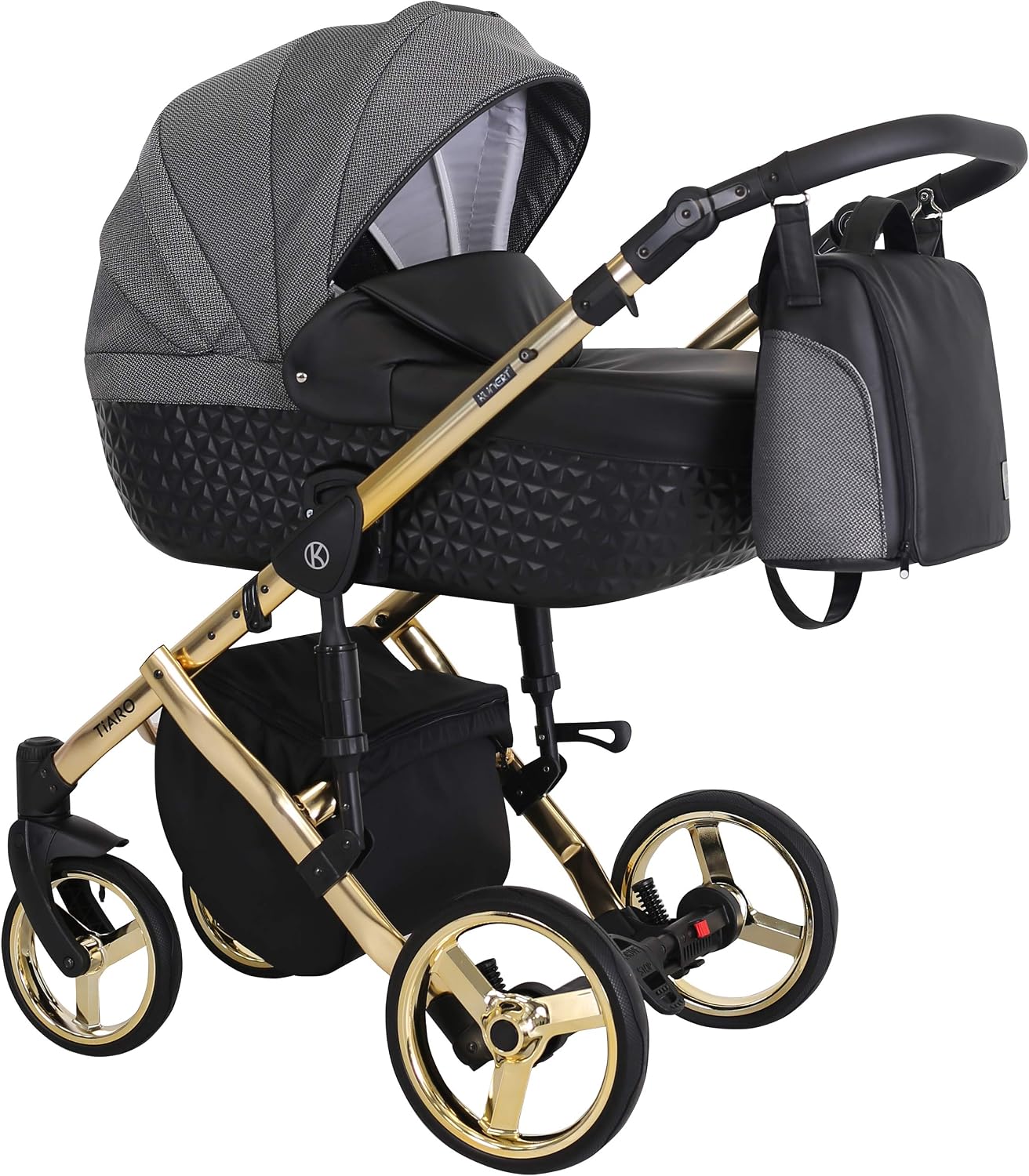
Image 3.1: The stroller frame with wheels attached and the bassinet unit mounted, ready for use.
3.3. Attaching the Bassinet
- Align the bassinet connectors with the corresponding slots on the stroller frame.
- Lower the bassinet onto the frame until you hear a click, indicating it is securely locked.
- Verify that the bassinet is firmly attached by gently lifting it.

Image 3.2: A detailed view of the bassinet component, highlighting its design and attachment points.
3.4. Attaching the Stroller Seat
To convert to stroller mode, remove the bassinet first.
- Align the stroller seat connectors with the corresponding slots on the frame.
- Lower the seat onto the frame until it clicks securely into place.
- Ensure the seat is firmly attached before placing your child in it.
4. Operating Instructions
4.1. Adjusting the Handlebar
Press the buttons on both sides of the handlebar simultaneously and adjust it to your desired height. Release the buttons to lock the handlebar in position.
4.2. Adjusting the Backrest and Footrest (Stroller Seat Mode)
The stroller seat features an adjustable backrest and footrest for your child's comfort.
- Backrest: Locate the lever or button on the back of the seat. Press it and recline or raise the backrest to the desired position. Release to lock.
- Footrest: Use the buttons on either side of the footrest to adjust its angle.

Image 4.1: The stroller configured in seat mode, demonstrating the adjustable features for child comfort.
4.3. Using the Brakes
The stroller is equipped with a foot-operated brake system. Push the brake pedal down to engage the brakes and lift it up to release. Always ensure the brakes are fully engaged when the stroller is stationary.
4.4. Swivel Wheels
The front wheels can swivel for enhanced maneuverability or be locked for stability on rough terrain. Locate the locking mechanism above each front wheel to switch between swivel and locked modes.
4.5. Folding the Stroller
To fold the stroller for storage or transport:
- Ensure the stroller seat or bassinet is removed from the frame.
- Engage the brake.
- Locate the folding mechanisms (usually levers or buttons on the handlebar or sides of the frame).
- Follow the specific folding sequence for your model, typically involving pressing buttons and pushing the handlebar forward or downward until the frame collapses.
- Secure the frame with the folding latch.
5. Maintenance
Regular maintenance will ensure the longevity and safe operation of your Kunert Tiaro Premium stroller.
- Cleaning the Fabric: Use a mild soap and warm water solution to spot clean fabric components. Do not machine wash unless specified on the care label. Allow to air dry completely.
- Cleaning the Frame: Wipe the metal frame with a damp cloth and mild detergent. Dry thoroughly to prevent rust.
- Wheels: Periodically clean dirt and debris from the wheels and axles. Lubricate moving parts with a silicone-based spray if they become stiff.
- Storage: Store the stroller in a dry, well-ventilated area, away from direct sunlight and extreme temperatures.
- Inspections: Regularly check all screws, rivets, and locking mechanisms to ensure they are secure and functioning correctly.
6. Troubleshooting
If you encounter any issues with your stroller, refer to the following common solutions:
- Stroller does not fold/unfold smoothly: Check for any obstructions in the folding mechanism. Ensure all components are correctly aligned. Lubricate moving parts if necessary.
- Wheels are stiff or squeaky: Clean any debris from the wheel axles. Apply a silicone-based lubricant to the moving parts of the wheels.
- Brakes are not engaging: Inspect the brake mechanism for any obstructions or damage. Ensure the brake pedal is fully depressed.
- Seat/Bassinet not attaching securely: Ensure the connectors are properly aligned with the frame slots and pushed down until a click is heard. Check for any debris preventing a secure connection.
If problems persist, please contact customer support.
7. Specifications
| Feature | Detail |
|---|---|
| Brand | Kunert |
| Model | Tiaro Premium |
| Product Type | 2-in-1 Stroller (Bassinet & Seat) |
| Maximum Weight Capacity | 15 Kilograms |
| Main Material | Metal (Frame) |
| Dimensions (L x W x H) | 95 x 60 x 122 cm |
| Age Range (Description) | Baby |
| Color | Brown + Cream + Graphite Frame |

Image 7.1: Detailed technical diagram illustrating the dimensions and weights of the Kunert Tiaro stroller in different configurations (bassinet, seat, folded).
8. Warranty Information
Kunert products are manufactured to high-quality standards. For specific warranty details, please refer to the warranty card included with your purchase or visit the official Kunert website. Keep your proof of purchase for any warranty claims.
9. Customer Support
If you have any questions, require assistance, or need to order replacement parts, please contact Kunert customer support through their official website or the retailer from whom you purchased the product. Please have your model number (Tiaro Premium) and purchase date available when contacting support.
Ask a question about this manual
Ask about setup, troubleshooting, compatibility, parts, safety, or missing instructions. Manuals+ will review the question and use this page’s manual context to help answer it.