
1. Introduction
The Eujgoov DT8011E is a high-performance digital infrared thermometer designed for non-contact temperature measurement across a wide range, from -50℃ to 1100℃ (-58℉ to 2012℉). This instrument is suitable for various industrial and domestic applications, offering features such as adjustable emissivity, fast response time, data hold, and high/low temperature alarms. This manual provides essential information for the safe and effective use of your device.
2. Safety Information
Please read all safety warnings and instructions carefully before using this product. Failure to follow these instructions may result in electric shock, fire, or serious injury.
- Laser Safety: This device uses a Class 2 laser. Do not stare directly into the laser beam or point it at people or animals. Direct eye exposure can cause permanent eye damage.
- Temperature Limits: Do not exceed the specified temperature range of -50℃ to 1100℃ (-58℉ to 2012℉).
- Electrical Hazards: Exercise caution when measuring temperatures near live electrical equipment. The thermometer is not insulated against electrical shock.
- Environmental Conditions: Do not use the device in explosive gas, vapor, or dust environments. Avoid exposing the device to extreme temperatures, humidity, or direct sunlight for prolonged periods.
- Maintenance: Refer to the maintenance section for cleaning instructions. Do not attempt to disassemble or modify the device.
3. Product Overview
The Eujgoov DT8011E infrared thermometer is designed for ergonomic handling and ease of use. It features a clear digital display and intuitive controls.
3.1 Components
- Infrared Sensor: Measures surface temperature without contact.
- Laser Pointer: Helps aim the thermometer at the target.
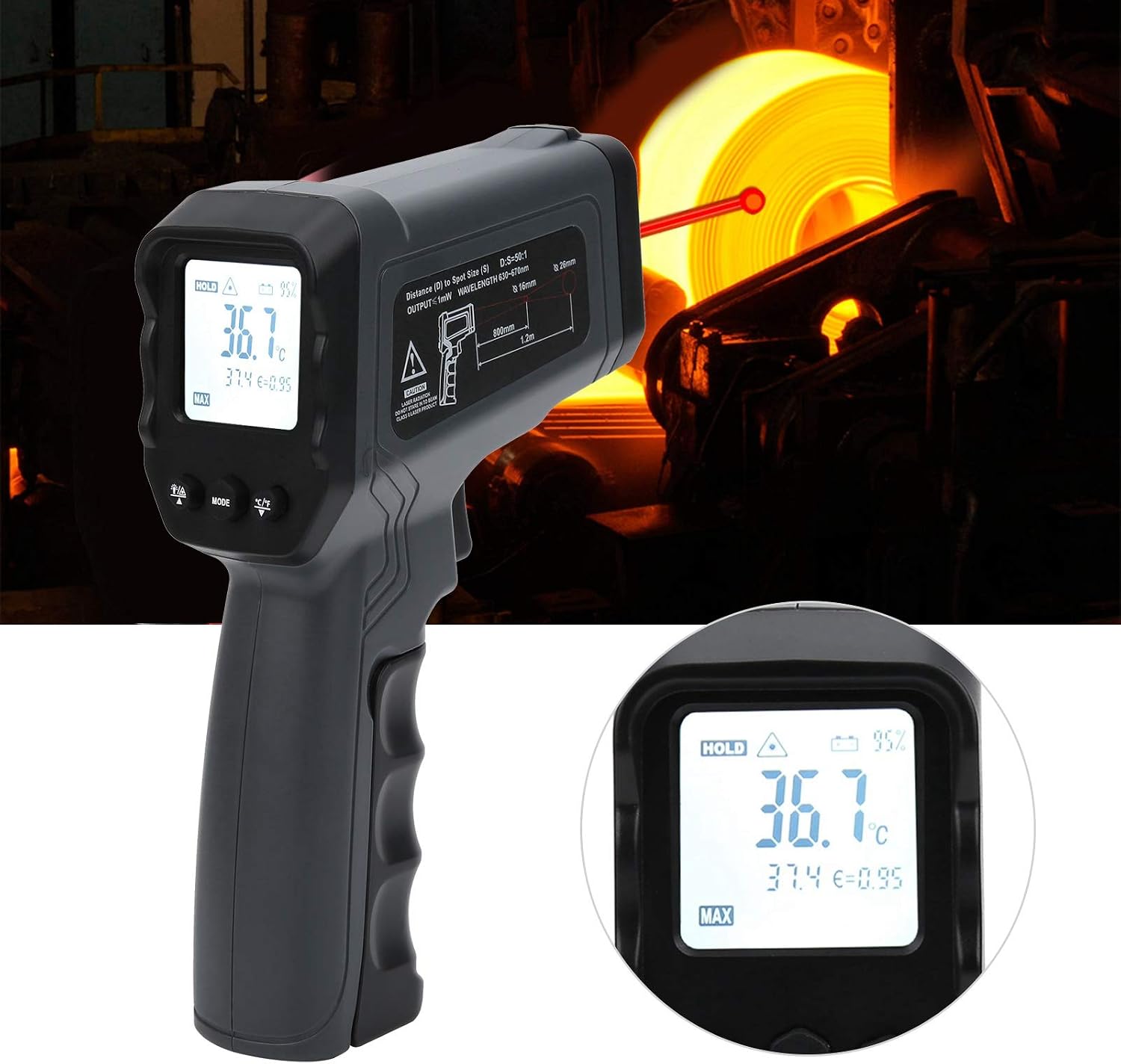
- LCD Display: Shows temperature readings, mode indicators, and battery status.
- Measurement Trigger: Activates the infrared sensor and laser.
- Mode Button: Cycles through various functions (MAX/MIN, AVG, DIF, HAL, LAL).
- Up/Down Buttons: Adjust emissivity, alarm thresholds, or navigate menus.
- Unit Conversion Button (℃/℉): Switches between Celsius and Fahrenheit.
- Backlight Button: Toggles display backlight.
- Battery Compartment: Holds the 9V battery.
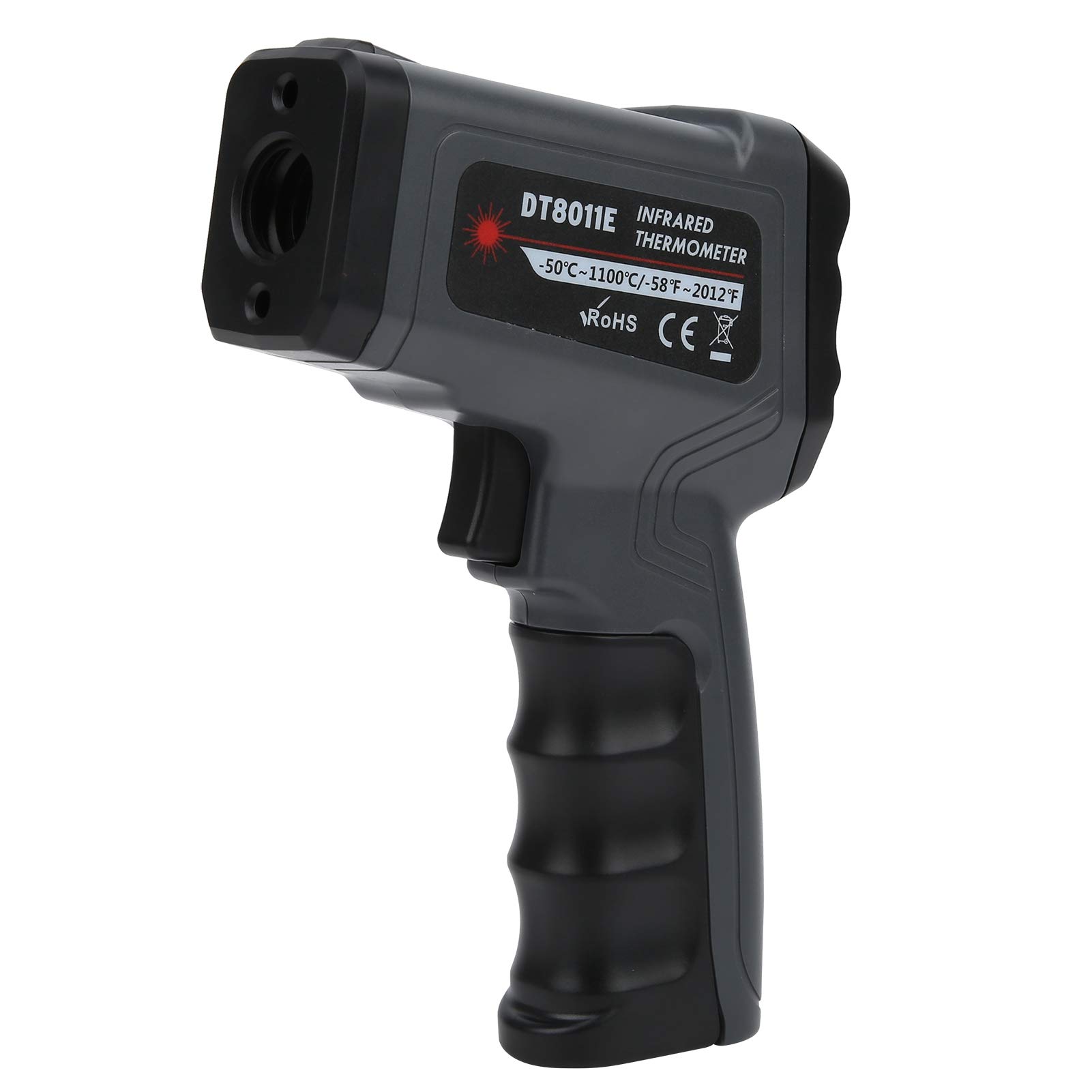
The thermometer is equipped with a comfortable grip and a responsive trigger for easy operation. The display provides clear readings and indicators for various functions.
4. Setup
4.1 Battery Installation
- Locate the battery compartment cover, usually at the base of the handle.
- Open the cover.
- Insert one 9V 6F22 battery, ensuring correct polarity (+/-).
- Close the battery compartment cover securely.
Note: The battery is not included with the product and must be purchased separately.
5. Operating Instructions
5.1 Basic Temperature Measurement
- Point the thermometer at the target surface. Ensure the distance-to-spot ratio (D:S) is appropriate for accurate measurement. For this model, the D:S ratio is 12:1 or 50:1 depending on the specific variant, meaning at 12 inches distance, it measures a 1-inch spot.
- Press and hold the measurement trigger. The laser pointer will activate, indicating the center of the measurement area.
- The temperature reading will appear on the LCD display within 0.5 seconds.
- Release the trigger to hold the reading on the display (Data Hold function).

5.2 Unit Conversion (℃/℉)
Press the ℃/℉ button to switch between Celsius and Fahrenheit temperature units.
5.3 Adjustable Emissivity
Emissivity (ε) is a measure of an object's ability to emit infrared energy. Different materials have different emissivities. For accurate readings, adjust the emissivity setting to match the target material.
- Press the 'MODE' button until 'ε' appears on the display.
- Use the Up/Down buttons to adjust the emissivity value from 0.1 to 1.0.
- Refer to a standard emissivity table for common materials if available.
5.4 Data Hold, MAX/MIN, AVG, DIF Functions
Press the 'MODE' button repeatedly to cycle through the following functions:
- HOLD: Holds the current temperature reading.
- MAX: Displays the maximum temperature recorded during a measurement session.
- MIN: Displays the minimum temperature recorded during a measurement session.
- AVG (Average): Displays the average temperature recorded.
- DIF (Difference): Displays the difference between MAX and MIN temperatures.
5.5 High/Low Temperature Alarm (HAL/LAL)
This feature allows you to set high and low temperature thresholds. An alarm will sound if the measured temperature exceeds the high limit or falls below the low limit.
- Press the 'MODE' button until 'HAL' (High Alarm) or 'LAL' (Low Alarm) appears.
- Use the Up/Down buttons to set the desired temperature threshold.
- Press 'MODE' again to confirm and exit.
6. Maintenance
6.1 Cleaning
- Lens Cleaning: The sensor lens is the most delicate part of the thermometer. Clean it with a soft, damp cloth or cotton swab. Do not use abrasive cleaners or solvents.
- Housing Cleaning: Clean the device housing with a damp cloth and mild soap. Do not immerse the device in water.
6.2 Storage
When not in use, store the thermometer in its protective carrying case in a cool, dry place, away from direct sunlight and extreme temperatures. Remove the battery if the device will not be used for an extended period to prevent leakage.
7. Troubleshooting
| Problem | Possible Cause | Solution |
|---|---|---|
| No display/Device won't turn on | Low or dead battery; Incorrect battery installation | Replace the 9V battery; Ensure correct polarity. |
| Inaccurate readings | Incorrect emissivity setting; Lens is dirty; Distance to spot ratio incorrect; Target too small | Adjust emissivity for the target material; Clean the lens; Ensure proper distance and target size. |
| Laser not working | Laser function disabled; Device malfunction | Check if the laser is enabled (if applicable); Contact support if problem persists. |
| Display shows "ERR" | Measurement out of range; Sensor error | Ensure target temperature is within -50℃ to 1100℃; Restart the device. |
8. Specifications
| Feature | Specification |
|---|---|
| Temperature Measurement Range | -50℃ to 1100℃ (-58℉ to 2012℉) |
| Measurement Accuracy | ≥100℃: ±2℃ / ≤100℃: ±2℃ |
| Response Time | 0.5 seconds |
| Emissivity | Adjustable from 0.1 to 1.0 |
| Distance to Spot Ratio (D:S) | 12:1 or 50:1 (model dependent) |
| Resolution | 0.1℃ (0.1℉) |
| Power Supply | 1 x 9V 6F22 Battery (not included) |
| Operating Temperature | 0℃ to 50℃ (32℉ to 122℉) |
| Relative Humidity | 10-95% RH (non-condensing) |
| Storage Temperature | -20℃ to 50℃ (-4℉ to 122℉) |
| Material | ABS |
| Dimensions | 1 x 1 x 1 cm (Product dimensions are approximate) |
| Weight | 279 Grams (approximate) |
| Special Features | Adjustable Emissivity, High/Low Temperature Alarm, Data Hold, Max/Min Measurement, Backlight Display, ℃/℉ Conversion, Average and Difference Calculation |
9. Warranty and Support
9.1 Warranty Information
Eujgoov products are manufactured to high-quality standards. For specific warranty details, please refer to the warranty card included with your purchase or contact the seller directly. Keep your purchase receipt as proof of purchase for any warranty claims.
9.2 Customer Support
If you encounter any issues or have questions regarding the Eujgoov DT8011E Infrared Thermometer that are not covered in this manual, please contact your retailer or the Eujgoov customer support team through the platform where the product was purchased. Provide your model number (DT8011E) and a detailed description of the issue for efficient assistance.