
1. Introduction
The DEESS GP589 IPL Hair Removal Device is designed for at-home hair reduction using Intense Pulsed Light (IPL) technology. This device targets hair follicles to reduce regrowth, providing a long-lasting solution for unwanted hair on various body areas. Please read this manual thoroughly before first use to ensure safe and effective operation.
2. Important Safety Information
Your safety is paramount. Adhere to all warnings and precautions to prevent injury or device damage.
2.1 General Safety Guidelines
- Always wear the provided safety glasses during operation to protect your eyes from the intense light.
- Do not look directly into the light window when the device is flashing.
- Ensure the light window is in full contact with your skin before activating a flash. The device is equipped with an automatic skin detection sensor that prevents accidental flashes when not properly applied.
- Keep the device away from water or damp environments.
- Do not use on broken, irritated, or sunburned skin.
- Consult a physician before use if you have any underlying skin conditions or medical concerns.
2.2 Skin and Hair Suitability
The DEESS GP589 IPL device is effective on specific skin tones and hair colors. It is not suitable for darker skin tones (Fitzpatrick Phototyping Scale Type VI) or very light hair colors (red, grey, white, or very light blonde hair).
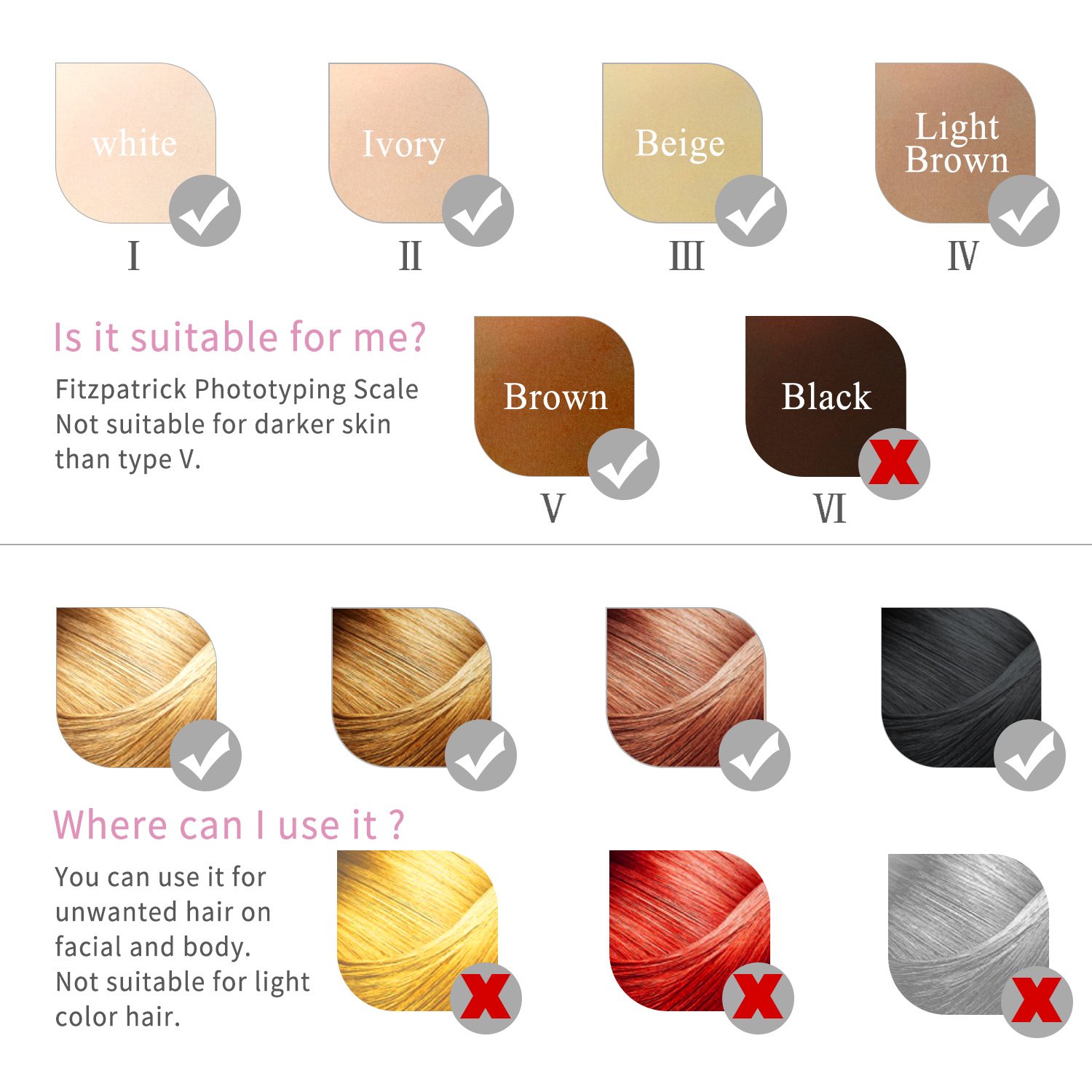
Image: This chart illustrates suitable skin tones (I-V) and hair colors (brown, black) for effective IPL treatment. It is not suitable for very dark skin (Type VI) or light hair colors (red, grey, white, light blonde).
3. Product Overview
3.1 Package Contents
Upon unpacking, ensure all items are present:
- DEESS GP589 IPL Hair Removal Device
- Power Adapter
- Safety Glasses
- User Manual (this document)
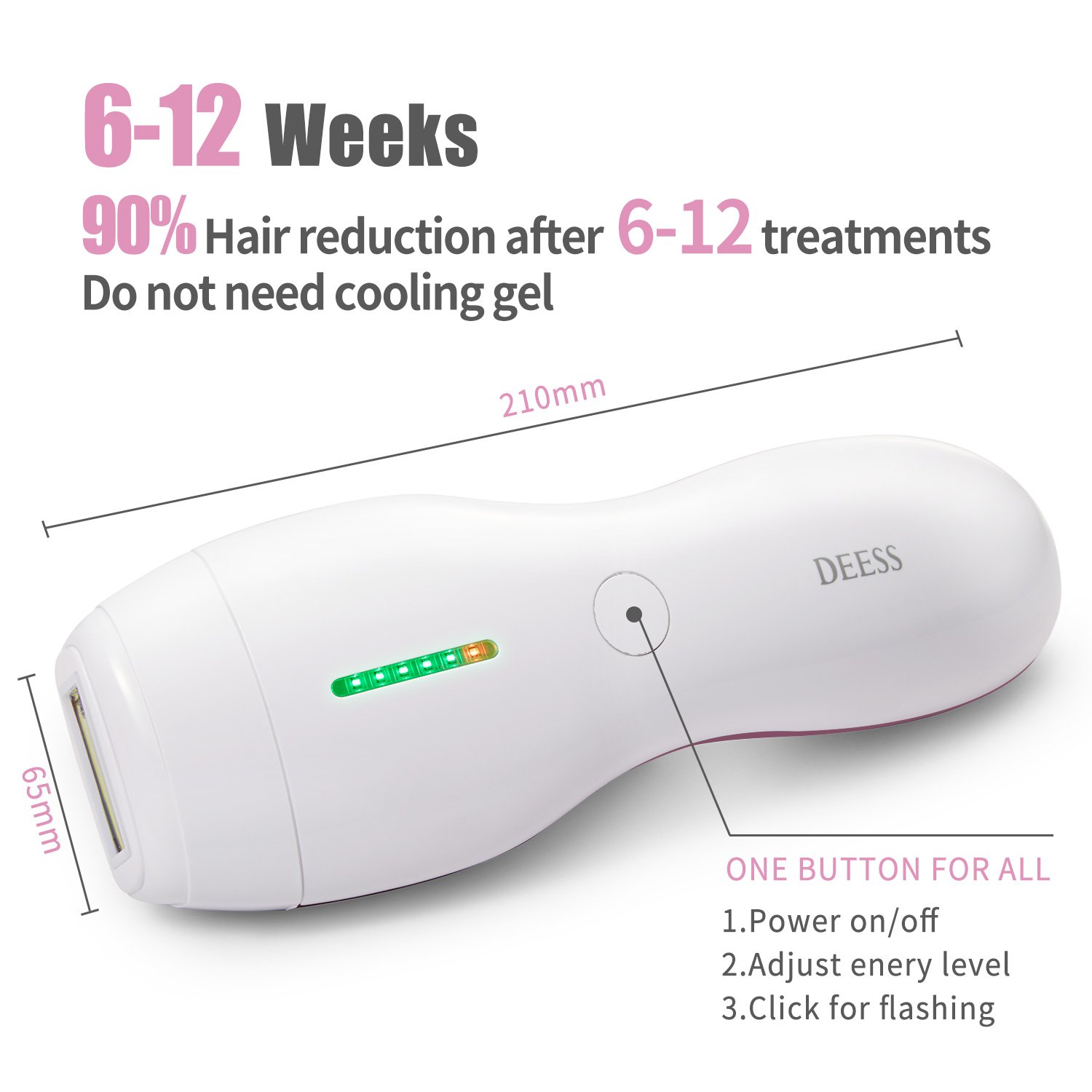
Image: The package includes the DEESS GP589 device, power adapter, safety glasses, and user manual.
3.2 Device Features and Controls
The DEESS GP589 features a simple, intuitive design for ease of use.
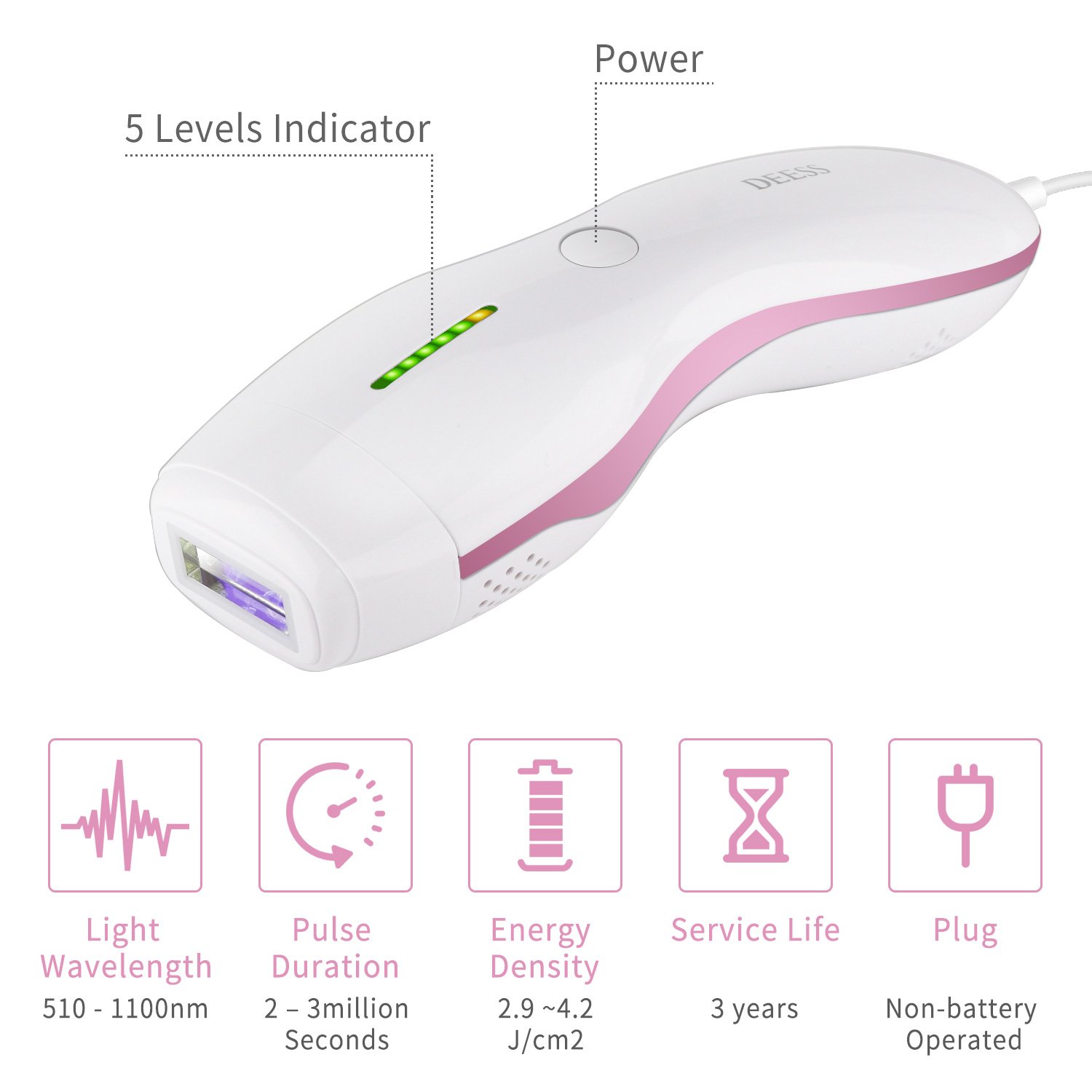
Image: The device features a power button and a 5-level indicator for energy settings.
- Power Button: Controls power on/off and adjusts energy levels. A short press changes the energy level, a long press turns the device on or off.
- 5 Levels Indicator: Displays the selected energy intensity level.
- Light Window: The area through which the IPL flashes are emitted.
- Skin Contact Sensor: Ensures the device only flashes when in full contact with the skin.
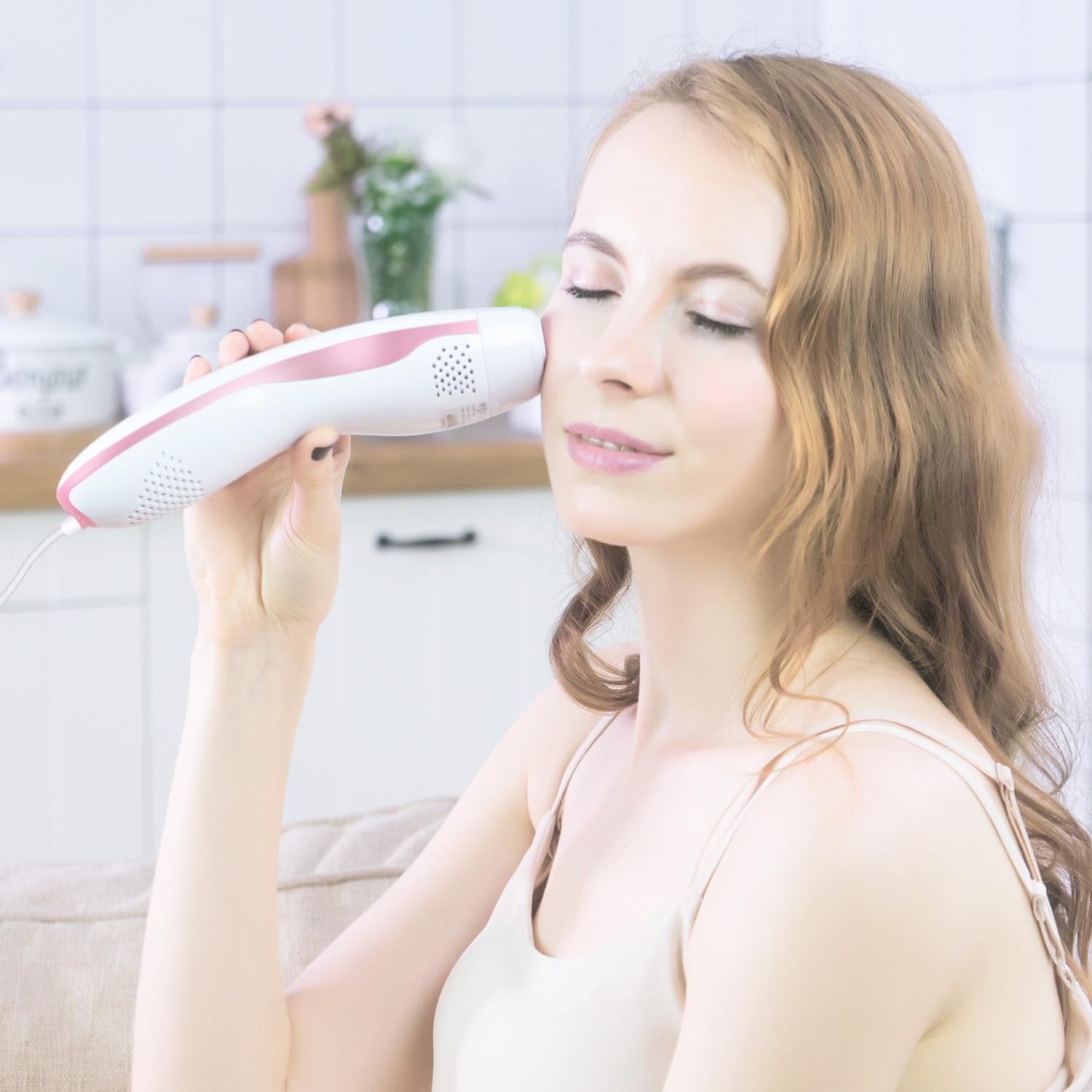
Image: The device's single button manages power, energy level adjustment, and flashing. Dimensions are approximately 210mm in length and 65mm in width.
4. Before You Begin
4.1 Skin Preparation
Before each treatment session:
- Shave the area to be treated. Do not wax, pluck, or use depilatory creams, as these remove the hair follicle which is necessary for IPL to be effective.
- Cleanse the skin thoroughly and ensure it is completely dry and free of any lotions, oils, or deodorants.
4.2 Patch Test
It is recommended to perform a patch test on a small area of skin 24 hours before your first full treatment. Select a low energy level and apply a few flashes. Check for any adverse reactions such as excessive redness, swelling, or blistering.
5. Setup
- Connect the power adapter to the device and plug it into a power outlet.
- Put on the provided safety glasses to protect your eyes.
6. Operating Instructions
6.1 Powering On and Adjusting Energy Levels
- Press and hold the power button for 2-3 seconds to turn on the device. The indicator lights will illuminate.
- Short press the power button repeatedly to cycle through the 5 energy levels. Start with Level 1 for your first treatment and gradually increase if comfortable.
6.2 Treatment Application
- Place the light window firmly against the skin in the area you wish to treat. Ensure full contact; the device will not flash otherwise.
- Press the flash button (which is the same as the power button) to emit a single flash. You will see a bright light and feel a mild warm sensation.
- Move the device to the next adjacent area, ensuring slight overlap to cover the entire treatment zone. Avoid treating the same spot multiple times in one session.
- Continue until the entire desired area has been treated.
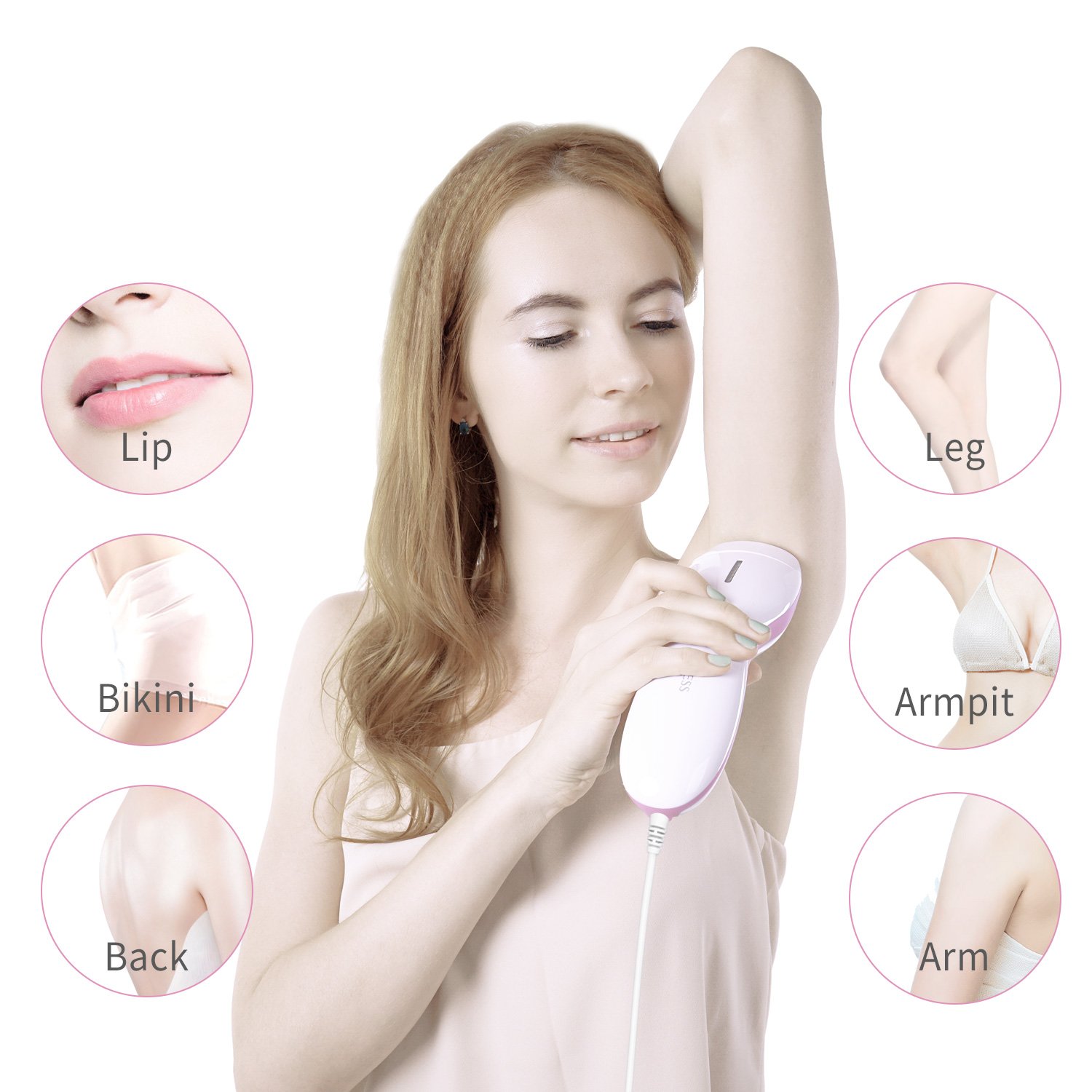
Image: The DEESS GP589 device can be used on various body areas including the lip, bikini line, back, legs, armpits, and arms.

Image: The device can also be used for facial hair removal, ensuring careful application and eye protection.
6.3 Treatment Schedule
For optimal results, follow a consistent treatment schedule:
- Initial Phase (Weeks 1-4): Use the device once per week.
- Reduction Phase (Weeks 5-8): Use the device once every two weeks.
- Maintenance Phase (After Week 8): Use the device once every 2-4 weeks or as needed to maintain results.
Noticeable hair reduction can typically be observed within 6-12 weeks of consistent treatment.
7. Maintenance and Care
Proper care ensures the longevity and performance of your device:
- Always unplug the device before cleaning.
- Use a soft, dry cloth to wipe the light window and the device body after each use.
- Do not use abrasive cleaners, alcohol, or harsh chemicals.
- Store the device in a cool, dry place away from direct sunlight and moisture.
8. Troubleshooting
If you encounter issues, refer to the following common problems and solutions:
| Problem | Possible Cause | Solution |
|---|---|---|
| Device does not turn on. | Not properly plugged in; power outlet issue; device malfunction. | Ensure the power adapter is securely connected and plugged into a working outlet. Try a different outlet. If the issue persists, contact customer support. |
| Device does not flash. | Light window not in full contact with skin; incorrect energy level selected; device malfunction. | Ensure the light window is pressed firmly and completely against the skin. Check if the indicator lights show an active energy level. If the issue persists, contact customer support. |
| Device feels hot during use. | Normal operation; prolonged use. | A slight warming sensation is normal. If the device becomes uncomfortably hot, take a short break to allow it to cool down. Ensure proper ventilation around the device. |
| No visible hair reduction after several weeks. | Inconsistent use; unsuitable skin/hair type; insufficient energy level. | Ensure you are following the recommended treatment schedule. Verify your skin tone and hair color are suitable for IPL. Gradually increase the energy level if comfortable. |
9. Specifications
| Feature | Detail |
|---|---|
| Model | GP589 |
| Light Wavelength | 510 - 1100nm |
| Pulse Duration | 2 - 3 million Seconds (referring to total flashes/service life) |
| Energy Density | 2.9 - 4.2 J/cm² |
| Service Life | Approximately 3 years (based on typical usage) |
| Power Source | Non-battery operated (plug-in) |
| Package Dimensions | 9.72 x 8.07 x 3.82 inches |
| Weight | 2.45 Pounds |
| Manufacturer | DEESS |
10. Warranty and Support
DEESS is committed to customer satisfaction. If you have any concerns, questions, or require technical assistance with your GP589 IPL Hair Removal Device, please do not hesitate to contact our customer service team. We aim to provide a solution within 24 hours.
For support, please visit the official DEESS website or refer to the contact information provided with your purchase.