
JBL BassProGo
JBL BASSPRO Go User Manual
Model: BassProGo | Brand: JBL
Product Overview
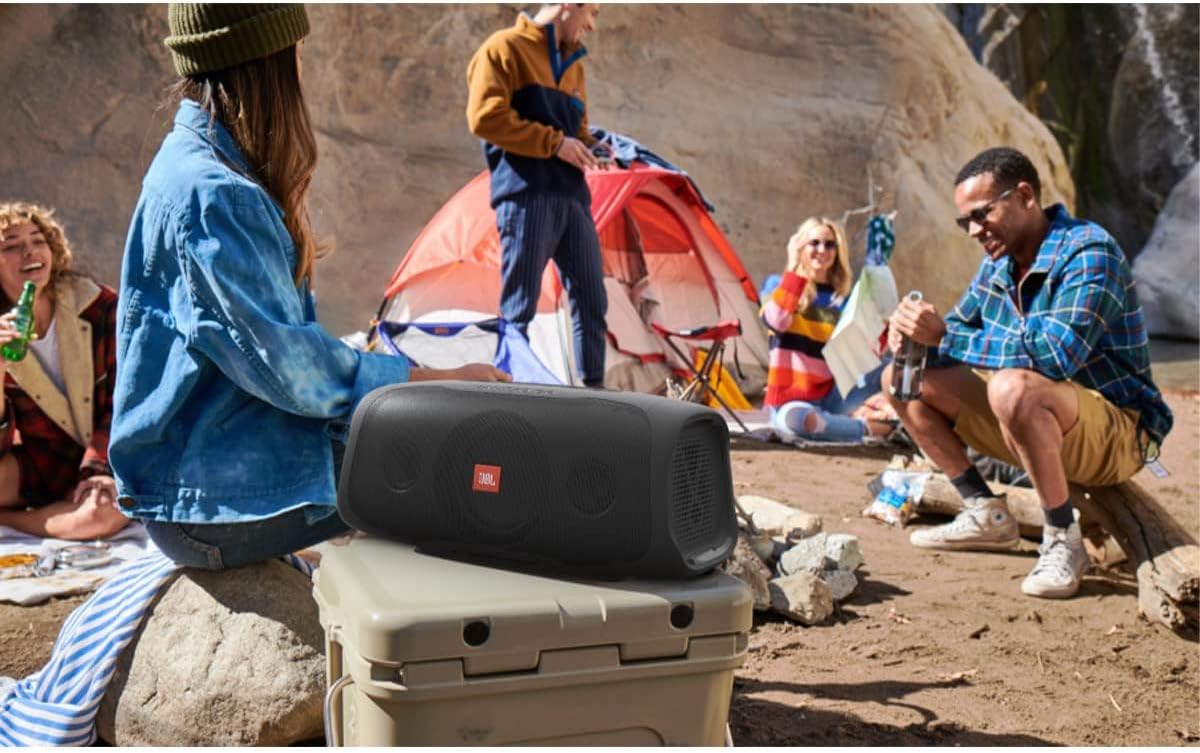
The JBL BassPro Go is a versatile 2-in-1 audio system, functioning as both an active car subwoofer and a portable Bluetooth speaker. It is designed for seamless transition between in-vehicle use and outdoor entertainment, offering powerful bass performance and convenient portability. Its robust construction includes IPX5 splash protection, making it suitable for various environments.


What's in the Box
Upon unboxing your JBL BassPro Go, you should find the following components:
- Portable Speaker Unit
- Vehicle Mount/Charger Base
- Vehicle Wiring Harness with In-line Fuse
- Bass Remote Control and Cable
- Adapter
- Mounting Accessories
- Spare Fuse

Setup
Car Installation (Subwoofer Mode)
- Mounting: Securely attach the vehicle mount/charger base in your car's trunk or desired location using the provided mounting accessories. Ensure it is stable and does not obstruct any vehicle functions.
- Wiring: Connect the vehicle wiring harness to your car's audio system and power source. The harness includes connections for power (+12V), ground, remote turn-on, and audio input (RCA or high-level). Refer to your vehicle's manual for specific wiring diagrams if needed.
- Fuse Installation: Ensure the in-line fuse is properly installed in the power line of the wiring harness to protect the unit and your vehicle's electrical system.
- Speaker Connection: Once the base is mounted and wired, slide the JBL BassPro Go speaker unit onto the base until it clicks securely into place. This connection also charges the unit.
- Bass Remote: Connect the bass remote control to the designated port on the BassPro Go unit. Route the cable to a convenient location for easy access while driving.

Portable Use (Bluetooth Speaker Mode)
To use the BassPro Go as a portable Bluetooth speaker, simply detach it from the vehicle mount. The quick-disconnect feature allows for easy removal. Ensure the unit is charged before portable use.
Operating Instructions
Power On/Off
- Power On: Press and hold the power button on the top panel until the indicator lights illuminate.
- Power Off: Press and hold the power button again until the indicator lights turn off.
Bluetooth Pairing
- Ensure the BassPro Go is powered on.
- Press the Bluetooth pairing button on the top panel. The Bluetooth indicator light will flash, indicating it's in pairing mode.
- On your mobile device, enable Bluetooth and search for "JBL BassPro Go" in the list of available devices.
- Select the device to pair. Once connected, the Bluetooth indicator light will become solid.
- You can connect up to three devices for social mode music sharing.
Audio Controls
- Volume Adjustment: Use the '+' and '-' buttons on the top panel to increase or decrease the volume.
- Bass Boost: Adjust the bass level using the dedicated bass remote control (when in car subwoofer mode) or through the unit's settings.
- Playback Control: Use the play/pause and track skip buttons on the top panel for music control.
Charging
- In-Car Charging: When docked on the vehicle mount and the car's ignition is on, the BassPro Go will automatically charge.
- USB Charging: The unit features a USB 2.0 charging port (5V/2.1A) which can be used to charge external devices like smartphones.
- The integrated NiMH battery provides up to 8 hours of wireless playback.


Maintenance
- Cleaning: Use a soft, damp cloth to clean the exterior of the unit. Avoid using harsh chemicals or abrasive cleaners.
- Water Resistance: The BassPro Go is IPX5 splash-resistant. While it can withstand splashes, do not submerge it in water. Ensure all port covers are securely closed when using in wet conditions.
- Storage: When not in use for extended periods, store the unit in a cool, dry place.
- Battery Care: To prolong battery life, avoid fully discharging the battery frequently. Charge the unit regularly, especially if stored for a long time.
Troubleshooting
| Problem | Possible Cause | Solution |
|---|---|---|
| No power | Battery drained; Not properly connected to car power; Blown fuse. | Charge the unit; Check car power connections; Inspect and replace fuse if necessary. |
| No sound (car mode) | Incorrect wiring; Low input sensitivity; Source device volume too low. | Verify all wiring connections; Adjust input sensitivity (GAIN) on the unit; Increase volume on source device. |
| No sound (portable mode) | Bluetooth not connected; Device volume too low. | Ensure Bluetooth is paired; Increase volume on the speaker and source device. |
| Poor sound quality | Improper bass boost setting; Source audio quality; Obstructions. | Adjust bass boost level; Use high-quality audio files; Ensure clear path for sound. |
| Bluetooth connection issues | Out of range; Interference; Device not in pairing mode. | Move device closer to speaker; Avoid obstacles; Re-enter pairing mode on speaker and device. |
Specifications
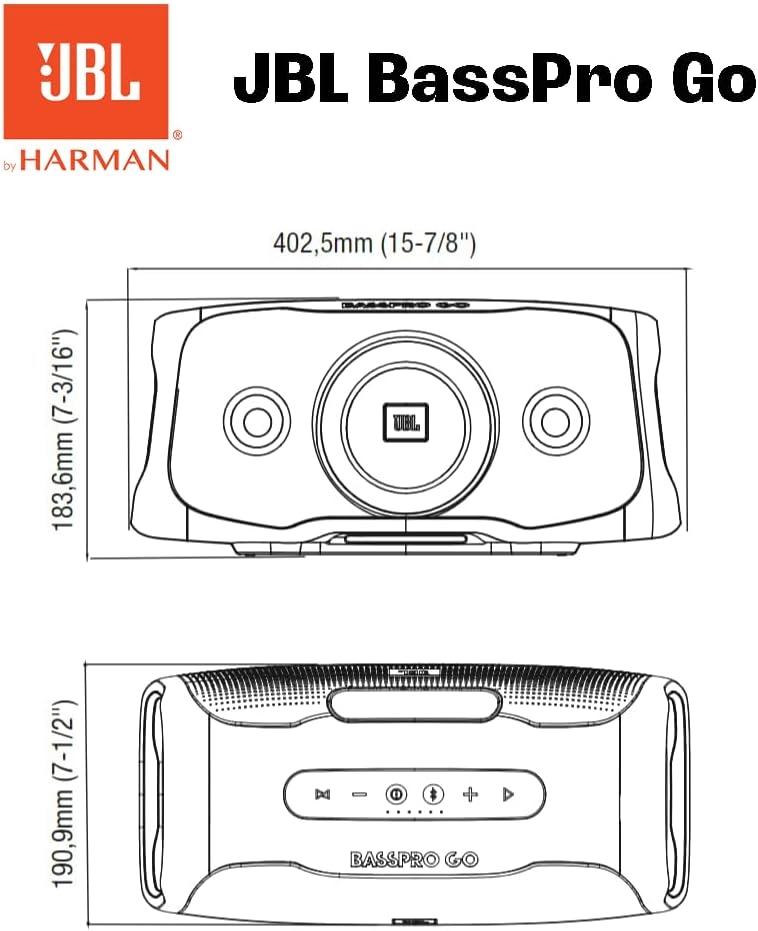
- Dimensions (L x W x H): 40.25 cm x 20.84 cm x 19.87 cm (15-7/8" x 8-3/16" x 7-1/2")
- Weight: 5.28 kg
- Output Power: 200 Watts (Peak)
- Amplifier Power: 100 Watts RMS
- Bass Boost: 0dB to +6dB at 45Hz
- Frequency Response: 40 Hz to 20 kHz
- Bluetooth Version: 4.2
- USB Charging Output: 5V (2.1A)
- Input Sensitivity (Low Level): 400mV to 6V
- Input Sensitivity (High Level): 1V to 15V
- Water Resistance Rating: IPX5 (Splash-proof)
- Battery Type: NiMH (Integrated, rechargeable)
- Battery Playback Time: Up to 8 hours
Official Product Video
This video provides a visual overview of the JBL BassPro Go, demonstrating its features and functionality as both a car subwoofer and a portable Bluetooth speaker. It highlights the quick-disconnect mechanism and various usage scenarios.
Warranty and Support
For warranty information, technical support, or service inquiries, please refer to the official JBL website or contact their customer service department. Keep your proof of purchase for warranty claims.
Online Support: Visit the official JBL support page for FAQs, product registration, and driver downloads.
Contact: Refer to the contact information provided in your product packaging or on the JBL website for direct assistance.