
1. Introduction
Thank you for purchasing the MOMAX V. Log Livestream Ring Light 12-inch. This user manual provides detailed instructions for the safe and efficient operation of your new ring light. Please read this manual thoroughly before use and retain it for future reference.

Figure 1: MOMAX V. Log Livestream Ring Light 12-inch
2. Safety Information
- Do not expose the device to water or excessive humidity.
- Keep the device away from heat sources and direct sunlight.
- Use only the specified power adapter (5V AC Input) to avoid damage.
- Do not attempt to disassemble or repair the device yourself. Refer all servicing to qualified personnel.
- Ensure proper ventilation around the ring light during operation.
- Keep out of reach of children.
3. Package Contents
Please check the package contents to ensure all items are present and in good condition:
- MOMAX V. Log Livestream Ring Light 12-inch
- Integrated USB Power Cable with Inline Remote Control
- Adjustable Phone Holder
- User Manual (this document)

Figure 2: Product Packaging
4. Product Overview
Familiarize yourself with the components of your V. Log Livestream Ring Light.

Figure 3: Ring Light with Phone Holder (Side View)
- Ring Light Panel: Provides adjustable illumination.
- Flexible Phone Holder: Securely holds smartphones (58-92mm width).
- USB Power Cable: Connects to a 5V USB power source.
- Inline Remote Control: For power, brightness, and color temperature adjustments.
- 1/4-inch Screw Hole: Located at the bottom for mounting on tripods or stands.
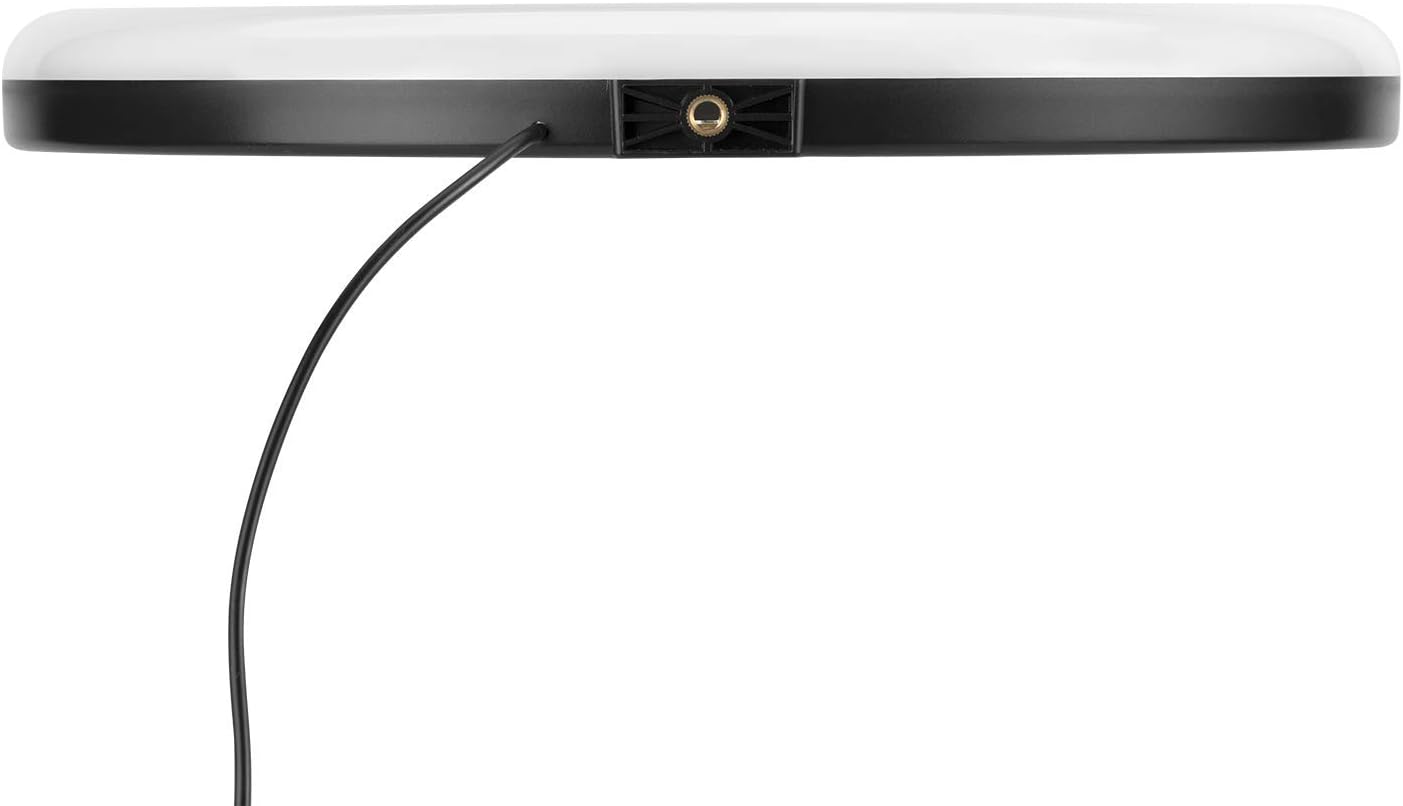
Figure 4: Bottom View with 1/4-inch Screw Hole
5. Setup
- Attach Phone Holder: Insert the flexible arm of the phone holder into the designated slot in the center of the ring light until it is securely seated.
- Mounting (Optional): If using a tripod or light stand (not included), screw the 1/4-inch screw of your stand into the screw hole at the bottom of the ring light until it is firmly attached.
- Connect Power: Plug the USB power cable into a compatible 5V USB power source (e.g., USB wall adapter, power bank, computer USB port).

Figure 5: Ring Light Setup with Tripod and Phone
6. Operating Instructions
The V. Log Livestream Ring Light is controlled via its inline remote. Ensure the light is powered on before adjusting settings.

Figure 6: Inline Remote Control
- Power On/Off: Press the ON/OFF button (often marked with a circle and a vertical line) once to turn the light on or off.
- Adjust Brightness: Use the + button to increase brightness and the - button to decrease brightness. There are 10 adjustable brightness levels.
- Change Color Temperature: Press the Mode button (often marked with arrows forming a circle) to cycle through the 3 available color temperatures: Warm Yellow (2700-3500K), Warm Daylight (3500-4500K), and Cool Daylight (5500-7000K).
- Using the Phone Holder: Gently pull apart the clamps of the phone holder and insert your smartphone. The holder accommodates phones with a width range of 58-92mm and a maximum load of 188g.

Figure 7: Ring Light in Operation with Smartphone
7. Maintenance
- Cleaning: Wipe the ring light and phone holder with a soft, dry cloth. Do not use abrasive cleaners or solvents.
- Storage: When not in use, store the ring light in a cool, dry place, away from direct sunlight and extreme temperatures.
- Cable Care: Avoid bending or kinking the USB power cable excessively.
8. Troubleshooting
| Problem | Possible Cause | Solution |
|---|---|---|
| Ring light does not turn on. | No power, loose connection, faulty USB port. | Ensure USB cable is securely plugged in. Try a different USB power source or port. |
| Light is too dim or too bright. | Brightness setting is incorrect. | Use the '+' and '-' buttons on the inline remote to adjust brightness. |
| Color temperature is not desired. | Color temperature setting is incorrect. | Press the Mode button on the inline remote to cycle through color temperatures. |
| Phone holder does not grip phone. | Phone size is outside the supported range (58-92mm) or exceeds max load (188g). | Ensure your phone's dimensions and weight are within the specified limits. |
9. Specifications
| Feature | Detail |
|---|---|
| Model Name | V. Log Livestream Ring Light 12-inch |
| Brand | MOMAX |
| AC Input | 5V |
| Max. Output | 10W (7-10W) |
| LED Quantity | 160 pcs, 0.2W each |
| Color Temperature | Warm Yellow: 2700-3500K Warm Daylight: 3500-4500K Cool Daylight: 5500-7000K |
| Luminous Flux | 500-700lm |
| Brightness Levels | 10 levels |
| Phone Holder Size Range | 58-92mm |
| Phone Holder Max. Load | 188g |
| Product Dimensions | 300mm x 305mm x 30mm (12-inch diameter approx.) |
| Product Weight | 520g (0.52 kg) |
| ASIN | B08QYQQLJ7 |
10. Warranty and Support
MOMAX products are designed and manufactured to the highest quality standards. For warranty information and customer support, please refer to the warranty card included with your purchase or visit the official MOMAX website.
For technical assistance or inquiries, please contact MOMAX customer service through their official channels. Keep your purchase receipt as proof of purchase for warranty claims.
MOMAX Official Website: www.momax.net