
Neprock B08QTZFFMZ
Neprock Foot and Leg Massager with Heat - Instruction Manual
Model: B08QTZFFMZ
Important Safety Instructions
Please read all instructions carefully before using this product. Failure to follow these instructions may result in injury or damage.
- Do not use this massager if you have any medical conditions such as pacemakers, heart disease, blood clots, or are pregnant, without consulting a doctor.
- Keep out of reach of children.
- Do not use in wet environments or near water.
- Unplug the device when not in use and before cleaning.
- Do not operate if the cord or plug is damaged.
- Avoid prolonged use on one area to prevent overheating or discomfort.
- If you experience any pain or discomfort during use, discontinue immediately.
- This device is for personal, non-medical use only.
Product Overview
The Neprock Foot and Leg Massager is designed to provide a comprehensive air compression massage for your feet and calves. It features multiple modes, intensity levels, and an optional heating function to help relieve fatigue, improve circulation, and soothe tired muscles.

Figure 1: Overview of the Neprock Foot and Leg Massager components, including the main unit, controller, and leg wraps.

Figure 2: The massager in use, demonstrating its key features: 6 massage modes, 3 intensity levels, and 3 heat levels.
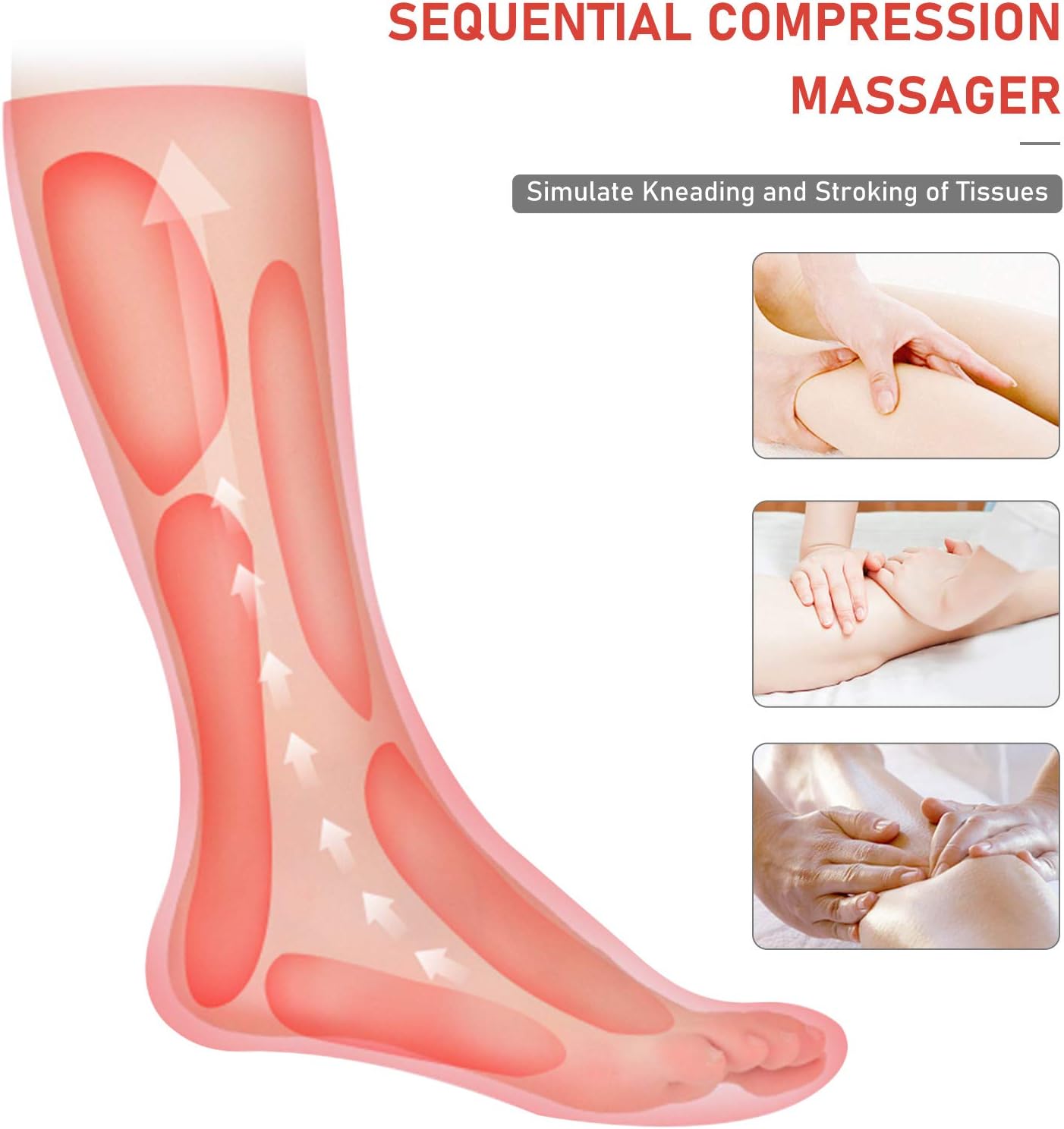
Figure 3: Illustration of the sequential compression massage technique, simulating kneading and stroking of tissues to promote circulation.

Figure 4: Key benefits of using the Neprock Leg and Foot Massager, such as fatigue relief, muscle relaxation, and improved circulation.
Setup Guide
Follow these steps to set up your Neprock Foot and Leg Massager for the first time:
- Unpack Components: Carefully remove all components from the packaging. Ensure you have the leg wraps, the controller unit, and the power adapter.
- Attach Leg Wraps: Lay the leg wraps flat. Identify the left (L) and right (R) markings on the wraps and the corresponding ports on the controller. Connect the air hoses from each leg wrap to the correct ports on the controller. Ensure a secure connection.
- Wear the Wraps: Place your feet and calves into the wraps. Use the Velcro straps to secure them firmly but comfortably around your legs. Ensure they are not too tight, as this can restrict circulation or affect massage intensity.
- Connect Power: Plug the power adapter into the controller unit, then plug the other end into a standard electrical outlet.
- Adjust Size (if needed): The massager features an adjustable design with Velcro. If the pressure feels too strong, loosen the wraps. If it feels too light, tighten them. Size extension pieces are included for larger calf perimeters (Max: 75cm / 29.5in with extension).

Figure 5: Visual guide for connecting the leg wraps to the controller and power source.

Figure 6: Details on adjusting the leg wrap size for optimal fit and comfort.
Operating Instructions
The Neprock Foot and Leg Massager is controlled via a user-friendly digital remote with an LCD screen.

Figure 7: The digital remote controller with its intuitive buttons and LCD display.
- Power ON/OFF: Press the POWER button to turn the massager on or off. The LCD screen will illuminate.
- Select Massage Mode: Press the MODE button to cycle through the 6 available massage modes. Each mode offers a different compression pattern. The selected mode will be displayed on the LCD screen.
- Adjust Intensity: After selecting a mode, press the POWER button again to adjust the massage intensity. There are 3 intensity levels (Low, Mid, High). The current intensity level will be shown on the LCD screen.
- Activate Heating Function: Press the HEAT button to activate or adjust the heating function. There are 3 levels of heat. The heat indicator will appear on the LCD screen. Press again to cycle through heat levels or turn off.
- Automatic Shut-off: For safety and convenience, the massager is equipped with a 20-minute automatic shut-off timer.

Figure 8: Illustration of the heating and heat dissipation layers within the massager for effective and safe warmth.

Figure 9: The massager features a 20-minute automatic shut-off for safety and convenience.
Maintenance and Care
- Cleaning: Disconnect the power adapter before cleaning. Wipe the surface of the leg wraps and controller with a soft, damp cloth. Do not use abrasive cleaners or immerse the unit in water.
- Storage: Store the massager in a cool, dry place away from direct sunlight and extreme temperatures. Ensure the air hoses are not kinked or pinched during storage.
- Inspection: Regularly inspect the power cord and connections for any signs of damage. If any damage is found, discontinue use and contact customer support.
Troubleshooting Guide
| Problem | Possible Cause | Solution |
|---|---|---|
| Massager does not turn on. | Power cord not properly connected; Power outlet not working. | Ensure the power cord is securely plugged into both the controller and a working electrical outlet. Try a different outlet. |
| Weak or no compression. | Air hoses not securely connected; Leg wraps too loose; Incorrect intensity setting. | Check all air hose connections to the controller and wraps. Tighten the leg wraps if they are too loose. Increase the intensity level using the POWER button. |
| Massager is too noisy. | Normal operation sound; Unit placed on a resonant surface. | A certain level of noise from the air pump is normal. Ensure the controller is placed on a soft, non-resonant surface to minimize vibration noise. |
| Heating function not working. | Heating function not activated; Low heat setting. | Press the HEAT button to activate the heating function. Cycle through the heat levels to ensure it's set to your desired warmth. Allow a few minutes for the heat to build up. |
Product Specifications
- Model: B08QTZFFMZ
- Brand: Neprock
- Color: Grey
- Power Source: Corded Electric
- Massage Modes: 6
- Intensity Levels: 3
- Heat Levels: 3
- Auto Shut-off: 20 minutes
- Calf Perimeter Length (Max): 40cm / 15.7in (without extension), 75cm / 29.5in (with extension)
- Package Dimensions: 13.46 x 7.83 x 5.79 inches
- Weight: 3.51 Pounds
- Manufacturer: Neprock
Warranty and Customer Support
The Neprock Foot and Leg Massager comes with a one-year guarantee from the date of purchase.
If you encounter any issues with your product or have questions regarding its operation, please do not hesitate to contact Neprock customer support. Your satisfaction is our priority.
For support, please refer to the contact information provided with your purchase or visit the official Neprock store page on Amazon: Neprock Store.
Legal Disclaimer
Statements regarding dietary supplements have not been evaluated by the FDA and are not intended to diagnose, treat, cure, or prevent any disease or health condition.