
1. Introduction
This manual provides detailed instructions for the installation, operation, and maintenance of your SMAAIR 52 Inch Smart Ceiling Fan with Lights and Remote (Model CES523PL-FM). Please read this manual thoroughly before installation and use to ensure proper function and safety. Keep this manual for future reference.
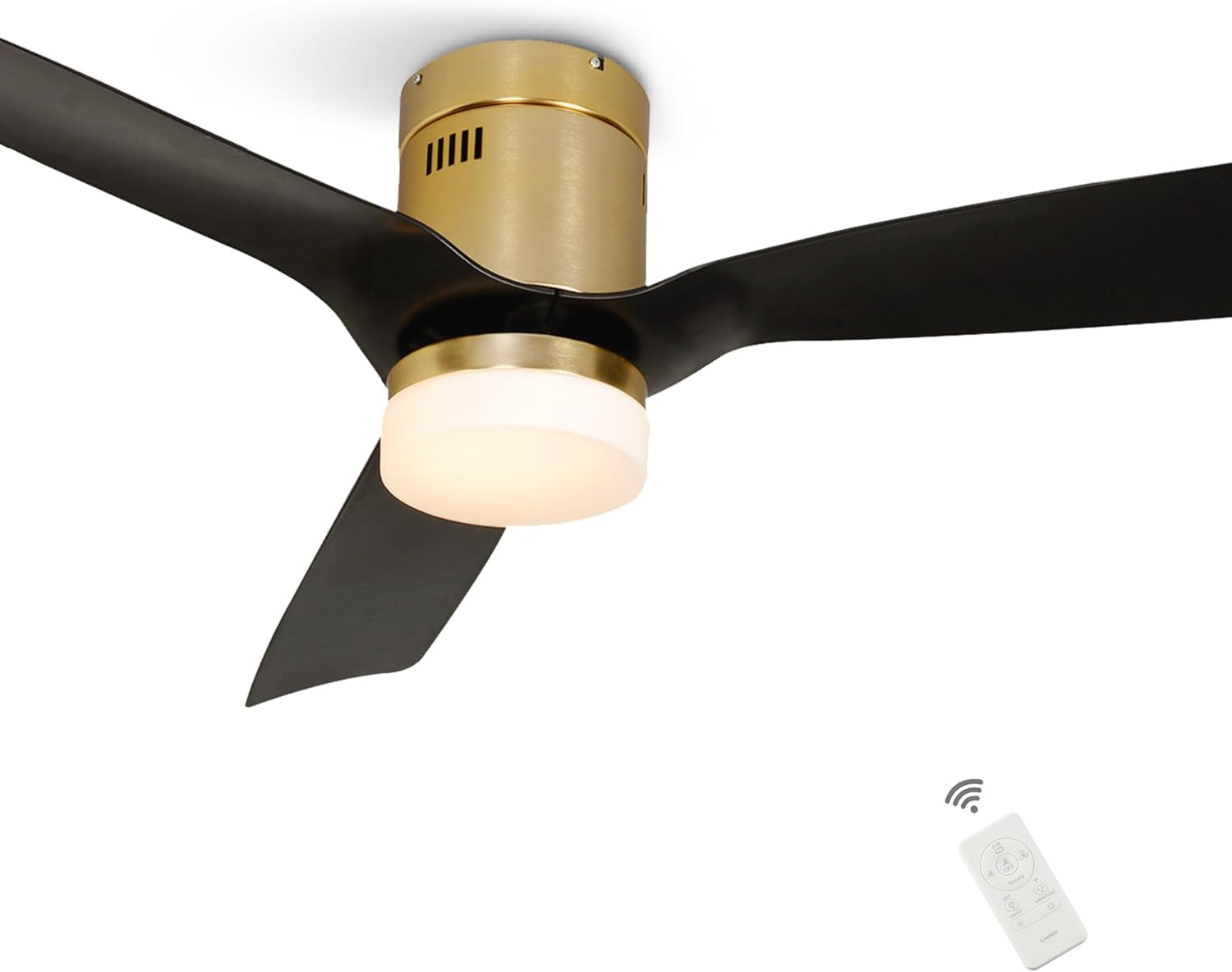
Image: The SMAAIR 52 Inch Smart Ceiling Fan in black and gold, featuring three blades and an integrated LED light, with its remote control shown in the foreground.
2. Safety Information
Always follow basic safety precautions when installing and operating electrical appliances. Failure to do so may result in fire, electric shock, or personal injury.
- Read all instructions carefully before beginning installation.
- Installation must be performed by a qualified electrician.
- Ensure the electrical box is securely mounted and capable of supporting the fan's weight (rated for 50 lbs).
- Turn off power at the circuit breaker before installation or servicing.
- Do not bend the blade holders during installation, balancing, or cleaning.
- Ensure all connections are secure and properly insulated.
- Keep fingers and other objects away from rotating fan blades.
3. Package Contents
Verify that all components are present and undamaged before installation:
- Ceiling Fan Motor Housing (Gold finish)
- 3 ABS Fan Blades (Black)
- Integrated LED Light Kit with Glass Lampshade
- Remote Control
- Mounting Hardware
- Instruction Manual

Image: An exploded view of the SMAAIR 52 Inch Smart Ceiling Fan, illustrating its various components including the motor housing, blades, and light kit.
4. Specifications
| Feature | Detail |
|---|---|
| Brand | SMAAIR |
| Model Name | SMAAIR Striver (CES523PL-FM) |
| Size | 52 Inch |
| Color | Black/Gold |
| Number of Blades | 3 |
| Motor Type | Reversible DC Motor |
| Wind Speeds | 10 |
| Light Kit | Integrated Dimmable LED (2700K-3500K-4000K) |
| Control Methods | Remote, App (2.4Ghz Wi-Fi), Voice (Alexa, Google Assistant, Siri Shortcuts) |
| Installation Type | Flush Mount Only |
| Power Source | AC/DC |
| Wattage | 21 watts (DC motor) |
| Air Flow Capacity | 3184 Cubic Feet Per Minute |
| Item Weight | 14.95 pounds |
| Product Dimensions | 52"D x 52"W x 11.4"H |

Image: A diagram illustrating the dimensions of the 52-inch SMAAIR ceiling fan and key features such as 10 speeds, adjustable brightness, 8-hour timer, and scheduling capabilities.
5. Setup & Installation
This SMAAIR Striver Smart Ceiling Fan is designed for flush mount installation only and requires a flat ceiling surface. It cannot be installed on an angled ceiling. Ensure your electrical box is rated for ceiling fan support (typically 50 lbs).
Installation Steps:
- Prepare for Installation: Turn off power at the main circuit breaker. Clear the installation area.
- Mounting Bracket: Secure the mounting bracket to the ceiling electrical box. Ensure it is firmly attached.
- Wiring: Connect the fan's electrical wires to the household wiring according to local electrical codes. Refer to the wiring diagram in the separate installation guide for detailed instructions.
- Attach Fan Assembly: Carefully lift the fan motor assembly and attach it to the mounting bracket.
- Install Blades: Securely attach the three ABS fan blades to the motor housing.
- Install Light Kit: Connect and secure the integrated LED light kit and glass lampshade.
- Restore Power: Once installation is complete and all connections are checked, restore power at the circuit breaker.

Image: A diagram showing the correct flush mount installation method for the ceiling fan, indicating that it should only be installed on a flat ceiling.
6. Operating Instructions
6.1 Remote Control
The included remote control provides convenient access to all fan and light functions.
- Fan On/Off: Press the fan power button to turn the fan on or off.
- Fan Speed: Adjust between 10 wind speeds using the speed control buttons.
- Light On/Off: Press the light power button to turn the LED light on or off.
- Light Dimming: Use the dimming buttons to adjust the brightness of the LED light.
- Color Temperature: Switch between warm, natural, and white light settings.
- Reversible Function (F/R): Change the direction of the fan blades for summer (downdraft) or winter (updraft) mode.
- Nature Mode: Activates a fluctuating fan speed to simulate a natural breeze.
Image: The SMAAIR 52 Inch Smart Ceiling Fan with its remote control, highlighting the convenience of remote operation.
6.2 App Control
Control your smart ceiling fan from anywhere using the dedicated mobile application. The app requires a 2.4Ghz Wi-Fi connection for initial setup; it can operate on 5Ghz after connection.
- Full Control: Adjust fan speed, light brightness, and color temperature independently.
- Timing Function: Set sleep shutdown timers (1-8 hours).
- Scheduling: Create 24-hour schedules for automatic fan and light operation.
- Group Control: Manage multiple SMAAIR smart devices simultaneously.

Image: A smartphone displaying the SMAAIR app interface, showing options for fan speed, light control, and scheduling.

Image: The SMAAIR app's scheduling feature, demonstrating how to set automated on/off times for the fan and lights in different rooms.
6.3 Voice Control
Integrate your SMAAIR smart ceiling fan with popular voice assistants for hands-free control.
- Compatible Devices: Works with Amazon Alexa, Google Assistant, and Siri Shortcuts.
- Simple Commands: Use voice commands to turn the fan/light on/off, adjust speeds, change light brightness, and color temperature.

Image: Icons for Amazon Alexa, Google Assistant, and Siri, indicating compatibility for voice control of the SMAAIR smart ceiling fan.
Video: Demonstrates how to set up and use Siri Shortcuts to control the SMAAIR smart ceiling fan, including fan speed and light settings.
Video: A demonstration of controlling the SMAAIR smart ceiling fan using Alexa voice commands, showing fan and light adjustments.
Video: Step-by-step guide on how to connect the SMAAIR smart ceiling fan with Amazon Alexa for voice control.
6.4 Light Features
The integrated LED light offers versatile illumination options.
- Dimmable: Adjust brightness from 1% to 100%.
- 3 Color Temperatures: Choose between 2700K (Warm Light), 3500K (Natural Light), and 4000K (Day Light).
- Long Lifespan: LED light has a lifespan of 50,000+ hours.

Image: Three views of the SMAAIR ceiling fan's LED light, demonstrating the different color temperature options: Warm White (2700K), Natural White (3500K), and Day Light (4000K), along with a dimmable range from 1% to 100%.
Video: A short video demonstrating the dimmable light feature of the SMAAIR smart ceiling fan.
6.5 Reversible Motor
The 10-speed reversible DC motor allows for optimal air circulation throughout the year.
- Summer Mode (Downdraft): Blades rotate counter-clockwise to push cool air down, creating a cooling effect.
- Winter Mode (Updraft): Blades rotate clockwise to pull cool air up, circulating warm air trapped near the ceiling.
- Quiet Operation: The efficient brushless DC motor ensures whisper-quiet performance.

Image: A visual representation of the SMAAIR ceiling fan's reversible motor function, showing downdraft mode for summer and updraft mode for winter to optimize air circulation.
7. Maintenance
Regular maintenance ensures the longevity and optimal performance of your ceiling fan.
- Cleaning: Periodically clean the fan blades and motor housing with a soft, damp cloth. Do not use abrasive cleaners or solvents.
- Light Cover: Gently remove and clean the glass lampshade as needed. Ensure it is dry before reattaching.
- Tighten Screws: Check all screws and fasteners annually to ensure they are tight. Loose connections can cause noise or wobbling.
- No Lubrication Needed: The DC motor is permanently lubricated and does not require additional oiling.
8. Troubleshooting
If you encounter issues with your SMAAIR smart ceiling fan, refer to the following common problems and solutions:
| Problem | Possible Cause | Solution |
|---|---|---|
| Fan does not operate | No power, loose wiring, remote not paired. | Check circuit breaker. Ensure all wiring connections are secure. Re-pair the remote control (refer to remote pairing instructions in the full manual). |
| Light does not turn on | Loose light kit connection, faulty LED. | Check light kit wiring. If LED is faulty, contact customer support. |
| Remote control not responding | Low battery, remote not paired, interference. | Replace remote battery. Re-pair the remote with the fan. Ensure no obstructions between remote and fan. |
| Wi-Fi connection issues | Incorrect Wi-Fi band, weak signal, incorrect password. | Ensure your router is broadcasting a 2.4Ghz signal during initial setup. Verify Wi-Fi password. Move router closer if signal is weak. |
| Fan wobbles | Loose blades, unbalanced blades, loose mounting. | Ensure all blade screws are tight. Check for any bent blades. Verify mounting bracket is secure. |
| Excessive noise | Loose components, motor issue. | Check all screws and connections. If noise persists, contact customer support. |
9. Warranty & Support
The SMAAIR Striver Smart Ceiling Fan is ETL Listed and comes with a limited lifetime manufacturer's warranty. For warranty claims, technical support, or replacement parts, please contact SMAAIR customer service.
For further assistance, please visit the SMAAIR Store on Amazon.