
1. Introduction
This manual provides comprehensive instructions for the installation, operation, and maintenance of the Amio 01573 Parking Sensors 8 LED Sensor/Buzzer system. This system is designed to assist drivers in parking by detecting obstacles behind or in front of the vehicle and providing audible and visual alerts.
The Amio 01573 system includes eight ultrasonic sensors, a main control unit, an LED display with an integrated buzzer, and necessary wiring. Please read this manual thoroughly before installation and use to ensure proper functionality and safety.
2. Setup and Installation
Proper installation is crucial for the optimal performance of your parking sensor system. It is recommended that installation be performed by a qualified technician.
2.1 Components Overview
Before beginning, ensure all components are present:
- Main Control Unit
- 8 Ultrasonic Sensors (typically 4 for front, 4 for rear)
- LED Display with Buzzer
- Power Cable
- Drill Bit (for sensor holes)
2.2 Sensor Installation
The sensors should be installed in the front and rear bumpers of the vehicle. Ensure they are evenly spaced and at a consistent height, typically between 50-70 cm from the ground. Avoid installing sensors too close to metal parts or exhaust pipes.
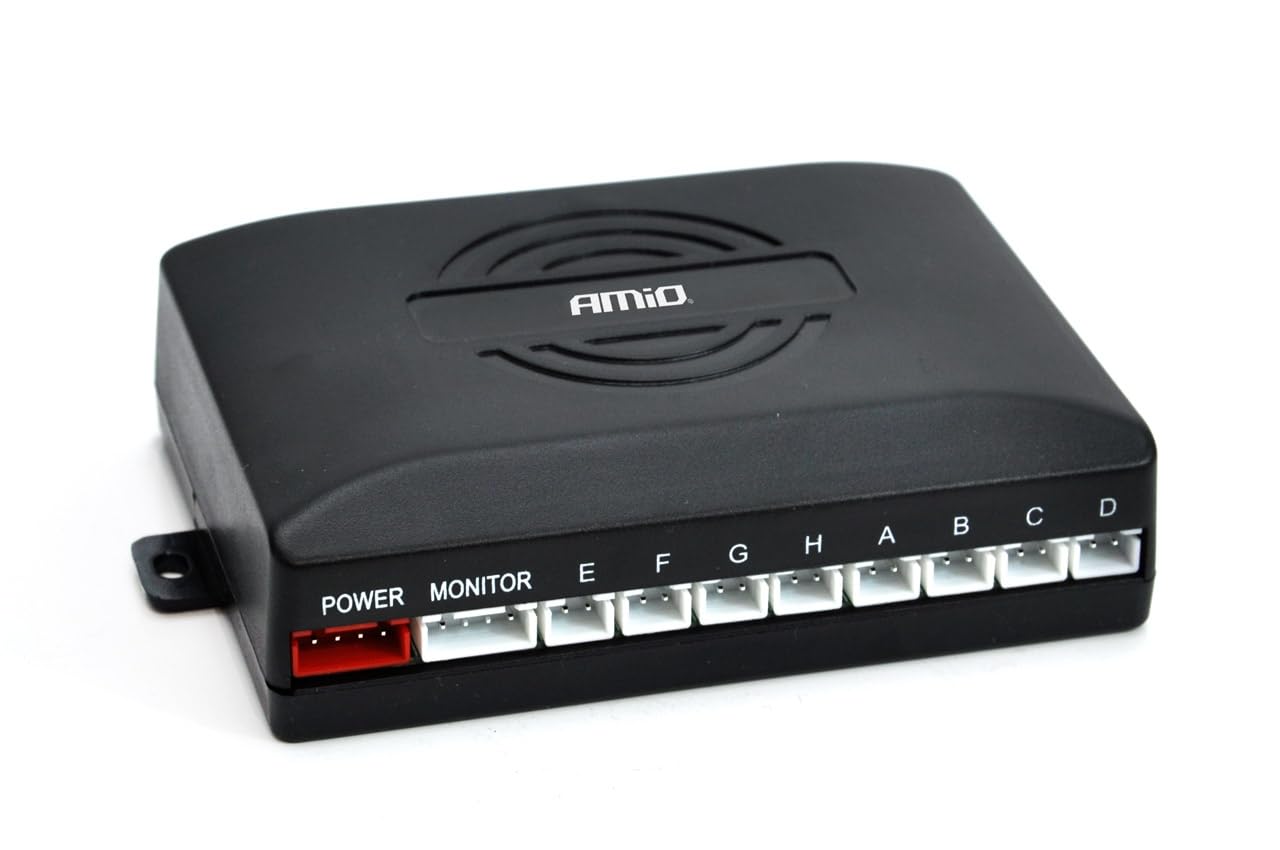
Image Description: A general view of the Amio 01573 Parking Sensor kit components. It shows several black ultrasonic sensors, a main control box, an LED display unit, and various cables. This image illustrates the primary parts included in the system for installation.
2.3 Main Control Unit Installation
Mount the main control unit securely in a dry, protected area of the vehicle, such as the trunk or under the dashboard. Ensure it is away from heat sources and moisture. Connect the sensor cables to the corresponding ports on the control unit (usually labeled A, B, C, D for front and E, F, G, H for rear, or similar).
2.4 LED Display and Buzzer Installation
Install the LED display unit in a location visible to the driver, such as on the dashboard or near the rearview mirror. Connect the display cable to the main control unit. The integrated buzzer will provide audible alerts.
2.5 Power Connection
Connect the power cable from the main control unit to the vehicle's electrical system. The rear sensors typically activate when the reverse gear is engaged, requiring connection to the reverse light power supply. Front sensors may be connected to an ignition-switched power source or a dedicated switch, depending on the desired functionality.
3. Operating Instructions
Once installed, the Amio 01573 Parking Sensor system operates automatically to assist with parking maneuvers.
3.1 System Activation
- Rear Sensors: Automatically activate when the vehicle is put into reverse gear.
- Front Sensors: May activate automatically when the vehicle is moving slowly (e.g., below 10-15 km/h) or when a dedicated switch is engaged, depending on the installation configuration.
3.2 Interpreting Alerts
The system provides both audible and visual feedback:
- Audible Alerts (Buzzer):
- Slow beeping: Obstacle detected at a moderate distance.
- Faster beeping: Obstacle is closer.
- Continuous tone: Obstacle is very close (typically within 30 cm).
- Visual Alerts (LED Display):
- The display shows the approximate distance to the obstacle (e.g., in meters or centimeters).
- LED segments or bars illuminate, typically changing color (e.g., green to yellow to red) as the vehicle approaches an obstacle, indicating proximity and direction (left/center/right).
Always use the parking sensor system as an aid and not as a substitute for direct visual observation. Check your surroundings thoroughly before and during parking maneuvers.
4. Maintenance
Regular maintenance ensures the longevity and reliability of your parking sensor system.
- Sensor Cleaning: Periodically clean the surface of the ultrasonic sensors with a soft, damp cloth. Ensure they are free from dirt, mud, ice, or snow, as these can interfere with detection. Do not use abrasive cleaners.
- Cable Inspection: Occasionally check all visible cables and connections for any signs of wear, damage, or loose connections.
- Avoid Obstruction: Ensure no accessories, stickers, or paint are covering the sensor surfaces, as this can impair their function.
5. Troubleshooting
If you encounter issues with your Amio 01573 Parking Sensor system, refer to the following troubleshooting guide:
| Problem | Possible Cause | Solution |
|---|---|---|
| System does not power on / No display | Loose power connection, blown fuse, faulty control unit. | Check power cable connections. Inspect vehicle's fuse box for blown fuses. If problem persists, contact support. |
| Sensors not detecting obstacles | Dirty sensors, faulty sensor, incorrect wiring, sensor covered. | Clean sensor surfaces. Check sensor cable connections to the control unit. Ensure sensors are not obstructed. |
| False alarms / Continuous beeping without obstacle | Dirty sensors, sensor installed too close to ground/metal, electromagnetic interference. | Clean sensors. Verify sensor installation height and distance from metal parts. Check for strong electromagnetic sources nearby. |
| Buzzer not working | Loose connection to display unit, faulty display unit. | Check the cable connection between the control unit and the LED display. |
If these steps do not resolve the issue, it is recommended to consult a professional technician or contact Amio customer support.
6. Specifications
The following are the technical specifications for the Amio 01573 Parking Sensors 8 LED Sensor/Buzzer system:
- Model: 01573 Parking Sensors 8 LED Sensor / Buzzer
- Item Model Number: AMI-01573
- Number of Sensors: 8 (typically 4 front, 4 rear)
- Detection Type: Ultrasonic
- Display Type: LED with integrated buzzer
- Item Weight: 3.31 ounces (approx. 94 grams)
- Product Dimensions (Control Unit): 4.88 x 4.02 x 1.5 inches (approx. 12.4 x 10.2 x 3.8 cm)
- Manufacturer: Amio
- Brand: Amio
7. Warranty and Support
Amio products are manufactured to high-quality standards. For information regarding warranty coverage, terms, and conditions, please refer to the documentation provided with your purchase or visit the official Amio website.
For technical assistance, troubleshooting beyond this manual, or to inquire about replacement parts, please contact Amio customer support. When contacting support, please have your product model number (01573 or AMI-01573) and purchase details available.