
Introduction
Thank you for purchasing the FILCO Majestouch Lumi S Mechanical Keyboard. This keyboard features durable CHERRY MX Red switches, PBT 2-color molded keycaps, and N-key rollover for a superior typing experience. This manual provides essential information for setting up, operating, maintaining, and troubleshooting your new keyboard.

Image: FILCO Majestouch Lumi S mechanical keyboard, full view, showcasing its design and key layout.
Setup
The FILCO Majestouch Lumi S keyboard offers both USB and PS/2 connectivity, ensuring broad compatibility with various systems. It is compatible with Windows 10 operating systems.
Connecting the Keyboard
- USB Connection: Connect the USB cable from the keyboard directly to an available USB port on your computer. The keyboard is plug-and-play and should be recognized automatically.
- PS/2 Connection: For PS/2 compatibility, use the included PS/2 adapter. Attach the adapter to the USB connector of the keyboard cable, then plug the PS/2 connector into the corresponding PS/2 port on your computer. Ensure the computer is powered off before connecting via PS/2, then power it on.

Image: USB to PS/2 adapter and keycap puller, essential accessories for connectivity and maintenance.
Operating Instructions
N-Key Rollover (NKRO)
The Majestouch Lumi S supports N-key rollover, which means all keys pressed simultaneously are registered accurately. This feature is particularly beneficial for fast typists and gamers, preventing ghosting or missed inputs.
Function Key Operations
The keyboard includes a dedicated Fn key that, when combined with other keys, activates various multimedia and system functions. These functions are designed to enhance user convenience and productivity.
- Fn + Esc: Resets the keyboard to factory default settings (hold for 3 seconds).
- Fn + F9: Mute/Unmute audio.
- Fn + F10: Decrease volume.
- Fn + F11: Increase volume.
- Fn + F12: Activates sleep mode.
- Fn + App Key: Locks the Windows key to prevent accidental presses during gaming or intensive tasks.

Image: Table illustrating various function key combinations and their corresponding actions.

Image: Close-up view of the function keys (F1-F12) and their secondary functions, indicated by icons.
CHERRY MX Red Switches
This keyboard is equipped with CHERRY MX Red mechanical switches, known for their linear feel and light actuation force. This provides a smooth and consistent keystroke, ideal for both typing and gaming.

Image: Diagram illustrating the internal mechanism of a CHERRY MX Red mechanical switch, highlighting its linear operation.
PBT 2-Color Molded Keycaps
The keycaps are made from PBT plastic using a 2-color molding process. This ensures high durability, resistance to shine from finger oils, and legends that will not fade over time.

Image: Close-up of individual PBT 2-color molded keycaps, showing their construction and texture.
LED Indicators
The keyboard features LED indicators for Num Lock, Caps Lock, and Scroll Lock. These indicators provide clear visual feedback on the status of these functions.
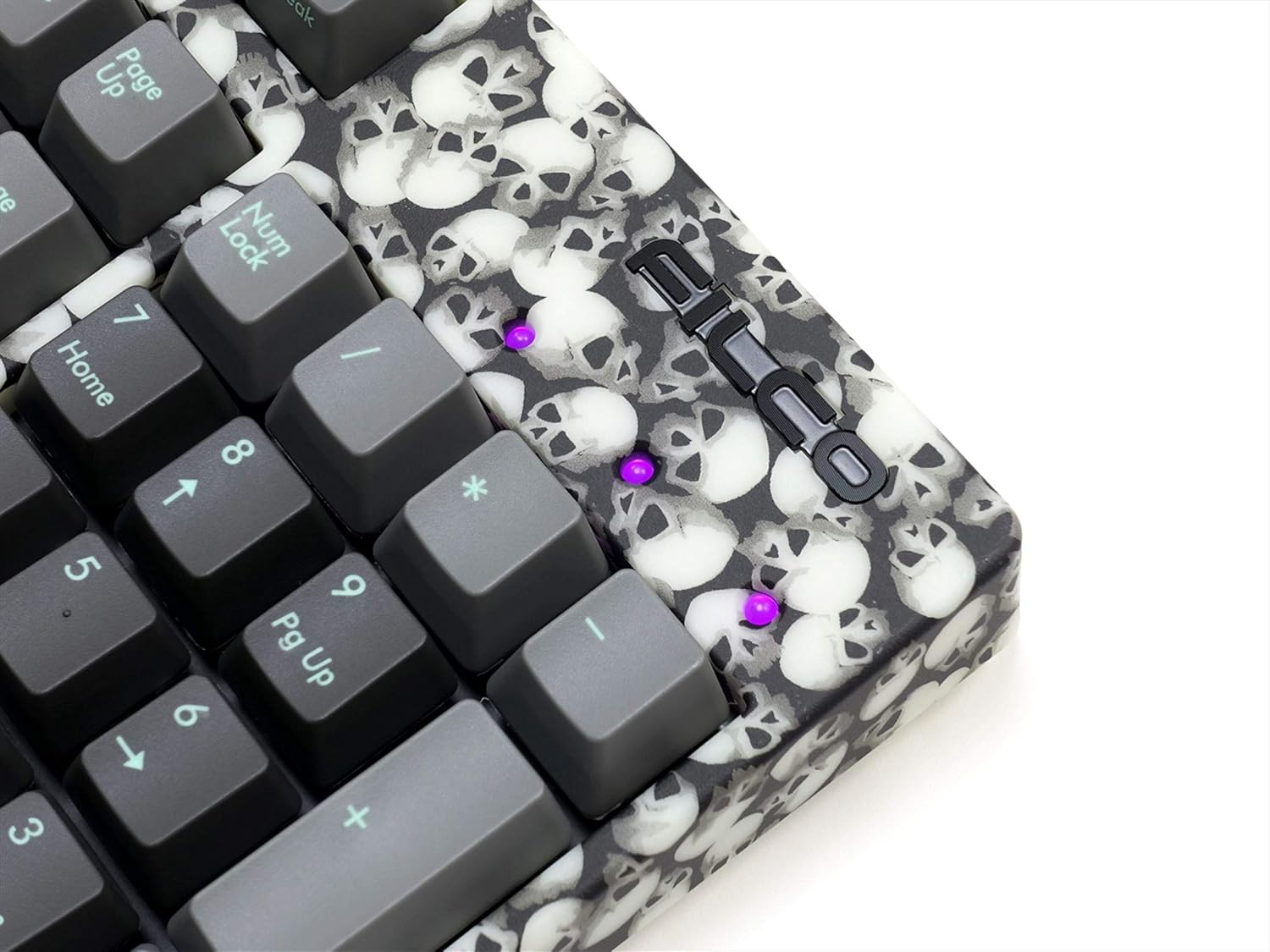
Image: Close-up of the keyboard's LED indicators, showing their placement and illumination.
Adjustable Feet
The keyboard is equipped with adjustable feet on the underside, allowing you to set the typing angle for optimal comfort.

Image: The underside of the keyboard, showing the adjustable feet in their extended position.
Product Video
Video: A short preview video demonstrating key features of the FILCO Majestouch Lumi S keyboard, including its PBT keycaps, N-key rollover, function keys, USB/PS2 connectivity, and CHERRY MX switches.
Maintenance
Proper maintenance ensures the longevity and optimal performance of your keyboard.
Cleaning Keycaps
To clean the keycaps, use the included keycap puller to carefully remove them. Clean the keycaps with a mild soap solution and a soft cloth, then rinse and dry thoroughly before reattaching. The keyboard body can be wiped with a soft, dry cloth.

Image: Several keycaps detached from the keyboard, showing their underside and the keycap puller tool.
Troubleshooting
- Keyboard not responding: Ensure the USB or PS/2 cable is securely connected to both the keyboard and the computer. If using PS/2, ensure the computer was off during connection. Try connecting to a different USB/PS/2 port.
- Keys not registering: Check for any debris under the keycaps. If a specific key is not working, try removing and reattaching its keycap.
- Unexpected behavior: Perform a factory reset by holding Fn + Esc for 3 seconds. This will revert all keyboard settings to their default state.
- N-key rollover issues: Ensure your operating system and software support N-key rollover. Some older systems or BIOS settings might limit simultaneous key presses.
Specifications
| Feature | Description |
|---|---|
| Model Name | FILCO Majestouch Lumi S |
| Product Model Number | FKBN108MRL/NCSP2LS-AKP |
| Brand | FILCO |
| Connectivity | PS/2, USB |
| Compatible OS | Windows 10 |
| Keyboard Size | Full-size (108 keys) |
| Product Dimensions | 13.8 x 44 x 3.85 cm |
| Weight | 960 g |
| Key Switch Type | CHERRY MX Red |
| Keycap Material | PBT 2-color molded keycaps |
| N-Key Rollover | Supported |
| Function Keys | Supported |
| Layout | Japanese (Kana-less) |
Warranty and Support
For warranty information and technical support, please refer to the official FILCO website or contact your local retailer. FILCO products are manufactured by Diatec.
You can find more information about FILCO products at the FILCO Brand Store.