
Power Watchdog RSP-50-PWD
Power Watchdog RSP-50-PWD Replacement Surge Protection Module User Manual
For 50 Amp Power Watchdog Units
1. Introduction
This manual provides essential instructions for the installation and maintenance of the Power Watchdog RSP-50-PWD Replacement Surge Protection Module. This module is designed specifically for use with the Power Watchdog 50 Amp Bluetooth Surge Protector (PWD50) to restore its surge protection capabilities after an event. It is crucial to read and understand these instructions before proceeding with installation.
2. Important Safety Information
- Disconnect Power: Always ensure the main Power Watchdog unit is completely unplugged from the power source before attempting any installation or replacement procedures. Failure to do so can result in electric shock or serious injury.
- Qualified Personnel: If you are unsure about any step, consult a qualified electrician or contact Power Watchdog customer support.
- Product Compatibility: This RSP-50-PWD module is specifically for 50 Amp Power Watchdog units (PWD50). It is NOT for use with EPO (Emergency Power Off) units. Verify your unit's model before installation.
- No Soldering Required: The installation process does not require soldering. Do not attempt to solder components.
3. Package Contents
Verify that all items are present in your package:
- Power Watchdog RSP-50-PWD Replacement Surge Protection Module
- Silicone sealant (may be included for weatherproofing)
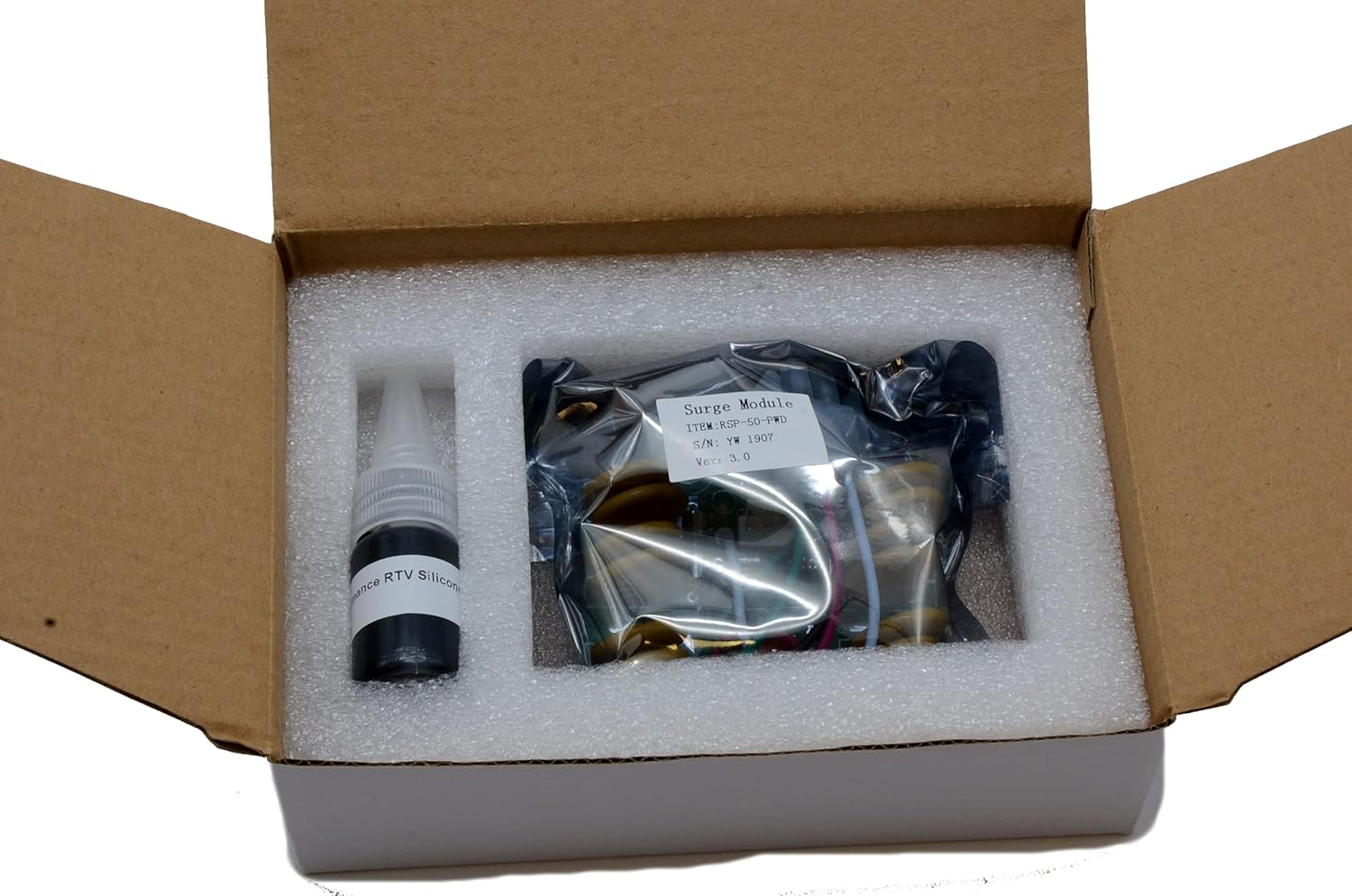
This image displays the Power Watchdog RSP-50-PWD Replacement Surge Protection Module securely packaged in a box, alongside a small bottle of silicone sealant, ready for installation.
4. Installation Instructions
Follow these steps carefully to replace the surge protection module in your 50 Amp Power Watchdog unit.
- Power Disconnection: Before beginning, ensure the Power Watchdog unit is completely disconnected from all power sources.
- Access Panel Removal: Locate and remove the access panel on your Power Watchdog unit. This typically requires a Phillips head screwdriver. Set aside any screws in a safe place.
- Old Module Removal: Carefully disconnect the wiring harness from the existing surge protection module. Note the orientation of the module and its connections for reference. Gently remove the old module from its housing.
- New Module Installation: Insert the new RSP-50-PWD module into the designated slot. Ensure it is seated correctly.
- Wiring Connection: Connect the wiring harness to the new module. The connectors are designed to fit only one way to prevent incorrect installation.
- Secure Access Panel: Replace the access panel and secure it with the screws removed earlier. Ensure a tight seal.
- Weatherproofing (Optional but Recommended): If silicone sealant was provided, apply a thin bead around the edges of the access panel to enhance weather resistance. Allow adequate drying time before exposing the unit to moisture.
- Power Reconnection: Once the module is securely installed and the access panel is closed, you may reconnect the Power Watchdog unit to the power source.

This image provides a detailed view of the Power Watchdog RSP-50-PWD Replacement Surge Protection Module, highlighting its green circuit board, various components, and the multi-colored wiring harness connector for easy identification during installation.
5. Operation After Module Replacement
After successful installation of the RSP-50-PWD module, your Power Watchdog 50 Amp unit will resume its normal operation, providing surge protection. Refer to your main Power Watchdog unit's user manual for detailed operational instructions, including power monitoring and fault indicator interpretations.
6. Maintenance
- Regular Inspection: Periodically inspect the Power Watchdog unit and the module access panel for any signs of damage, loose connections, or moisture ingress.
- Cleaning: Keep the exterior of the Power Watchdog unit clean and free of debris. Use a soft, dry cloth for cleaning. Do not use harsh chemicals or abrasive cleaners.
- Surge Event: If your Power Watchdog unit indicates a surge event has occurred (e.g., through an indicator light or app notification), the RSP-50-PWD module may need to be replaced again. Follow the installation instructions in Section 4.
7. Troubleshooting
| Problem | Possible Cause | Solution |
|---|---|---|
| Power Watchdog unit not functioning after module replacement. | Module not correctly installed, wiring harness loose, or unit still unplugged. |
|
| Surge protection indicator remains off or shows fault after replacement. | Module may be faulty, or the main unit has another issue. |
|
| Module does not fit. | Incorrect module for your Power Watchdog unit. |
|
8. Specifications
| Feature | Detail |
|---|---|
| Model | RSP-50-PWD |
| Compatibility | Power Watchdog 50 Amp Bluetooth Surge Protector (PWD50) |
| Surge Protection | 4,800 Joules (when combined with main unit) |
| Installation | Simple, no soldering required |
| Dimensions | Approximately 4.5 x 2.25 x 1 inches |
| Weight | Approximately 5.6 ounces |
9. Customer Support
For technical assistance, troubleshooting beyond this manual, or warranty inquiries regarding your Power Watchdog unit, please contact Power Watchdog customer support.
Visit the official Power Watchdog website for contact information: Power Watchdog Store
Related documentsRSP-50-PWD

Ask a question about this manual
Ask about setup, troubleshooting, compatibility, parts, safety, or missing instructions. Manuals+ will review the question and use this page’s manual context to help answer it.