
DANGOBUDS 762535354361
DANGOBUDS Wireless Earbuds User Manual
Model: 762535354361
1. Introduction
This manual provides comprehensive instructions for the proper use, setup, and maintenance of your DANGOBUDS Wireless Earbuds. Please read this manual thoroughly before using the product to ensure optimal performance and longevity.

Figure 1: DANGOBUDS Wireless Earbuds, Charging Case, and Product Packaging. The earbuds are black, housed in a compact black charging case, presented alongside their black retail box.
The DANGOBUDS Wireless Earbuds are designed for a truly wireless listening experience, offering high-quality audio and convenient features for various activities such as travel, music, and sport.
2. Package Contents
- DANGOBUDS Wireless Earbuds (Left and Right)
- Wireless Charging Case
- USB Charging Cable (USB-C)
- User Manual (this document)
3. Setup and Pairing
3.1 Initial Charge
Before first use, fully charge the earbuds and the charging case. Connect the provided USB-C cable to the charging case and a compatible USB power source. The charging case has an indicator light to show charging status.

Figure 2: The DANGOBUDS charging case with earbuds inserted, illustrating the ability to achieve a full charge within 40-50 minutes. A green indicator light is visible on the case.
A full charge typically takes 40-50 minutes for the earbuds within the protective wireless charging case.
3.2 Bluetooth Pairing
To pair your DANGOBUDS with a device:
- Ensure the earbuds are in the charging case and the case lid is open.
- Turn on Bluetooth on your smartphone, tablet, or other Bluetooth-enabled device.
- Locate "DANGOBUDS" in the list of available Bluetooth devices and select it to pair.
- Once paired, the earbuds will automatically connect to your device when removed from the case and Bluetooth is enabled on your device.
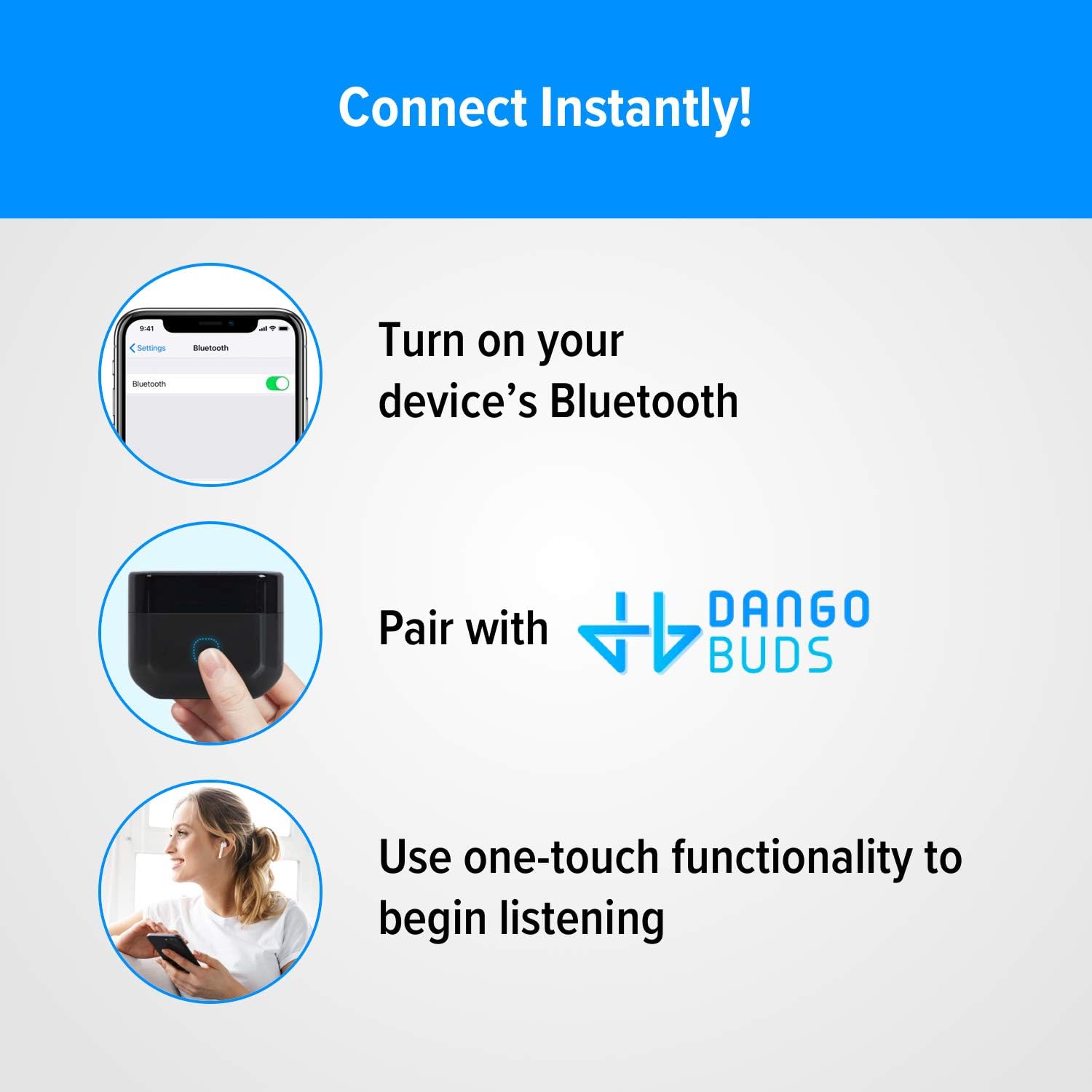
Figure 3: Visual guide for instant connection: 1. Enable Bluetooth on your device. 2. Pair with "DANGOBUDS" from the Bluetooth settings. 3. Utilize the one-touch functionality to begin audio playback.
4. Operating Instructions
4.1 Wearing the Earbuds
Gently insert the earbuds into your ears, ensuring a comfortable and secure fit. The earbuds are designed for an in-ear fit.
4.2 Touch Controls
The DANGOBUDS feature touch controls for easy management of audio playback and calls. Specific functions include:
- Play/Pause: Single tap on either earbud.
- Next Track: Double tap on the right earbud.
- Previous Track: Double tap on the left earbud.
- Answer/End Call: Single tap on either earbud during an incoming call.
- Reject Call: Press and hold either earbud for 2 seconds during an incoming call.
- Activate Voice Assistant: Triple tap on either earbud.

Figure 4: A user demonstrating the seamless transition between listening to audio and managing phone calls using the touch controls on the DANGOBUDS Wireless Earbuds.
4.3 Active Noise Cancellation (ANC)
The DANGOBUDS are equipped with Active Noise Cancellation for a fully immersive audio experience. This feature helps reduce ambient noise, making them suitable for various environments.

Figure 5: A visual representation of the Active Noise Cancellation (ANC) feature of DANGOBUDS, showing sound waves being cancelled around a user's ears for an immersive audio experience.
5. Maintenance and Care
5.1 Cleaning
Regularly clean your earbuds and charging case with a soft, dry, lint-free cloth. Do not use harsh chemicals or abrasive materials. Avoid getting moisture in any openings.
5.2 Water Resistance
The DANGOBUDS have a water-resistant rating of IPX4, making them sweatproof and resistant to splashing water from any direction. They are not designed for submersion in water. Avoid exposing them to excessive moisture or liquids.

Figure 6: The DANGOBUDS Wireless Earbuds depicted with water splashes, highlighting their sweatproof design and IPX4 water-resistant rating.
5.3 Storage
When not in use, store the earbuds in their charging case to protect them and ensure they remain charged. Store in a cool, dry place away from direct sunlight and extreme temperatures.
6. Troubleshooting
| Problem | Possible Cause | Solution |
|---|---|---|
| Earbuds not pairing | Bluetooth is off; earbuds not in pairing mode; device already connected to another Bluetooth device. | Ensure Bluetooth is on. Place earbuds in case, close and open lid to re-enter pairing mode. Disconnect from other devices. |
| No sound from earbuds | Earbuds not connected; volume too low; media paused. | Check Bluetooth connection. Increase device volume. Ensure media is playing. |
| One earbud not working | Low battery; connection issue with one earbud. | Place both earbuds in the charging case and fully charge. Re-pair the earbuds with your device. |
| Charging case not charging | Faulty cable; power source issue. | Try a different USB-C cable and power adapter. Ensure connections are secure. |
7. Specifications
- Model Name: Wireless Earbuds
- Model Number: 762535354361
- Brand: DANGOBUDS
- Connectivity Technology: Wireless (Bluetooth)
- Wireless Communication Technology: Bluetooth
- Included Components: Wireless Charging Case
- Control Type: Touch Control
- Water Resistance Level: Water Resistant (IPX4)
- Microphone Format: Built-In
- Voltage: 5 Volts
- Battery Cell Composition: Lithium Ion
- Batteries Required: Yes (3 Lithium Ion batteries included)
- Battery Life (Talk/Play): Up to 3.5 hours
- Battery Life (Standby): Up to 72 hours
- Charging Time: 40-50 minutes (for full charge in case)
- Ear Placement: In Ear
- Form Factor: In Ear
- Noise Control: Active Noise Cancellation
- Parcel Dimensions: 9.91 x 9.8 x 3.51 cm
- Item Weight: 91 g

Figure 7: The DANGOBUDS Wireless Earbuds and their charging case, illustrating the impressive battery life of 72 hours on standby and up to 3.5 hours of talk and play time.
8. Warranty and Support
For warranty information and customer support, please refer to the contact details provided with your product packaging or visit the official DANGOBUDS website. Keep your proof of purchase for warranty claims.
For further assistance, you may also contact the seller through the platform where the product was purchased.