1. Introduction
This manual provides essential information and instructions for the Chofit 19mm soft silicone replacement bands. These bands are designed to offer a comfortable and durable alternative for various compatible smartwatches, suitable for daily wear and active lifestyles.
The bands are crafted from flexible, skin-friendly silicone, featuring a quick-release mechanism for easy attachment and removal. They are sweat-resistant and suitable for water exposure.
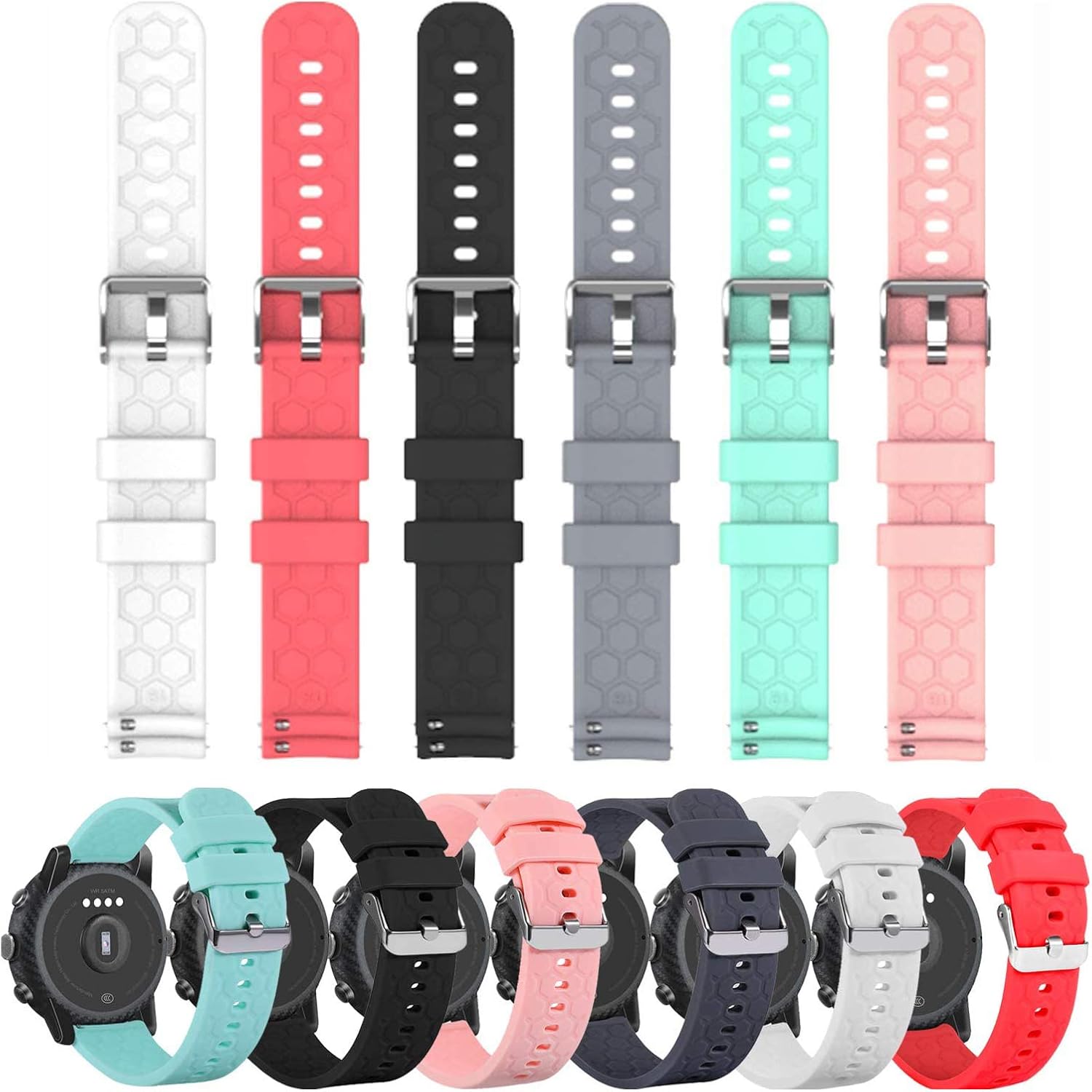
Image 1.1: Overview of Chofit 19mm silicone replacement bands in multiple colors, shown both detached and on smartwatches.
2. Compatibility
These replacement bands are compatible with all 19mm watch models. Specifically, they are designed for the following smartwatch series:
- Veryfitpro: ID205, ID205L, ID215G, ID205U, ID205S, ID216, Uwatch 3
- Letsfit: ID205L, ID215G
- Letscom: ID205L, ID205S, ID205U, ID215G, 216
- Lintelek: ID205L, ID205S, ID205U, ID215G
- Yamay: SW020, SW021, SW023
3. Setup: Band Installation
The Chofit replacement bands feature a quick-release pin mechanism for straightforward installation and removal.
- Remove Existing Band: If replacing an old band, locate the small quick-release pin on the underside of the band where it connects to the watch lug. Slide the pin inward to detach the band from the watch.
- Prepare New Band: Take one half of the new Chofit band. The quick-release pin is integrated into the band.
- Attach First Side: Insert one end of the quick-release pin into the corresponding hole on one side of the watch lug.
- Secure Second Side: While holding the first end in place, slide the quick-release pin inward. Align the other end of the pin with the opposite hole on the watch lug. Release the pin, ensuring it snaps securely into place. Gently tug on the band to confirm it is firmly attached.
- Repeat: Follow the same steps for the second half of the band.

Image 3.1: Detail of the quick-release pin mechanism on a Chofit silicone band.
4. Operating: Adjusting for Fit
These bands are designed to accommodate a wide range of wrist sizes, typically from 5.5 to 8.0 inches. Proper fit is crucial for comfort and accurate smartwatch sensor readings.
- Adjusting the Buckle: Use the metal tang buckle to adjust the band's length. Insert the tang into one of the adjustment holes until the band feels secure but not overly tight.
- Optimal Fit: The smartwatch should sit snugly on your wrist, allowing for a finger to comfortably slide underneath the band. An overly tight band can restrict circulation and cause discomfort, while a loose band may lead to inaccurate sensor data.

Image 4.1: Illustration of recommended wrist size range for comfortable wear.
5. Maintenance and Care
To ensure the longevity and hygienic condition of your silicone bands, follow these maintenance guidelines:
- Regular Cleaning: Wipe the bands daily with a soft, damp cloth to remove sweat and light dirt.
- Deep Cleaning: For more thorough cleaning, detach the bands from your smartwatch. Wash them with mild soap and lukewarm water. Rinse thoroughly to remove all soap residue.
- Drying: Always ensure the bands are completely dry before reattaching them to your smartwatch or wearing them. Air drying is recommended.
- Avoid Harsh Chemicals: Do not use abrasive cleaners, solvents, or strong detergents, as these can damage the silicone material.
- Environmental Factors: While the bands are durable and swim-ready, prolonged exposure to direct sunlight or extreme temperatures should be avoided to prevent material degradation.

Image 5.1: Detail of the silicone band material and texture.
6. Troubleshooting
If you encounter any issues with your Chofit replacement bands, consider the following:
- Band not attaching securely: Ensure the quick-release pins are fully engaged in the watch lugs. Check for any obstructions in the lug holes of your smartwatch.
- Discomfort or skin irritation: Ensure the band is not too tight. Clean the band regularly to prevent buildup of sweat or debris. If irritation persists, discontinue use and consult a healthcare professional.
- Difficulty removing band: Ensure the quick-release pin is fully retracted when attempting to remove the band.
7. Specifications
- Material: Soft Silicone (TPU elastomer)
- Band Width: 19mm
- Wrist Size Compatibility: 5.5 - 8.0 inches
- Clasp Type: Tang Buckle
- Water Resistance: Swim-ready
- Package Dimensions: 7.28 x 4.41 x 1.3 inches
- Weight: 3.53 ounces
8. Warranty and Support
Chofit is committed to providing quality products and customer satisfaction. For any issues or inquiries regarding your replacement bands, please contact Chofit customer service. Refer to the product packaging or the retailer's website for specific contact information and warranty details.
Chofit offers a lifetime friendly customer service. If you encounter any problems with your bands, please reach out to us for assistance.


