
1. Introduction
The Havells SC5065 Multifunction Skin Care Device is designed to enhance your daily skin care routine. This device offers multiple functions including cleaning, massaging, pigmentation reduction, and restoring skin elasticity. It is a portable, rechargeable tool intended for personal use to address various skin concerns.
Intended Use: This device is intended for cosmetic skin care purposes, including facial cleansing, promoting absorption of skin care products, reducing the appearance of pigmentation, and stimulating skin to improve elasticity. It is suitable for all skin types.
2. Safety Information
- Read all instructions before using the device.
- Do not use the device on broken, irritated, or infected skin.
- Consult a physician before use if you have any skin conditions, medical implants, or are pregnant.
- Keep out of reach of children.
- Do not immerse the device in water. Clean with a damp cloth only.
- Use only the provided USB cable for charging.
- Discontinue use if you experience any discomfort or adverse reactions.
3. Product Overview and Components
The Havells SC5065 device features a sleek design with an LCD display for easy operation monitoring. It includes various components for its multifunctionality.

Image: The Havells SC5065 Multifunction Skin Care Device, showcasing its ergonomic design.
What's in the Box:
- 1 N Multifunction Skin Care device
- 1 N USB Cable
- 1 N Pouch
- 1 N Instruction Manual
Device Features:
- EMS Function: Stimulates deep muscle tissue, restoring skin elasticity.
- USB Rechargeable: Provides 1 hour runtime after 3 hours of charging.
- Cleaning Mode: Helps remove dirt and brighten skin.
- Massaging Mode: Promotes the absorption of skin care products.
- Travel Friendly: Slim design with an included pouch for storage.
- LCD Display: For easy monitoring of the operation mode and battery status.
- Ion Function: Positive ion feature for dirt removal and negative ion feature for skin cream absorption.
- Fading Mode: Reduces dark spots, skin pox, and other pigmentation.
4. Setup
Charging the Device:
Before first use, fully charge the device. Connect the provided USB cable to the charging port on the device and to a suitable USB power source (e.g., laptop, power bank, or wall adapter). The LCD display will indicate charging status.

Image: Diagram illustrating how to connect the USB charging cable to the Havells SC5065 device. A full charge takes approximately 3 hours and provides 1 hour of runtime.
A full charge typically takes 3 hours and provides approximately 1 hour of continuous operation.
5. Operating Instructions
The Havells SC5065 features four distinct modes of operation, easily selectable via the mode button and displayed on the LCD screen.

Image: The LCD display of the Havells SC5065 showing the four operational modes: Clean, Massage, Fading, and EMS, along with battery indicator.
General Operation:
- Power On/Off: Press and hold the power button to turn the device on or off.
- Select Mode: Press the 'M' (Mode) button to cycle through the four modes: Clean, Massage, Fading, and EMS. The selected mode will be indicated on the LCD display.
- Adjust Intensity: Some modes may have adjustable intensity levels (HI/ME/LO). Use the appropriate buttons to select your desired intensity.
Mode 1: Clean (Positive Ion Function)
This mode utilizes positive ions to help draw out dirt and impurities from the skin, providing a deeper cleanse.

Image: Illustration demonstrating the cleaning action of Mode 1, showing dirt being removed from skin pores.
- Cleanse your face with your regular cleanser.
- Apply a small amount of cleansing lotion or toner to your face.
- Select the "Clean" mode.
- Gently glide the device over your face in upward and outward motions for 3-5 minutes.
- Rinse your face and the device after use.
Mode 2: Massage (Negative Ion Function)
The massage mode, combined with negative ions, helps to promote deeper absorption of your skin care products, such as serums and moisturizers.

Image: Illustration showing how Mode 2 (Massage) helps skin cream or gel penetrate deeper into the skin layers.
- Apply your preferred serum, cream, or gel to your face.
- Select the "Massage" mode.
- Gently move the device over your face, allowing the product to absorb. Focus on areas where you apply serums.
- Continue for 5-10 minutes.
Mode 3: Fading (Pigmentation Reduction)
This mode is designed to help reduce the appearance of dark spots, skin blemishes, and other forms of pigmentation over time with consistent use.

Image: Before and after illustration of skin showing reduction in pigmentation with the use of Mode 3 (Fading).
- Ensure your skin is clean and dry.
- Select the "Fading" mode.
- Gently apply the device to areas with pigmentation, moving in small circular motions.
- Use for 5-8 minutes per session.
Mode 4: EMS (Electrical Muscle Stimulation)
The EMS mode uses gentle electrical pulses to stimulate facial muscles, which can help restore skin elasticity and firmness.
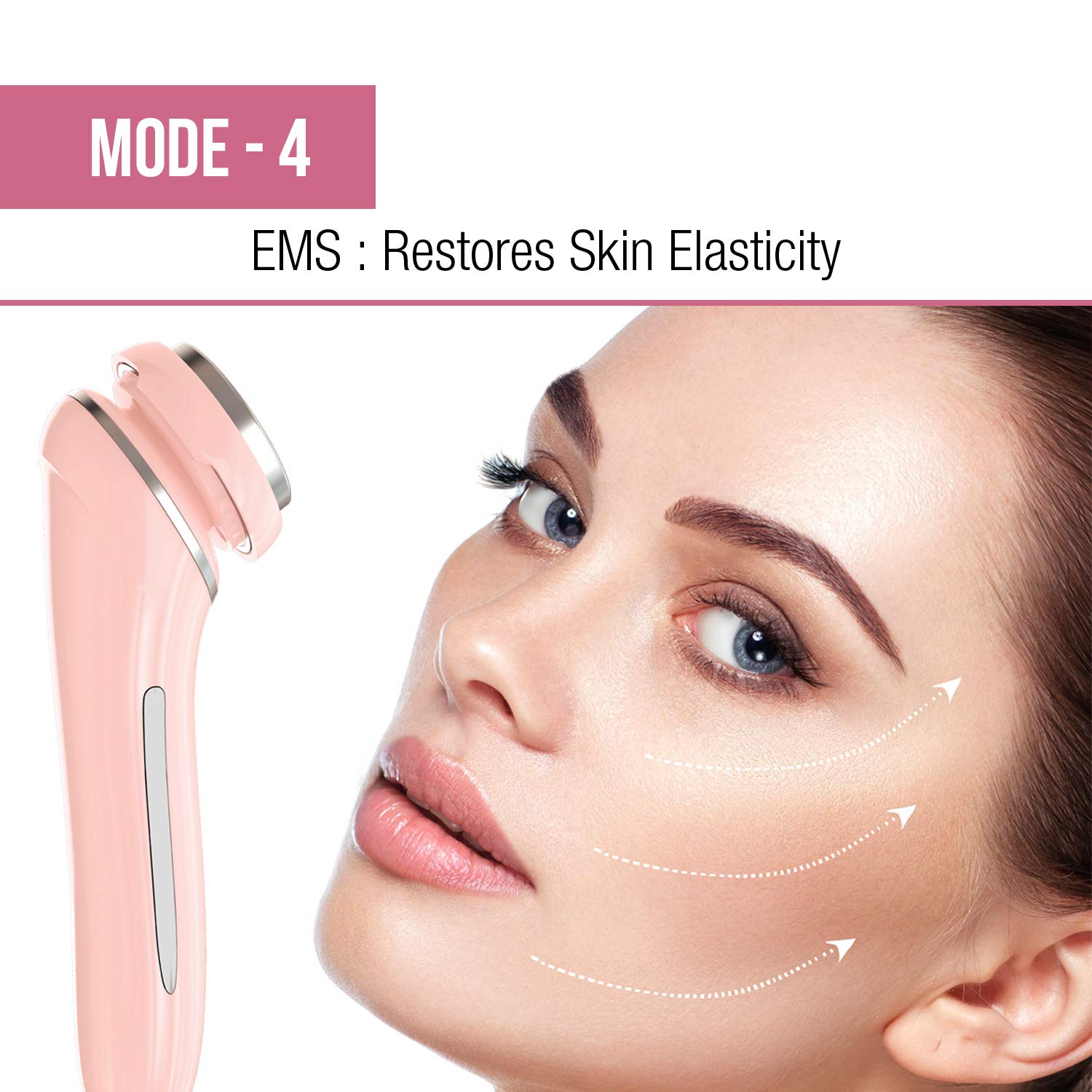
Image: Illustration depicting the EMS mode's effect on skin, showing arrows indicating lifting and firming action to restore elasticity.
- Apply a conductive gel or a rich moisturizer to your face.
- Select the "EMS" mode.
- Move the device slowly across your face, following the contours, in upward and outward strokes.
- Use for 5-10 minutes per session.
Ion Function Explained:
The device incorporates both positive and negative ion functions to optimize skin treatment.

Image: Diagram illustrating the positive ion function for dirt removal and the negative ion function for enhanced skin cream absorption.
- Positive Ions: Used in the "Clean" mode to attract and pull out negatively charged impurities and dirt from the pores.
- Negative Ions: Used in the "Massage" mode to push active ingredients from skin care products deeper into the skin for better absorption.
6. Maintenance
Cleaning the Device:
- After each use, turn off the device.
- Wipe the treatment head and body of the device with a soft, damp cloth.
- Do not use abrasive cleaners, alcohol, or harsh chemicals.
- Ensure the device is completely dry before storing or recharging.
Storage:
- Store the device in its provided pouch in a cool, dry place, away from direct sunlight and extreme temperatures.
- Keep away from moisture.
7. Troubleshooting
| Problem | Possible Cause | Solution |
|---|---|---|
| Device does not turn on. | Battery is depleted. | Charge the device fully (approx. 3 hours). |
| Device not charging. | USB cable or power source issue. | Ensure the USB cable is properly connected. Try a different USB port or power adapter. |
| Weak or no sensation during EMS/Ion modes. | Insufficient contact with skin or lack of conductive medium. | Ensure the device head is in full contact with your skin. Apply a conductive gel or moisturizer for EMS mode. |
| LCD display is not working. | Device malfunction. | Contact customer support for assistance. |
8. Specifications
| Model Name | SC5065 |
| Brand | Havells |
| Product Dimensions (LxWxH) | 16.2 x 4.5 x 4.4 cm |
| Item Weight | 100 g |
| Power Source | Corded Electric (USB Rechargeable) |
| Charging Time | Approx. 3 hours |
| Runtime | Approx. 1 hour (after full charge) |
| Included Components | Multifunction Skin Care device, USB Cable, Pouch, Instruction Manual |
| Skin Type | All |
9. Warranty and Support
Warranty Information:
The Havells SC5065 Multifunction Skin Care Device comes with a 2-year manufacturer warranty from the date of purchase. This warranty covers manufacturing defects under normal use. Please retain your proof of purchase for warranty claims.
Customer Support:
For any queries, technical assistance, or warranty claims, please contact Havells customer support:
- Manufacturer: Imported By Havells India Limited, QRG Tower, Sector 126 Noida
- Contact Number: 08045771313
- You may also visit the official Havells website for more information and support.