
AiCE Tls ET10-2(ETS,L,KN,T,U,R,A,B,C,D)
Instruction Manual: ACE Soldering Tips
Brand: AiCE Tls | Model: ET10-2(ETS,L,KN,T,U,R,A,B,C,D)
1. Introduction
This manual provides essential information for the proper use, maintenance, and care of your ACE Soldering Tips, specifically the ETDD Bevel Single Flat Soldering Tip (0.181" / 4.6mm). These tips are engineered for high performance and durability in various soldering applications. Please read this manual thoroughly before use to ensure optimal results and safety.
2. Safety Information
Always observe the following safety precautions when working with soldering equipment and tips:
- Always wear appropriate personal protective equipment, including safety glasses, to protect against solder splashes and fumes.
- Ensure adequate ventilation in your workspace to dissipate soldering fumes.
- Soldering tips operate at high temperatures. Avoid direct contact with the hot tip to prevent burns.
- Always place the soldering iron in a suitable, heat-resistant stand when not in use.
- Disconnect the soldering station from the power supply before performing any maintenance or changing tips.
- Keep soldering materials and equipment out of reach of children.
3. Product Overview
The ACE ETDD Bevel Single Flat Soldering Tip features a unique shape, resembling a cone or column cut at a slant. This design allows users to select the optimal cut surface size based on the specific workpiece, making it highly versatile for various soldering tasks. These tips are pre-tinned and designed for durability and long life.

Figure 3.1: Detailed view of the ETDD Bevel Soldering Tip, highlighting its 4.8mm bevel and overall dimensions.

Figure 3.2: A set of ten ACE ETDD Bevel Soldering Tips, showcasing their consistent design and quality.
4. Setup and Tip Installation
Proper installation of the soldering tip is crucial for efficient heat transfer and optimal performance.
- Ensure Power Off: Before handling the soldering iron, ensure the soldering station is turned off and unplugged from the power outlet. Allow the iron to cool down completely if it was recently in use.
- Remove Old Tip (if applicable): Carefully unscrew or pull out the existing soldering tip from the iron's heating element, following your soldering iron's specific instructions. Use heat-resistant gloves if the iron is still warm.
- Insert New Tip: Gently slide the new ACE ETDD Bevel Soldering Tip into the heating element of your soldering iron. Ensure it is fully seated.
- Secure Tip: If your iron uses a retaining screw or collar, tighten it securely but do not overtighten, as this can damage the tip or heating element.
- Power On and Tin: Plug in and power on your soldering station. Once the tip reaches operating temperature, immediately tin the tip with a small amount of solder. This protects the tip from oxidation and ensures efficient heat transfer.
5. Operating Instructions
The ETDD Bevel tip's unique shape makes it ideal for specific soldering techniques. Adjust the temperature of your soldering station according to the solder type and components being used.

Figure 5.1: Illustrations of various applications for the ETDD Bevel Soldering Tip.
Common Applications:
- Drag Soldering: The slanted cut surface is excellent for drag soldering, allowing for smooth and consistent solder application across multiple pins or pads. Position the tip with the flat, wide surface in contact with the leads and drag slowly while feeding solder.
- Pre-tinning Lead Wires: Use the flat surface of the bevel to efficiently pre-tin lead wires. Apply the cut surface to the lead and drag the tip slowly while applying solder.
- Point Soldering: The tip can be used for general point soldering by placing the tip end to the land and the through-hole at one time to heat them, then feeding solder to form a smooth fillet.
- Melting & Removing Coil Coatings: The broad surface can be utilized to melt and remove coil coatings by putting the cut surface to the coil and applying thermal energy at one time.
- Soldering Tiny Chips (e.g., 0603 parts): The precise tip allows for careful soldering of small surface-mount components.
6. Maintenance and Care
Proper maintenance extends the life of your soldering tips and ensures consistent performance. ACE tips are designed for durability and rapid temperature recovery.
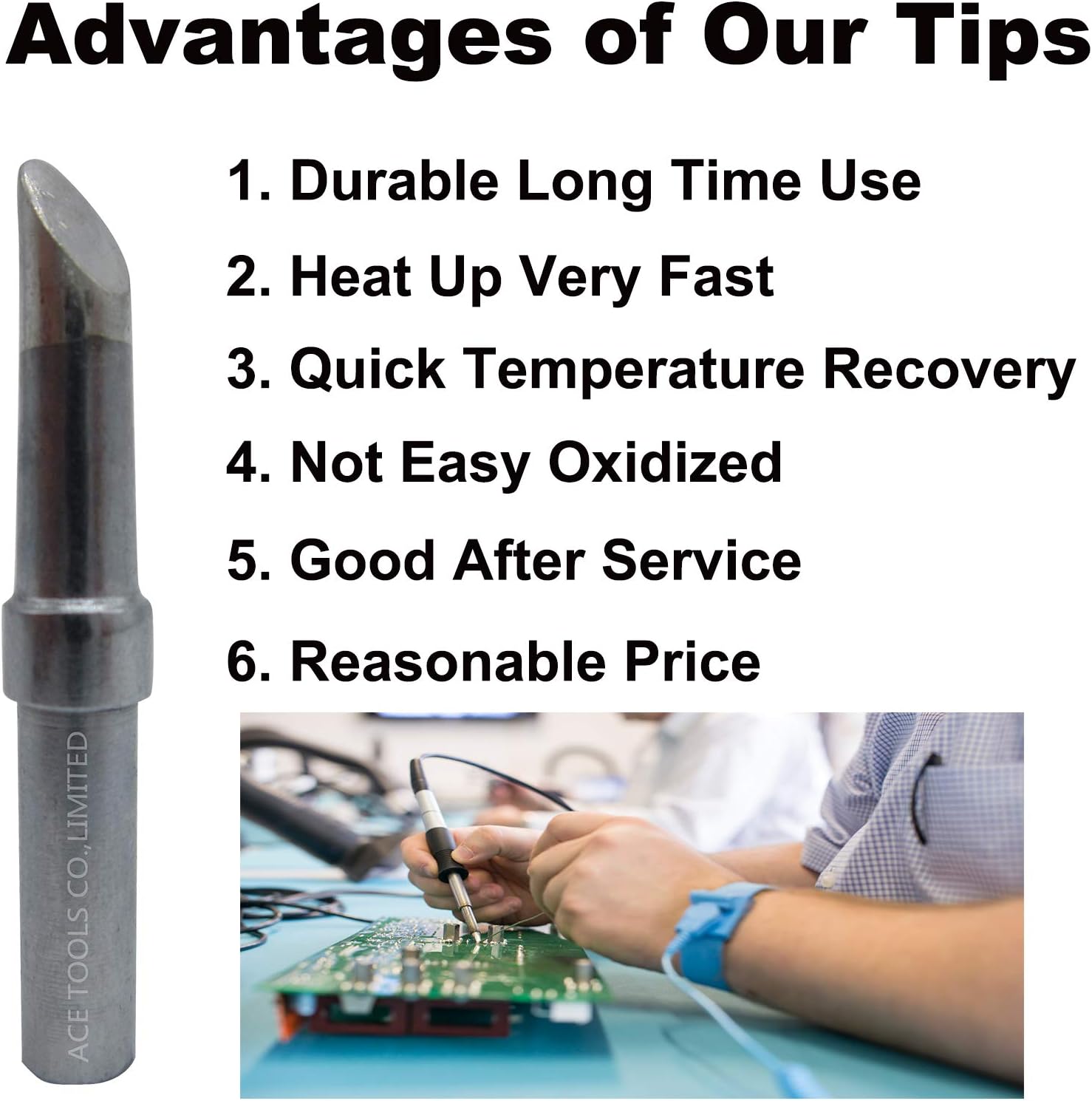
Figure 6.1: Key advantages of ACE Soldering Tips, emphasizing durability and performance.
- Tinning: Always tin the tip with a fresh coat of solder before and after each use, and before storing. This prevents oxidation and corrosion.
- Cleaning: Use a damp sponge or brass wool to wipe the tip clean of excess solder and flux residue during operation. Avoid abrasive materials that can damage the tip plating.
- Temperature Management: Do not operate the tip at excessively high temperatures for prolonged periods, as this can accelerate oxidation and reduce tip life. Use the lowest effective temperature for your soldering task.
- Storage: Store tips in a dry, clean environment. Ensure they are properly tinned before storage.
- Avoid Pitting: Do not apply excessive pressure to the tip, as this can cause pitting or damage to the plating.
7. Troubleshooting
If you encounter issues with your soldering tip, refer to the table below for common problems and solutions.
| Problem | Possible Cause | Solution |
|---|---|---|
| Tip does not melt solder | Insufficient temperature; Oxidized tip; Poor contact with heating element | Increase temperature; Clean and re-tin tip; Re-seat tip firmly |
| Solder does not wet the tip | Tip is oxidized or dirty; Incorrect solder type | Clean and re-tin tip thoroughly; Ensure proper solder for application |
| Tip turns black quickly | Operating at too high a temperature; Insufficient tinning; Aggressive flux | Lower temperature; Ensure proper tinning; Use less aggressive flux if possible |
| Tip pitting or erosion | Excessive pressure; Abrasive cleaning; Corrosive flux | Use lighter touch; Use only damp sponge or brass wool for cleaning; Review flux choice |
8. Specifications
Key technical specifications for the ACE ETDD Bevel Soldering Tip:
| Attribute | Detail |
|---|---|
| Tip Type | ETDD Bevel Single Flat |
| Bevel Size | 0.181" / 4.6mm |
| Material | Copper |
| Item Weight | Approximately 10.6 ounces (for 10 tips) |
| Product Dimensions | 0.12 x 0.08 x 0.04 inches (individual tip) |
| Manufacturer | ACE TOOLS CO.,LIMITED |
9. Compatibility
These ACE Soldering Tips are designed to be compatible with a wide range of Weller soldering stations and irons. Please verify your equipment against the lists below:
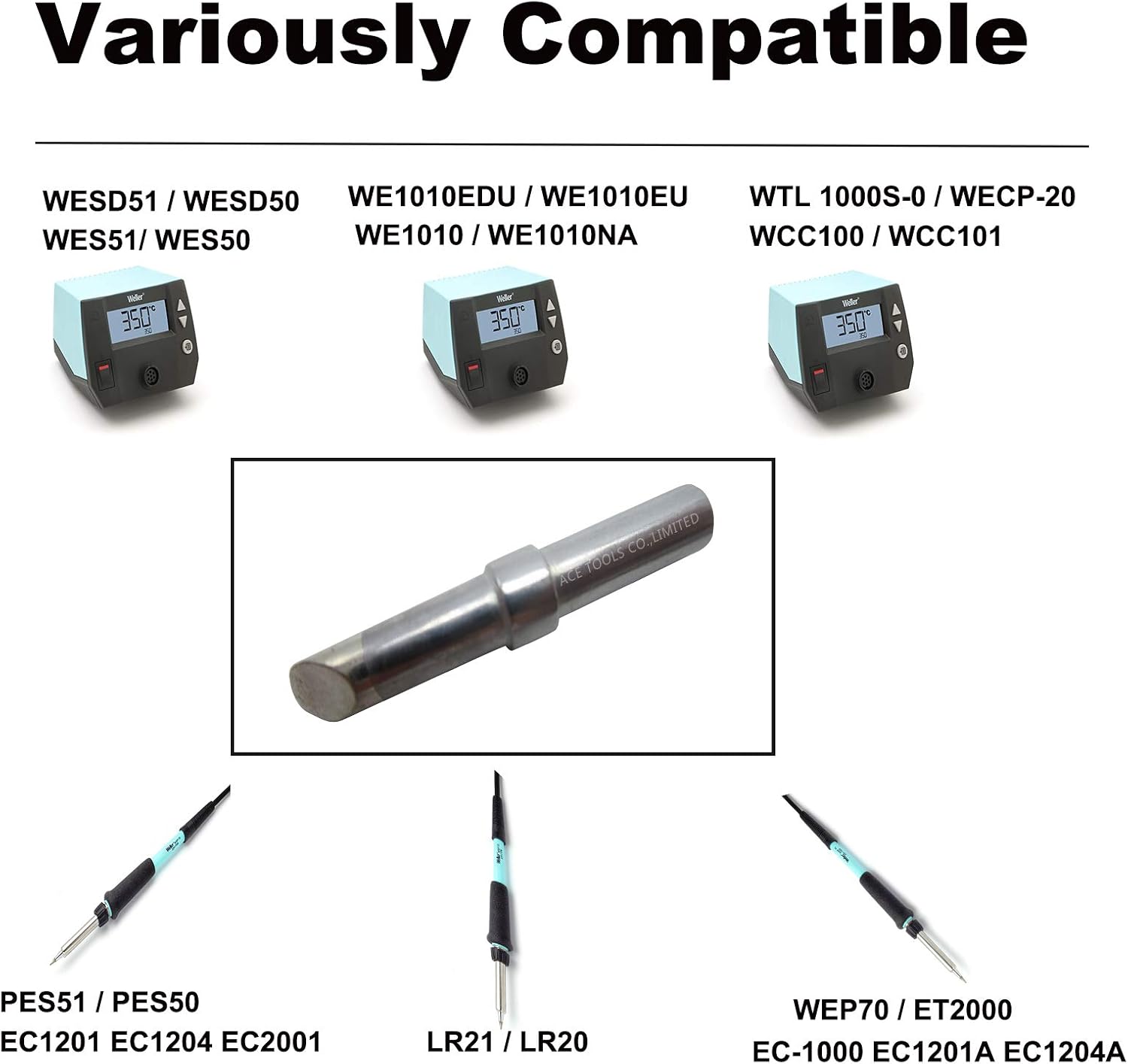
Figure 9.1: Visual representation of compatible Weller soldering equipment.
Compatible Soldering Stations:
- WESD51, WESD50
- WES51, WES50
- WE1010, WE1010NA, WE1010EU, WE1010EDU
- WCC100, WECP-20
- WTL 1000S-0
Compatible Soldering Irons:
- PES51, PES50
- LR21, LR20
- WEP70, WECP, WCC101
- EC1201A, EC1204A, EC1201, EC1204
- EC2001, EC-1000
- ET2000, ELV, LS50 (50W 60W)
10. Warranty and Support
Warranty: We stand by the quality of our ACE Soldering Tips. We offer a full payment refund if you are not satisfied with the tips, even after use. This warranty reflects our confidence in the durability and performance of our products.
Support: For further assistance, technical inquiries, or to explore our full range of products, please visit the official AiCE Tls Store on Amazon: AiCE Tls Store.
Ask a question about this manual
Ask about setup, troubleshooting, compatibility, parts, safety, or missing instructions. Manuals+ will review the question and use this page’s manual context to help answer it.