Introduction
This manual provides instructions for the ezControl Universal Remote Control, designed for use with various Insignia LCD, LED, and Plasma televisions. This remote is pre-programmed for immediate use with compatible Insignia TV models, requiring no complex setup procedures.
Setup
1. Battery Installation
The remote control requires two (2) AAA batteries (not included) for operation. Follow these steps to install the batteries:
- Locate the battery compartment cover on the back of the remote control.
- Press down on the tab and slide the cover downwards to remove it.
- Insert two AAA batteries, ensuring the positive (+) and negative (-) terminals align correctly with the markings inside the compartment.
- Slide the battery compartment cover back into place until it clicks securely.
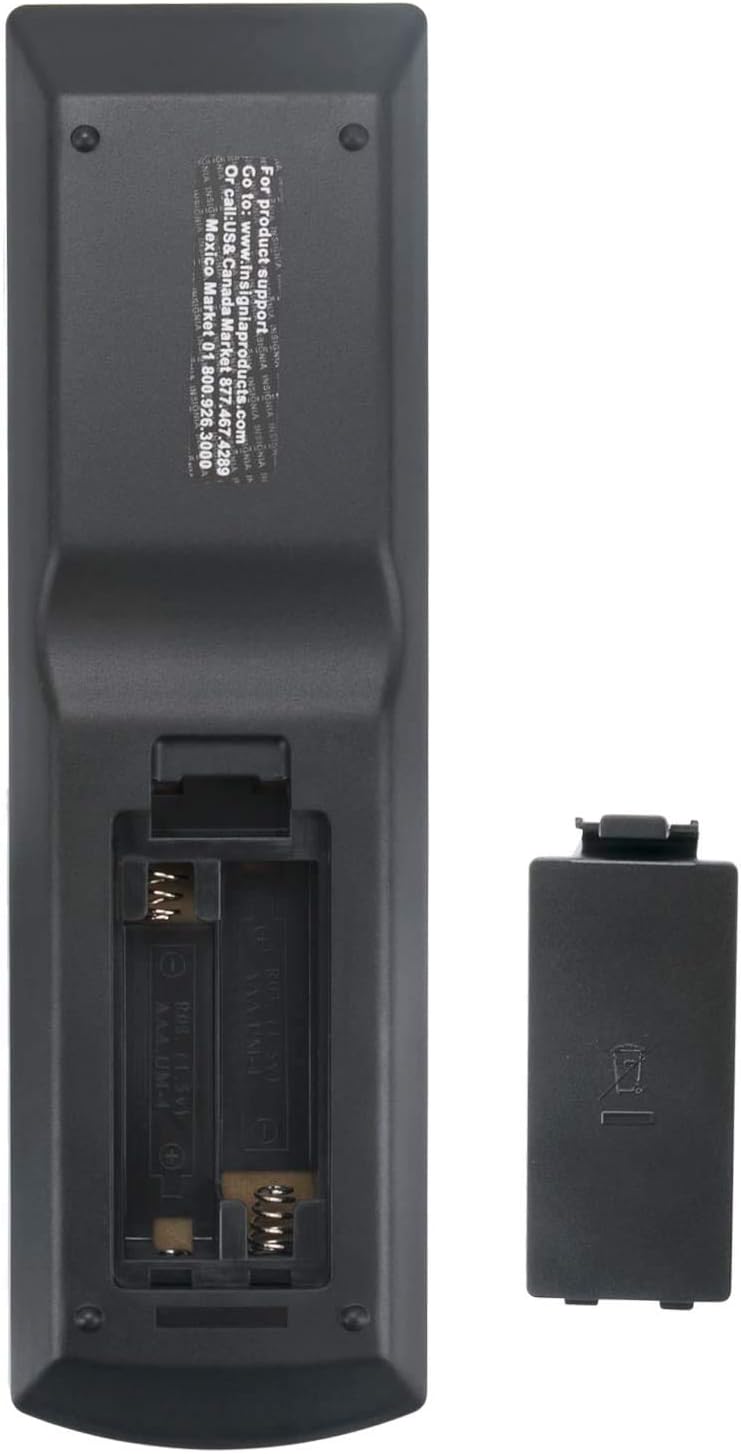
Image: Rear view of the ezControl Universal Remote Control with the battery cover removed, showing the battery compartment for two AAA batteries. This image illustrates the correct orientation for battery insertion.
2. Initial Use
This ezControl Universal Remote Control is pre-programmed for most Insignia TV models. No additional programming or pairing is typically required. Once batteries are installed, point the remote at your Insignia TV and press the Power button to test functionality.
Operating Instructions
Familiarize yourself with the button layout and their functions:

Image: Front view of the ezControl Universal Remote Control for Insignia TVs, showing the layout of all control buttons. This image provides a clear visual reference for button identification.
- Power (Red Button): Turns the TV on or off.
- Input: Cycles through available input sources (HDMI, AV, Component, etc.).
- Number Buttons (0-9): Directly select channels.
- Menu: Accesses the TV's main menu.
- Navigation (Up/Down/Left/Right Arrows): Navigates through menu options.
- Enter: Confirms a selection in the menu.
- Exit: Exits the current menu or on-screen display.
- Aspect: Adjusts the screen aspect ratio.
- Vol (+/-): Increases or decreases the volume.
- Mute: Mutes or unmutes the TV audio.
- CH (Up/Down): Changes channels.
- Info*: Displays program information.
- CCD: Activates or deactivates Closed Captioning.
- Sleep: Sets a sleep timer for the TV.
- Favorite: Accesses favorite channels.
- MTS/SAP: Selects Multi-channel Television Sound/Secondary Audio Program.
- Picture: Adjusts picture settings.
- Audio: Adjusts audio settings.
- Media Playback Controls (Play, Pause, Stop, Rewind, Fast Forward, Skip): Controls media playback on compatible devices connected to the TV.
Maintenance
Cleaning the Remote
To clean the remote control, use a soft, dry cloth. For stubborn dirt, slightly dampen the cloth with water. Avoid using harsh chemicals, abrasive cleaners, or solvents, as these can damage the remote's finish or internal components.
Battery Replacement
Replace the batteries when the remote's performance diminishes or if the TV becomes unresponsive to commands. Always replace both AAA batteries at the same time with new ones. Do not mix old and new batteries, or different types of batteries.
Troubleshooting
- Remote is not working:
- Ensure batteries are installed correctly with the correct polarity.
- Replace old batteries with new AAA batteries.
- Check for any obstructions between the remote and the TV's infrared sensor.
- Ensure you are within a reasonable range and line of sight of the TV.
- Some buttons are not responding:
- Verify that the remote is compatible with your specific Insignia TV model. While universal, some older or very new models might have slight variations.
- Clean the remote's surface and buttons to ensure no debris is interfering with button presses.
- TV is not turning on/off:
- Confirm the TV is plugged into a working power outlet.
- Try using the power button directly on the TV to rule out a TV issue.
Specifications
| Brand | ezControl |
| Model Number | INSG-4NA-14-0934 |
| Compatible Devices | Insignia Televisions (LCD, LED, Plasma) |
| Power Source | 2 x AAA Batteries (not included) |
| Dimensions | 6.5 x 2 x 0.5 inches |
| Item Weight | 2.64 ounces |
| Special Feature | No Programming Required, Universal |
Support
For product support and additional information, please refer to the manufacturer's website or contact their customer service. Information may also be available on the back of the remote control itself, such as www.insigniaproducts.com or by calling USA/Canada support at 877-467-4289.