
1. Introduction
This manual provides essential instructions for the safe and effective operation, maintenance, and troubleshooting of your Schumacher Electric SC1445 Wheeled Manual Battery Charger and Engine Starter. Please read all instructions carefully before using the unit to ensure proper function and prevent injury or damage.
Important Safety Information
Always observe basic safety precautions when using electrical appliances. This includes, but is not limited to, wearing eye protection, ensuring adequate ventilation, and avoiding contact with battery acid. Keep children and unauthorized persons away from the work area. Do not operate the unit if it is damaged.
2. Product Overview
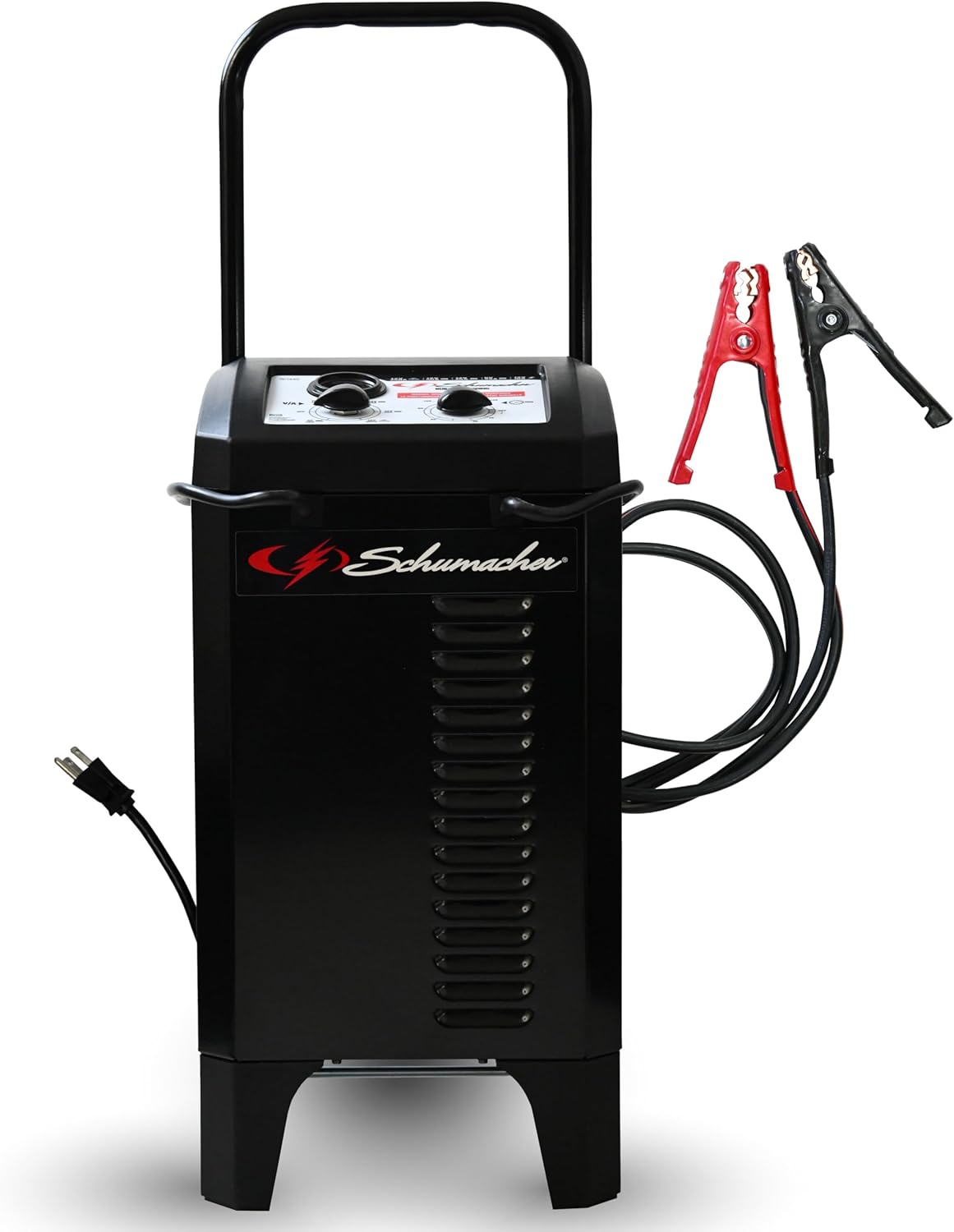
The Schumacher Electric SC1445 is a versatile 2-in-1 solution designed for charging and jump-starting 6V and 12V lead-acid batteries, including standard, AGM, gel, and deep-cycle types. It offers manual control over the charging process, making it suitable for various automotive, power sport, and marine applications.
Key Features:
- 2-in-1 Functionality: Serves as both a battery charger and an engine starter.
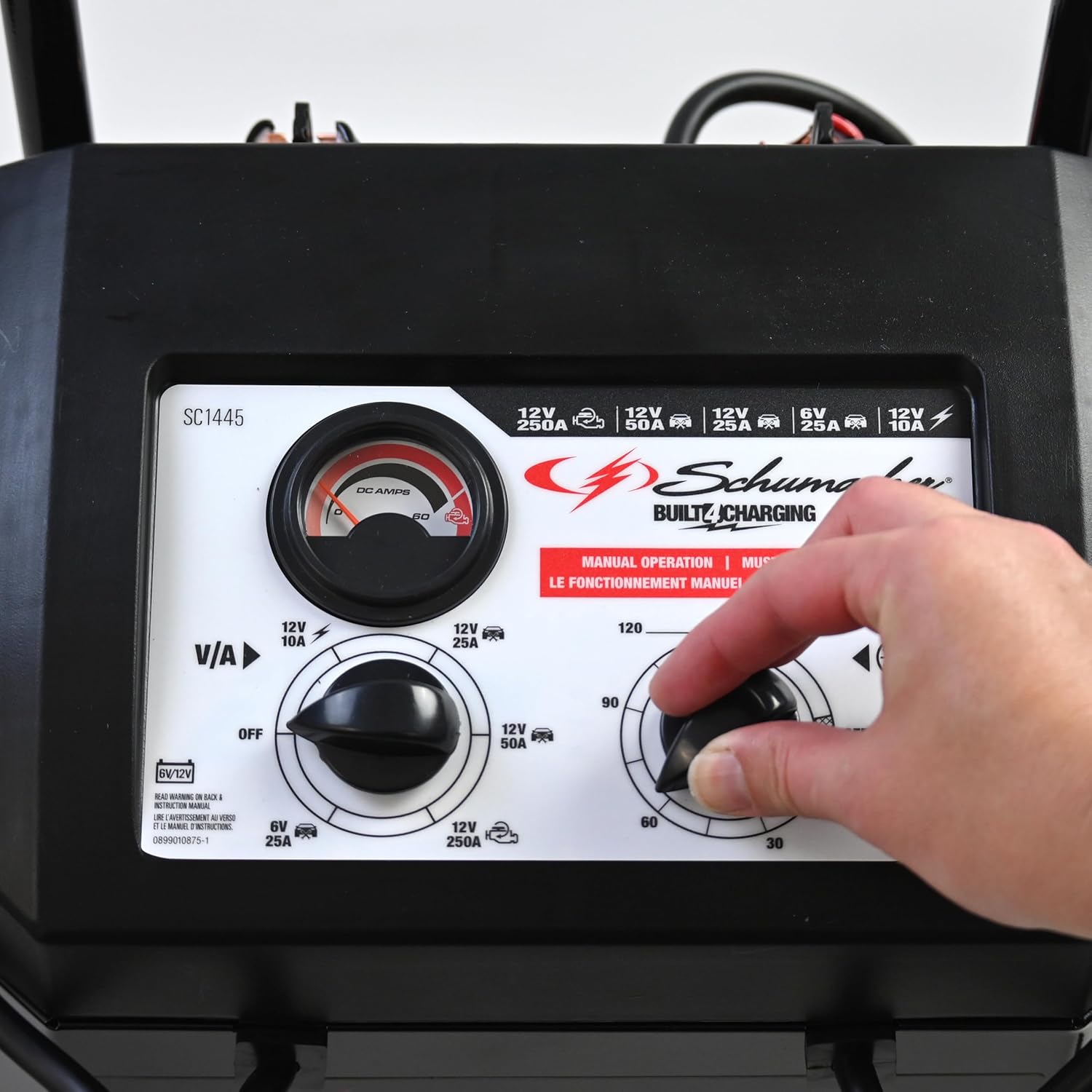
- Multiple Power Modes: Delivers 250A 12V engine start, 50A 12V boost, 25A 6V/12V boost, and 10A 12V charging.
- Manual Timer Control: A 135-minute timer allows precise control over charging duration.
- Wide Battery Compatibility: Compatible with 6V and 12V standard, AGM, gel, and deep-cycle batteries.
- Analog Ammeter: Provides visual monitoring of charging current.
- Durable Construction: Features a sturdy steel case, heavy-duty clamps, retractable handle, and compact wheels for portability.
Component Identification

The unit includes an ammeter for current display, a retractable handle for transport, a timer for setting charge duration, a charge rate selector switch for different modes, compact wheels for mobility, an AC power cord for input, and heavy-duty color-coded clamps for battery connection.

3. Setup and Initial Inspection
Before first use, inspect the unit for any signs of damage. Ensure all cables and clamps are intact and free from corrosion. The SC1445 comes largely pre-assembled, requiring minimal setup.
Unpacking and Placement
- Remove the unit from its packaging.
- Place the unit on a stable, level surface in a well-ventilated area.
- Ensure the AC power cord and booster cables are easily accessible and not tangled.
4. Operating Instructions
The SC1445 offers various modes for charging and engine starting. Always ensure the vehicle ignition is off before connecting or disconnecting the charger.
Quick Start Guide for Engine Starting

- Connect the Clamps: Connect the red positive (+) clamp to the positive battery terminal and the black negative (-) clamp to the negative battery terminal or a chassis ground point away from the battery.
- Plug in the Charger: Plug the AC power cord into a standard 120V outlet.
- Set Charge Rate Selector: Turn the Charge Rate Selector Switch to the 'Engine Start' position (12V 250A).
- Crank the Engine: Attempt to start the engine. If it does not start immediately, wait a few minutes before trying again to allow the battery to receive some charge.
Battery Charging Procedure
- Connect the Clamps: Connect the red positive (+) clamp to the positive battery terminal and the black negative (-) clamp to the negative battery terminal.
- Plug in the Charger: Plug the AC power cord into a standard 120V outlet.
- Select Charge Rate: Use the Charge Rate Selector Switch to choose the desired charging mode:
- 10A 12V: For standard charging of 12V batteries.
- 25A 6V/12V Boost: For faster charging of deeply discharged 6V or 12V batteries.
- 50A 12V Boost: For rapid charging of deeply discharged 12V batteries.
- Set Timer: Rotate the Timer knob to the desired charging duration (up to 135 minutes). The unit will automatically stop charging when the timer expires.
- Monitor Charging: Observe the analog ammeter to monitor the charging current. The current will gradually decrease as the battery charges.
- Disconnect: Once charging is complete or the timer expires, unplug the AC power cord from the outlet first, then disconnect the negative (-) clamp, followed by the positive (+) clamp.


5. Maintenance
Regular maintenance ensures the longevity and optimal performance of your SC1445 unit.
Cleaning and Storage
- Cleaning: Disconnect the unit from power before cleaning. Wipe the case and cables with a dry cloth. Do not use solvents or abrasive cleaners.
- Cable Care: Inspect cables and clamps regularly for damage, fraying, or corrosion. Replace damaged components immediately. Keep cables neatly coiled when not in use.
- Storage: Store the unit in a cool, dry place away from direct sunlight and moisture. Ensure the retractable handle is fully retracted for compact storage.
6. Troubleshooting
If you encounter issues with your SC1445, refer to the following common problems and solutions:
| Problem | Possible Cause | Solution |
|---|---|---|
| Unit does not power on. | No AC power; faulty outlet; damaged power cord. | Check AC outlet with another appliance. Inspect power cord for damage. Ensure unit is plugged in securely. |
| Battery is not charging. | Incorrect clamp connection; charge rate selector set to OFF; deeply discharged battery (below minimum voltage); faulty battery. | Verify correct polarity of clamps. Ensure selector is on a charge setting. For very low batteries, try a boost mode. Test battery condition. |
| Engine start function is ineffective. | Insufficient charge in vehicle battery; incorrect selector setting; poor clamp connection. | Ensure clamps are securely connected. Verify selector is on 'Engine Start'. Allow battery to charge for a few minutes in boost mode before attempting to start. |
| Ammeter shows no current or very low current. | Battery is fully charged; poor connection; internal fault. | If battery is fully charged, this is normal. Check connections. If problem persists, contact support. |
7. Specifications
| Feature | Detail |
|---|---|
| Model Number | SC1445 |
| Input Voltage | 120V AC |
| Output Voltage | 6V / 12V DC |
| Charging Amperage | 10A (12V) |
| Boost Amperage | 25A (6V/12V), 50A (12V) |
| Engine Start Amperage | 250A (12V) |
| Timer | 135 minutes (manual) |
| Battery Types | Standard, AGM, Gel, Deep-Cycle |
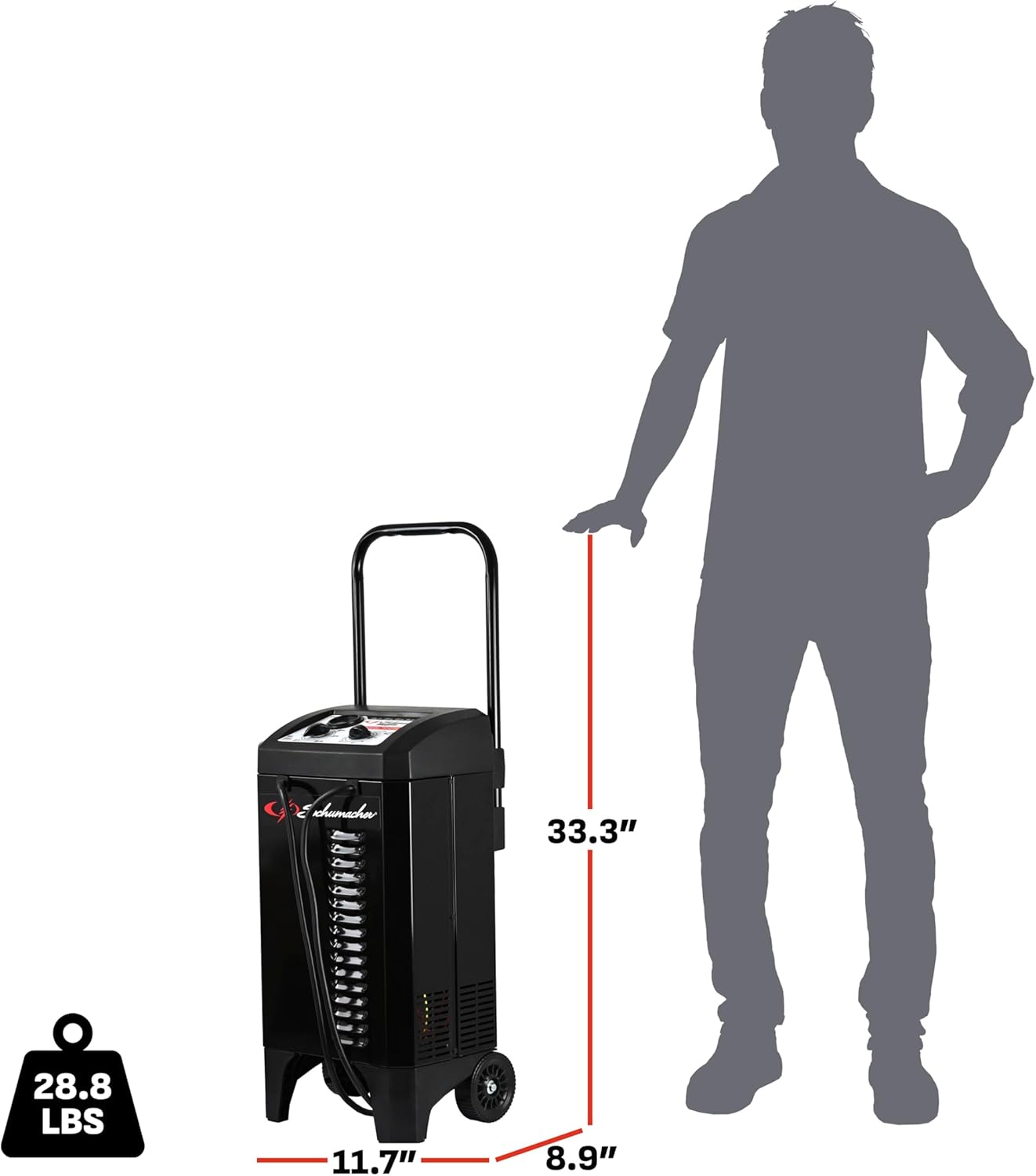
| Product Dimensions | 11.99 x 9.38 x 22.75 inches (30.45 x 23.83 x 57.79 cm) |
| Item Weight | 28.8 pounds (13.06 kg) |
| Manufacturer | Schumacher Electric |
8. Warranty and Support
For warranty information and customer support, please refer to the documentation included with your product at the time of purchase or visit the official Schumacher Electric website. Keep your purchase receipt as proof of purchase for any warranty claims.
Contact Information: For technical assistance or service inquiries, please contact Schumacher Electric customer support directly. Refer to the product packaging or the official website for the most current contact details.