
1. Introduction
This manual provides essential instructions for the safe and efficient use of your FAMETEK Star Trek Illuminating Wireless Charger with Built-in Backup Battery. Please read this manual thoroughly before operating the device and retain it for future reference.
2. Package Contents
Verify that all items are present in your package:
- Wireless Charging Pad
- Built-In Power Bank
- Micro-USB Cable
3. Setup and Initial Use
3.1. Device Overview
The FAMETEK Star Trek Illuminating Wireless Charger combines a Qi-compatible wireless charging pad with a 5000mAh built-in power bank, featuring an illuminated Star Trek logo. It supports both wireless and wired charging for various devices.

Image: The Star Trek Illuminating Wireless Charger with a smartphone wirelessly charging on its surface.
3.2. Charging the Power Bank
Before initial use, fully charge the power bank using the provided Micro-USB cable. Connect the Micro-USB end to the charger's input port and the USB-A end to a compatible USB power adapter (not included). The LED indicators will show the charging progress.
3.3. Controls and Indicators
- Power Button: Press once to activate the wireless charging function and illuminate the logo. Press and hold to turn off.
- LED Indicators: Four small LED lights indicate the remaining battery capacity of the power bank. Each light typically represents 25% charge.
- Type-C Input/Output Port: Used for charging the power bank or for wired charging of devices.
- USB-A Output Port: Used for wired charging of devices.
4. Operating Instructions
4.1. Wireless Charging
- Ensure the power bank is sufficiently charged or connected to a power source.
- Press the power button to activate the wireless charging function. The Star Trek logo will illuminate.
- Place your Qi-compatible smartphone or device directly onto the center of the charging pad.
- Confirm that your device displays a charging indicator. If not, adjust the device's position on the pad.
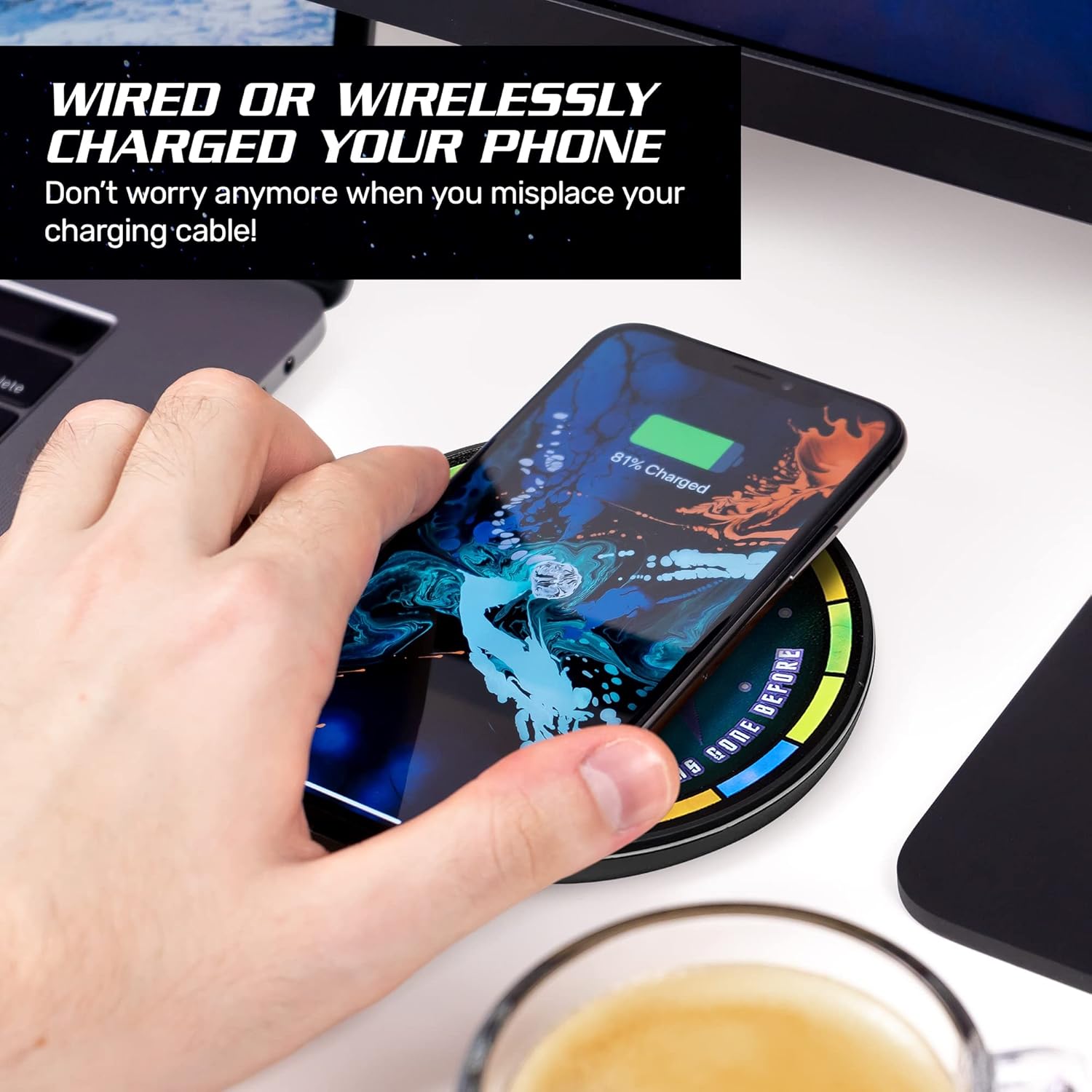
Image: A hand positioning a smartphone on the charger to initiate wireless charging.
4.2. Wired Charging
To charge a device via a wired connection:
- Connect your device's charging cable to either the USB-A output port or the Type-C input/output port on the power bank.
- Connect the other end of the cable to your device.
- The power bank will automatically begin charging your device.
4.3. Portability
The built-in 5000mAh power bank allows for portable charging without needing a wall outlet, making it suitable for travel.

Image: The portable charger being placed into a pocket.
4.4. Compatibility
This charger is compatible with Qi-enabled devices, including iPhone 8 and newer models, Samsung Galaxy S8, S10, and other Android devices with Qi technology. It can also charge devices via USB cable.

Image: A visual guide to compatible iPhone and Android devices.
4.5. Product Videos
Video: A brief overview of the Star Trek Qi Wireless Charger, demonstrating its illuminated logo and charging function.
Video: A detailed demonstration of the Fametek Qi Charger, covering its features and usage.
5. Maintenance
- Keep the charger clean and free from dust and debris. Use a soft, dry cloth for cleaning.
- Avoid exposing the device to extreme temperatures, direct sunlight, or moisture.
- Do not disassemble or attempt to repair the device yourself, as this may void the warranty and cause damage.
6. Troubleshooting
| Problem | Possible Solution |
|---|---|
| Device not charging wirelessly. | Ensure the power bank is turned on and has sufficient charge. Verify your device is Qi-compatible and properly centered on the charging pad. Remove any thick phone cases that may interfere with wireless charging. |
| Device not charging via USB cable. | Check that the USB cable is securely connected to both the power bank and your device. Ensure the power bank has sufficient charge. Try a different USB cable or port. |
| Illuminated logo is not lighting up. | Press the power button to activate the illumination. Ensure the power bank has sufficient charge. |
| Slow charging speed. | Ensure your device supports fast wireless charging and is correctly aligned. For wired charging, use a high-quality cable and ensure the power bank is adequately charged. |
7. Specifications
| Feature | Detail |
|---|---|
| Product Dimensions | 3.9 x 0.71 x 3.9 inches |
| Item Weight | 8.1 ounces |
| Battery Capacity | 5000mAh |
| Type-C Input | 5V = 3A, 9V = 2A |
| Type-C Output | 5V = 3A, 9V = 2A, 12V = 1.5A |
| USB Output | 5V = 2.4A, 9V = 2A, 12V = 1.5A |
| Wireless Output | 5W / 7.5W / 10W |
| Charging Distance | <8mm |
| Charging Efficiency | >73% |
| Connectivity Technologies | USB, Wireless |
| Special Features | Portable, Wireless, Wireless Charger |
| Manufacturer | FAMETEK |
| Date First Available | December 4, 2020 |
8. Warranty Information
This product is covered by a manufacturer's warranty. For specific details regarding warranty coverage, duration, and claims process, please refer to the product packaging or visit the official FAMETEK website. Keep your proof of purchase for warranty purposes.
9. Support
For further assistance, technical support, or to view additional products, please visit the official FAMETEK store or website: