
Introduction
This manual provides essential information for the safe and efficient operation of your LG CineBeam Laser Projector, model GRU510N. Please read this manual thoroughly before using the product and retain it for future reference.
The LG GRU510N is a high-performance 4K UHD (3840 x 2160) resolution projector designed for home theater and professional environments. It features 5000 ANSI Lumens of brightness, a long-lasting laser light source, and advanced connectivity options including Bluetooth and wireless screen sharing.
Safety Information
- Do not block ventilation openings. Ensure adequate space around the projector for proper airflow.
- Do not look directly into the projector lens when the lamp is on, as the intense light can damage your eyes.
- Use only the power cord supplied with the unit.
- Do not expose the projector to rain or moisture to prevent fire or electric shock.
- Refer all servicing to qualified service personnel.
Setup
1. Unboxing and Contents
Carefully remove all components from the packaging. Verify that all items listed below are present:
- LG GRU510N Projector
- Power Cord
- Remote Control with Batteries (2 AAA)
- Warranty Card
- User Manual (this document)
2. Placement
Position the projector on a stable, level surface. Ensure there is sufficient space for ventilation around the unit. The projector can be placed on a table, mounted on the ceiling, or placed on a shelf.
For optimal image quality, place the projector perpendicular to the screen. The LG GRU510N features a lens shift function (Horizontal ± 24%, Vertical ± 60%) and 12-point warping for advanced edge adjustment, allowing for flexible placement and precise image alignment.

Image: Front view of the LG GRU510N CineBeam Laser Projector, showing the lens and ventilation grilles.

Image: Angled view of the LG GRU510N Projector, highlighting its compact design and lens.
3. Connections
Connect your devices to the projector using the available ports. The GRU510N supports HDMI, USB, and Bluetooth connectivity.
- HDMI: Connect Blu-ray players, gaming consoles, or computers using HDMI cables.
- USB: Plug in USB drives for media playback.
- Bluetooth: Pair with Bluetooth-enabled audio devices for wireless sound output.
- Wireless Connection: Utilize the built-in wireless capabilities for screen sharing from compatible devices.
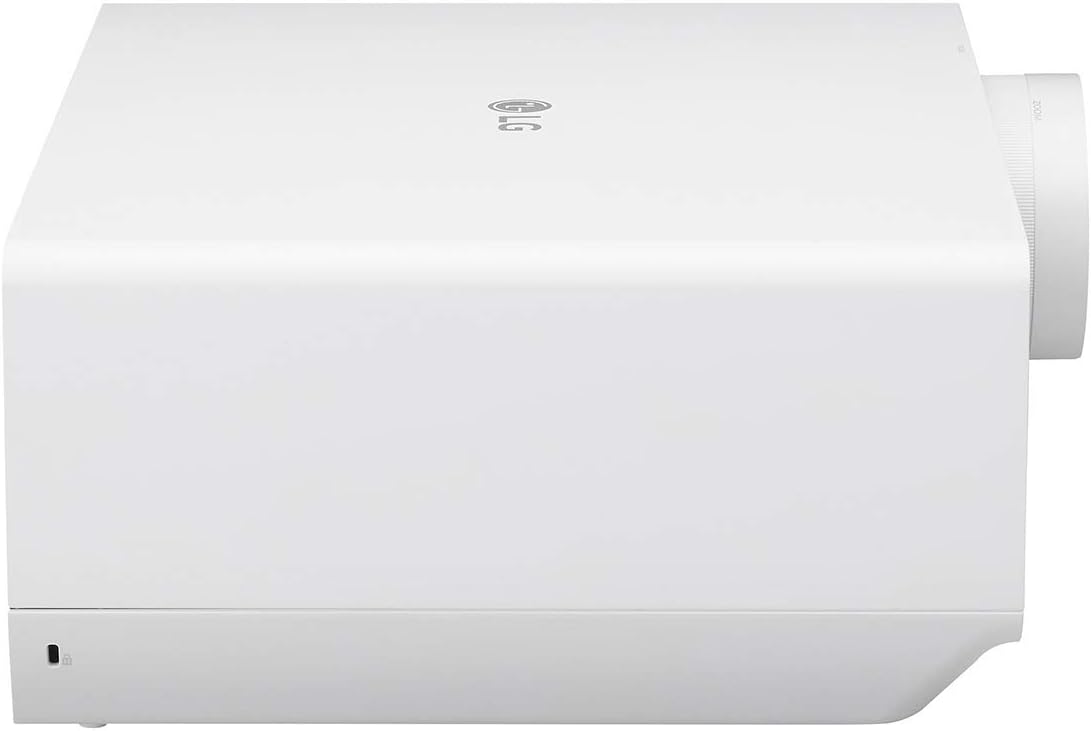
Image: Rear view of the LG GRU510N Projector, showing the various input and output ports including HDMI, USB, and network connections.
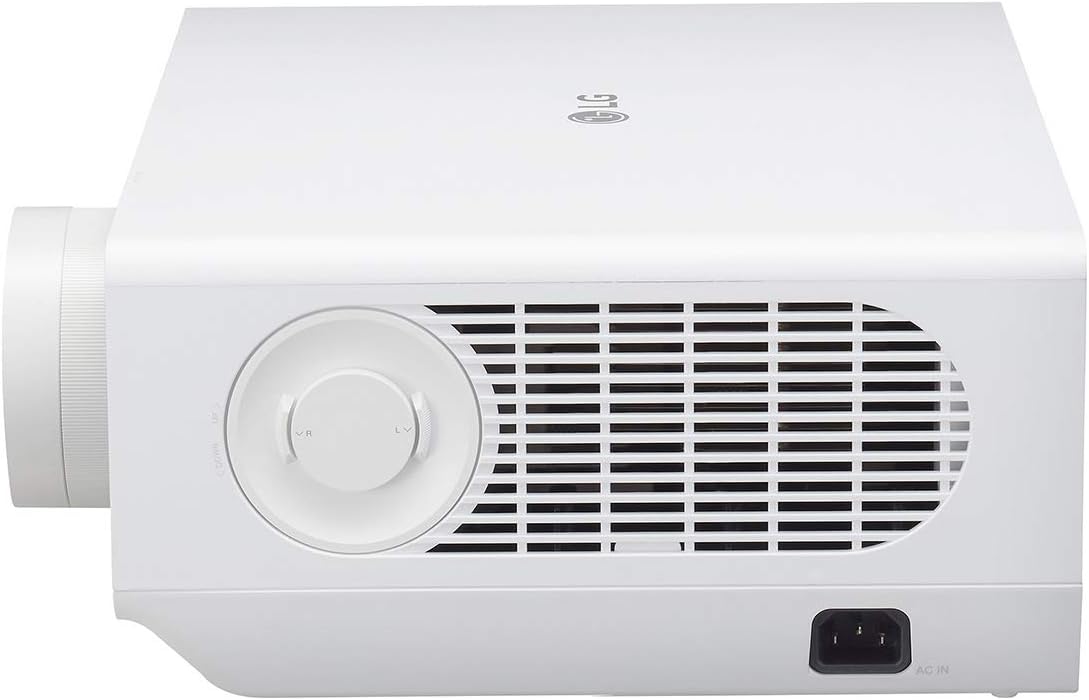
Image: Side view of the LG GRU510N Projector, showing the AC power input port.
4. Initial Power On
After connecting the power cord, press the power button on the projector or the remote control to turn on the unit. Follow the on-screen prompts for initial setup, including language selection and network configuration.
Operating Instructions
1. Power On/Off
Press the Power button on the remote control or the projector to turn the unit on or off. Allow a few seconds for the projector to warm up or cool down.
2. Picture Adjustment
- Focus: Rotate the focus ring on the lens to achieve a sharp image.
- Zoom: Adjust the zoom ring on the lens to change the image size without moving the projector.
- Lens Shift: Use the lens shift controls (typically knobs on the side or top) to vertically or horizontally adjust the image position without tilting the projector. This model offers Horizontal ± 24% and Vertical ± 60% lens shift.
- Edge Adjustment (Warping): Access the advanced settings menu to utilize the 12-point warping feature for fine-tuning image geometry, especially useful for projecting onto non-flat surfaces.

Image: The LG GRU510N Projector in operation, emitting a bright light beam, demonstrating its 5000 ANSI Lumen capability.
3. Smart Features and Connectivity
The LG GRU510N integrates Smart TV features, allowing direct access to streaming services and apps via its WebOS platform. Use the remote control to navigate the smart interface.
- Bluetooth Sound Out: Pair your Bluetooth speakers or headphones with the projector for an enhanced audio experience. Navigate to the sound settings menu to manage Bluetooth devices.
- Wireless Screen Sharing: Connect compatible smartphones, tablets, or laptops wirelessly to mirror their screens onto the projector. Refer to your device's screen mirroring instructions and the projector's network settings.
- Full IP Control: For advanced users and integration into smart home systems, the projector supports full IP control. Consult the detailed technical manual for IP control protocols.
4. Input Source Selection
Press the Input button on the remote control to cycle through available input sources (HDMI 1, HDMI 2, USB, Screen Share, etc.).
Maintenance
1. Cleaning
- Lens: Use a soft, lint-free cloth specifically designed for optical lenses. Do not use abrasive cleaners or excessive force.
- Exterior: Wipe the projector's exterior with a soft, dry cloth. For stubborn marks, a slightly damp cloth with mild detergent can be used, followed by a dry wipe. Ensure no liquid enters the ventilation openings.
2. Laser Light Source Life
The LG GRU510N utilizes a laser light source with an estimated life of 20,000 hours. This means the light source is designed to last for many years under normal usage conditions and does not require regular replacement like traditional projector lamps.
3. Storage
If storing the projector for an extended period, ensure it is powered off and unplugged. Store it in a cool, dry place, away from direct sunlight and extreme temperatures. It is recommended to cover the projector to protect it from dust.
Troubleshooting
This section addresses common issues you might encounter. If the problem persists, please contact LG customer support.
| Problem | Possible Cause | Solution |
|---|---|---|
| No picture or "No Signal" message |
|
|
| Image is blurry or out of focus |
|
|
| Image is distorted or not rectangular |
|
|
| No sound or low volume |
|
|
Specifications
| Feature | Detail |
|---|---|
| Model Number | GRU510N |
| Display Resolution | 4K UHD (3840 x 2160) |
| Brightness | Up to 5000 ANSI Lumens |
| Light Source | Laser (20,000 hr Lamp Life) |
| Screen Size (Diagonal) | Up to 300 inches |
| Lens Shift | Horizontal ± 24%, Vertical ± 60% |
| Edge Adjustment | 12-point Warping |
| Connectivity Technology | Bluetooth, HDMI, USB, Wireless Connection (Screen Share), Full IP Control |
| Product Dimensions (L x W x H) | 14.6 x 12.8 x 6.1 inches |
| Item Weight | 21.4 pounds |
| Recommended Use | Home Cinema |
Warranty and Support
Your LG GRU510N projector is covered by a manufacturer's warranty. Please refer to the included Warranty Card for specific terms and conditions, including the warranty period and coverage details.
For technical assistance, troubleshooting beyond this manual, or warranty claims, please contact LG Electronics customer support. You can find contact information on the LG official website or on your warranty card.
It is recommended to register your product with LG to facilitate support and warranty services.