
LG WM4200HBA
LG Front Load Washer Instruction Manual
Model: WM4200HBA | Brand: LG
1. Introduction
Welcome to the user manual for your new LG WM4200HBA 5.0 Cu. Ft. Mega Capacity Smart wi-fi Enabled Front Load Washer. This appliance is designed with advanced features like TurboWash™ 360° and Built-in Intelligence to provide efficient and thorough cleaning. This manual will guide you through the installation, operation, maintenance, and troubleshooting of your washer to ensure optimal performance and longevity.
2. Safety Information
Always read and follow all safety instructions before using your appliance to prevent the risk of fire, electric shock, injury to persons, or damage to the appliance. Keep this manual in a safe place for future reference.
- Ensure the washer is properly grounded.
- Do not wash articles that have been previously cleaned in, washed in, soaked in, or spotted with gasoline, dry-cleaning solvents, or other flammable or explosive substances.
- Keep the area around the washer clear of flammable materials.
- Do not allow children to play on or in the appliance.
3. Setup and Installation
Proper installation is crucial for the performance and safety of your LG washer. Refer to the detailed installation guide provided with your appliance for specific steps.
3.1 Unpacking and Placement
Carefully remove all packaging materials. This LG washer is designed with a shallower depth for flexible placement in various spaces, including closet-depth installations.

Figure 3.1: Front view of the LG WM4200HBA Front Load Washer.

Figure 3.2: Product dimensions for installation planning.
3.2 Water and Electrical Connections
Connect the hot and cold water supply hoses to the corresponding inlets on the back of the washer. Ensure all connections are secure to prevent leaks. The washer requires a 120V, 10 Amps electrical supply.

Figure 3.3: Rear view with water and electrical connections.
4. Operating Instructions
Your LG washer offers a variety of cycles and options to suit different fabric types and soil levels.
4.1 Control Panel Overview
The control panel features a central dial for cycle selection and a digital display with touch controls for various options.
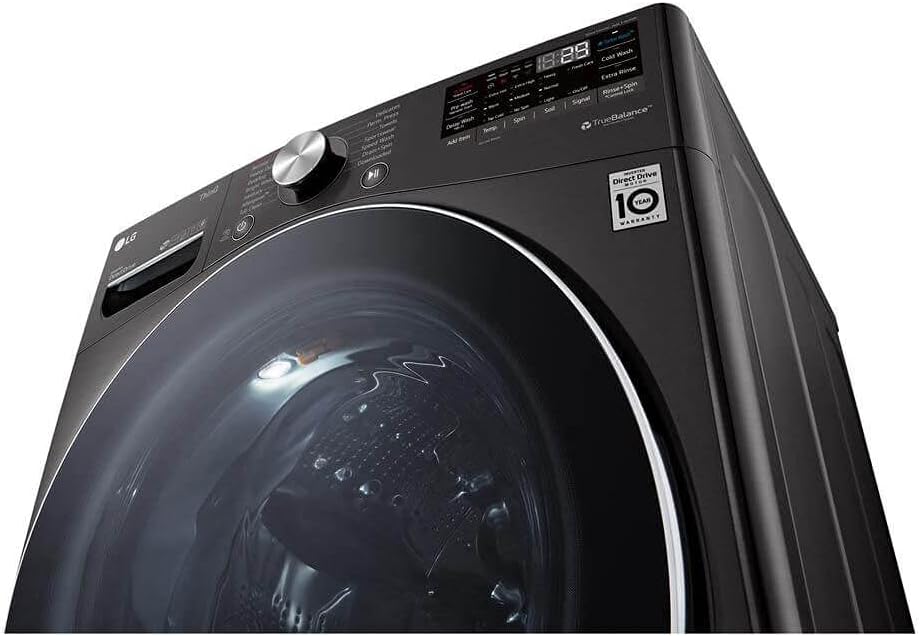
Figure 4.1: Detailed view of the control panel.
4.2 Loading the Washer
Open the washer door and load items loosely into the drum. Do not overload the washer to ensure proper cleaning and rinsing.
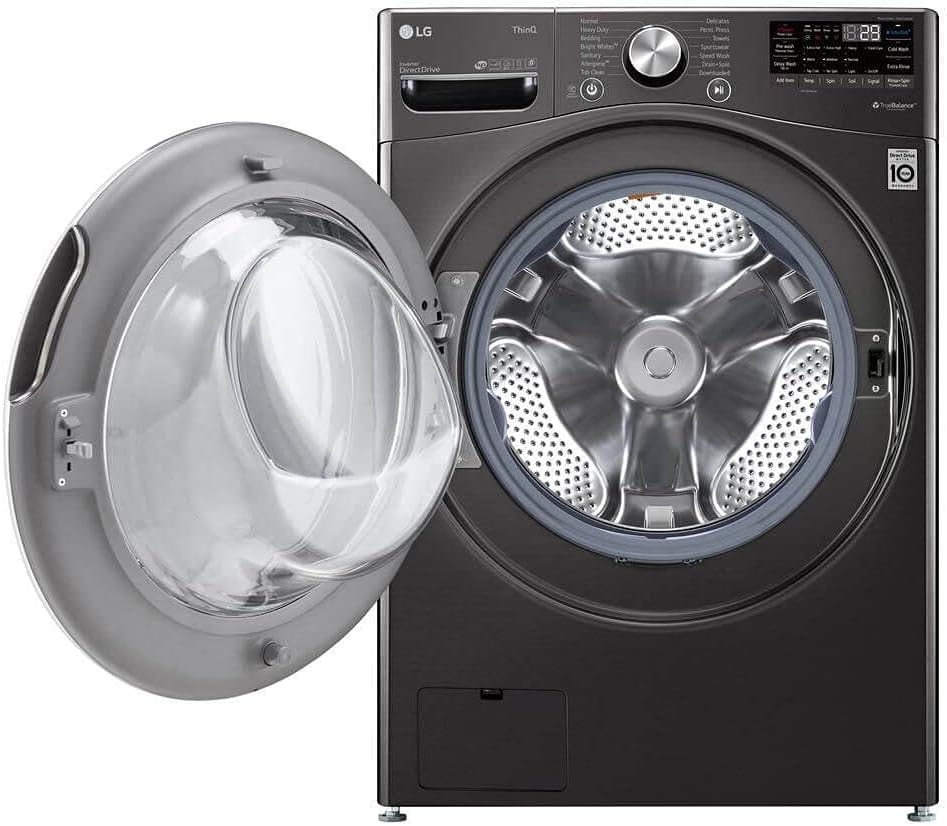
Figure 4.2: Washer with door open, ready for loading.
4.3 Detergent and Additives Dispenser
The 4-tray dispenser allows for prewash, main wash (with liquid detergent cup), bleach, and fabric softener. Ensure you use HE (High-Efficiency) detergent.
4.4 Cycle Selection
Turn the Dial-A-Cycle™ knob to select your desired wash cycle. Available cycles include:
- Normal
- Perm. Press
- Heavy Duty
- Delicates
- Towels
- Speed Wash
- Drain+Spin
- Bedding
- Tub Clean
- Bright Whites™
- Sanitary
- Allergiene™
- Sportswear
- Downloaded (via ThinQ app)
4.5 Wash Options
Customize your wash cycle using the following options:
- TurboWash®
- Steam
- Fresh Care
- Pre-wash
- Remote Start (Wi-Fi)
- Delay Wash (Wi-Fi)
- Add Item
- ColdWash
- Extra Rinse
- Rinse+Spin
- Control Lock
- Spin Only
- Signal
4.6 Smart Features (ThinQ® Technology)
Your washer is equipped with LG ThinQ® Technology, allowing for smart alerts, remote control, and cycle monitoring via your smartphone. Features include AI DD™ for optimal wash settings and Smart Pairing with compatible LG dryers.
5. Maintenance
Regular maintenance helps keep your LG washer performing efficiently.
5.1 Tub Clean Cycle
Run the 'Tub Clean' cycle regularly (approximately every 30 loads) to prevent odors and maintain the cleanliness of the drum. Add a small amount of bleach to the bleach tray for this cycle.
5.2 Dispenser Drawer Cleaning
Periodically remove and clean the dispenser drawer to remove any detergent or fabric softener residue.
5.3 Exterior Cleaning
Wipe the exterior of the washer with a soft, damp cloth. The sleek, scratch-resistant tempered glass door and black steel finish are easy to maintain.
6. Troubleshooting
If you encounter issues with your washer, refer to the following common problems and solutions. For more complex issues, contact LG customer support.
| Problem | Possible Cause | Solution |
|---|---|---|
| Washer does not start | Power cord unplugged; Door not closed properly; Control Lock activated. | Check power connection; Ensure door is latched; Deactivate Control Lock. |
| Excessive vibration | Washer not level; Shipping bolts not removed; Uneven load. | Adjust leveling legs; Remove shipping bolts; Redistribute laundry. |
| Water leaks | Hose connections loose; Drain hose clogged or improperly installed. | Tighten hose connections; Check drain hose for kinks or blockages. |
| Odor in washer | Residue buildup; Door left closed after use. | Run Tub Clean cycle; Leave door ajar after use to allow drying. |
7. Specifications
Detailed technical specifications for your LG WM4200HBA Front Load Washer:
| Feature | Specification |
|---|---|
| Model Info | WM4200HBA |
| Capacity | 5.0 cu. ft. |
| Color | Black Steel |
| Product Dimensions (WxHxD) | 27" x 39" x 33 1/4" (42 x 33.5 x 29 inches) |
| Access Location | Front Load |
| Controls Type | Touch |
| Voltage | 120 Volts |
| Number of Washing Cycles | 14 |
| Drum Material | Stainless Steel |
| Efficiency | High Efficiency, ENERGY STAR® Most Efficient |
| Special Features | Adjustable, AI DD™, TurboWash™ 360, Steam Technology, Allergiene™ Cycle, Sanitary Cycle, ColdWash™ Option, SenseClean™ System, TrueBalance™ Anti-Vibration System, SmartDiagnosis™ (v3.0), Wi-Fi, Remote Start and Cycle Monitor, Energy Monitoring, Tub Clean Coach |
| UPC | 048231028295 |
8. Warranty and Support
LG provides comprehensive support for your appliance.
8.1 Warranty Information
Your LG WM4200HBA washer comes with the following warranty:
- Parts and Labor: 1 Year
- Direct Drive Motor: 10 Years
- Drum: 3 Years
Please retain your proof of purchase for warranty claims.
8.2 Customer Support
For technical assistance, service requests, or to purchase accessories, please visit the official LG website or contact LG customer service. You can also utilize the SmartDiagnosis™ feature via the ThinQ app for quick troubleshooting.
LG Official Website: www.lg.com