
1. Introduction
This manual provides detailed instructions for the installation, operation, maintenance, and troubleshooting of your Palit GeForce RTX 3060 Ti Dual OC graphics card. Please read this manual thoroughly before installing and using the product to ensure proper functionality and to prevent damage.
The Palit GeForce RTX 3060 Ti Dual OC is a high-performance graphics card designed for gaming and demanding graphical applications. It features 8GB of GDDR6 memory, a dual-fan cooling system, and supports PCI Express 4.0.
2. Safety Information
Observe the following safety guidelines to prevent injury and damage to your equipment:
- Always disconnect the power supply from your computer before installing or removing any components.
- Wear an anti-static wrist strap or frequently touch a grounded metal object to discharge static electricity before handling the graphics card. Static discharge can damage electronic components.
- Handle the graphics card by its edges. Avoid touching the gold-plated PCI Express connector or other components on the board.
- Ensure your computer case has adequate ventilation to prevent overheating.
- Do not expose the graphics card to moisture or extreme temperatures.
- Keep the graphics card away from children.
3. Package Contents
Verify that all items are present in your product package:
- Palit GeForce RTX 3060 Ti Dual OC Graphics Card
- Quick Installation Guide (this document)
- Driver CD (or instructions for online download)
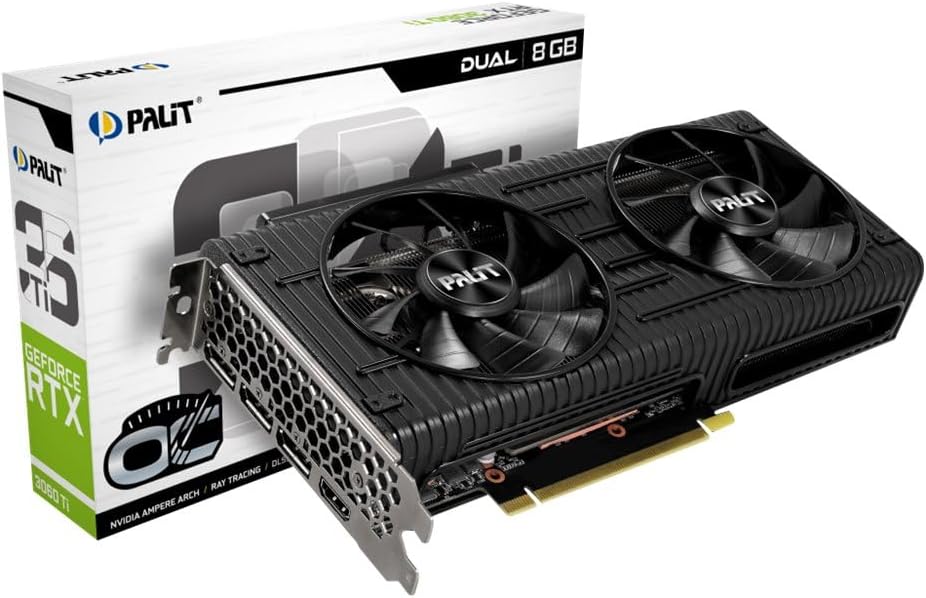
Image: The Palit GeForce RTX 3060 Ti Dual OC graphics card shown alongside its retail packaging.
4. Setup
4.1. System Requirements
Before installation, ensure your system meets the following minimum requirements:
- PCI Express-compliant motherboard with one x16 graphics slot.
- Minimum 600W power supply with one 8-pin PCIe power connector.
- Microsoft Windows 10 64-bit or Linux 64-bit operating system.
- 8GB system memory (16GB recommended).
- Internet connection for driver download and updates.
4.2. Physical Installation
Follow these steps to install the graphics card into your computer:
- Turn off your computer and disconnect the power cable from the wall outlet.
- Open your computer case. Refer to your computer case manual for specific instructions.
- Locate an available PCI Express x16 slot on your motherboard. Remove any expansion slot covers that block the slot.
- Carefully align the graphics card with the PCI Express x16 slot. Press down firmly until the card is securely seated in the slot.
- Secure the graphics card to the computer case with the screw from the expansion slot cover.
- Connect the 8-pin PCIe power connector from your power supply to the corresponding port on the graphics card. Ensure a secure connection.
- Close your computer case and reconnect the power cable.

Image: A top-down view of the Palit GeForce RTX 3060 Ti graphics card, highlighting its dual cooling fans and the heatsink assembly.
4.3. Driver Installation
After physical installation, you must install the graphics drivers:
- Power on your computer.
- If an internet connection is available, Windows may automatically install a basic display driver. For optimal performance, download the latest drivers from the official NVIDIA website (www.nvidia.com/drivers) or the Palit website (www.palit.com/download).
- Run the downloaded driver installer and follow the on-screen instructions.
- Restart your computer after the driver installation is complete.
5. Operating
5.1. Connecting Displays
The Palit GeForce RTX 3060 Ti Dual OC graphics card features multiple display outputs:
- 3x DisplayPort
- 1x HDMI
Connect your monitor(s) to the available ports on the graphics card. Ensure your display cables are securely connected to both the graphics card and your monitor.

Image: An angled view of the graphics card, highlighting the DisplayPort and HDMI output connectors on the rear I/O bracket.
5.2. Software Configuration
After driver installation, you can access the NVIDIA Control Panel or Palit ThunderMaster utility for advanced settings. These tools allow you to:
- Adjust display resolutions and refresh rates.
- Configure multi-monitor setups.
- Optimize 3D settings for games and applications.
- Monitor GPU temperature and fan speed (ThunderMaster).
- Perform overclocking (ThunderMaster, use with caution).
6. Maintenance
Proper maintenance ensures the longevity and performance of your graphics card:
- Cleaning: Periodically clean dust from the fans and heatsink using compressed air. Ensure the computer is powered off and unplugged before cleaning. Hold the fan blades gently to prevent them from spinning rapidly during cleaning, which can damage the bearings.
- Driver Updates: Regularly check for and install the latest graphics drivers from NVIDIA to ensure optimal performance, stability, and access to new features.
- Temperature Monitoring: Use monitoring software (e.g., Palit ThunderMaster, MSI Afterburner) to keep an eye on GPU temperatures, especially during heavy loads. Ensure temperatures remain within safe operating limits.
7. Troubleshooting
If you encounter issues, refer to the following common problems and solutions:
| Problem | Possible Solution |
|---|---|
| No display output after installation. |
|
| System crashes or freezes during use. |
|
| Poor performance in games or applications. |
|
| Fans are not spinning. | Many modern graphics cards feature a 0dB fan mode, where fans only spin up when the GPU reaches a certain temperature (e.g., 50°C). This is normal behavior for silent operation under light loads. If fans do not spin under heavy load and temperatures are high, check power connections and driver installation. |
8. Technical Specifications
Key specifications for the Palit GeForce RTX 3060 Ti Dual OC graphics card:
| Feature | Specification |
|---|---|
| Graphics Coprocessor | NVIDIA GeForce RTX 3060 Ti |
| Graphics Ram Size | 8 GB GDDR6 |
| Boost Clock | 1695 MHz |
| Video Output Interface | 3x DisplayPort, 1x HDMI |
| Interface | PCI Express 4.0 |
| Product Dimensions | 9.72 x 4.72 x 1.57 inches (24.7 x 12.0 x 4.0 cm) |
| Item Weight | 7 ounces (198 grams) |
| Model Number | NE6306TS19P2-190AD |
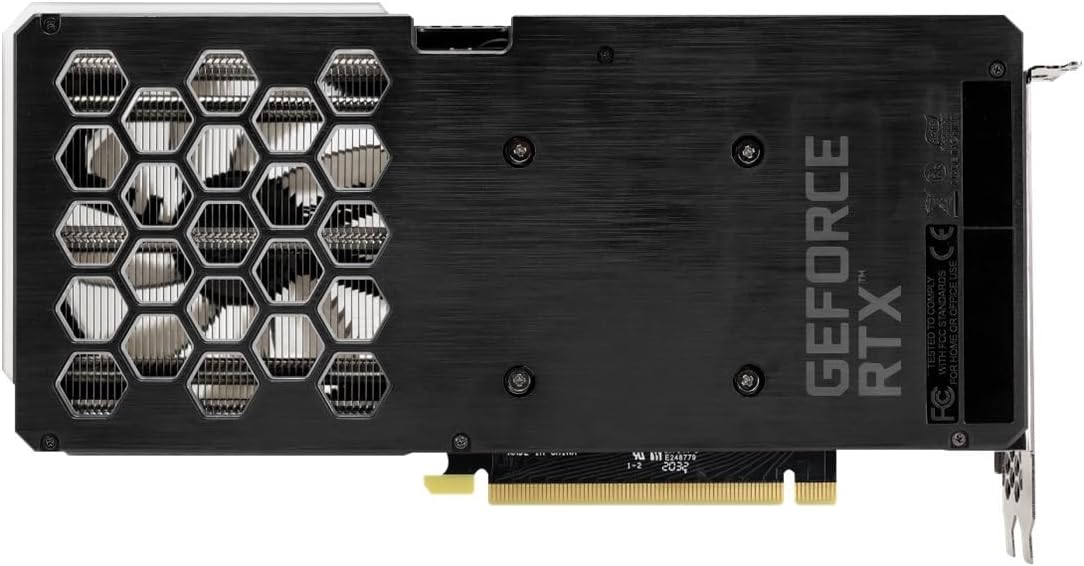
Image: The backplate of the Palit GeForce RTX 3060 Ti graphics card, showing its design and ventilation.
9. Warranty and Support
9.1. Warranty Information
This Palit GeForce RTX 3060 Ti Dual OC graphics card is backed by Palit's 2-year manufacturer's warranty. This warranty covers defects in materials and workmanship under normal use. For full warranty terms and conditions, please refer to the official Palit website or contact Palit customer support.
9.2. Customer Support
If you require technical assistance or have questions regarding your product, please visit the official Palit website for support resources, FAQs, and contact information:
- Palit Official Website: www.palit.com
- Support Page: Look for a 'Support' or 'Contact Us' section on the website.
When contacting support, please have your product model number (NE6306TS19P2-190AD) and purchase information readily available.
