
Introduction
Thank you for purchasing the GRIFEMA GA2003 Digital Kitchen Scales. This manual provides detailed instructions for the setup, operation, maintenance, and troubleshooting of your new scale. Please read this manual thoroughly before use to ensure proper functionality and longevity of the product.
Package Contents
Upon opening the package, please verify that all the following items are included:
- 1 x GRIFEMA GA2003 Digital Kitchen Scale
- 1 x Weighing Tray
- 2 x AAA Batteries
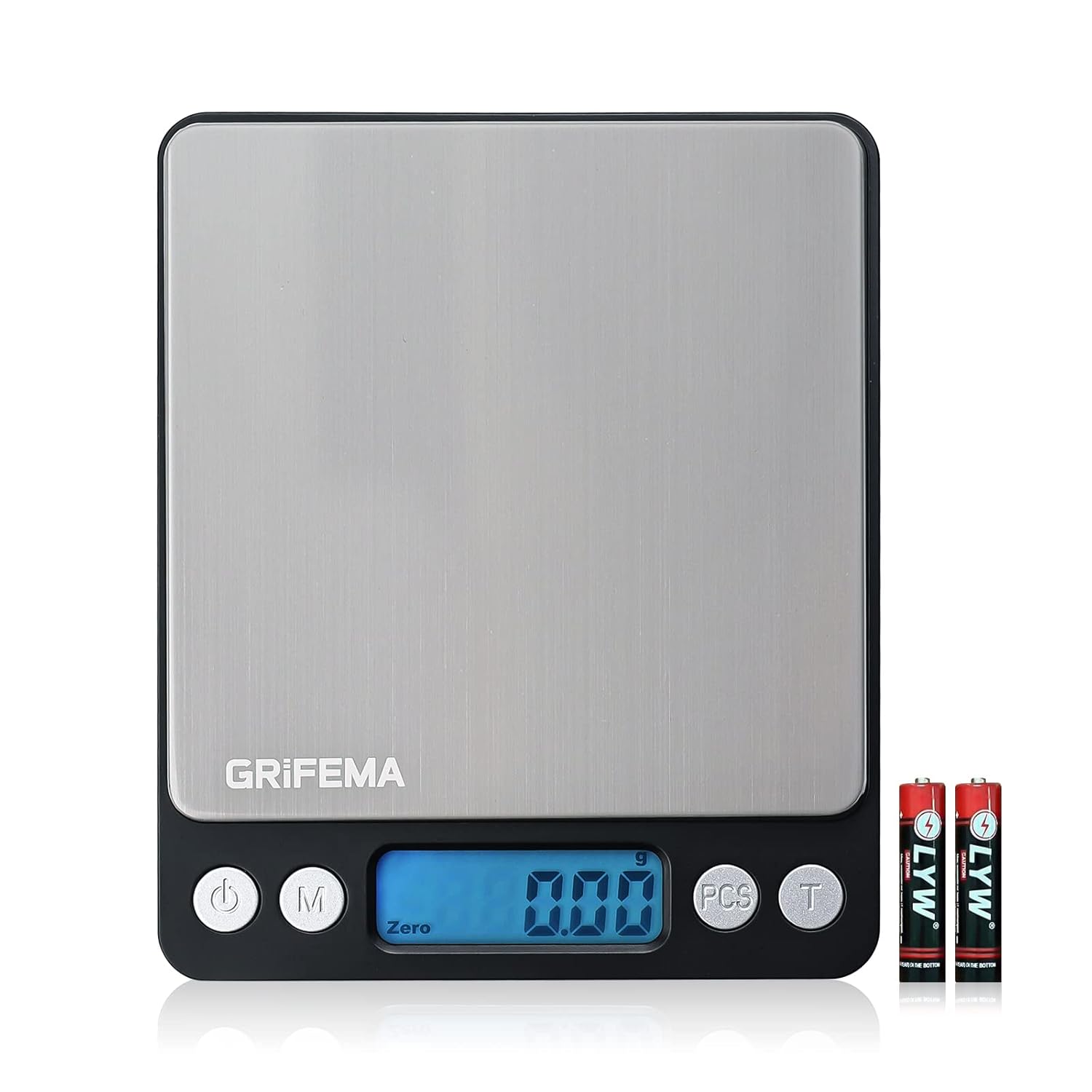
Image: The GRIFEMA GA2003 Digital Kitchen Scale, showing its compact design, stainless steel platform, LCD display, control buttons, and the included AAA batteries and weighing tray.
Setup
- Battery Installation:
Locate the battery compartment on the underside of the scale. Open the compartment cover. Insert the two AAA batteries, ensuring the correct polarity (+/-) as indicated inside the compartment. Close the battery cover securely.
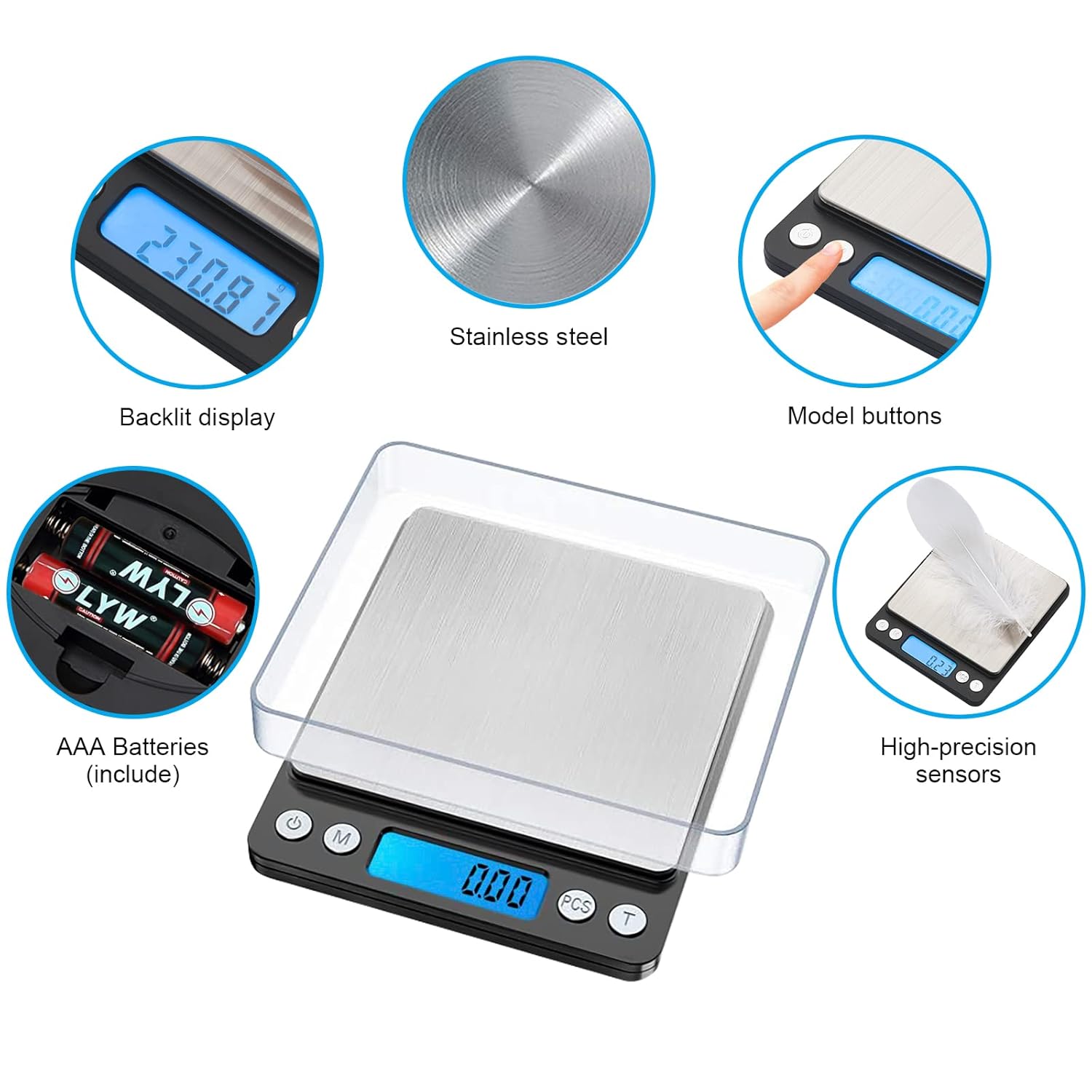
Image: Detailed view of the scale's features, including the backlit display, stainless steel platform, control buttons, and the battery compartment with AAA batteries.
- Placement:
Place the scale on a hard, flat, and stable surface. Uneven surfaces can affect measurement accuracy. Avoid placing the scale near strong electromagnetic fields or vibrating equipment.
- Initial Power On:
Press the power button (⑂) to turn on the scale. The LCD display will illuminate and show "0.00g" when ready for use.
Operating Instructions
Basic Weighing
- Ensure the scale is on a stable surface and powered on.
- Place the item directly onto the stainless steel weighing platform or use the included tray.
- Read the weight displayed on the backlit LCD screen.
Unit Conversion
The scale supports multiple weighing units. Press the "M" (Mode) button to cycle through the available units:
- g (grams)
- ct (carats)
- dwt (pennyweights)
- ozt (troy ounces)
- oz (ounces)
- gn (grains)
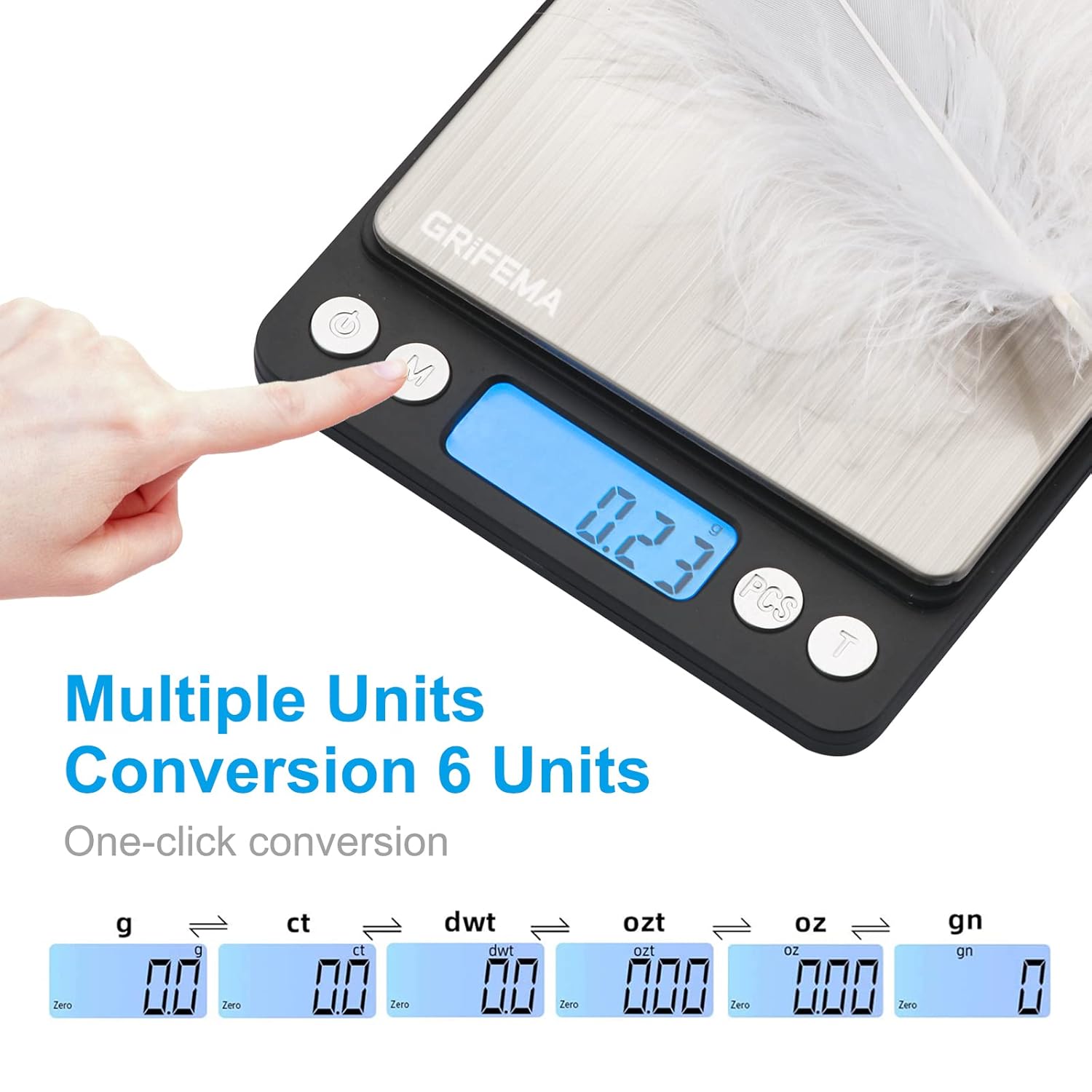
Image: The scale's display cycling through various measurement units, demonstrating the one-click conversion feature.
Tare Function
The Tare function allows you to subtract the weight of a container, so you only measure the net weight of the contents.
- Place an empty container on the weighing platform. The display will show its weight.
- Press the "T" (Tare) button. The display will reset to "0.00g".
- Add the items you wish to weigh into the container. The display will show only the weight of the items.

Image: A visual guide demonstrating the three steps of using the Tare function to measure ingredients accurately by zeroing out the container's weight.
Counting Function (PCS)
The counting function is useful for counting multiple small, identical items.
- Turn on the scale and place the weighing tray on the platform.
- Press the "T" (Tare) button to zero the display.
- Place a sample quantity of items (e.g., 20, 50, 75, or 100 pieces) onto the tray.
- Long-press the "PCS" button until the display flashes. Then, press the "M" button to select the sample quantity you placed (e.g., "20", "50"). Press "PCS" again to confirm.
- Remove the sample. Now, when you place any quantity of the same items on the tray, the scale will display the total count of items.
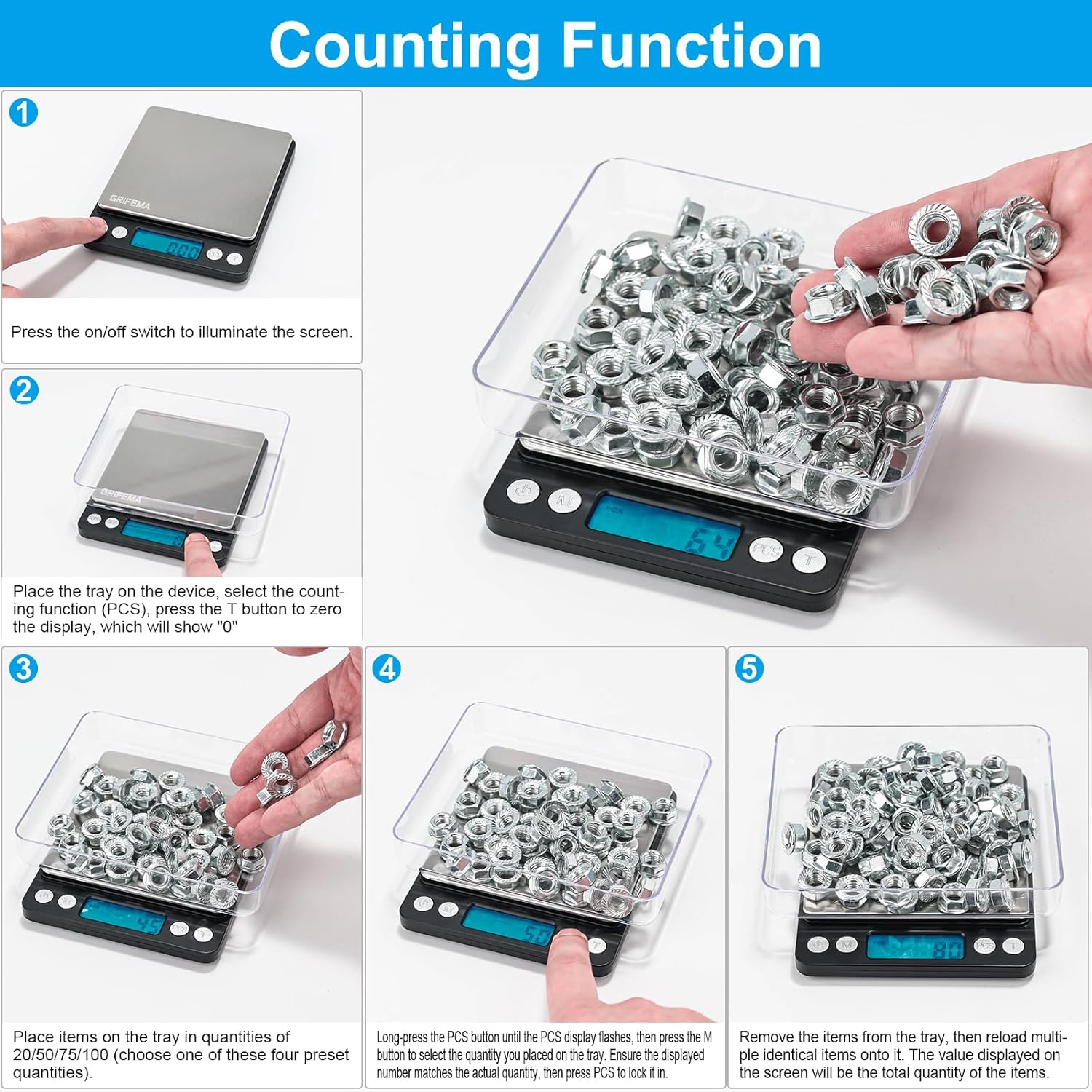
Image: A step-by-step guide demonstrating how to use the Counting Function (PCS) to count small, identical items efficiently, such as nuts or beads.
Auto Shut-off
To conserve battery life, the scale features an auto shut-off function. If left idle for a period (typically 60 seconds), it will automatically turn off. Press the power button to turn it back on.
Maintenance
- Cleaning:
Wipe the scale with a soft, damp cloth. Do not use abrasive cleaners or immerse the scale in water. The stainless steel platform is easy to clean.
- Storage:
Store the scale in a cool, dry place. Avoid extreme temperatures and humidity. The included trays can also serve as protective covers for storage.
- Battery Replacement:
If the display shows a "Lo" indicator or becomes dim, it's time to replace the batteries. Follow the battery installation steps in the Setup section.
Troubleshooting
| Problem | Possible Cause | Solution |
|---|---|---|
| Scale does not turn on. | Batteries are dead or incorrectly installed. | Check battery polarity or replace with new AAA batteries. |
| "Lo" displayed. | Low battery power. | Replace batteries. |
| "O-Ld" displayed. | Overload. | Remove items immediately. The maximum capacity is 500g. |
| Inaccurate or inconsistent readings. |
|
|
| Display shows "Err". | Internal error or malfunction. | Turn off the scale, remove batteries, wait 30 seconds, then reinsert batteries and turn on. If the error persists, contact customer support. |
Specifications
| Feature | Detail |
|---|---|
| Model Number | GA2003 |
| Brand | GRIFEMA |
| Maximum Weight Capacity | 500 Grams |
| Measurement Accuracy | 0.01g |
| Weighing Modes | g, ct, dwt, ozt, oz, gn |
| Display Type | LCD with Backlit Display |
| Material | Stainless Steel, Plastic |
| Product Dimensions | 13 x 3 x 16 cm (approx.) |
| Item Weight | 178 g |
| Power Source | 2 x AAA Batteries |
| Special Features | Tare Function, Counter (PCS), Auto Shut-off, Lightweight |

Image: Diagram showing the compact dimensions of the GRIFEMA GA2003 Digital Kitchen Scale, highlighting its width, length, and slim profile.
Warranty and Support
GRIFEMA products are manufactured to high-quality standards. For any questions, technical assistance, or warranty claims, please contact GRIFEMA customer support through their official channels or the retailer from whom you purchased the product.
You can visit the official GRIFEMA store for more information: GRIFEMA Store


