
FLYNOVA Black-1
FLYNOVA Hand Operated Mini Drone User Manual
Model: Black-1
1. Introduction
The FLYNOVA Hand Operated Mini Drone is a compact, interactive flying toy designed for both indoor and outdoor use. Its unique design allows for hand-controlled flight, offering various flight paths and tricks. Equipped with flashing LED lights, it provides an engaging experience for users aged 8 and up.

Figure 1: The FLYNOVA Hand Operated Mini Drone, showcasing its vibrant LED lights during operation.
2. What's in the Box
Upon unboxing your FLYNOVA Mini Drone, please ensure all the following components are present:
- 1x FLYNOVA Hand Operated Mini Drone
- 1x Micro-USB Charging Cable
- 1x USB Charger
3. Setup and Charging
3.1 Charging the Device
Before first use, fully charge your FLYNOVA Mini Drone. A full charge typically takes approximately 15 minutes and provides up to 10 minutes of flight time.
- Locate the Micro-USB charging port on the drone.
- Connect the provided Micro-USB cable to the drone and the USB charger.
- Plug the USB charger into a compatible power source (e.g., computer USB port, power bank, or wall adapter).
- The indicator light on the drone will illuminate during charging and turn off once fully charged.

Figure 2: The FLYNOVA drone connected for USB fast charging, illustrating compatibility with various USB power sources.
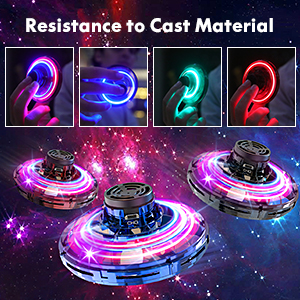
Figure 3: Detailed view of the drone's ON/OFF button and USB charging interface.
3.2 Powering On/Off
To power on the drone, locate the ON/OFF button (refer to Figure 3) and slide it to the 'ON' position. To power off, slide the button to the 'OFF' position.
4. Operating Instructions
4.1 Basic Flight
The FLYNOVA drone is designed for easy, hand-operated flight. To initiate flight:
- Ensure the drone is fully charged and powered on.
- Hold the drone by its center axis.
- Gently spin the wheel to start the propellers.
- Give it a toss to launch it into the air.
Different throwing speeds and angles will result in varied flight paths, allowing for a range of tricks and maneuvers.

Figure 4: The FLYNOVA drone in hand, showcasing its vibrant Scintillation RGB Lights during operation.

Figure 5: Demonstrating the intelligent flight capability as the drone is launched from the hand.

Figure 6: The drone's intelligent swirling motion, allowing for interactive play.
4.2 Advanced Play Modes
Explore various flight patterns and tricks with practice:
- Gyroscope Play: Throw the drone upwards, tilting it up by 30 degrees. It will spin around its axis and return to you like a boomerang.
- Low Altitude Play: When the device is turned on, push the aircraft horizontally to release. It will float forward or fall in inertia.
- Diving Play: Turn on the switch, tilt the drone down by -30 degrees horizontally, and release. The drone will perform a diving motion.
- Suspension Play: On a flat surface, release your fingers as the aircraft spins. It will float in the air or rise slowly.

Figure 7: Visual guide to different flight techniques and play modes.
5. Maintenance
5.1 Durability and Safety
The FLYNOVA drone is constructed from high-quality, non-toxic ABS material, designed to withstand impacts. The enclosed wheel design protects hands during spinning and helps prevent damage from collisions.

Figure 8: The drone's robust design for anti-drop and damage prevention.
5.2 Cleaning and Storage
To maintain your drone's performance, wipe it clean with a dry cloth after use. Store it in a cool, dry place away from direct sunlight and extreme temperatures.
6. Troubleshooting
6.1 Common Issues and Solutions
- Drone not flying or losing power quickly: Ensure the drone is fully charged. A 15-minute charge provides approximately 10 minutes of flight time.
- Difficulty controlling flight path: Practice different throwing speeds and angles. The drone's flight is influenced by how it's launched.
- Propellers not spinning: Check if the drone is powered on and fully charged. Ensure no debris is obstructing the propellers.
- Drone bounces excessively: This is normal behavior, especially when hitting surfaces. The durable design is intended to withstand such impacts.
7. Specifications
| Feature | Detail |
|---|---|
| Product Dimensions | 3.15 x 3.15 x 1.57 inches |
| Item Weight | 3.13 ounces |
| Model Number | Black-1 |
| Manufacturer Recommended Age | 8 years and up |
| Material | High-quality non-toxic ABS |
| Charging Time | Approx. 15 minutes |
| Flight Time | Approx. 10 minutes |
8. Warranty and Support
For any product inquiries, technical support, or warranty information, please contact FLYNOVA customer service through the retailer's platform or the official FLYNOVA website. Please retain your proof of purchase for warranty claims.