
Allesin 5e2a34d0-ddf4-4448-9f4e-c4b39a510019
Allesin Cellular Shades Cordless Blackout Honeycomb Blinds Instruction Manual
Model: 5e2a34d0-ddf4-4448-9f4e-c4b39a510019
1. Introduction
The Allesin Cellular Shades are cordless blackout honeycomb blinds designed for indoor windows. They provide thermal insulation, noise reduction, and privacy. Their unique honeycomb structure and built-in aluminum foil design contribute to a room darkening environment and energy efficiency.

Image: Allesin Cellular Shade installed in a window, demonstrating its blackout capability and clean appearance.
Key Features:
- 100% Blackout & High Quality: Made from durable 100% polyester yarn fabric with a built-in honeycomb structure and aluminum foil for room darkening and privacy.
- Cordless Design: Offers a safe and clean aesthetic, eliminating dangling cords.
- Thermal Insulation & Noise Reduction: Unique honeycomb construction provides high insulation against heat and cold, and contributes to sound absorption.
- Easy to Install: Designed for straightforward installation with included mounting hardware.

Image: Diagram illustrating key product highlights including the high-quality top rail, cordless design, built-in aluminum film for light blocking, and smooth bottom bar for stability.
2. Setup and Installation
This section provides instructions for installing your Allesin Cellular Shades. The shades come with end caps, simple snap-in brackets, and mounting hardware suitable for both inside and outside mount applications.
2.1 Measuring Your Window
Accurate measurements are crucial for proper fit and function. Please follow these guidelines:
- For Inside Mount:
- Shade Width: Window width - 0.25 inches.
- Shade Height: Window height or more.
- Minimum 2-inch depth required for inside mount, 3-inch for flush inside mount.
- For Outside Mount:
- Shade Width: Window width + 4 inches.
- Shade Height: Window height + 4 inches or more.
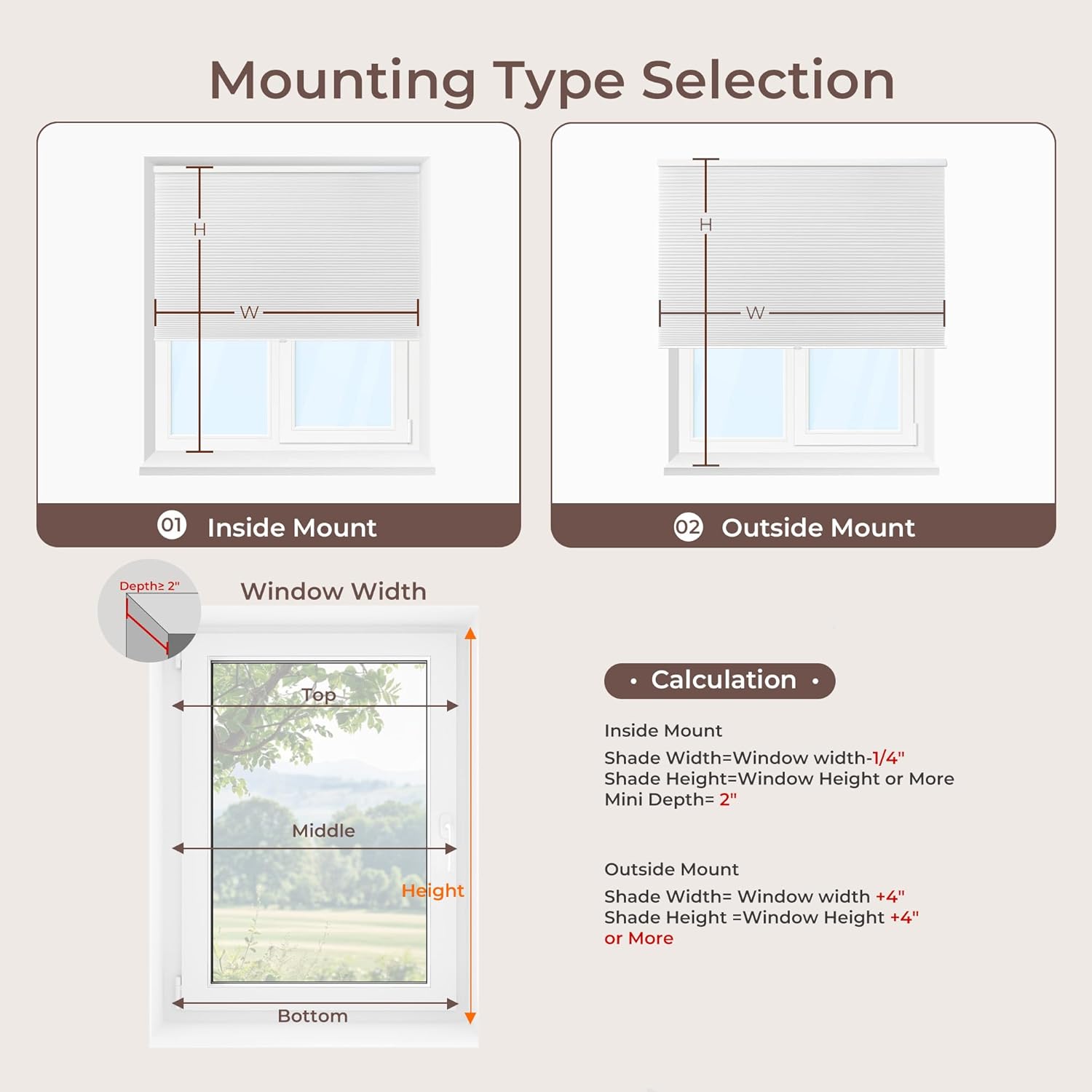
Image: Visual guide for selecting mounting type and calculating shade dimensions for inside and outside window mounts.
2.2 Installation Steps
The shades are designed for quick installation and can be firmly installed on various wall types.
- Prepare the Mounting Surface: Ensure the surface (wooden, brick, concrete, tiled, marble, or steel) is clean and suitable for drilling.
- Position the Brackets: Place the snap-in brackets at the desired locations, ensuring they are level and spaced correctly according to your shade's width.
- Secure the Brackets: Use appropriate screws to firmly attach the brackets to the wall or window frame. Each bracket typically requires two screws (one in the top and one in the back).
- Attach the Shade: Align the top rail of the cellular shade with the installed brackets. Push the shade firmly upwards until it snaps securely into place. You should hear a distinct snapping sound.
- Install End Caps: Place the decorative end caps onto the ends of the headrail for a finished look.
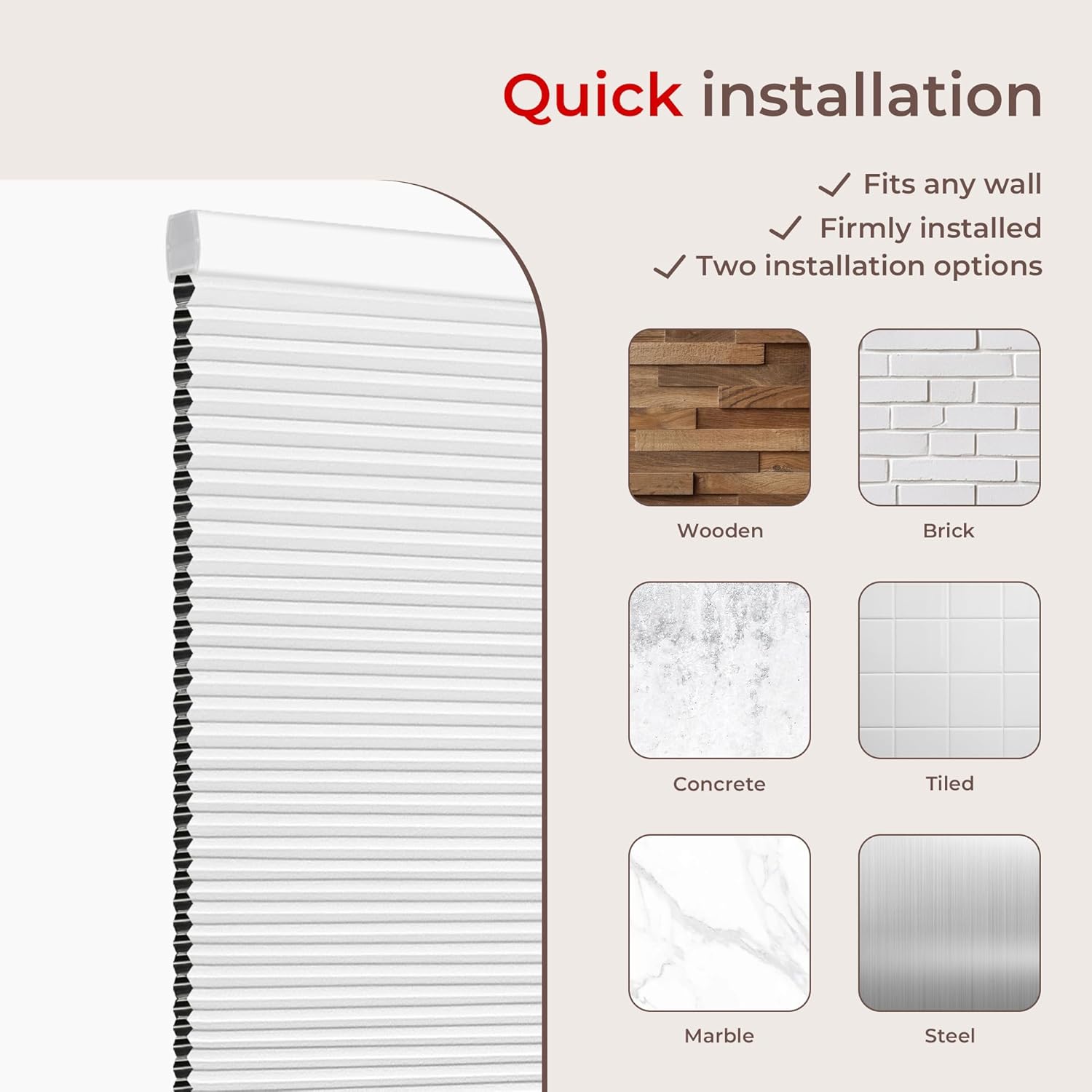
Image: Examples of compatible wall materials for installation, including wood, brick, concrete, tile, marble, and steel.
3. Operating Instructions
The Allesin Cellular Shades feature a cordless design for easy and safe operation.
3.1 Raising and Lowering the Shade
- To lower the shade, grasp the bottom rail firmly with both hands and gently pull it down to the desired position. The shade will stay in place once released.
- To raise the shade, grasp the bottom rail firmly with both hands and gently push it upwards to the desired position. The shade will stay in place once released.
- The cordless mechanism allows the shade to stay at any height you set it to.

Image: Illustrates the safety and convenience of the cordless design compared to traditional shades with pull cords.
4. Maintenance and Care
Proper care will extend the life and appearance of your cellular shades.
4.1 Cleaning Instructions
- Spot Cleaning: For minor spots, use a small cloth dampened with mild soap and water. Gently blot the affected area. Do not rub vigorously.
- Dusting: Regularly dust the shades using a feather duster or a vacuum cleaner with a soft brush attachment.
- Avoid Water Immersion: These shades are not water-resistant. Avoid direct exposure to water or excessive moisture. Do not immerse in water.
- Chemicals: Do not use harsh chemicals, abrasive cleaners, or solvents, as these can damage the fabric and components.
5. Troubleshooting
This section addresses common issues you might encounter with your Allesin Cellular Shades.
| Problem | Possible Cause | Solution |
|---|---|---|
| Shade does not stay in desired position (creeps up or down). | Mechanism needs to be "broken in" or adjusted. | Operate the shade fully up and down several times to allow the mechanism to settle. If the issue persists, gently pull the shade down to its full extension and then slowly raise it back up. Repeat a few times. |
| Shade gets stuck or is difficult to raise/lower. | Internal cords or mechanism may be misaligned. | Carefully remove the shade from its brackets. Gently inspect the top rail for any visible obstructions or tangled cords. Re-install the shade, ensuring it snaps correctly into the brackets. Do not attempt to disassemble the internal mechanism, as components are tightly wound and difficult to reassemble. |
| Shade appears uneven or crooked. | Brackets are not level or shade is not properly seated. | Check that the mounting brackets are installed perfectly level. If not, adjust them. Ensure the shade is fully and evenly snapped into both brackets. |
6. Product Specifications
| Attribute | Detail |
|---|---|
| Material | Aluminum, 100% Polyester Fabric |
| Product Dimensions | 64"L x 39"W (for this specific model) |
| Brand | Allesin |
| Color | White-white (Blackout) |
| Opacity | Blackout |
| Room Type | Bathroom, Bedroom, Office |
| Operation Mode | Manual |
| Special Feature | Blackout, Cordless |
| Included Components | Mounting Hardware, User Manual |
| Shape | Rectangular |
| Number of Items | 3 (Shade, Brackets, Hardware) |
| Pattern | Solid |
| Product Care Instructions | Spot Clean |
| Closure Type | Cordless |
| Mounting Type | Inside Mount (also supports Outside Mount) |
| Item Weight | 3.94 pounds |
| Model Number | 5e2a34d0-ddf4-4448-9f4e-c4b39a510019 |
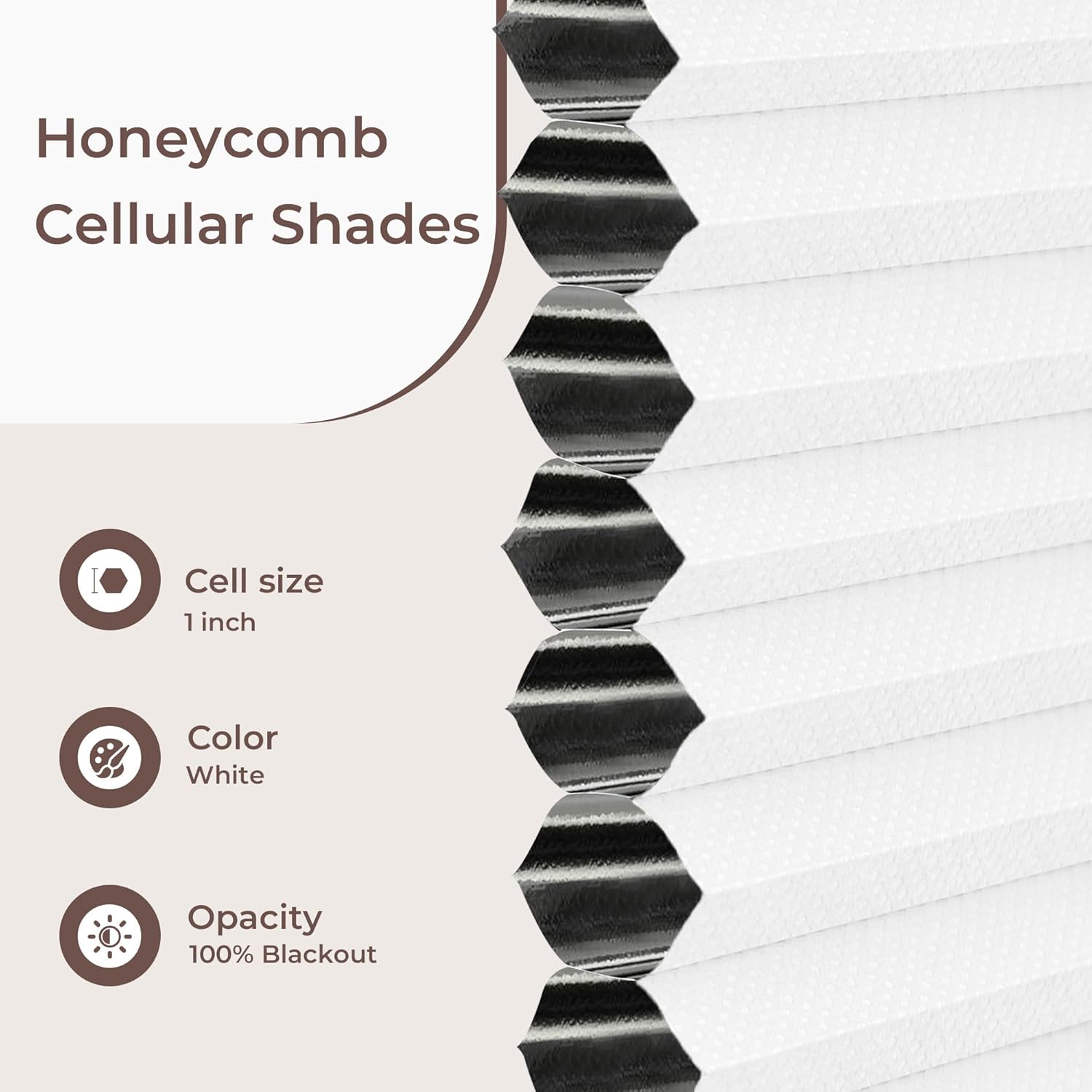
Image: Detailed view of the honeycomb cellular structure, highlighting the 1-inch cell size, white color, and 100% blackout opacity.
7. Warranty and Support
Information regarding specific warranty terms and customer support contact details for Allesin products is not available in the provided product data. For warranty claims or technical assistance, please refer to the product packaging or contact Allesin customer service directly through their official website or the retailer where the product was purchased.
You may also visit the Allesin Store on Amazon for more information.
Ask a question about this manual
Ask about setup, troubleshooting, compatibility, parts, safety, or missing instructions. Manuals+ will review the question and use this page’s manual context to help answer it.