
Introduction
This manual provides detailed instructions for the assembly, operation, and maintenance of the HOMCOM Fold-Out Convertible Writing Table, Model 836-296WT. This versatile furniture piece is designed to offer a functional workspace and storage solution in compact environments. It features a foldable desk surface, integrated shelving, and a blackboard.
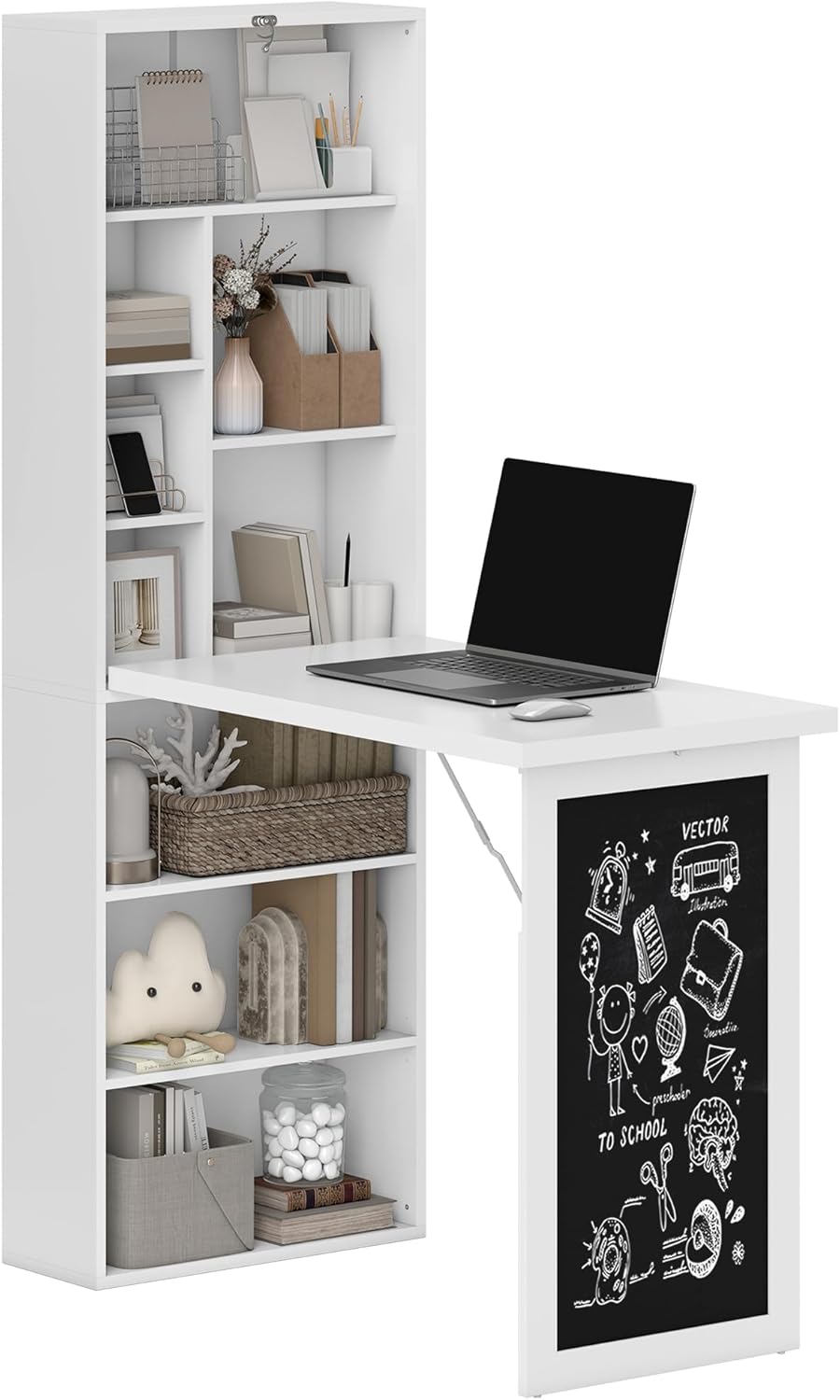
Image: The HOMCOM Fold-Out Convertible Writing Table in its open configuration, displaying a laptop on the desk surface and various items stored on the integrated shelves.
Safety Information
Please read and understand all safety warnings before assembly and use. Failure to follow these instructions may result in injury or product damage.
- Always secure the desk to the wall using the provided anti-toppling device to prevent tipping.
- Do not exceed the maximum weight recommendation of 132 pounds (60 kg) for the entire unit.
- The tabletop has a maximum weight capacity of 110 pounds (50 kg).
- Each shelf has a maximum weight capacity of 11 pounds (5 kg).
- Follow all assembly instructions carefully to ensure structural integrity and safety.
- Keep small parts away from children during assembly to prevent choking hazards.

Image: Close-up view of the anti-tipping mechanism, fixed buckle, and hinge guards, highlighting key safety and stability features.
Product Components
Before beginning assembly, verify that all parts and hardware are present and undamaged. Refer to the included parts list in your packaging for specific item identification.
Included Components:
- Bookshelf unit
- Fold-out desk panel with integrated blackboard
- Mounting hardware (screws, anchors, anti-toppling device)
- Assembly tools (screwdriver)
- Various panels and shelves
Assembly Instructions
Assembly requires approximately 2 people and a screwdriver. Please follow the steps below carefully.
- Unpack and Identify Parts: Carefully unpack all components and lay them out on a clean, soft surface to prevent scratches. Identify each part using the provided parts list and diagrams.
- Assemble the Main Bookshelf Frame: Connect the side panels to the top and bottom panels using the designated hardware (e.g., cam locks, dowels). Ensure all connections are secure.
- Install Shelves: Insert the fixed and adjustable shelves into the bookshelf frame. The bottom shelf can be adjusted to 3 levels.
- Attach the Fold-Out Desk Panel: Secure the fold-out desk panel to the main bookshelf unit using the hinges. Ensure the hinges are correctly oriented for proper folding and unfolding.
- Install Support Brackets: Attach the support brackets that extend from the bookshelf to the underside of the desk panel. These provide stability when the desk is open.
- Mount to Wall: This desk must be securely mounted to a wall to prevent tipping. Locate a suitable wall stud or use appropriate wall anchors for your wall type. Attach the anti-toppling device to the top rear of the unit and secure it to the wall.
- Final Checks: Verify all screws are tightened, and the desk operates smoothly. Ensure the fixed buckle properly secures the desk when folded.

Image: Dimensional diagram of the desk, showing overall measurements and weight capacities for the unit, tabletop, and shelves.
Operating Instructions
Folding and Unfolding the Desk:
- To Unfold: Release the fixed buckle located on the front panel. Gently pull the desk panel downwards until it is fully extended and supported by the internal brackets. Ensure the desk is stable before placing items on it.
- To Fold: Clear all items from the desk surface. Lift the desk panel upwards until it aligns with the main bookshelf unit. Secure it in place using the fixed buckle.

Image: Visual representation of the desk folding and unfolding, illustrating its space-saving design.
Using the Blackboard:
- The front panel of the fold-out desk features a blackboard surface. Use standard chalk for writing and drawing.
- To clean, wipe with a damp cloth or a blackboard eraser. Avoid abrasive cleaners.

Image: A child using the integrated blackboard on the desk's front panel for creative activities.
Utilizing Storage:
- The unit includes 9 open compartments for organizing books, stationery, and other office or personal items.
- Distribute weight evenly across shelves and do not exceed individual shelf weight limits.
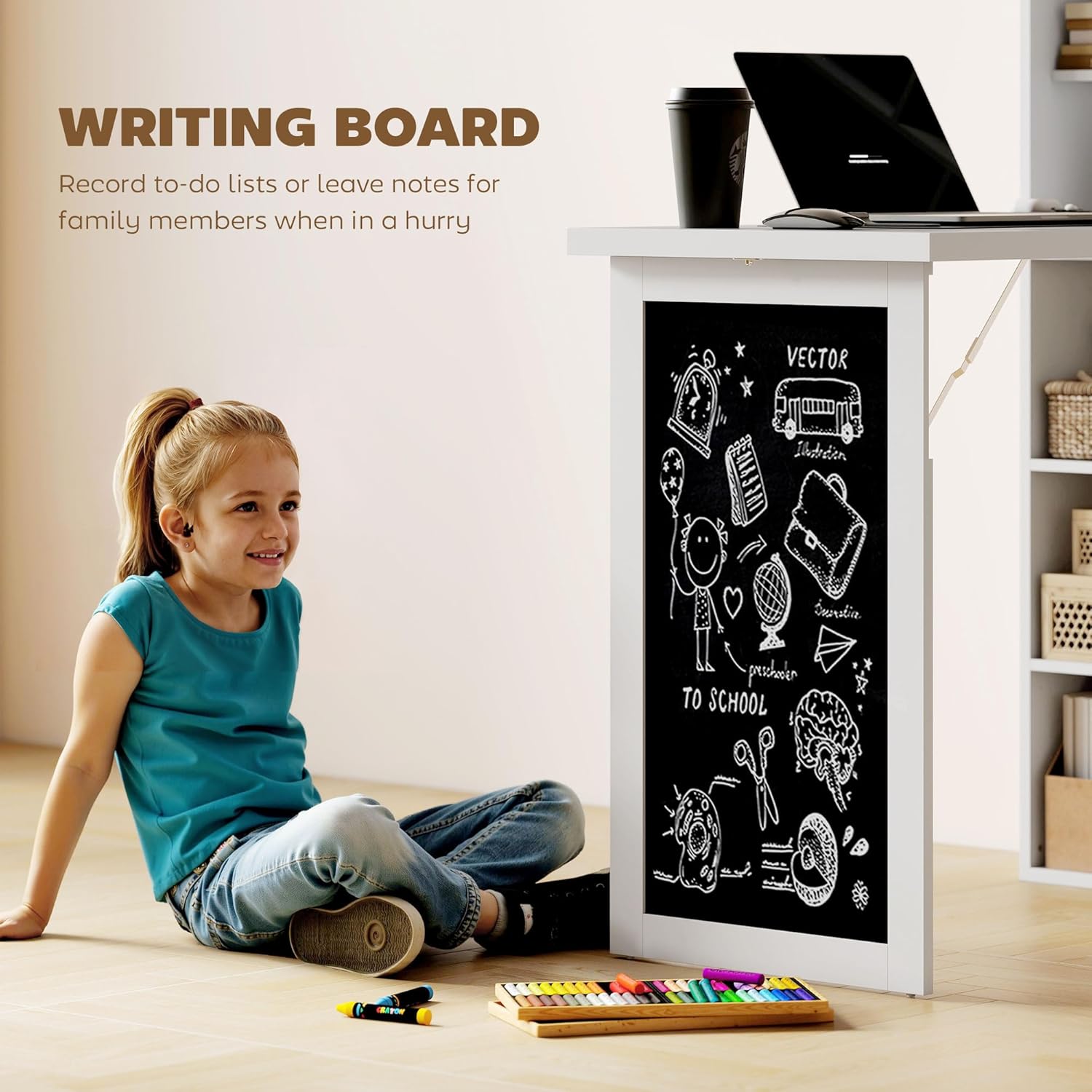
Image: The desk's shelving unit filled with various items, demonstrating its storage capabilities.
Maintenance
To ensure the longevity and appearance of your HOMCOM Fold-Out Convertible Writing Table, follow these maintenance guidelines:
- Cleaning: Wipe the surfaces with a damp cloth. Avoid using harsh chemicals, abrasive cleaners, or excessive moisture, as these can damage the painted finish and engineered wood.
- Hardware Check: Periodically check all screws and connections to ensure they remain tight. Retighten if necessary.
- Blackboard Care: Use only standard chalk on the blackboard. Clean with a soft, damp cloth or a dedicated blackboard eraser.
- Weight Distribution: Avoid placing heavy or concentrated loads on any single point of the desk or shelves to prevent warping or damage.
Troubleshooting
This section addresses common issues you might encounter with your HOMCOM Fold-Out Convertible Writing Table.
- Desk feels wobbly after assembly: Ensure all screws are fully tightened. Verify the unit is securely mounted to the wall using the anti-toppling device. If mounted to drywall, ensure appropriate anchors were used and installed correctly.
- Desk panel does not fold/unfold smoothly: Check hinges for proper alignment and ensure no obstructions are present. Lubricate hinges if necessary with a silicone-based spray.
- Fixed buckle does not secure the desk: Inspect the buckle and its corresponding latch for alignment. Adjust if possible, or contact customer support if parts are damaged.
- Missing or damaged parts: Refer to the contact information in the Support section for assistance with replacement parts.
Specifications
| Feature | Detail |
|---|---|
| Brand | HOMCOM |
| Model Number | 836-296WT |
| Color | White |
| Overall Dimension (Open) | 38.5" W x 20" D x 60.25" H |
| Overall Dimension (Folded) | 20" D x 38.5" W x 37" H (approximate, based on product dimensions) |
| Material | Particleboard (Engineered Wood), Metal Hardware |
| Weight Capacity (Whole Unit) | 132 lbs (60 kg) |
| Weight Capacity (Tabletop) | 110 lbs (50 kg) |
| Weight Capacity (Each Shelf) | 11 lbs (5 kg) |
| Number of Shelves | 9 (open compartments) |
| Assembly Required | Yes |
| Recommended Assembly Persons | 2 |
| Special Features | Foldable, Space Saving, Integrated Blackboard, Wall Mountable |
Warranty and Support
This HOMCOM product comes with a 1 Year Warranty Against Manufacturer Defects. This limited warranty covers defects in materials and workmanship under normal use.
For warranty claims, replacement parts, or technical assistance, please contact HOMCOM customer support through the retailer where the product was purchased or visit the official HOMCOM website for contact information.