
Aurabeam RC5118-32HB5151-CN
Telefunken Vetsel 32HB5151 Replacement Remote Control User Manual
Brand: Aurabeam | Model: RC5118-32HB5151-CN
1. Introduction
Thank you for choosing the Aurabeam Replacement Remote Control for Telefunken Vetsel TVs. This remote is designed to be a direct replacement for your original remote, requiring no complex programming. Simply insert batteries, and it's ready to use.
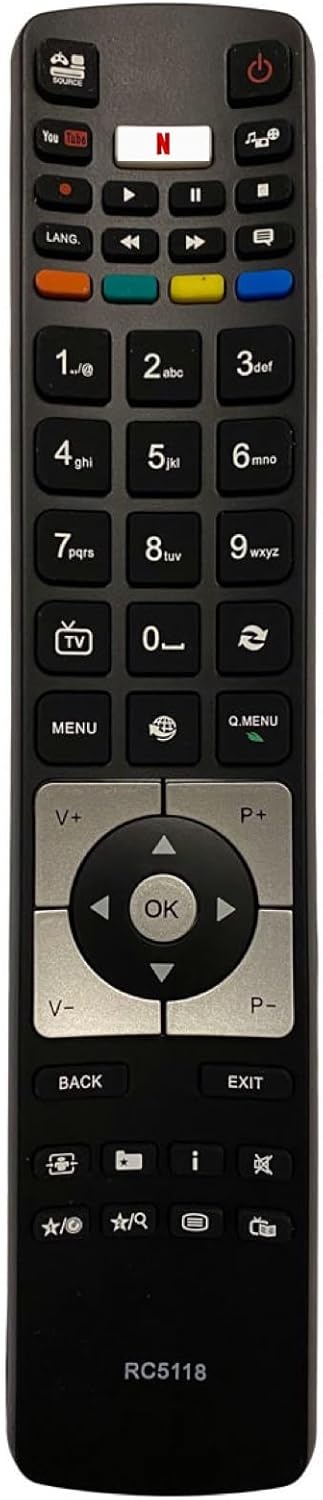
Figure 1: Front view of the Aurabeam RC5118 Replacement Remote Control.
2. Key Features
- No Programming Required: Functions immediately out of the box.
- Direct Replacement: Designed to replace your original Telefunken Vetsel TV remote.
- Wide Compatibility: Compatible with numerous Telefunken Vetsel TV models.
- Durable Design: Built for long-lasting use.
- One-Year Warranty: Comes with a 1-year warranty for peace of mind.
3. Compatible Models
This replacement remote control is compatible with the following Telefunken Vetsel TV models:
- 32HB5151-CN
- 32HB5150
- 32HB5151
- 43FB5151
- 43UC7250
- 49UC7250
- 55UC7250
- 65UC8250
- B32F545A
- B32F545B
- B49F446A
- D32F278X4CW
- D49F279N3CW
- D55F287B4CW
- D55F287M4CW
- D55F287N3CW
- D55F287Y4CW
- XF43A401W
- XF55A400
- XF55A401
- XF55B400
- XU40A401
- XU43A401
- XU48A401
- XU49A401
- XU49B401
- XU49C401
- XU50D401
- XU55A401
- XU55A441C
- XU55C401
- XU65A401
- XU65A441
4. Setup
4.1. Inserting Batteries
- Locate the battery compartment on the back of the remote control.
- Slide the battery cover downwards or in the direction indicated by an arrow to open it.
- Insert two AAA batteries (not included), ensuring the positive (+) and negative (-) terminals align correctly with the markings inside the compartment.
- Slide the battery cover back into place until it clicks securely.
The remote control is now ready for immediate use with your compatible Telefunken Vetsel TV.
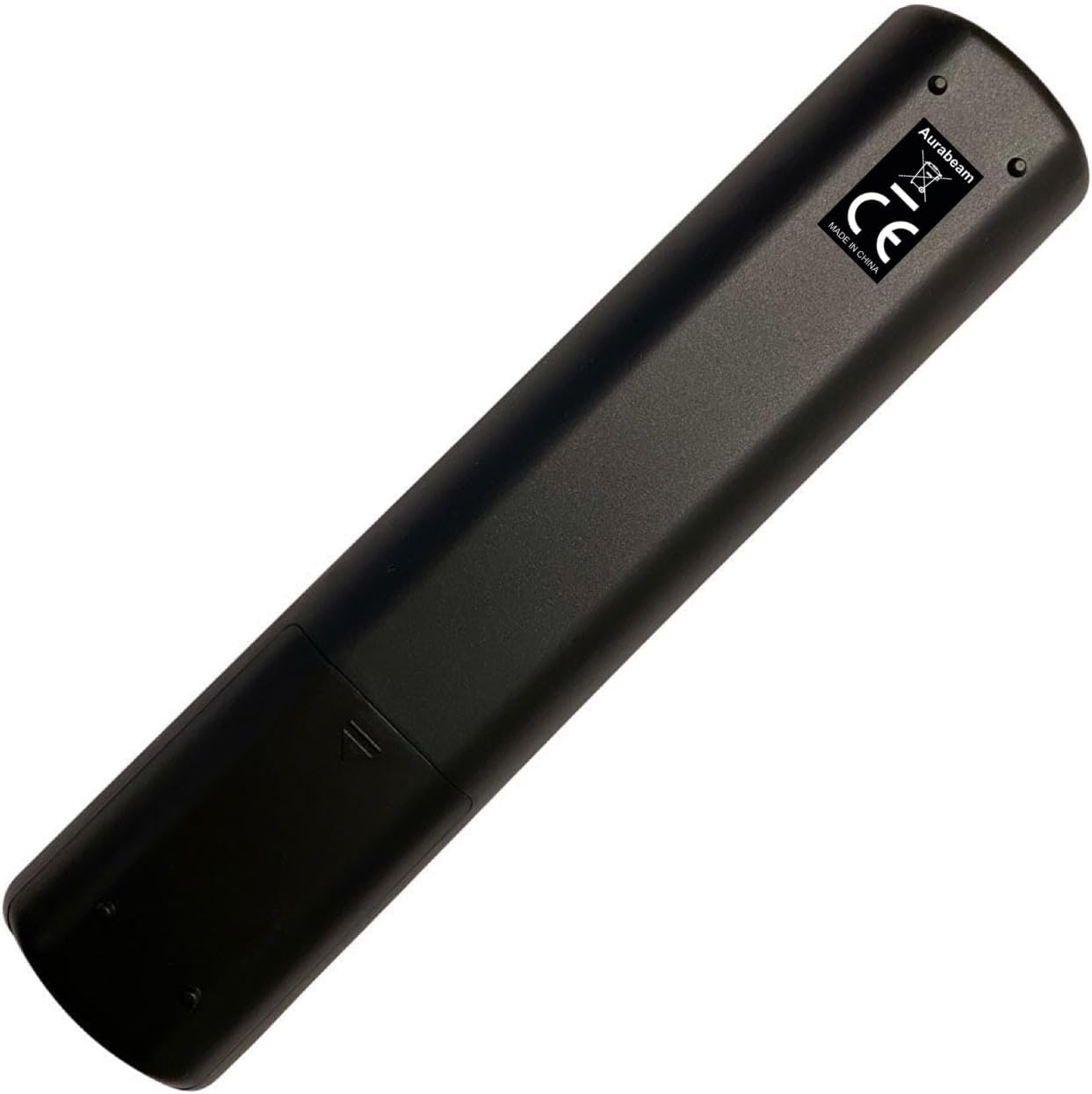
Figure 2: Back view of the remote control, highlighting the battery compartment.
5. Operating Instructions
This remote control features standard buttons for TV operation. Below is a general guide to common button functions.

Figure 3: Angled view of the remote control button layout.
5.1. Basic Functions
- Power Button (⏻): Turns the TV on or off.
- Number Buttons (0-9): Directly select channels.
- Volume Up/Down (V+/V-): Adjusts the volume level.
- Channel Up/Down (P+/P-): Changes to the next or previous channel.
- Mute Button (🔇): Mutes or unmutes the TV sound.
5.2. Navigation and Menu Controls
- Directional Pad (Up, Down, Left, Right): Navigates through menus and options.
- OK Button: Confirms selections in menus.
- MENU Button: Opens the main TV menu.
- Q.MENU Button: Opens the quick menu for common settings.
- BACK Button: Returns to the previous screen or menu.
- EXIT Button: Exits the current menu or application.
5.3. Media Playback and Smart TV Buttons
- Play/Pause (▶‖), Stop (■), Rewind (⏪), Fast Forward (⏩): Controls media playback.
- YouTube Button: Direct access to the YouTube application.
- Netflix Button: Direct access to the Netflix application.
- Colored Buttons (Red, Green, Yellow, Blue): Functionality varies depending on the TV model and current screen. Refer to your TV's manual for specific uses.
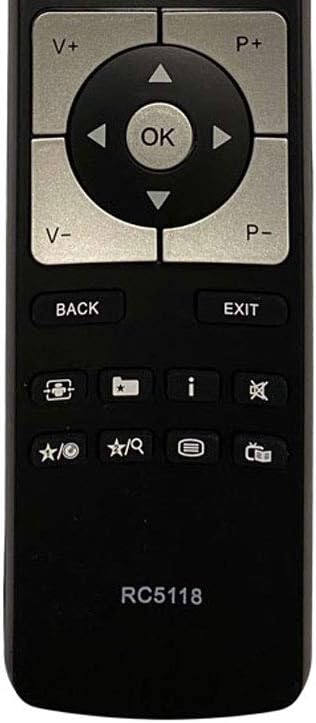
Figure 4: Close-up of the remote control's navigation and special function buttons.
6. Care and Maintenance
- Cleaning: Use a soft, dry cloth to clean the remote control. Do not use liquid or aerosol cleaners.
- Battery Replacement: Replace batteries when the remote's response becomes sluggish or stops working. Always replace both batteries at the same time with new ones.
- Storage: If the remote will not be used for an extended period, remove the batteries to prevent leakage and damage.
- Avoid Extreme Conditions: Do not expose the remote to direct sunlight, high temperatures, humidity, or water.
7. Troubleshooting
| Problem | Possible Cause | Solution |
|---|---|---|
| Remote not responding. | Dead or incorrectly inserted batteries. | Replace batteries with new ones, ensuring correct polarity (+/-). |
| Remote only works sometimes. | Weak batteries or obstruction. | Replace batteries. Ensure no objects are blocking the line of sight between the remote and the TV's IR sensor. |
| Specific buttons not working. | Button stuck or internal issue. | Gently press the button multiple times. If the issue persists, contact customer support. |
| Remote does not control TV. | TV model not compatible. | Verify your TV model is listed in the 'Compatible Models' section. |
8. Specifications
| Brand | Aurabeam |
| Model Number | RC5118-32HB5151-CN |
| Connectivity Technology | Infrared |
| Compatible Devices | Television |
| Controller Type | Button Control |
| Maximum Range | 10 Meters |
| UPC | 687833711640, 687833602429 |
| ASIN | B08PD1JKDF |
| Date First Available | May 21, 2022 |
9. Warranty and Support
9.1. Warranty Information
This Aurabeam replacement remote control comes with a one-year warranty from the date of purchase. This warranty covers manufacturing defects and ensures the product functions as described under normal use. Please retain your proof of purchase for warranty claims.
9.2. Customer Support
For any questions, troubleshooting assistance, or warranty claims, please contact your retailer or the Aurabeam customer support channel where you purchased the product. Provide your product model number (RC5118-32HB5151-CN) and a detailed description of the issue for faster service.
Ask a question about this manual
Ask about setup, troubleshooting, compatibility, parts, safety, or missing instructions. Manuals+ will review the question and use this page’s manual context to help answer it.