
BIGalleons YS-602S
BIGalleons Mobile TV Mount Stand (Model YS-602S) Instruction Manual
Model: YS-602S | Brand: BIGalleons
Important Safety Information
Read all instructions carefully before assembly and use. Keep this manual for future reference.
- Ensure all parts are present and undamaged before assembly. Do not use if any parts are missing or defective.
- Do not exceed the maximum weight capacity of 60kg (132lbs).
- This stand is designed for 32-65 inch flat or curved screen TVs. Verify your TV's VESA pattern and weight are compatible.
- Always have at least two people for assembly and moving the TV stand with a TV mounted.
- Ensure the casters are locked when the stand is stationary to prevent accidental movement.
- Avoid placing the stand on uneven surfaces.
- Keep children and pets away during assembly.
- Do not modify the product in any way. Unauthorized modifications may void the warranty and create safety hazards.
Package Contents
Verify that all components listed below are included in your package. If any parts are missing or damaged, contact customer support.
- Base Frame with Casters
- Vertical Support Column(s)
- TV Mounting Bracket
- Hardware Kit (screws, washers, spacers, Allen wrench)
- Instruction Manual (this document)

Image: Overview of the BIGalleons Mobile TV Mount Stand components.
Setup and Assembly
Follow these steps carefully to assemble your BIGalleons Mobile TV Mount Stand.
Step 1: Attach Casters to the Base
Secure the heavy-duty 360° mobile casters to the base frame. Ensure all four casters are firmly attached. Two casters typically have locking mechanisms.

Image: Detail of a caster wheel, showing the locking lever.
Step 2: Assemble the Vertical Support Column
Connect the vertical support column(s) to the base frame. Use the provided screws and Allen wrench to tighten securely. Ensure the column is oriented correctly for cable management if applicable.

Image: The solid base connected to the vertical support column.
Step 3: Attach TV Mounting Bracket
Attach the TV mounting bracket to the top of the vertical support column. This bracket allows for height and tilt adjustments.
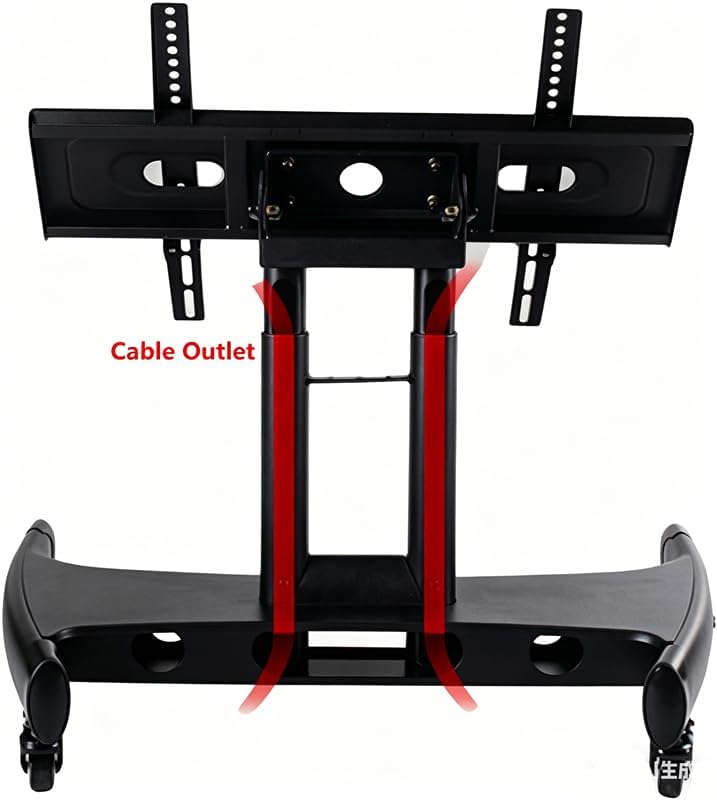
Image: The TV mounting bracket showing its tilt capability.
Step 4: Mount the TV
Carefully attach your 32-65 inch TV to the mounting bracket using the appropriate VESA screws and spacers from the hardware kit. Ensure the TV is centered and securely fastened. Refer to your TV's manual for specific VESA mounting hole patterns.
Important: Always have at least two people when lifting and mounting the TV to prevent injury or damage.
Assembly Video Guide
For a visual guide on the assembly process, please watch the official video below.
Video: Official assembly guide for the BIGalleons Low TV Cart. This video demonstrates the step-by-step process of putting together the TV stand.
Operating Instructions
Height Adjustment
The TV mount stand features multiple height adjustment levels. To adjust the height, loosen the locking mechanisms on the vertical support column, carefully raise or lower the TV to the desired position, and then securely tighten the locks. Ensure the TV is level after adjustment.

Image: The height adjustment mechanism on the vertical support column.
Viewing Angle Adjustment (Tilt)
The mounting bracket allows for a 0-90 degree tilt adjustment. Loosen the tilt adjustment knobs or bolts on the side of the bracket, adjust the TV to your preferred viewing angle, and then securely tighten the knobs/bolts to lock the position.
Image: The TV mounting bracket demonstrating its tilt range.
Mobility and Locking Casters
To move the TV stand, unlock all four casters. Gently push the stand to its new location. Once in position, engage the brakes on all casters to prevent unintended movement and ensure stability.
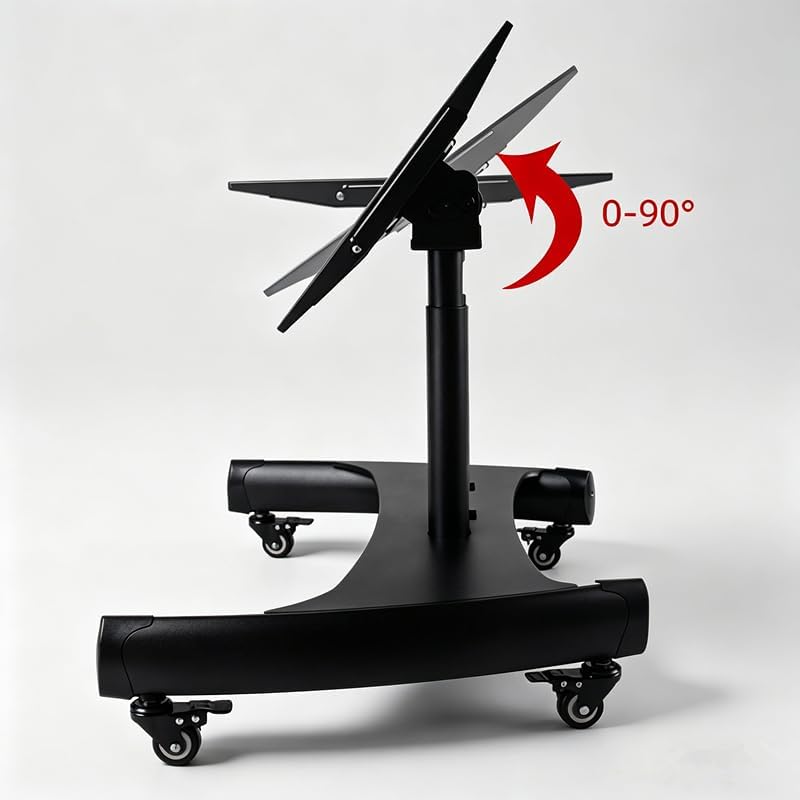
Image: The TV stand base with an arrow indicating 360-degree swivel capability of the casters.
Cable Management
Utilize the integrated cable outlet in the vertical support column to route and organize your TV cables. This helps maintain a tidy appearance and prevents cable damage.

Image: A view of the vertical column highlighting the cable outlet for organized wiring.
Maintenance
- Cleaning: Wipe the stand with a soft, dry cloth. For stubborn marks, use a slightly damp cloth with mild soap, then dry thoroughly. Avoid abrasive cleaners or solvents.
- Hardware Check: Periodically check all screws and bolts to ensure they remain tight. Retighten if necessary.
- Caster Care: Keep casters free of debris (hair, dust) to ensure smooth movement.
Troubleshooting
| Problem | Possible Cause | Solution |
|---|---|---|
| Stand is unstable or wobbles. | Loose connections; uneven floor; casters not locked. | Ensure all screws and bolts are tightened. Move to a level surface. Lock all casters. |
| Casters do not roll smoothly. | Debris in casters; casters locked. | Clean any debris from the caster wheels. Unlock casters before moving. |
| TV cannot be tilted or adjusted. | Tilt adjustment knobs/bolts are too tight. | Loosen the tilt adjustment knobs/bolts, adjust, then retighten. |
| Missing parts during assembly. | Packaging error. | Contact BIGalleons customer support immediately for replacement parts. |
Specifications
| Feature | Detail |
|---|---|
| Model Number | YS-602S |
| Brand | BIGalleons |
| Compatible TV Sizes | 32-65 inches |
| Maximum Weight Capacity | 60 kg (132 lbs) |
| Material | Alloy Steel |
| Color | Black |
| Movement Type | Tilt, Mobile |
| Maximum Tilt Angle | 90 degrees |
| Casters | 360° Mobile with Brakes |
| UPC | 030391345176 |
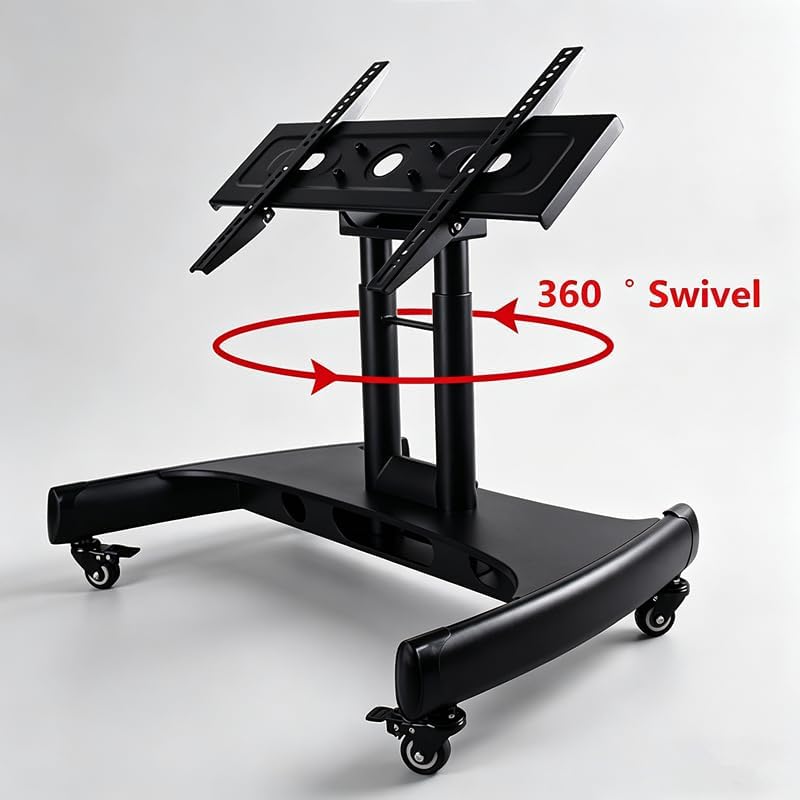
Image: Dimensional drawing of the TV mount stand, showing height, width, and depth measurements.
Warranty Information
BIGalleons products are manufactured with quality and durability in mind. This product comes with a limited warranty against defects in materials and workmanship. Please refer to the product packaging or contact customer support for specific warranty terms and conditions.
Customer Support
If you have any questions, require assistance with assembly, or need to report missing/damaged parts, please contact BIGalleons customer support. Contact information can typically be found on the product packaging or the official BIGalleons website.
For online resources and frequently asked questions, visit the BIGalleons store page: BIGalleons Store
Ask a question about this manual
Ask about setup, troubleshooting, compatibility, parts, safety, or missing instructions. Manuals+ will review the question and use this page’s manual context to help answer it.