
Introduction
This manual provides essential instructions for the safe and effective use of your Impressions Vanity Hello Kitty Smart Wall Mirror. This mirror features a unique Hello Kitty design, integrated LED lighting with color-changing capabilities, touch-sensitive controls, and smart functions accessible via the Impressions Glow App. Please read this manual thoroughly before installation and operation.
Important Safety Information
WARNING: This product contains glass which can break and cause injury. Always handle with care. This mirror is intended for wall mounting only. Ensure proper installation using the included hardware to prevent falls and potential injury. Keep out of reach of children and pets. Do not use if the mirror is damaged or cracked.
- Always disconnect the power adapter before cleaning or performing maintenance.
- Do not expose the mirror to excessive moisture or direct water spray.
- Use only the provided power adapter.
- Avoid placing heavy objects on the mirror or its mounting hardware.
- If the mirror is damaged, discontinue use immediately and contact customer support.
Package Contents
Verify that all items are present in your package:
- 1x Hello Kitty Smart Wall Mirror (Model: IVVM-HKWM)
- 1x Power Adapter
- 1x Installation Kit (screws, wall anchors)
- 1x Instruction Manual

Image: The Impressions Vanity Hello Kitty Smart Wall Mirror, showcasing its distinctive shape and integrated LED lighting.
Setup and Installation
The Hello Kitty Smart Wall Mirror can be installed as a wall-mounted unit. An installation kit is included for secure mounting.
Wall Mount Installation
- Choose Location: Select a suitable wall location, ensuring it is a sturdy surface capable of supporting the mirror's weight (approximately 16.5 pounds).
- Mark Drilling Points: Hold the mirror against the wall at the desired height and use a pencil to mark the positions for the mounting screws.
- Drill Holes: Using an appropriate drill bit, drill pilot holes at the marked locations.
- Insert Wall Anchors: If necessary, insert the provided wall anchors into the drilled holes.
- Secure Mirror: Align the mirror's mounting points with the drilled holes/anchors and secure it firmly using the provided screws. Ensure the mirror is level and stable.
- Connect Power: Plug the power adapter into the mirror and then into a standard electrical outlet.

Image: The Hello Kitty Smart Wall Mirror securely mounted on a wall, demonstrating its wall-mountable design.
Note: For desktop use, the mirror may require a separate stand (not included with this model) or can be leaned against a wall. The primary design is for wall mounting.
Operating Instructions
Your Hello Kitty Smart Wall Mirror features touch-sensitive controls and can also be controlled via a mobile application.
Touch-Sensitive Controls
The mirror has three touch-sensitive buttons located at the bottom center:
- Power Button (Center): Tap to turn the LED lights ON/OFF. Press and hold to adjust brightness.
- Mode Button (Left): Tap to cycle through different lighting modes (e.g., white, red, green, blue).
- Color Change Button (Right): Tap to change the color of the LED strip light.
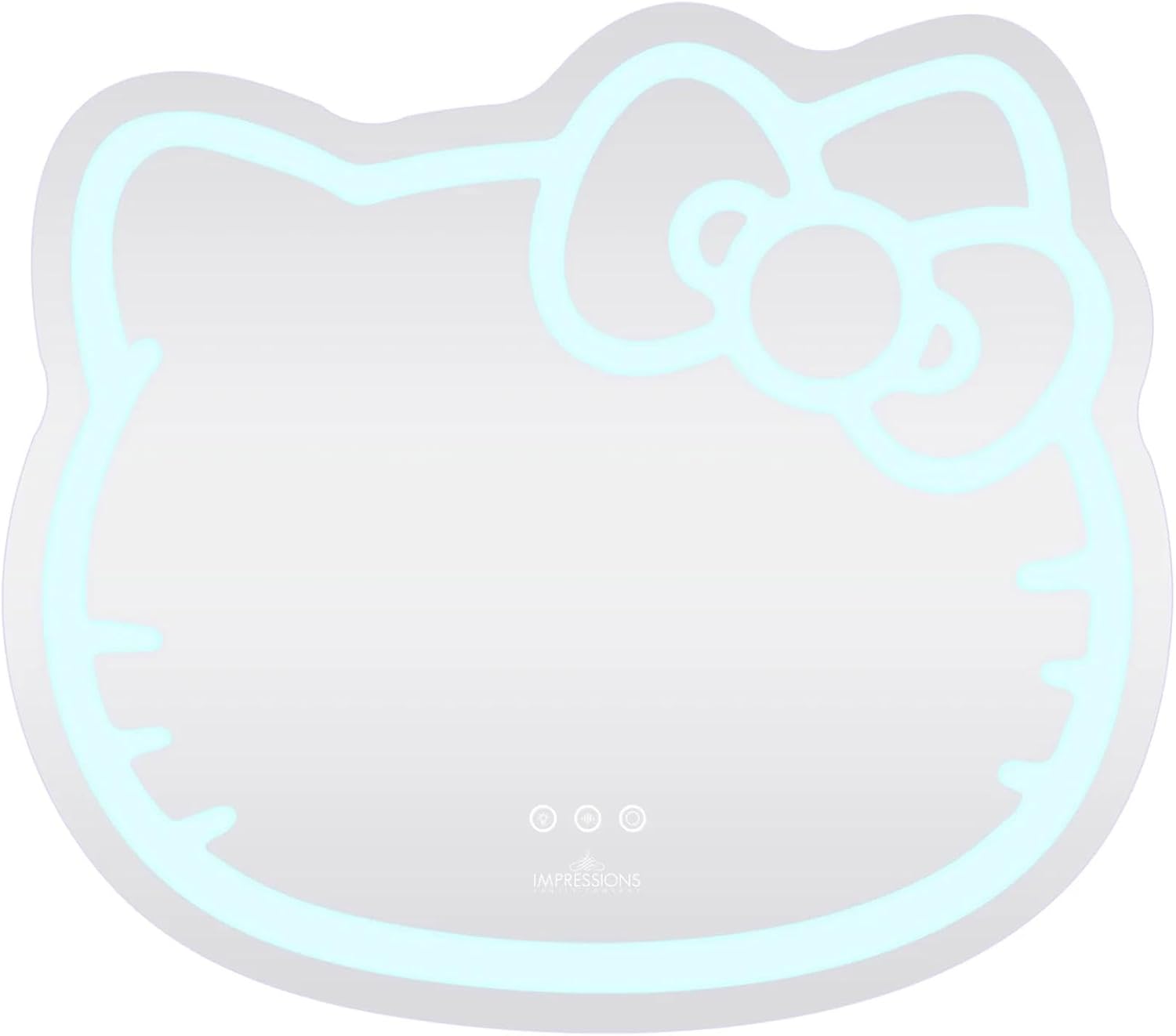
Image: Detail of the touch-sensitive controls on the mirror, allowing for easy adjustment of light settings.
App Controlled Functions (Impressions Glow App)
For advanced control and customization, download the "Impressions Glow App" on your smartphone.
- Download App: Search for "Impressions Glow App" in your device's app store and install it.
- Connect to Wi-Fi: Follow the in-app instructions to connect your mirror to your home Wi-Fi network.
- Customize Settings: Through the app, you can:
- Customize LED colors from a full spectrum.
- Set lights to dance to music or sound.
- Program alarm clock functions for lighting.
- Utilize shake mode for dynamic lighting effects.

Image: The Hello Kitty mirror showcasing its color-changing LED strip, capable of displaying various hues.
Maintenance
- Cleaning: Use a soft, lint-free cloth and a non-abrasive glass cleaner to clean the mirror surface. Avoid spraying cleaner directly onto the mirror; instead, apply it to the cloth.
- Dusting: Regularly dust the mirror and its frame with a dry, soft cloth.
- Power Cord: Inspect the power cord periodically for any signs of damage. If damaged, discontinue use immediately.
Troubleshooting
| Problem | Possible Cause | Solution |
|---|---|---|
| LED lights do not turn on. | Power adapter not connected or faulty. | Ensure the power adapter is securely plugged into both the mirror and a working electrical outlet. Test the outlet with another device. |
| Touch controls are unresponsive. | Temporary software glitch or dirty sensor. | Unplug the mirror for 30 seconds and plug it back in. Clean the touch sensor area with a soft, dry cloth. |
| Cannot connect to Impressions Glow App. | Incorrect Wi-Fi password, weak signal, or app issue. | Verify Wi-Fi password. Ensure mirror is within Wi-Fi range. Restart your router and smartphone. Reinstall the app if necessary. |
| Mirror falls from wall after installation. | Improper installation or inadequate mounting hardware. | Re-evaluate mounting method. Ensure wall anchors are appropriate for your wall type and screws are securely fastened. Consider professional installation for added security. |
Specifications
| Feature | Detail |
|---|---|
| Brand | IMPRESSIONS VANITY · COMPANY |
| Model Number | IVVM-HKWM |
| Shape | Hello Kitty |
| Product Dimensions | 28"L x 2"W |
| Item Weight | 16.5 Pounds |
| Frame Material | Glass |
| Mounting Type | Wall Mount |
| Special Feature | Automatic mode button, Impressions Glow App controlled functions, Wall mount LED mirror |
| Color | Multi-color |
| Has Smart Features | Yes |
| UPC | 810035562158 |
Official Product Videos
Watch these official videos from the manufacturer for additional product information and demonstrations.
Hello Kitty Mirror Overview
Video: A brief overview of the Hello Kitty Mirror, highlighting its design and features. (Source: Impressions Vanity Co)
Hello Kitty Wall Mirror with Wifi
Video: A demonstration of the Hello Kitty Wall Mirror's Wi-Fi capabilities and smart features. (Source: Impressions Vanity Co)
Hello Kitty LED Rechargeable Makeup Mirror and Hello Kitty Wall Mirror
Video: Showcasing both the Hello Kitty Wall Mirror and a related rechargeable makeup mirror, highlighting their LED features. (Source: Impressions Vanity Co)
Hello Kitty LED Handheld with Smart Wifi LED Wall Mirror
Video: Demonstrating the Smart Wi-Fi LED Wall Mirror alongside a handheld LED mirror. (Source: Impressions Vanity Co)
Hello Kitty Wall Mirror, Hello Kitty LED Rechargeable Makeup Mirror and Wireless Compact
Video: A comprehensive look at the Hello Kitty Wall Mirror, rechargeable makeup mirror, and wireless compact. (Source: Impressions Vanity Co)
The Hello kitty collection
Video: An overview of the broader Hello Kitty collection from Impressions Vanity Co. (Source: Impressions Vanity Co)
Hello Kit Vanity Mirror
Video: A demonstration of the Hello Kit Vanity Mirror. (Source: MOHUNA)
Warranty and Support
For warranty information or technical support, please refer to the warranty card included in your package or visit the official IMPRESSIONS VANITY · COMPANY website. Keep your purchase receipt for warranty claims.
Contact Information: Please refer to the manufacturer's website or product packaging for the most up-to-date contact details for customer service and support.


