
WAYXIN R5
WAYXIN R5 Motorcycle Headset Intercom User Manual
Model: R5
1. Product Overview
The WAYXIN R5 Motorcycle Headset Intercom is designed to provide seamless communication and entertainment for motorcyclists. It features full-duplex communication for two riders, advanced noise reduction, Hi-Fi stereo sound, and universal compatibility with other intercom systems. With its robust design and IP67 waterproof rating, the R5 ensures reliable performance in various riding conditions.

Image: Two WAYXIN R5 intercom units, along with their accompanying headsets, microphones, mounting bracket, and charging cable.
2. Package Contents
Please verify that all items are present in your package:
- 2 x WAYXIN R5 Bluetooth Intercom Units
- 2 x 4.0 Port Headsets with Microphones (suitable for full-face and half-face helmets)
- 2 x Mounting Brackets
- 2 x Fixed Iron Plates
- 2 x Type-C Charging Cables
- 1 x Installation Tool
- 1 x User Manual
3. Key Features
- Full Duplex Intercom: Supports simultaneous communication for up to 2 riders within a range of 1200 meters. Features automatic reconnection.
- Advanced Noise Reduction: Incorporates ENC2.0, DSP, CVC8.0 technologies, and a wind protection microphone to reduce ambient noise by 98%.
- Hi-Fi Stereo Sound: Equipped with 40mm Hi-Fi speakers with titanium diaphragm for clear and vivid audio.
- Qualcomm Chip 5.1 & Voice Control: Ensures powerful signal transmission and fast pairing. Activate Siri/Google Assistant hands-free.
- Universal Compatibility: Connects with Sena, Cardo, Midland, and other popular motorcycle intercom systems.
- Integrated FM Radio: Enjoy radio broadcasts on the go.
- Long Battery Life & IP67 Waterproof: 600 mAh battery provides up to 15 hours of music, 10 hours of continuous talk, and 380 hours of standby. Fully charges in 2.5 hours. IP67 certified for complete water and dust resistance.

Image: Illustration of the DSP & CVC noise reduction technology, showing how wind noise and other disturbances are reduced for clearer audio.
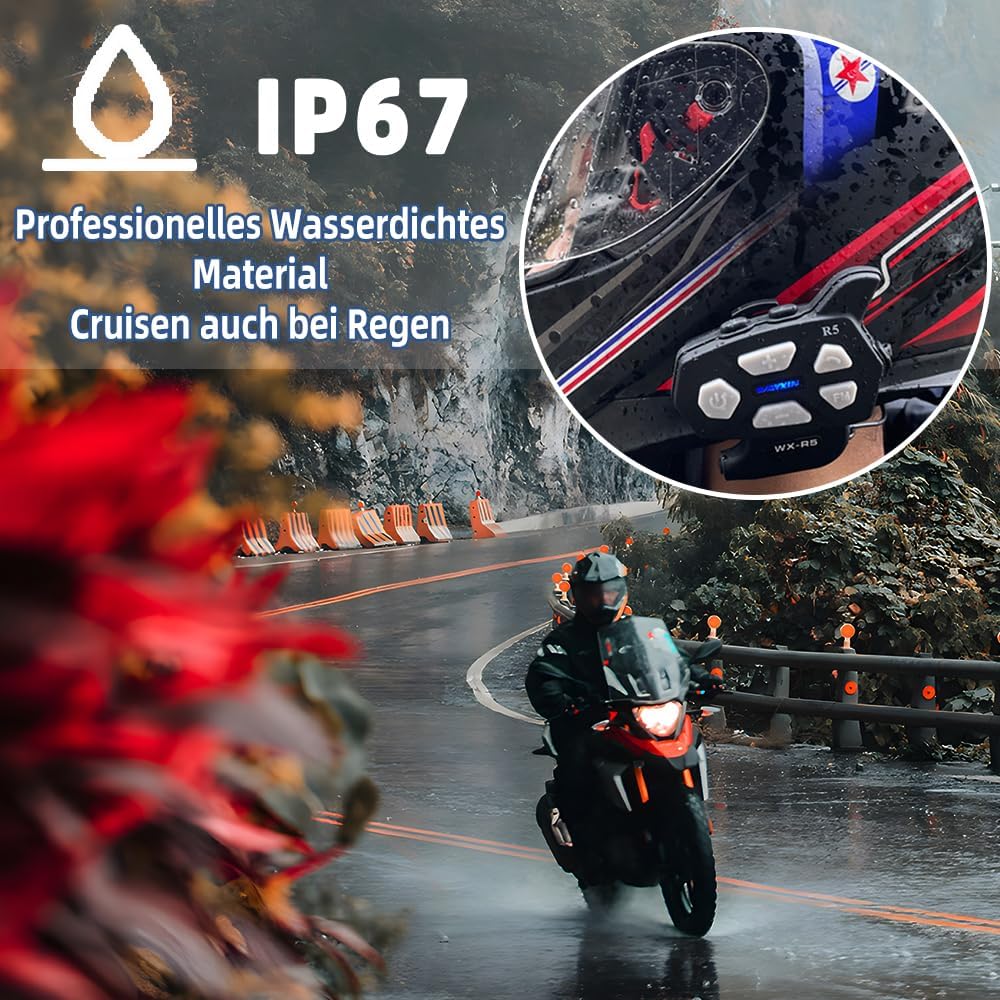
Image: The IP67 waterproof feature of the WAYXIN R5, demonstrating its ability to withstand rain and dust, ensuring functionality in various weather conditions.
4. Setup and Installation
Follow these steps to install your WAYXIN R5 intercom unit onto your helmet.
4.1. Choosing Microphone Type
The R5 comes with two microphone options to suit different helmet types:
- Boom Microphone: Ideal for open-face or modular helmets where the microphone needs to extend closer to your mouth.
- Soft Wire Microphone: Best for full-face helmets where the microphone can be tucked inside the chin bar.
4.2. Mounting the Intercom Unit
The intercom unit can be mounted using the clip bracket or the adhesive plate.
- Clip Bracket Installation:
- Loosen the screws on the clip bracket.
- Slide the bracket between the helmet shell and the inner padding, ensuring it is securely fastened.
- Tighten the screws to secure the bracket.
- Slide the R5 unit onto the bracket until it clicks into place.
- Adhesive Plate Installation:
- Clean the desired mounting area on the side of your helmet.
- Peel off the protective film from the adhesive plate.
- Firmly press the adhesive plate onto the helmet surface for at least 30 seconds. Allow 24 hours for the adhesive to fully cure before attaching the unit.
- Slide the R5 unit onto the adhesive plate until it clicks into place.
4.3. Speaker and Microphone Installation

Image: Installation guide for integrated speakers and microphone, illustrating placement within modular (full) and summer (half) helmets.
- Remove the helmet's inner padding to expose the ear pockets.
- Attach the speakers to the inside of the helmet's ear pockets using the provided hook-and-loop fasteners. Ensure they are positioned directly over your ears for optimal sound.
- Route the speaker wires neatly under the helmet padding to the intercom unit's mounting location.
- Attach the chosen microphone (boom or soft wire) to the inside of the helmet's chin bar, positioning it close to your mouth.
- Connect the speaker and microphone cable to the 4.0 port on the R5 intercom unit.
- Reinstall the helmet's inner padding.
5. Operating Instructions
5.1. Power On/Off
- Power On: Press and hold the Power Button for 3 seconds until the indicator light flashes.
- Power Off: Press and hold the Power Button for 3 seconds until the indicator light turns off.
5.2. Bluetooth Pairing with Mobile Device
- Ensure the R5 unit is powered off.
- Press and hold the Power Button for approximately 5-7 seconds until the indicator light flashes red and blue alternately, indicating pairing mode.
- On your mobile phone, enable Bluetooth and search for "WAYXIN R5".
- Select "WAYXIN R5" from the list of available devices to connect. A voice prompt will confirm successful pairing.
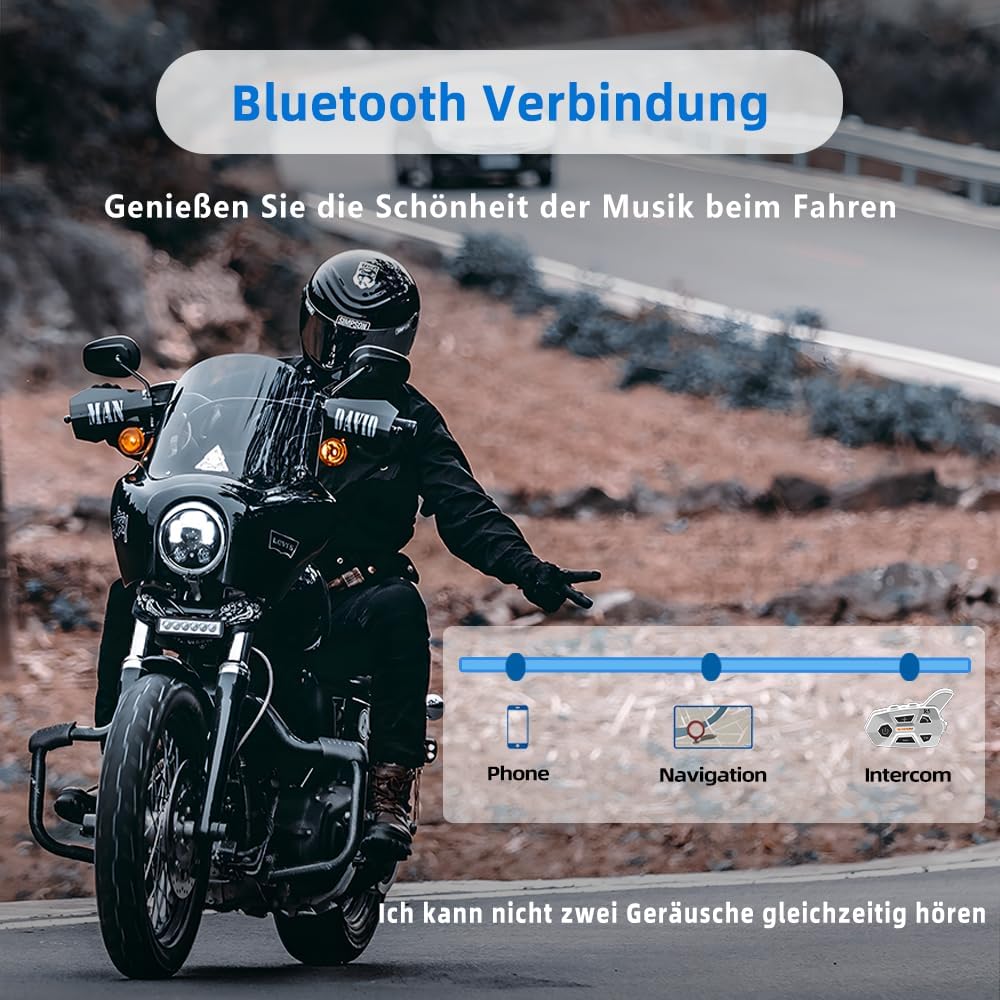
Image: Bluetooth connectivity features, allowing simultaneous connection to phone for calls, navigation, and intercom for rider-to-rider communication.
5.3. Intercom Communication (2 Riders)
- Ensure both R5 units are powered on and within 1200 meters of each other.
- On one R5 unit, press the Intercom Button (usually the large button with a phone icon or specific intercom icon) once to initiate pairing. The indicator light will flash rapidly.
- On the second R5 unit, also press the Intercom Button once.
- The units will automatically connect for full-duplex communication. A voice prompt will confirm the connection.
- To end intercom communication, press the Intercom Button once on either unit.
5.4. Music Playback
- Play/Pause: Press the Power Button once.
- Next Track: Press the "+" button once.
- Previous Track: Press the "-" button once.
- Volume Up: Press and hold the "+" button.
- Volume Down: Press and hold the "-" button.
5.5. FM Radio
- Turn On/Off FM Radio: Press the FM button (if available, or a specific combination as per the manual).
- Scan Stations: Press the "+" or "-" button briefly to scan for the next/previous station.

Image: The integrated FM radio feature, showing a helmet with the R5 unit and a visual representation of the radio interface, indicating a frequency range of 76MHz-108MHz.
5.6. Voice Control (Siri/Google Assistant)
- Ensure your R5 unit is paired with your mobile phone.
- Double-click the Power Button to activate your phone's voice assistant (Siri or Google Assistant).
- You can then issue commands for navigation, music playback, or phone calls hands-free.
6. Maintenance and Care
- Cleaning: Wipe the unit with a soft, damp cloth. Do not use harsh chemicals or abrasive cleaners.
- Water Resistance: The R5 is IP67 waterproof. Ensure the charging port cover is securely closed when not charging to maintain water resistance. Avoid submerging the unit in water.
- Charging: Use the provided Type-C charging cable. Connect to a standard USB power adapter (not included). Do not use damaged cables or chargers.
- Storage: Store the unit in a cool, dry place away from direct sunlight and extreme temperatures.
- Battery Care: For optimal battery life, charge the unit fully before first use and at least once every three months if not used regularly.
7. Troubleshooting
| Problem | Possible Cause | Solution |
|---|---|---|
| Unit does not power on. | Low battery. | Charge the unit for at least 2.5 hours. |
| Cannot pair with mobile phone. | Unit not in pairing mode; Bluetooth off on phone; too many paired devices. | Ensure unit is in pairing mode (red/blue flashing). Turn phone's Bluetooth off/on. Delete old Bluetooth connections on phone. |
| Intercom connection fails. | Units out of range; interference; incorrect pairing procedure. | Ensure units are within 1200m. Re-initiate intercom pairing. Move away from strong electromagnetic interference. |
| Poor audio quality/noise. | Microphone not positioned correctly; speakers not aligned with ears; high wind noise. | Adjust microphone closer to mouth. Reposition speakers directly over ears. Ensure helmet visor is closed to minimize wind noise. |
| FM radio not working. | Weak signal; unit not in FM mode. | Move to an area with better signal. Ensure FM mode is activated. |
8. Specifications
| Feature | Detail |
|---|---|
| Model Number | R5 |
| Bluetooth Version | 5.1 (Qualcomm Chipset) |
| Intercom Range | Up to 1200 meters (2 riders) |
| Noise Reduction | ENC2.0, DSP, CVC8.0 + Wind Protection Microphone |
| Speakers | 40mm Hi-Fi Speakers with Titanium Diaphragm |
| Battery Capacity | 600 mAh Lithium Ion |
| Music Playback Time | Up to 15 hours |
| Talk Time | Up to 10 hours |
| Standby Time | Up to 380 hours |
| Charging Time | Approximately 2.5 hours |
| Waterproof Rating | IP67 |
| Dimensions | 9 x 5 x 2 cm |
| Weight | 65 g |
| Color | Black |
9. Warranty and Support
The WAYXIN R5 Motorcycle Headset Intercom comes with a manufacturer's warranty.
- Warranty Period: Up to 2 years from the date of purchase.
- Claiming Support: For product issues or warranty claims, please contact the seller directly through your purchase platform. On Amazon, this can typically be done via "Account Service" → "Order History" → "Contact Seller".
Please retain your proof of purchase for warranty validation.
Related Documents - R5
 |
WAYXIN R15 Pro Motorcycle Headset User Manual Comprehensive user manual for the WAYXIN R15 Pro Motorcycle Headset, detailing features, installation, button functions, phone pairing, music sharing, FM radio, and troubleshooting. |
 |
WAYXIN-R9 User Manual: Motorcycle Bluetooth Intercom System Comprehensive user manual for the WAYXIN-R9 motorcycle Bluetooth intercom system, detailing features, operation, pairing, installation, and maintenance. |
 |
WAYXIN WX-R5 Motorcycle Helmet Headset: User Manual & Features Comprehensive guide to the WAYXIN WX-R5 Motorcycle Helmet Headset, covering power, button functions, pairing, phone calls, GPS navigation, FM radio, installation, and maintenance. |
 |
WAYXIN WX-R5 Motorcycle Helmet Headset User Manual and Guide Comprehensive guide for the WAYXIN WX-R5 Motorcycle Helmet Headset, covering power functions, button operations, Bluetooth pairing for phones and GPS, FM radio usage, phone call handling, installation, and maintenance. Learn how to connect and use your headset for a safer and more connected ride. |
 |
WAYXIN T2 Motorcycle Helmet Headset User Manual User manual for the WAYXIN T2 Motorcycle Helmet Headset, detailing button functions, phone connection, intercom pairing, music control, and installation methods. |
 |
WAYXIN WX-R5 Motorcycle Helmet Headset User Guide User guide for the WAYXIN WX-R5 Motorcycle Helmet Headset, detailing its features, Bluetooth pairing, FM radio, call management, installation, and maintenance. Enhance your motorcycle rides with seamless communication and audio. |