
1. Introduction
Thank you for choosing the Andersson Mission SG Chimera Gaming Desk. This manual provides essential information for the assembly, operation, and maintenance of your new gaming desk. Please read this manual thoroughly before assembly and retain it for future reference.
The Mission SG Chimera is a compact gaming desk designed to enhance your gaming experience. It features a durable carbon fiber design surface, integrated cable management, and ergonomic rounded edges for comfort during long gaming sessions.
2. Key Features
- Carbon Fiber Design Surface: Provides a sleek, modern look and durable finish.
- Integrated Cup Holder: Keeps your beverages secure and prevents spills.
- Headset Hook: Conveniently stores your gaming headset when not in use.
- Rounded Edges: Designed for ergonomic comfort, reducing strain on wrists and forearms.
- Cable Management Hole: Helps organize and conceal cables for a tidy setup.
- Sturdy Z-shaped Frame: Ensures stability and durability.

Figure 2.1: Overview of the Andersson Mission SG Chimera Gaming Desk, showcasing its Z-shaped frame, integrated cup holder, and headset hook.
3. Package Contents
Before beginning assembly, please ensure all parts are present and undamaged. If any parts are missing or damaged, do not proceed with assembly. Contact customer support for assistance.
- Desk tabletop (1)
- Z-shaped leg frames (2)
- Crossbar support (1)
- Cup holder (1)
- Headset hook (1)
- Assembly hardware (screws, bolts, Allen wrench)
- User Manual (this document)
4. Setup and Assembly
Assembly typically requires two people. Please follow these steps carefully.
4.1 Tools Required
- Phillips head screwdriver (not included)
- Allen wrench (included)
4.2 Assembly Steps
- Unpack Components: Carefully remove all components from the packaging. Place them on a soft, clean surface to prevent scratches.
- Attach Leg Frames: Connect the two Z-shaped leg frames to the crossbar support using the provided bolts and Allen wrench. Ensure all connections are secure but do not overtighten.
- Attach Tabletop: Carefully place the tabletop upside down on a protected surface. Align the assembled leg frame with the pre-drilled holes on the underside of the tabletop. Secure the leg frame to the tabletop using the provided screws and Phillips head screwdriver.
- Install Cup Holder and Headset Hook: Attach the cup holder and headset hook to the designated mounting points on the underside of the tabletop, typically on the sides. Use the appropriate screws.
- Final Check: Once assembled, carefully turn the desk upright. Check all connections to ensure they are tight and stable. Adjust the leveling feet on the bottom of the legs if the desk wobbles.
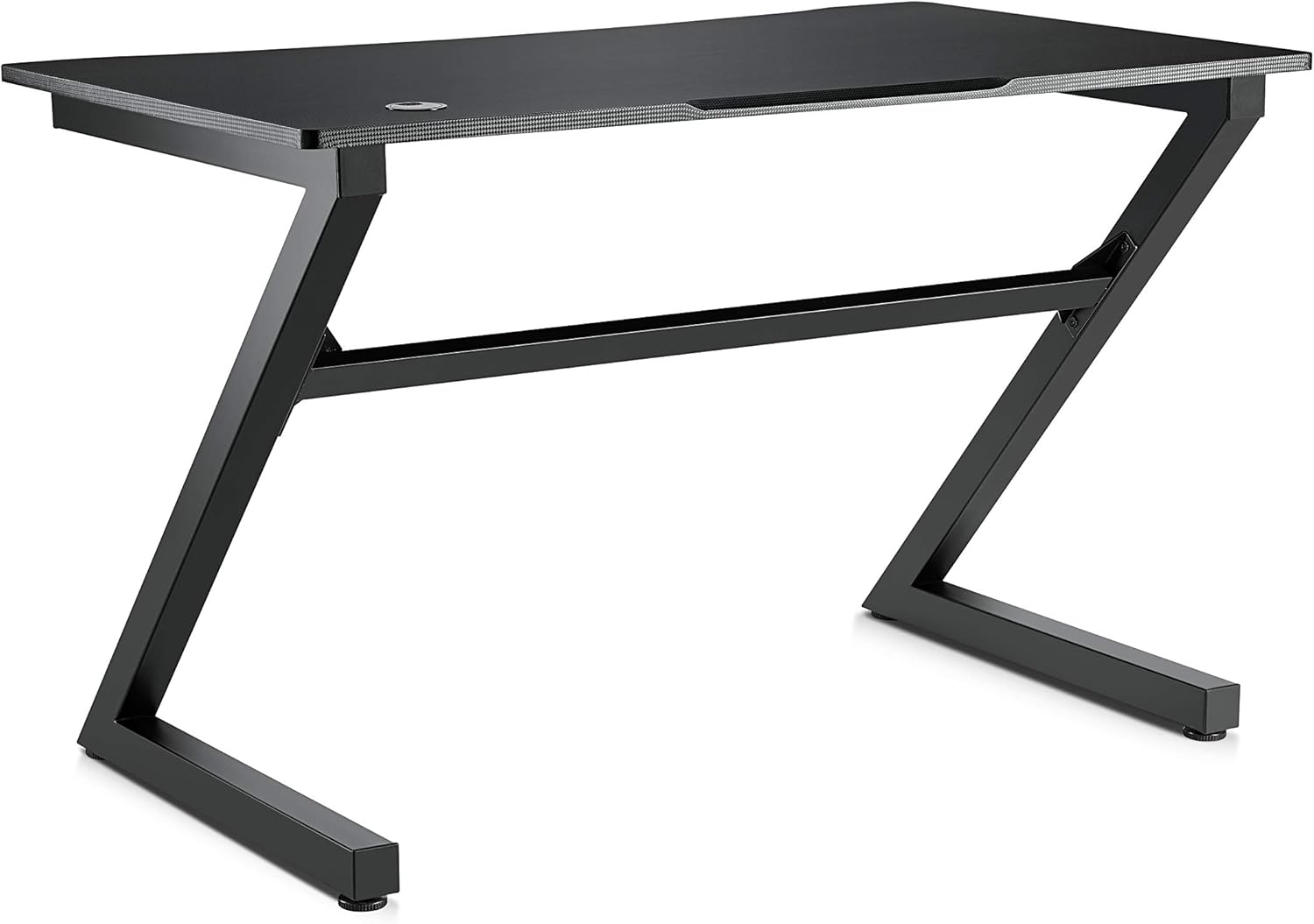
Figure 4.1: Front view of the assembled desk, illustrating the sturdy frame structure.
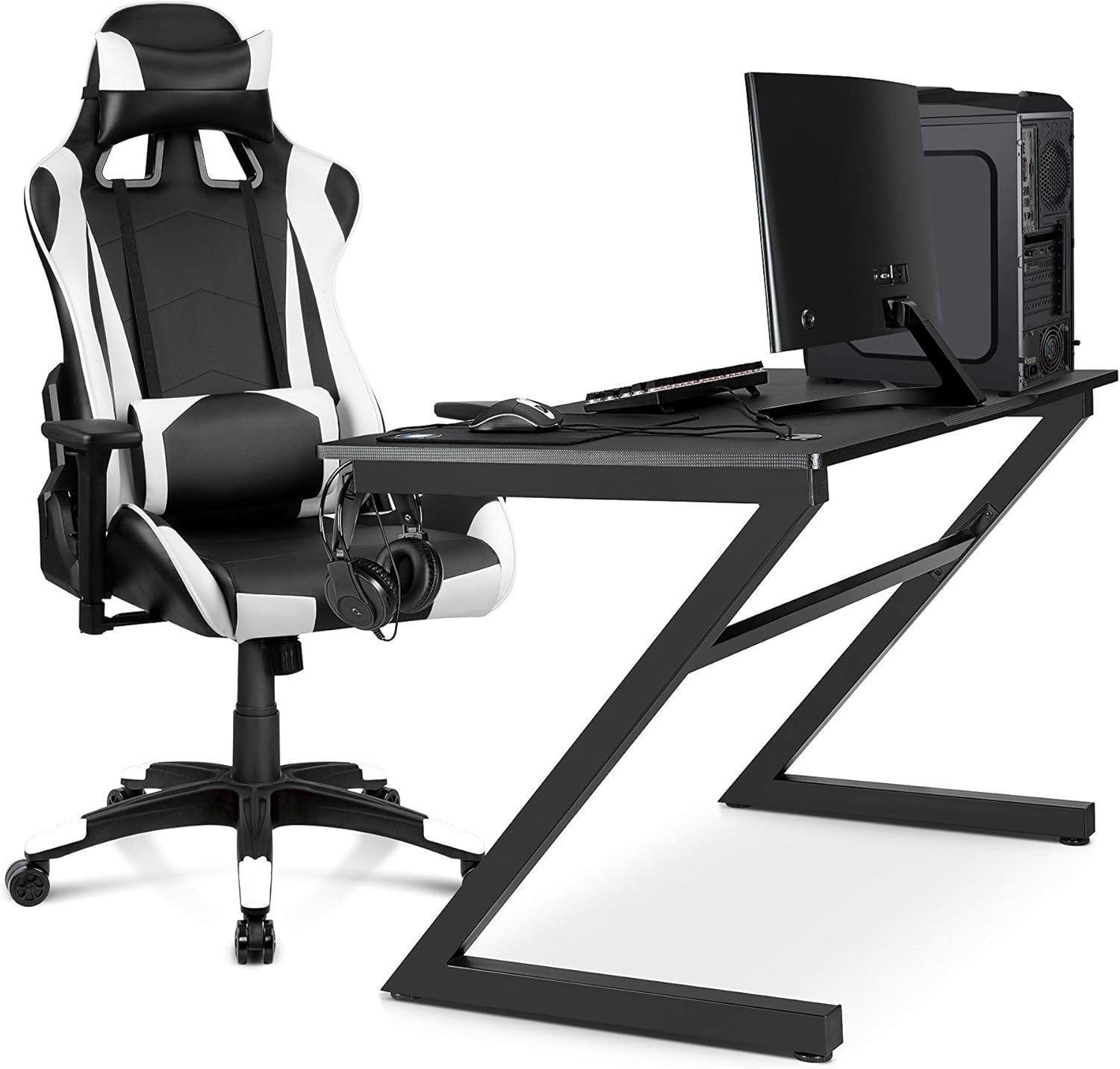
Figure 4.2: Example of a complete gaming setup with the Andersson Mission SG Chimera Gaming Desk and a gaming chair.
5. Operating Instructions
The Andersson Mission SG Chimera Gaming Desk is designed for straightforward use.
- Placement: Position the desk on a flat, stable surface. Avoid placing it in direct sunlight or near heat sources to prevent material degradation.
- Cable Management: Utilize the integrated cable management hole to route and organize your device cables, keeping your workspace tidy and safe.
- Cup Holder Use: Place your beverage securely in the cup holder to prevent accidental spills on your equipment.
- Headset Storage: Hang your gaming headset on the dedicated hook when not in use to keep it easily accessible and off the desk surface.

Figure 5.1: Top-down view highlighting the carbon fiber design surface and the integrated cable management hole.

Figure 5.2: Detail of the integrated cup holder, designed to securely hold beverages.

Figure 5.3: Detail of the convenient headset hook, providing dedicated storage for your gaming headphones.
6. Maintenance
Proper maintenance will extend the life of your gaming desk.
- Cleaning: Wipe the desk surface with a soft, damp cloth. Avoid abrasive cleaners or harsh chemicals, which can damage the finish.
- Spills: In case of spills, wipe them immediately with a dry cloth to prevent liquid absorption or staining.
- Tighten Fasteners: Periodically check all screws and bolts and tighten them if necessary to maintain stability.
- Avoid Overloading: Do not exceed the maximum load capacity of 60 kg to prevent damage to the desk structure.
7. Troubleshooting
If you encounter any issues with your desk, refer to the following common solutions.
| Problem | Possible Cause | Solution |
|---|---|---|
| Desk wobbles | Uneven floor; loose fasteners | Adjust leveling feet on the bottom of the legs. Tighten all assembly screws and bolts. |
| Parts do not fit during assembly | Incorrect orientation; manufacturing defect | Review assembly instructions carefully to ensure correct part orientation. If parts are defective, contact customer support. |
| Scratches on surface | Rough handling; sharp objects | Use a desk mat to protect the surface. Avoid dragging sharp objects across the desk. |
8. Specifications
| Feature | Detail |
|---|---|
| Brand | Andersson |
| Model | Mission SG Chimera |
| Dimensions (L x W x H) | 120 cm x 72 cm x 76 cm (47.2 x 28.3 x 29.9 inches) |
| Weight | 23 kg (50.7 lbs) |
| Maximum Load Capacity | 60 kg (132 lbs) |
| Surface Material | Carbon Fiber Design (on wood material) |
| Frame Material | Metal |
| Color | Black |
| Special Features | Integrated Cup Holder, Headset Hook, Rounded Edges, Cable Management Hole |
9. Warranty and Support
For warranty information and customer support, please refer to the documentation provided at the point of purchase or visit the official Andersson website.
Andersson Official Website: www.andersson.se (Please note: This is a placeholder URL. Refer to your product's specific warranty card for accurate contact information.)
When contacting support, please have your product model number (Mission SG Chimera) and purchase details ready.


