
1. Introduction
Welcome to the Dolphin Nautilus CC Robotic Pool Vacuum Cleaner user manual. This guide provides essential information for the safe and efficient operation, setup, and maintenance of your new robotic pool cleaner. The Dolphin Nautilus CC is designed to provide thorough cleaning for pools up to 33 feet, ensuring crystal-clear water with minimal effort. This premium bundle includes a universal caddy and a classic caddy cover for convenient transport, storage, and protection of your device.
2. Safety Information
Please read all safety instructions carefully before operating the Dolphin Nautilus CC. Failure to follow these instructions may result in electric shock, fire, and/or serious injury.
- Always disconnect the power supply before performing any maintenance or cleaning tasks.
- Do not operate the cleaner if the power cable is damaged. Contact authorized service personnel for repair.
- Ensure the power supply is placed at least 12 feet (3.6 meters) from the edge of the pool.
- Do not enter the pool while the cleaner is operating.
- Keep children and pets away from the cleaner and its power supply during operation.
- Use only the original power supply provided with your Dolphin Nautilus CC.
3. What's in the Box
Your Dolphin Nautilus CC Robotic Pool Vacuum Cleaner package includes:
- Dolphin Nautilus CC Robotic Pool Cleaner Unit
- Universal Caddy for transport and storage
- Classic Caddy Cover for protection
- Power Supply Unit with Weekly Timer
- Top-Load Filter Basket (installed)

Image: Dolphin Nautilus CC Robotic Pool Cleaner with its universal caddy and protective cover.
4. Setup Instructions
Follow these steps to set up your Dolphin Nautilus CC for the first time:
- Remove the Dolphin Nautilus CC from its packaging.
- Assemble the Universal Caddy according to the separate caddy instructions.
- Place the power supply unit at least 12 feet (3.6 meters) from the edge of the pool. Ensure it is in a shaded area and protected from direct sunlight and rain.
- Connect the floating cable from the cleaner to the power supply unit. Ensure the connection is secure.
- Plug the power supply unit into a grounded electrical outlet.
- Gently place the Dolphin Nautilus CC into the pool. Allow it to sink to the bottom. Ensure there are no air bubbles trapped inside the cleaner.
- Ensure the top-load filter basket is empty before starting the device.
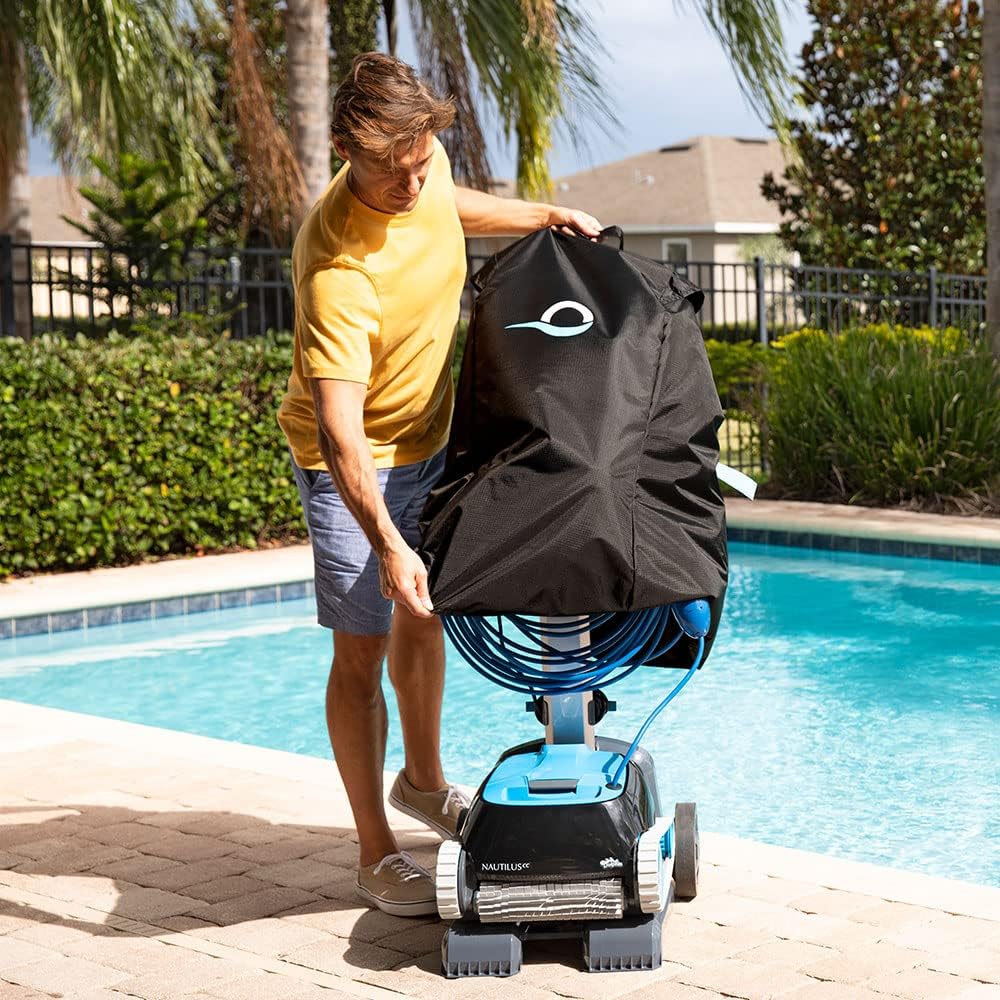
Image: A man placing the protective cover over the Dolphin Nautilus CC robotic pool cleaner, which is stored on its universal caddy beside a pool.
Video: A detailed review of the Dolphin Nautilus CC, highlighting the benefits of the caddy and cover for storage and protection.
5. Operating Instructions
The Dolphin Nautilus CC is designed for simple, plug-and-play operation.
- Once the cleaner is in the pool and the power supply is connected, press the power button on the power supply unit to start a cleaning cycle.
- You can set the weekly timer on the power supply unit for automated cleaning cycles. Refer to the power supply unit's specific instructions for timer settings.
- The cleaner will automatically navigate your pool, scrubbing the floor and climbing walls to ensure comprehensive cleaning.
- The active scrubbing brushes efficiently remove dirt, debris, and algae from all pool surfaces.
- Once the cleaning cycle is complete (approximately 2 hours), the cleaner will automatically shut off.
- To remove the cleaner from the pool, gently pull it towards the edge using the floating cable until you can grasp the handle. Do not pull the cleaner out of the water by its cable.

Image: A close-up of the Dolphin Nautilus CC power supply unit, showing the simple plug-and-play design with a single power button.

Image: The Dolphin Nautilus CC robotic pool cleaner demonstrating its wall-climbing capability, moving along the side of a pool.
Video: A user demonstrating the Dolphin Nautilus CC in action, highlighting its cleaning performance and ease of use in the pool.
Video: The Dolphin Nautilus CC effectively removing debris from the pool floor, showcasing its suction power and cleaning efficiency.
6. Maintenance
Regular maintenance ensures optimal performance and longevity of your Dolphin Nautilus CC.
6.1. Filter Basket Cleaning
The top-load filter basket should be cleaned after each cleaning cycle or when the filter indicator light illuminates.
- Ensure the power supply is disconnected from the electrical outlet.
- Open the top cover of the Dolphin Nautilus CC.
- Lift out the filter basket by its handle.
- Open the bottom latch of the filter basket to release collected debris.
- Rinse the filter panels thoroughly with a garden hose until all debris is removed.
- Close the bottom latch and place the clean filter basket back into the cleaner.
- Close the top cover securely.

Image: A person demonstrating how to easily access and clean the top-load filter basket of the Dolphin Nautilus CC.
Video: A user demonstrating the filter cleaning process for the Dolphin Nautilus CC, showing how to remove and rinse the filter basket.
6.2. Storage
When not in use, store your Dolphin Nautilus CC on its universal caddy in a shaded, dry area. Use the classic caddy cover to protect the cleaner from UV rays, dust, and rain, prolonging its lifespan.
7. Troubleshooting
If you encounter issues with your Dolphin Nautilus CC, please refer to the following common solutions:
- Cleaner not moving or stuck: Check for tangled cables or obstructions in the brushes. Ensure the filter basket is not excessively full.
- Poor cleaning performance: Clean the filter basket thoroughly. Check the brushes for wear and tear and replace if necessary. Ensure the pool water chemistry is balanced.
- Cleaner not climbing walls: Ensure the filter is clean. Check for air bubbles trapped inside the cleaner. Verify that the pool water chemistry is balanced.
- Power supply unit not turning on: Check the electrical outlet and cable connections.
For persistent issues, please contact Dolphin customer support or visit the official Maytronics website for service and repair information.
8. Specifications
| Feature | Detail |
|---|---|
| Brand | Dolphin |
| Model Name | Nautilus CC Caddy + Cover |
| Material | Plastic |
| Color | Black |
| Power Source | AC |
| Control Method | Touch |
| Voltage | 120 Volts |
| Installation Type | Robotic |
| Product Care Instructions | Clean the top-load filter basket regularly |
| UPC | 850015249730 |
| Manufacturer Part Number | NAUTCC-CADCOV |
9. Warranty and Support
For warranty information, technical support, or to purchase replacement parts, please refer to the documentation included with your product or visit the official Dolphin/Maytronics website. Keep your purchase receipt as proof of purchase for warranty claims.