
1. Product Overview
This manual provides detailed instructions for the Discovery Kids Black Nylon Fastwrap Digital Watch with Green Accent (Model: DSC523AC). This digital watch is designed for active use, featuring a durable construction and multiple functions to assist with daily timekeeping and activities.
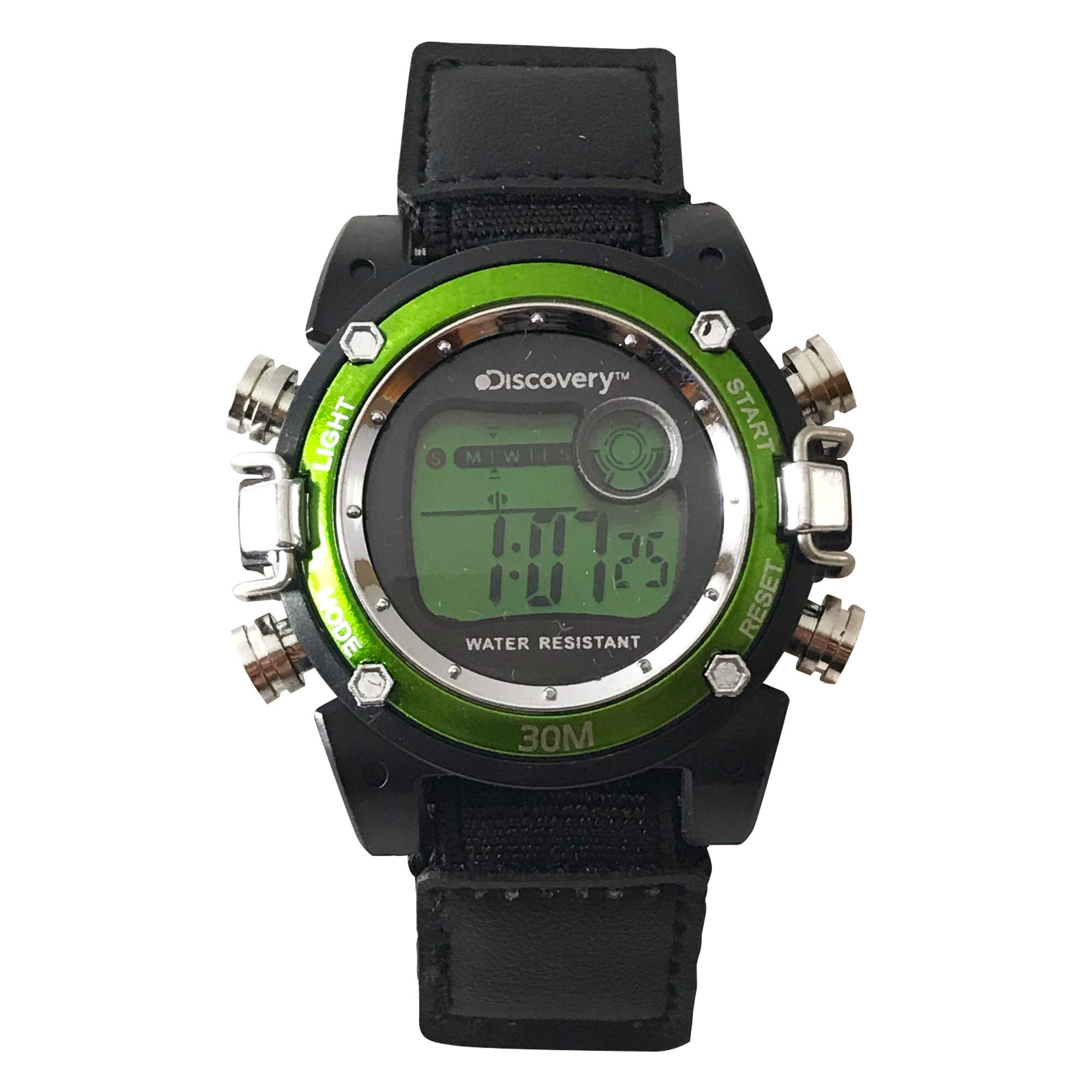
This image displays the Discovery Kids Digital Watch. It features a black case with a vibrant green accent bezel, a digital LCD display showing the time, and a black nylon fastwrap strap. The watch face indicates "WATER RESISTANT" and "30M".
2. Initial Setup
2.1 Setting Time and Date
To set the time and date on your digital watch, follow these general steps:
- Press the MODE button repeatedly until the time setting mode is displayed (usually indicated by flashing digits).
- Use the START or RESET button to adjust the flashing digit (e.g., hours, minutes, seconds).
- Press the MODE button again to move to the next setting (e.g., minutes, then month, day, day of week).
- Repeat step 2 and 3 until all desired settings (time and date) are correctly adjusted.
- Press the MODE button one last time to exit the setting mode and return to the normal time display.
3. Operating Instructions
3.1 Using the Backlight
To illuminate the display in low-light conditions, press the LIGHT button. The backlight will typically stay on for a few seconds.
3.2 Alarm Function
Your watch includes an alarm function. To set the alarm:
- Press the MODE button until the alarm setting screen appears.
- Use the START or RESET button to adjust the alarm time.
- Press MODE to confirm and exit.
- To turn the alarm on or off, typically press a combination of buttons (e.g., START and RESET simultaneously in alarm mode, or a dedicated alarm button). Refer to the on-screen indicators for alarm status.
3.3 Stopwatch Function
The stopwatch allows you to measure elapsed time:
- Press the MODE button until the stopwatch display appears (usually showing 00:00:00).
- Press the START button to begin timing.
- Press the START button again to pause the timing.
- Press the RESET button to clear the stopwatch to zero.
3.4 Displaying Date
From the normal time display, you can typically view the date by pressing the START or RESET button once. The display will temporarily switch to show the month and day, or the full date, before returning to the time.
4. Care and Maintenance
4.1 Water Resistance
This watch is rated for 30 meters (3 ATM) of water resistance. This means it is suitable for everyday use and can withstand splashes, rain, or brief immersion in water. It is not suitable for swimming, showering, or diving. Avoid pressing buttons while the watch is wet or submerged.
4.2 Cleaning
To clean your watch, wipe it gently with a soft, dry cloth. For stubborn dirt, a slightly damp cloth can be used, followed by drying. Avoid using harsh chemicals, solvents, or abrasive cleaners, as these can damage the watch's finish or internal components.
4.3 Battery Replacement
When the display becomes dim or functions become erratic, it may be time to replace the battery. Battery replacement should ideally be performed by a qualified watch technician to ensure proper sealing and water resistance integrity.
5. Troubleshooting
- Display is blank or dim: The battery may be low or depleted. Consider professional battery replacement.
- Buttons are not responding: Ensure the watch is not in a locked mode (if applicable). If wet, dry the watch thoroughly. If the issue persists, the internal mechanism may require inspection.
- Time is incorrect: Re-set the time following the instructions in Section 2.1. If the time consistently loses or gains, the battery may be weak or the internal module may need service.
- Water inside the watch: Immediately stop using the watch and seek professional service. Do not attempt to dry it yourself, as this can cause further damage.
6. Product Specifications
- Model Number: DSC523AC
- Case Dimensions: 40mm
- Strap Length: 8 1/2 inches (not including buckle)
- Water Resistance: 30 Meters (3 ATM)
- Display Type: 6 Digit LCD Module
- Functions: Backlight, Alarm, Chronograph, Stopwatch, Date
- Materials: Black Case with Green Accent Bezel, Nylon Fastwrap Strap with PU Accent Patch, Stainless Steel Case Back
- Manufacturer: Accutime
7. Warranty and Support
Specific warranty details for your Discovery Kids Digital Watch are typically provided with your purchase. Please refer to any documentation included in the product packaging for information regarding warranty coverage and how to obtain support. For further assistance or service inquiries, please contact the manufacturer, Accutime, or the retailer from whom the watch was purchased.