
BURNNOVE SM35PTZ 3.5-inch Wireless Video Baby Monitor
Model: SM35PTZ
Introduction
Thank you for choosing the BURNNOVE SM35PTZ 3.5-inch Wireless Video Baby Monitor. This device is designed to help you monitor your baby with ease and peace of mind. It features a 3.5-inch LCD screen, remote pan and tilt camera, two-way communication, night vision, ECO mode, temperature monitoring, and built-in lullabies. This manual provides essential information for safe operation and optimal performance.
Please read this manual thoroughly before using the product and keep it for future reference.

Image: The BURNNOVE SM35PTZ baby monitor system, showcasing its key features such as 300m range, two-way intercom, 2x zoom, night vision, temperature display, ECO mode, lullabies, and multi-camera support.
Package Contents
Ensure all items are present and in good condition upon unpacking:
- Baby Monitor Camera (Baby Unit)
- Baby Monitor (Parent Unit)
- AC Power Adapters (2 units)
- Screw Set (for wall mounting)
Product Overview
The BURNNOVE SM35PTZ system consists of two main units: the Baby Unit (camera) and the Parent Unit (monitor). The system operates on a secure 2.4GHz FHSS wireless connection, ensuring privacy and reliability without requiring Wi-Fi or a smartphone application.

Image: The BURNNOVE SM35PTZ Parent Unit (left) and Baby Unit (right), showing their compact design.
Parent Unit (Monitor)
- 3.5-inch color LCD screen
- Control buttons for camera functions, volume, and menu navigation
- Built-in microphone and speaker for two-way communication
- Rechargeable battery for portability
Baby Unit (Camera)
- High-resolution camera with infrared LEDs for night vision
- Motorized pan (355°) and tilt (120°) for remote adjustment
- Built-in microphone and speaker
- Temperature sensor
- Power indicator LED

Image: This monitor operates on a secure 2.4GHz FHSS connection, requiring no Wi-Fi or smartphone application for operation.
Setup
1. Charging the Parent Unit
- Connect one of the provided AC power adapters to the Parent Unit's charging port.
- Plug the adapter into a power outlet. The battery indicator on the screen will show charging status.
- For optimal battery life, charge the Parent Unit for at least 8 hours before first use.
2. Powering the Baby Unit
- Connect the second AC power adapter to the Baby Unit's power port.
- Plug the adapter into a power outlet. The Baby Unit does not have an internal battery and must remain plugged in during operation.
3. Positioning the Baby Unit (Camera)
- Place the Baby Unit in a location that provides a clear view of your baby, such as on a dresser or shelf. Ensure it is at least 1 meter (3 feet) away from your baby to avoid potential hazards.
- Avoid placing the camera near other electronic devices that may cause interference.
- The camera can also be wall-mounted using the provided screw set.
4. Initial Power On and Pairing
- Press and hold the Power button on the Parent Unit to turn it on.
- The Baby Unit will automatically power on when plugged in.
- The units are pre-paired at the factory. If the connection is lost or you are adding a new camera, refer to the "Adding/Managing Multiple Cameras" section for pairing instructions.
Operating Instructions
Parent Unit Controls
Familiarize yourself with the buttons on the Parent Unit for easy operation:
- Power Button: Press and hold to turn on/off. Press briefly to turn the screen on/off.
- Volume Buttons: Adjust the listening volume.
- Menu Button: Access settings and features.
- OK Button: Confirm selections in the menu.
- Navigation Buttons: Move through menu options and control camera pan/tilt.
- Talk Button: Press and hold to speak to your baby.
- Zoom Button: Activate 2x digital zoom.
Camera Pan, Tilt, and Zoom
From the Parent Unit, you can remotely adjust the camera's view:
- Use the Navigation Buttons (Up/Down/Left/Right) to pan the camera horizontally (355°) and tilt it vertically (120°).
- Press the Zoom Button to activate 2x digital zoom, allowing a closer look at your baby.

Image: The baby unit camera offers 355° horizontal pan and 120° vertical tilt, controllable from the parent unit. The system supports up to four cameras.

Image: The 3.5-inch color screen provides a clear view, with a 2x digital zoom function to see your baby more closely.
Two-Way Talk
To comfort your baby or communicate with someone in the nursery:
- Press and hold the Talk Button on the Parent Unit.
- Speak clearly into the microphone on the Parent Unit. Your voice will be transmitted to the Baby Unit.
- Release the button to hear your baby again.
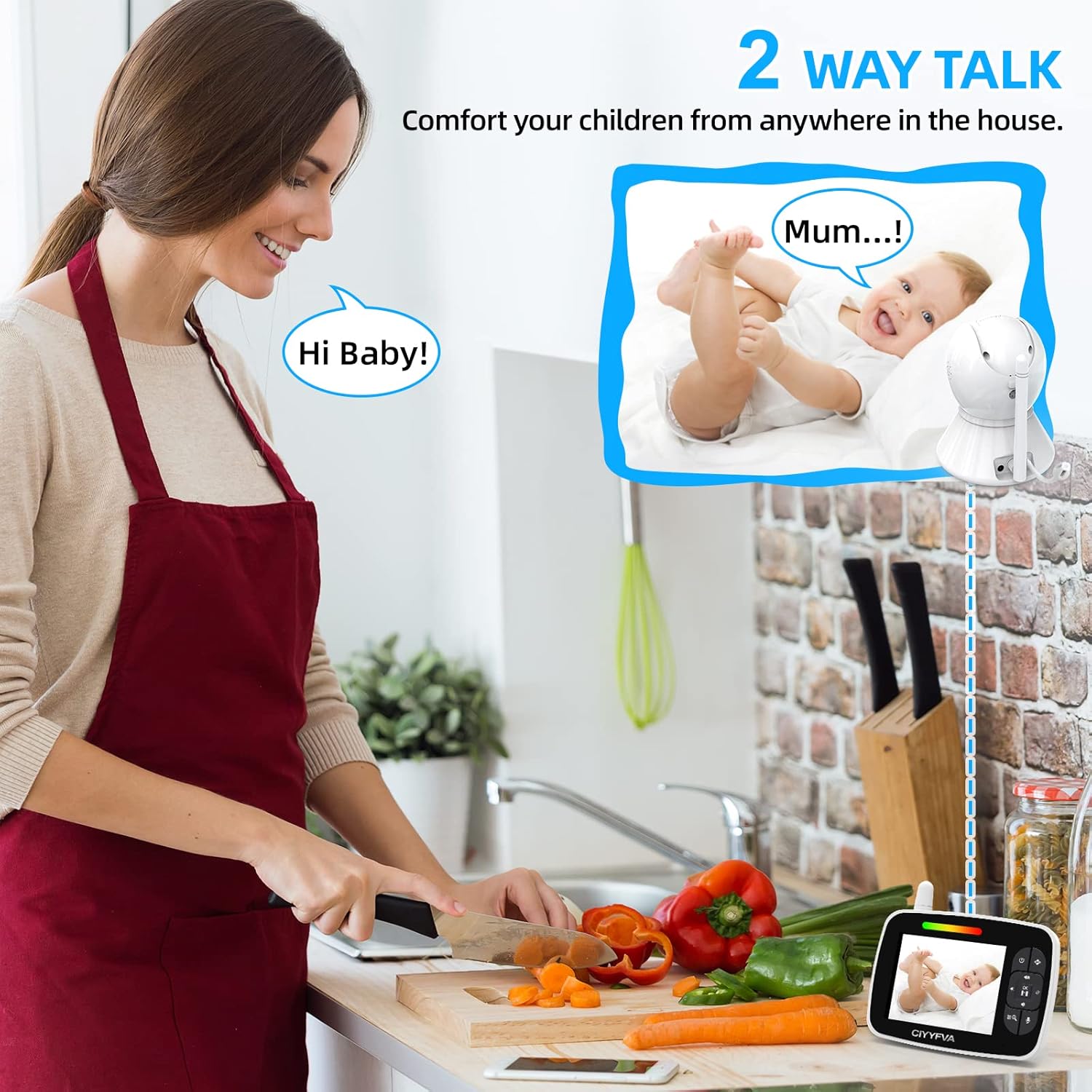
Image: The two-way talk feature allows parents to communicate with their baby from anywhere in the house.
ECO Mode (Power Saving)
The ECO mode helps conserve battery power on the Parent Unit:
- Activate ECO mode through the Parent Unit's menu.
- In ECO mode, the screen and audio transmission will automatically turn off when the baby's room is quiet.
- The monitor will automatically reactivate (screen and audio turn on) when it detects sound from the baby's room.

Image: ECO mode intelligently conserves power by turning off the screen and audio when the room is quiet, and reactivating upon detecting sound.
Lullabies
Soothe your baby with built-in lullabies:
- Access the Lullaby function through the Parent Unit's menu.
- Select from the available lullabies to play through the Baby Unit's speaker.

Image: The baby monitor includes built-in lullabies to help soothe your baby to sleep.
Temperature Monitoring
The Baby Unit continuously monitors the room temperature:
- The current room temperature is displayed on the Parent Unit's screen.
- You can set temperature alerts in the menu to be notified if the room temperature goes above or below a set range.

Image: The monitor displays the room temperature, allowing you to ensure a comfortable environment for your baby.
Night Vision
The Baby Unit automatically activates infrared night vision in low-light conditions:
- The image on the Parent Unit will switch to black and white when night vision is active.
- The infrared LEDs are invisible to the naked eye, ensuring your baby is not disturbed.
- Night vision range is up to 5 meters (16 feet).
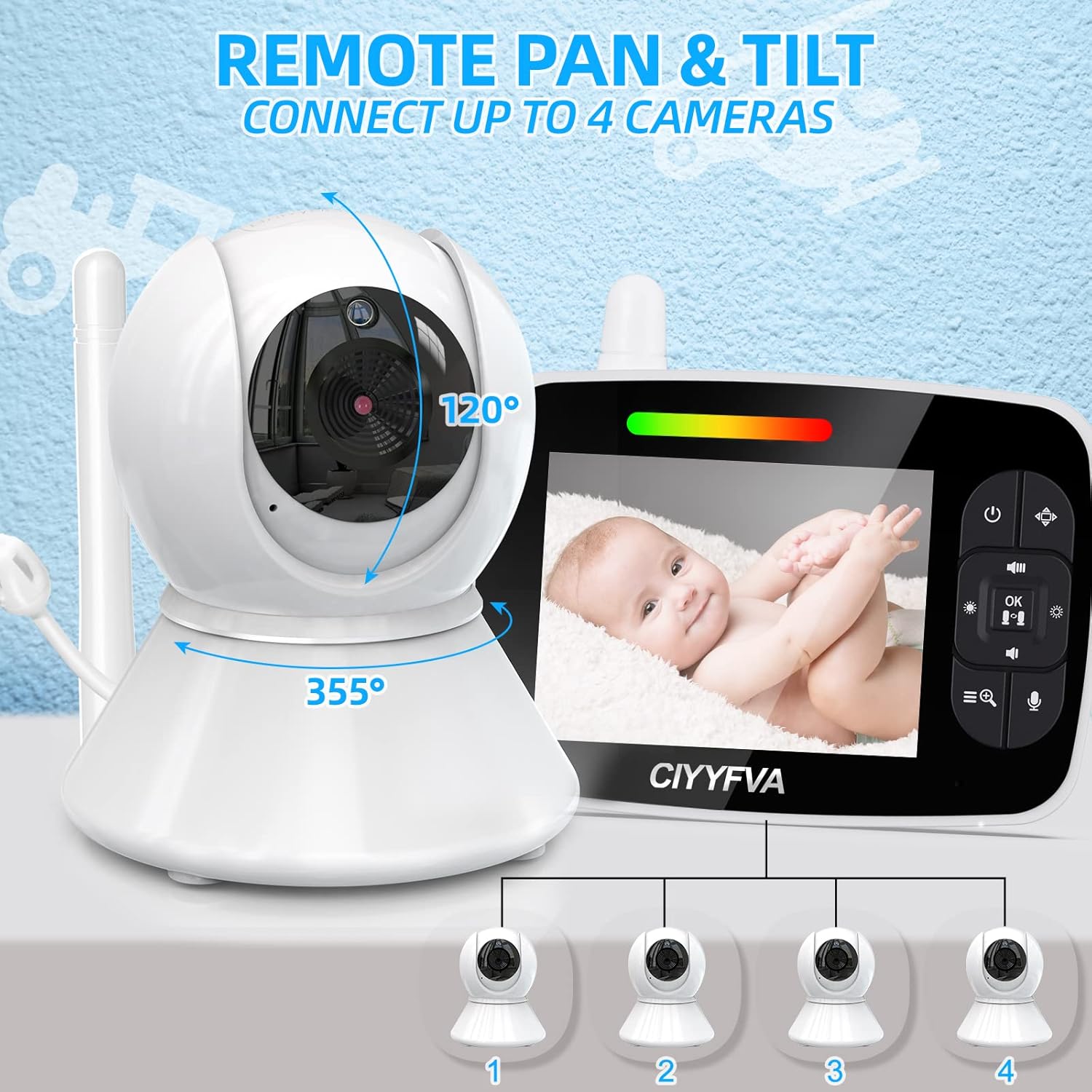
Image: The monitor's automatic infrared night vision provides a clear view of your baby even in complete darkness.
Adding/Managing Multiple Cameras
The system supports up to 4 cameras (additional cameras sold separately):
- Access the camera management menu on the Parent Unit.
- Select the option to add a new camera.
- Follow the on-screen prompts to pair the new Baby Unit with your Parent Unit. This usually involves pressing a pairing button on the new Baby Unit within a specific timeframe.
- You can switch between connected cameras or use the scan mode to cycle through them automatically.
Maintenance
- Cleaning: Use a soft, dry cloth to clean the surfaces of both units. Do not use abrasive cleaners or solvents.
- Battery Care (Parent Unit): To prolong battery life, avoid fully discharging the battery frequently. Recharge when the low battery indicator appears. If storing for a long period, charge the battery every three months.
- Storage: Store the monitor in a cool, dry place away from direct sunlight and extreme temperatures.
Troubleshooting
| Problem | Possible Solution |
|---|---|
| No image/sound on Parent Unit |
|
| Poor image quality |
|
| Interference/Static |
|
| Parent Unit battery drains quickly |
|
Specifications
| Feature | Detail |
|---|---|
| Model Number | SM35PTZ |
| Screen Size | 3.5 inches LCD |
| Wireless Technology | 2.4 GHz FHSS |
| Video Recording Resolution | 720p |
| Camera Pan Angle | 355 degrees |
| Camera Tilt Angle | 120 degrees |
| Digital Zoom | 2x |
| Night Vision Range | Up to 5 meters (16 feet) |
| Operating Range | Up to 300 meters (1000 feet) in open space |
| Power Source | AC Power Adapter (Baby Unit), Rechargeable Battery (Parent Unit) |
| Battery Composition | Lithium-polymer |
| Material | Plastic |
| Item Dimensions (L x W x H) | 18.8 x 14 x 10.7 cm |
| Weight | 690 grams |
| Special Features | Lullabies, ECO Mode, Temperature Monitoring, Two-Way Talk, Multi-Camera Support (up to 4) |
Warranty and Support
BURNNOVE products are manufactured to high-quality standards. For warranty information, please refer to the documentation provided with your purchase or contact BURNNOVE customer support.
If you encounter any issues or have questions regarding your BURNNOVE SM35PTZ Baby Monitor, please contact our customer support team for assistance. Contact details can typically be found on the product packaging or the official BURNNOVE website.