
BATMAN iPhone 12 Pro Max
User Manual
iPhone 12 Pro Max Batman v Superman Super Movie Logo Case
Brand: BATMAN
Introduction
This manual provides essential information for the proper use and care of your new BATMAN iPhone 12 Pro Max Batman v Superman Super Movie Logo Case. Designed to protect your device, this case combines durability with iconic style. Please read this manual thoroughly to ensure optimal performance and longevity of your product.
The case is officially licensed Batman v Superman merchandise, featuring a two-part protective design with a scratch-resistant polycarbonate shell and a shock-absorbent TPU liner.
Setup and Installation
Follow these steps to correctly install the case on your iPhone 12 Pro Max:
- Prepare Your Device: Ensure your iPhone 12 Pro Max is clean and free of dust or debris. Gently wipe the phone with a soft, dry cloth if necessary.
- Separate Case Components (if applicable): This case features a two-part design. If the polycarbonate shell and TPU liner are separate, gently detach them. The TPU liner is the softer, flexible inner layer, and the polycarbonate shell is the harder outer layer.
- Insert Phone into TPU Liner: Carefully align your iPhone 12 Pro Max with the TPU liner. Start by inserting one side of the phone into the liner, then gently press the other side until the phone is fully seated within the flexible liner. Ensure all buttons and ports align with the cutouts.
- Attach Polycarbonate Shell: Once the phone is securely in the TPU liner, slide or snap the hard polycarbonate shell over the TPU liner. Ensure all edges are flush and the shell is securely attached to the liner. You may hear a slight click as it locks into place.
- Verify Installation: Check that the case fits snugly around your phone, with no gaps or loose areas. Confirm that all buttons (power, volume) are easily accessible and functional, and that charging ports and speakers are unobstructed.
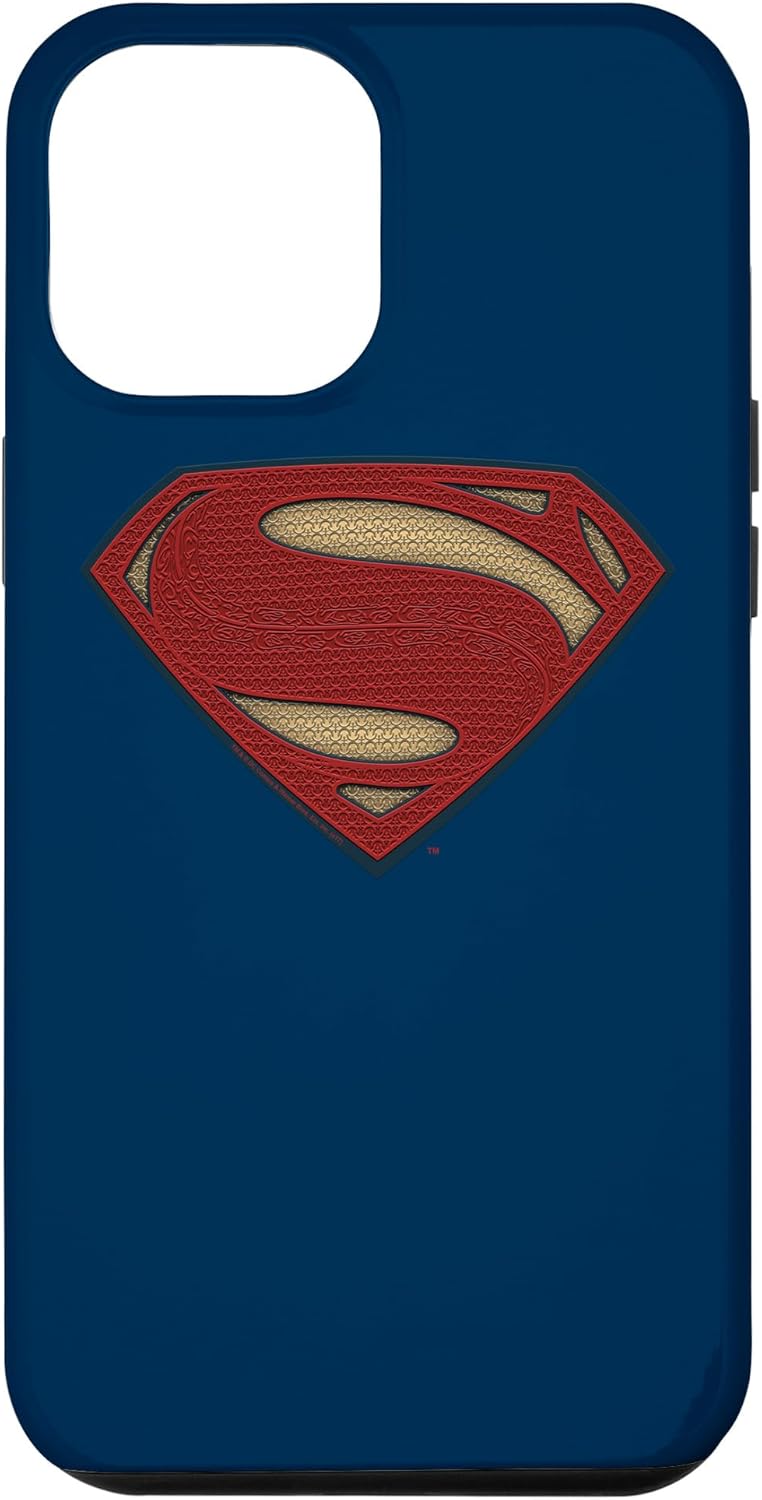 Image: Front view of the iPhone 12 Pro Max case, showcasing the prominent Superman logo on a blue background. The camera cutout is visible at the top left.
Operating Your Device with the Case
The BATMAN iPhone 12 Pro Max case is designed for seamless integration with your device's functions:
- Button Access: The case features precise cutouts or responsive button covers for the power button and volume buttons, ensuring full functionality without obstruction.
- Port Access: All essential ports, including the charging port and speaker grilles, are easily accessible through accurately designed cutouts.
- Wireless Charging: The case is designed to be compatible with wireless charging. You do not need to remove the case to charge your device wirelessly.
- Camera Protection: The case provides a raised bezel around the camera module to protect the lenses from scratches when placed on flat surfaces.
- Screen Protection: A raised edge around the screen helps protect the display from direct contact with surfaces when the phone is placed face down.
 Image: Side view of the iPhone 12 Pro Max case, highlighting the precise cutouts for the volume buttons and mute switch.
Maintenance and Care
To keep your case in excellent condition and prolong its lifespan, follow these maintenance guidelines:
- Cleaning: Regularly clean your case with a soft, damp cloth. For stubborn dirt, a small amount of mild soap can be used. Avoid harsh chemicals, abrasive cleaners, or solvents, as these can damage the material and finish.
- Drying: After cleaning, ensure the case is completely dry before re-installing your phone.
- Avoid Extreme Temperatures: Do not expose the case to extreme heat or cold, as this can affect the material's integrity and fit.
- Storage: If removing the case for extended periods, store it in a clean, dry place away from direct sunlight.
 Image: Side view of the iPhone 12 Pro Max case, illustrating the design around the power button and the overall slim profile.
Troubleshooting
If you encounter any issues with your case, refer to the following common solutions:
| Problem | Possible Cause / Solution |
|---|---|
| Case is difficult to install/remove. | Ensure you are following the correct installation/removal steps. For two-part cases, separate the components first. Apply gentle, even pressure. |
| Buttons are not responsive. | Check that the phone is seated correctly within the case and that the button covers align perfectly with your phone's buttons. Re-adjust if necessary. |
| Ports are obstructed. | Verify that the case is designed for the iPhone 12 Pro Max. Ensure the phone is fully pushed into the case and not misaligned. |
| Case appears loose or ill-fitting. | Confirm that you have the correct case model for your iPhone 12 Pro Max. Re-install the case, ensuring all edges snap into place. |
If the issue persists, please refer to the Warranty & Support section for further assistance.
Specifications
| Feature | Detail |
|---|---|
| Compatible Phone Model | iPhone 12 Pro Max |
| Material | Polycarbonate, Thermoplastic Polyurethane (TPU) |
| Color | Blue |
| Form Factor | Bumper |
| Special Features | Heavy Duty Protection, Scratch-resistant, Shock absorbent |
| Item Weight | 5.4 ounces |
| Package Dimensions | 7.75 x 4.75 x 0.75 inches |
| Manufacturer | Batman |
Warranty and Support
This product is manufactured by Batman and is designed for durability and protection. For specific warranty information or to report a defect, please refer to the product packaging or contact the retailer where the product was purchased. Keep your proof of purchase for any warranty claims.
For further assistance or inquiries, please visit the official Batman merchandise website or contact their customer support channels as listed on their official resources.
Related documentsiPhone 12 Pro Max


Ask a question about this manual
Ask about setup, troubleshooting, compatibility, parts, safety, or missing instructions. Manuals+ will review the question and use this page’s manual context to help answer it.