
1. Introduction
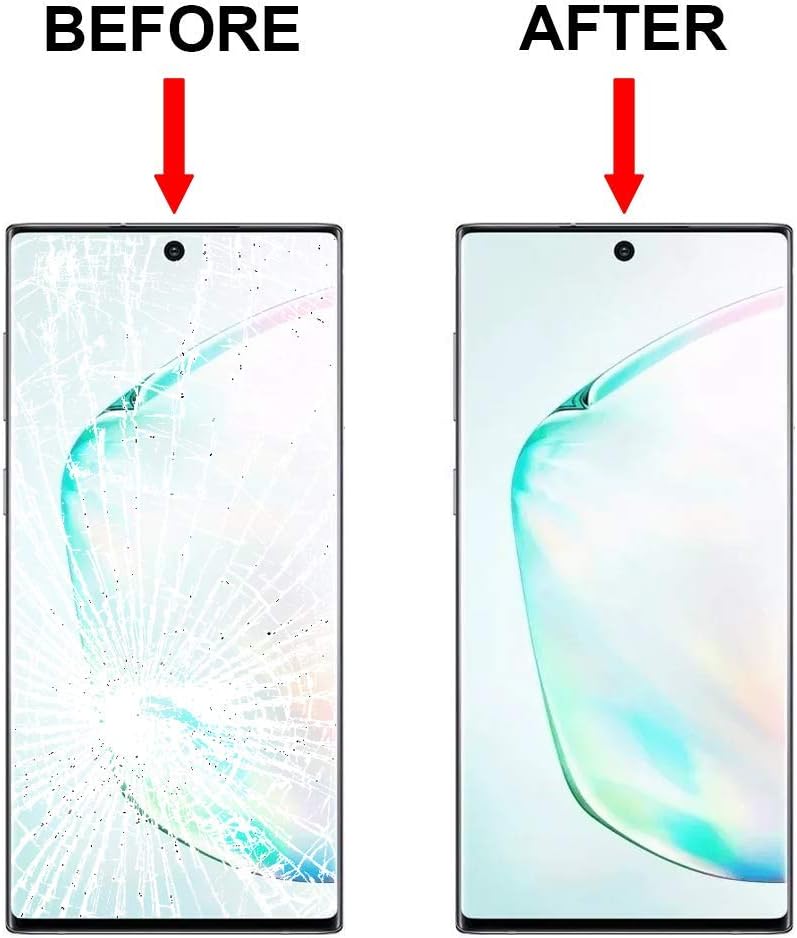
This instruction manual provides guidance for replacing the front outer lens glass screen on the Samsung Galaxy Note 20 Ultra 5G N9860 Series using the ABUSVEX repair kit. This kit is designed for replacing the glass only and does not include the AMOLED digitizer. The repair process is highly technical and requires precision. It is recommended that this procedure be performed by experienced technicians.
The goal of this manual is to provide clear, step-by-step instructions to assist in the successful replacement of the damaged glass, restoring the aesthetic and protective integrity of your device's screen.
2. Safety Information
- Power Off Device: Ensure your Samsung Galaxy Note 20 Ultra 5G is completely powered off before beginning any repair work.
- Handle with Care: Glass components are fragile. Handle the new screen and the device with extreme care to prevent further damage or injury.
- Eye Protection: Consider wearing safety glasses to protect your eyes from small glass shards, especially when dealing with a cracked screen.
- Heat Application: When using a hairdryer or heat gun, apply heat evenly and avoid excessive temperatures to prevent damage to internal components.
- Static Discharge: Take precautions against electrostatic discharge (ESD) which can damage electronic components. Work on a clean, static-free surface.
3. Package Contents
Verify that all items listed below are present in your ABUSVEX screen replacement kit:
- 1 x Replacement Glass Lens Cover (for Samsung Galaxy Note 20 Ultra 5G)
- 1 x Set of Repair Tools (various pry tools, screwdrivers, suction cup, guitar picks)
- 1 x Metallic Wire (for glass separation)
- 1 x Tweezers
- 1 x Cleaning Cloth
- 2 x Razor Blades (plastic)


4. Additional Tools Required
The following items are essential for the repair process and are not included in the kit:
- Hairdryer or Heat Gun: Necessary for softening the adhesive that secures the original screen glass.
- Packing/Scotch Tape: Recommended for covering the cracked screen to prevent small glass fragments from scattering and to aid in removal.
5. Preparation
- Backup Data: Before starting any repair, ensure all important data on your device is backed up.
- Power Off: Completely power off your Samsung Galaxy Note 20 Ultra 5G.
- Clear Workspace: Prepare a clean, well-lit, and organized workspace.
- Gather Tools: Have all kit components and additional tools (hairdryer/heat gun, packing tape) readily accessible.
- Tape Cracked Screen: If the screen is cracked, apply packing tape over the entire surface to contain glass shards and provide a more stable surface for removal.
6. Installation Steps (Glass Only Replacement)
This procedure involves separating the outer glass from the functional AMOLED digitizer. Proceed with caution.
- Heat Application: Using a hairdryer or heat gun, gently and evenly heat the edges of the screen for approximately 1-2 minutes. This softens the adhesive holding the glass.
- Initial Separation: Carefully use the suction cup to create a small gap between the glass and the frame. Insert a thin pry tool or guitar pick into this gap.
- Glass Removal with Metallic Wire:
- Once a small opening is created, thread the metallic wire provided in the kit underneath the glass.
- Gently slide the wire back and forth across the screen, working from one side to the other. Apply minimal pressure, allowing the wire to cut through the adhesive.
- Periodically reapply heat to keep the adhesive pliable. Be extremely careful not to damage the underlying AMOLED display or flex cables.
- Continue until the entire glass panel is separated from the AMOLED digitizer.
- Clean Adhesive Residue: Once the old glass is removed, carefully clean any remaining adhesive residue from the AMOLED display and the phone frame. Use the cleaning cloth and, if necessary, a small amount of isopropyl alcohol on a lint-free cloth. Ensure the surface is completely clean and free of dust or debris.
- Install New Glass:
- Apply new adhesive (not included in this kit, but typically required for reassembly) to the frame of the phone.
- Carefully align the new replacement glass lens cover over the AMOLED display and press it gently into place. Ensure proper alignment of the camera cutout and edges.
- Apply gentle, even pressure around the edges to secure the new glass.
- Final Check: Allow the adhesive to cure for the recommended time (if new adhesive was applied). Power on the device to check display functionality and touch response.
7. Important Considerations and Warnings
- Glass Only: This kit replaces only the outer glass lens. If your display has black spots, lines, or does not respond to touch, the AMOLED digitizer is likely damaged and requires a full screen assembly replacement, not just the glass.
- Professional Installation Recommended: Due to the complexity and delicate nature of this repair, professional installation is strongly recommended. Attempting this repair without prior experience can lead to further damage to your device.
- No Installation Instructions Included: This manual provides general guidance. Detailed, step-by-step video tutorials specific to the Samsung Galaxy Note 20 Ultra 5G glass-only replacement are available online and should be consulted.
- Risk of Damage: The manufacturer is not responsible for any damage incurred during the installation process.
8. Specifications
| Brand | ABUSVEX |
| Compatible Devices | Samsung Galaxy Note 20 Ultra 5G N9860 Series |
| Material | Premium Tempered Glass |
| Screen Size | 6.9 Inches |
| Item Hardness | 11H |
| Product Dimensions | 6.9"L x 6.9"W x 0.5"H (approximate kit dimensions) |
| Item Weight | 3.84 ounces (kit weight) |

9. Warranty and Support
This product is a replacement part and is intended for technical repair. The manufacturer does not provide a specific warranty for the installation process itself, as successful installation depends heavily on user skill and adherence to proper repair techniques.
For product-related inquiries regarding the kit components, please refer to the seller's contact information on the purchase platform. Please note that returns may not be accepted if an installation attempt has been made, as stated in the product description.