Introduction
This manual provides essential information for the setup, operation, and maintenance of your Volkano VX Reinforce Series Wired Mechanical Gaming Keyboard. Please read these instructions carefully to ensure optimal performance and longevity of your device.

Image: The Volkano VX Reinforce Series Wired Mechanical Gaming Keyboard, showcasing its full layout and vibrant RGB backlighting.
Product Features
- Water and Spill Resistance: Designed to withstand accidental liquid spills, enhancing durability during use.
- Responsive Mechanical Keys: Features 104 mechanical keys that provide tactile feedback and faster response times compared to traditional membrane keyboards.
- Anti-Ghosting Technology: Ensures that multiple simultaneous key presses are accurately registered, crucial for fast-paced gaming.
- Customizable RGB LED Backlighting: Offers various multicolor RGB presets, including flashing, fading, and ripple effects across 5 zones with 16.8 million color options.
- Durable Construction: Built with a sturdy chassis, non-slip base, and a reinforced nylon USB cable for enhanced stability and longevity.
- Full-Featured Layout: Includes a complete set of 104 keys, function keys, and a numeric keypad.

Image: An overview highlighting key features: 104 Keys & Fully Mechanical Design, Multi-color Backlit Presets, and Heavy-duty Water-resistant construction.
Setup Instructions
- Unpacking: Carefully remove the keyboard from its packaging. Ensure all components are present.
- Connection: Plug the USB connector of the keyboard into an available USB port on your computer or gaming console (PC, Xbox, PS4).
- Driver Installation: The keyboard is typically plug-and-play. Your operating system (Windows 2000, XP, Vista, 7, 8, 10, or Mac OS) should automatically detect and install the necessary drivers. No additional software installation is usually required for basic functionality.
- Placement: Position the keyboard on a stable, flat surface. The non-slip base will help keep it secure during use.
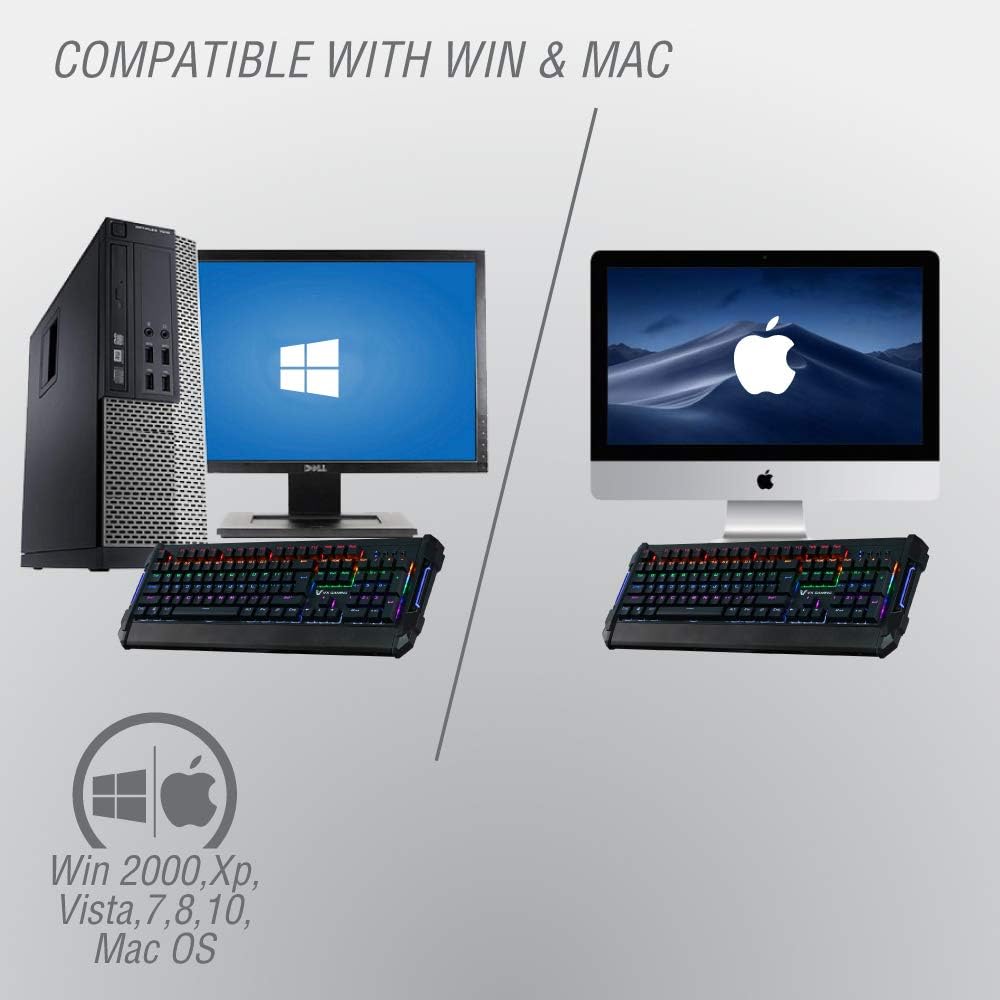
Image: Illustration showing the keyboard connected to both a Windows PC setup and a Mac setup, indicating broad compatibility.
Operating Instructions
RGB Backlighting Control
The Volkano VX Reinforce Series keyboard features dynamic RGB backlighting with multiple effects. Specific key combinations are used to cycle through these modes:
- Changing Modes: Press the Fn key combined with specific function keys (e.g., Fn + F9, Fn + F10, Fn + F11, Fn + F12) to cycle through various lighting effects such as static colors, breathing, wave, ripple, and reactive modes. Refer to the keyboard's keycap legends for exact combinations.
- Adjusting Brightness: Use Fn + Page Up to increase brightness and Fn + Page Down to decrease brightness.
- Adjusting Speed: For dynamic lighting effects, use Fn + '+' to increase effect speed and Fn + '-' to decrease effect speed.
Anti-Ghosting Functionality
This keyboard incorporates anti-ghosting technology, which means that even when multiple keys are pressed simultaneously, each input is registered accurately. This is particularly beneficial in gaming scenarios where complex key combinations are frequently used.

Image: A close-up of the keyboard highlighting the anti-ghosting feature, symbolized by a 'Ctrl + S' icon, indicating accurate registration of simultaneous key presses.

Image: A user's hands on the Volkano VX Gaming Keyboard during a gaming session, demonstrating precision control and ergonomic design.
Maintenance
- Cleaning: To clean the keyboard, disconnect it from your computer. Use a soft, damp cloth to wipe the surface. For dust and debris between keys, use compressed air. Avoid harsh chemicals or abrasive cleaners.
- Spill Management: While the keyboard is spill-resistant, in case of a liquid spill, immediately disconnect the keyboard, turn it upside down to drain liquid, and allow it to dry completely before reconnecting.
- Storage: Store the keyboard in a cool, dry place away from direct sunlight and extreme temperatures when not in use for extended periods.
Troubleshooting
| Problem | Possible Cause | Solution |
|---|---|---|
| Keyboard not responding | Loose USB connection, faulty USB port, driver issue. |
|
| Backlighting not working or incorrect | Lighting mode off, brightness set too low, software conflict. |
|
| Keys are sticky or unresponsive | Debris under keycaps, liquid residue. |
|
Specifications
| Feature | Detail |
|---|---|
| Model Number | VX-104-BK |
| Connectivity | USB Wired |
| Key Type | Mechanical |
| Number of Keys | 104 |
| Backlighting | RGB LED, Multi-color presets, 5 zones, 16.8 million colors |
| Special Features | Anti-Ghosting, Waterproof/Spill-resistant, Non-slip base |
| Compatibility | Windows 2000, XP, Vista, 7, 8, 10; Mac OS; PC, Xbox, PS4 |
| Item Weight | 1.7 kg |
| Package Dimensions | 52.1 x 23.5 x 5.99 cm |
Warranty and Support
Volkano offers a 1-year limited warranty for this product. For any questions, technical assistance, or warranty claims, please contact Volkano customer service. Refer to your purchase documentation or the official Volkano website for specific contact details.
For further information, you may visit the official Volkano store: Volkano Store on Amazon.