
1. Introduction
This manual provides instructions for the safe and efficient operation of your JAYEGT Motorized Rotating Display Stand. This device is designed to provide a stable and controllable rotating platform for product photography, 3D scanning, video production, and various display purposes. Please read this manual thoroughly before use and retain it for future reference.
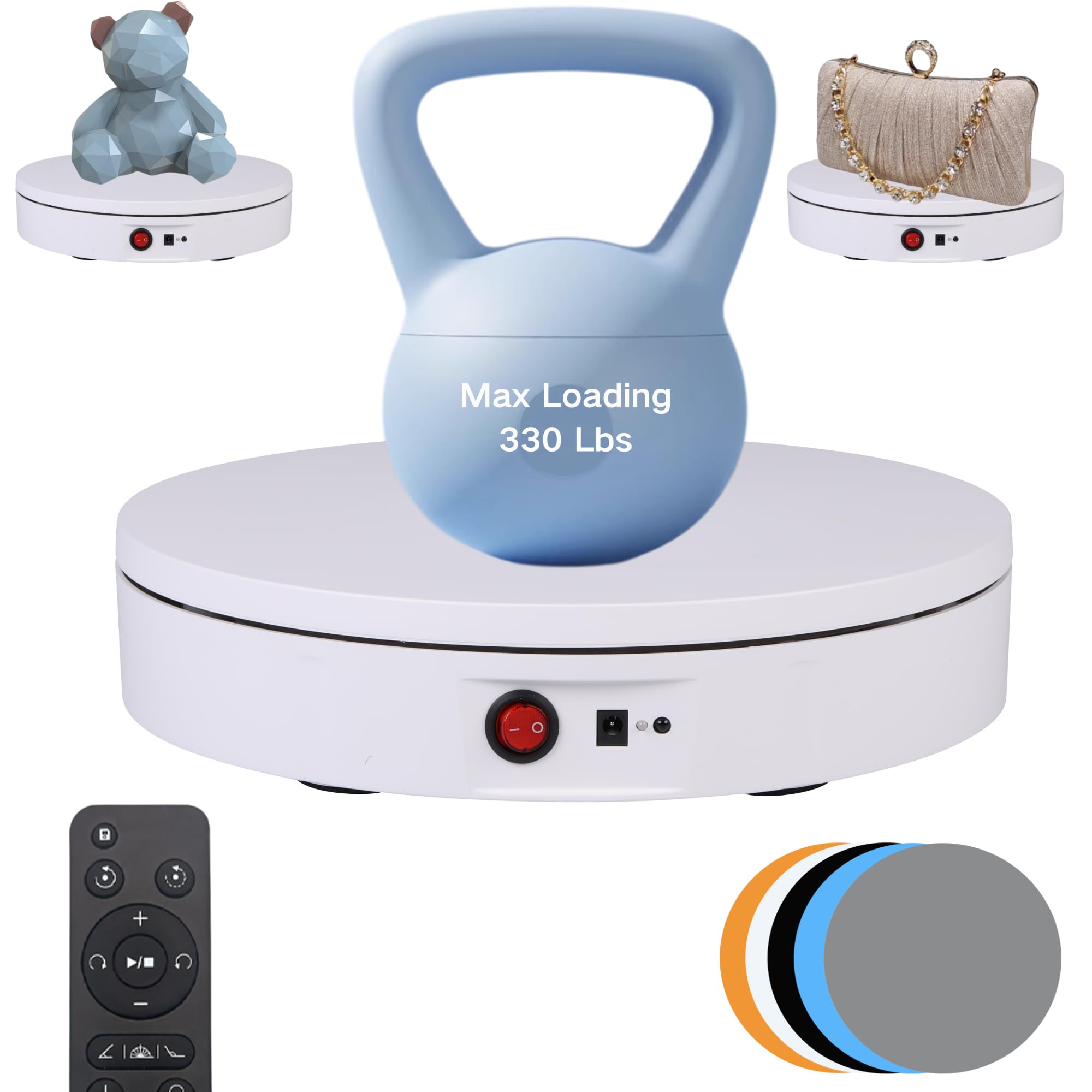
Figure 1: JAYEGT Motorized Rotating Display Stand (8.66-inch, White)
2. Package Contents
- Motorized Rotating Display Stand (8.66-inch diameter)
- Power Adapter (AC110~240V)
- Remote Control
- Instruction Manual
- Multiple colored background discs (e.g., black, blue, gray, white, beige)
3. Features
- 360-Degree Rotation: Provides a complete view of displayed items.
- High Load Capacity: Supports up to 330 lbs (ensure product is centered for maximum load).
- Remote Control Operation: Adjust angle, speed, and direction remotely.
- Adjustable Speed: Rotation speed range from 12 to 35 seconds per revolution.
- Multiple Rotation Modes: Includes continuous rotation, intermittent rotation, and angle circulation modes (45°, 90°, 180°).
- Position Memory: Retains last set position.
- Quiet Operation: Designed for low noise during use.
- Dual Power Options: Can be powered via AC adapter or batteries (batteries not included).
- Non-Slip Base: Equipped with traction discs for stability.

Figure 2: Key Features of the Display Stand
4. Setup
- Unpack: Carefully remove all components from the packaging.
- Placement: Place the display stand on a stable, flat surface. Ensure the non-slip feet on the base are making full contact with the surface.
- Power Connection:
- For wired operation, connect the provided power adapter to the DC 5V input socket on the side of the stand and then plug it into a standard AC110~240V power outlet.
- For battery operation (if applicable to your model), insert the required batteries (not included) into the designated battery compartment.
- Remote Control Setup: Insert 2 AAA batteries (not included) into the remote control.
- Background Discs: If desired, place one of the colored background discs on top of the turntable surface.

Figure 3: Power Switch, DC 5V Socket, and Remote Sensor

Figure 4: Included Colored Background Discs
5. Operating Instructions
The display stand is operated primarily using the remote control. Ensure the remote control is pointed towards the sensor on the stand for optimal response.
5.1 Basic Operation
- Power On/Off: Use the red power switch on the stand to turn it on or off. The remote control can also power the unit on/off.
- Place Product: Carefully place the item you wish to display onto the center of the turntable. For heavy items, ensure they are perfectly centered to maintain balance and prevent motor strain.
- Start/Stop Rotation: Press the 'Play/Pause' button on the remote control to start or stop the rotation.
5.2 Adjusting Rotation
- Direction: Use the directional buttons (left/right arrows) on the remote to switch between clockwise and counter-clockwise rotation.
- Speed: Use the speed adjustment buttons (+/-) to increase or decrease the rotation speed. The speed ranges from 12 seconds per revolution (fastest) to 35 seconds per revolution (slowest).
- Angle Modes: Select specific angle rotation modes using the dedicated buttons on the remote (e.g., 45°, 90°, 180°). In these modes, the turntable will rotate by the selected angle and then pause.
- Continuous/Intermittent: Switch between continuous rotation and intermittent rotation modes as needed.

Figure 5: Using the Display Stand for Product Photography

Figure 6: Examples of Products on the Display Stand
6. Maintenance
- Cleaning: Wipe the surface of the turntable and the stand with a soft, dry cloth. Do not use abrasive cleaners or immerse the unit in water.
- Storage: When not in use, store the display stand in a cool, dry place away from direct sunlight and excessive dust.
- Battery Replacement: Replace remote control batteries when the response becomes sluggish or the remote stops functioning.
- Load Distribution: Always ensure items are centered on the turntable to prevent uneven wear on the motor and internal components.
7. Troubleshooting
- Stand does not turn on:
- Ensure the power adapter is securely connected to both the stand and a working power outlet.
- Verify the main power switch on the stand is in the 'ON' position.
- If using batteries (for models that support it), check if they are correctly inserted and have sufficient charge.
- Remote control is unresponsive:
- Check and replace the batteries in the remote control.
- Ensure there are no obstructions between the remote control and the stand's sensor.
- Point the remote directly at the sensor on the stand.
- Turntable rotation is uneven or jerky:
- Ensure the item on the turntable is centered and its weight is evenly distributed.
- Verify the total weight of the item does not exceed the maximum load capacity of 330 lbs.
- Check for any obstructions around or under the turntable.
- Noise during operation:
- A slight hum is normal for motorized devices.
- If the noise is excessive or unusual, ensure the load is balanced and within limits.
8. Specifications
| Feature | Specification |
|---|---|
| Brand | JAYEGT |
| Model | Motorized Rotating Display Stand (8.66-inch, Wired) |
| Color | White |
| Material | Acrylonitrile Butadiene Styrene (ABS) |
| Diameter | 8.66 inches |
| Max Load Capacity | 330 lbs (when centered) |
| Net Weight | 1.76 Pounds |
| Power Supply | AC110~240V Adapter |
| Speed Range | 12-35 seconds per revolution |
| Rotation Modes | Continuous, Intermittent, 45°/90°/180° Angle Circulation |
9. Warranty and Support
This product comes with a standard manufacturer's warranty. For specific warranty details, please refer to the documentation included with your purchase or contact JAYEGT customer support. If you encounter any issues or have questions regarding the operation or maintenance of your display stand, please reach out to JAYEGT customer service for assistance.