Introduction
Thank you for choosing the VASAGLE ALINRU Computer Writing Desk. This manual provides essential information for the safe assembly, operation, and maintenance of your new desk. Please read these instructions carefully before beginning assembly and retain them for future reference.
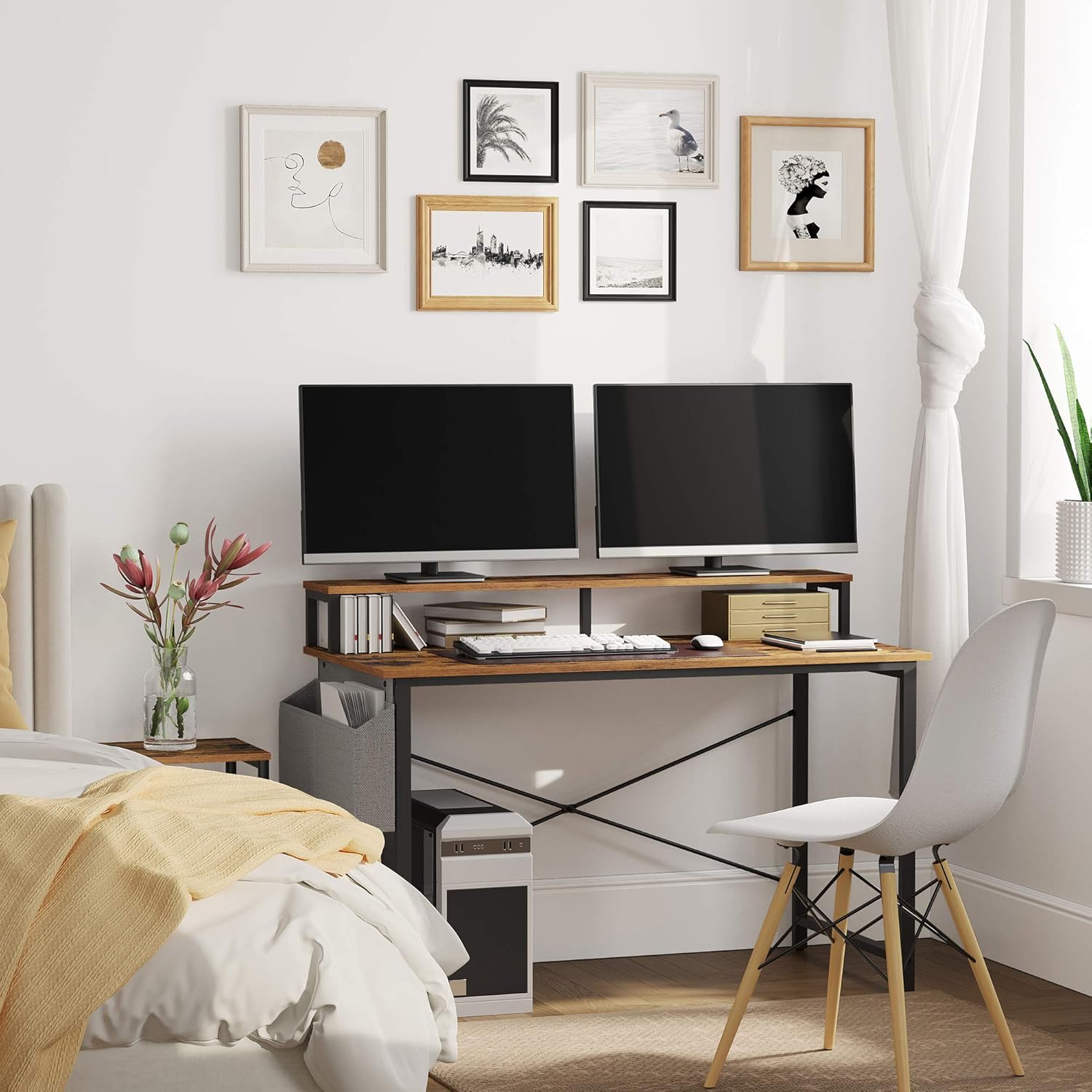
This desk features a rustic brown and black industrial design, a raised monitor stand, a versatile storage bag, and adjustable feet for stability. It is designed to enhance your home office or study space.
Safety Information
- Children are not allowed to climb or play on the product.
- The maximum static load of this product is 110 lb (50 kg). Do not overload the desk beyond this limit.
- Ensure all screws and fasteners are securely tightened before use.
- Place the desk on a level surface to prevent tipping.
Package Contents
Before assembly, please verify that all components listed below are present in your package:
- 1 x Computer Desk (main components)
- 1 x Assembly Kit (includes screws, bolts, and an Allen wrench)
- 1 x Instructions Manual
If any parts are missing or damaged, please contact customer support for assistance.
Specifications
| Brand | VASAGLE |
| Model Number | ULWD082B01 |
| Color | Rustic Brown, Black |
| Material | Particleboard, Steel |
| Product Dimensions (L x W x H) | 47.2" x 23.6" x 35.4" (120 x 60 x 90 cm) |
| Product Weight | 36.8 lb (16.7 kg) |
| Total Max. Static Load | 110 lb (50 kg) |
| Special Features | Monitor Stand, Storage Bag, Adjustable Feet |
Setup and Assembly
Assembly of the VASAGLE ALINRU Computer Writing Desk is designed to be straightforward. Follow the numbered parts and clear instructions provided in the included assembly kit. An Allen wrench is supplied; no additional tools are typically required.
Assembly Overview

This image shows the fully assembled VASAGLE ALINRU Computer Writing Desk, highlighting its rustic brown tabletop, black steel frame, integrated monitor stand, and a grey fabric storage bag attached to the side. The desk is set up in a home office environment with a computer monitor and accessories.
Key Assembly Steps
- Unpack and Identify Parts: Lay out all components and hardware. Refer to the parts list in your assembly manual to ensure everything is present.
- Assemble the Frame: Connect the steel frame components using the provided screws and Allen wrench. Ensure all connections are firm.
- Attach the Desktop: Secure the rustic brown particleboard desktop to the assembled frame.
- Install the Monitor Stand: Attach the elevated monitor shelf to the desktop. This shelf is designed to raise your screen by 5.7 inches for improved ergonomics.
- Position the Storage Bag: The fabric storage bag can be installed on either the left or right side of the desk, according to your preference. Secure it using the designated attachment points.
- Adjust the Feet: Once the desk is assembled and placed in its desired location, adjust the leveling feet at the bottom of the legs to ensure the desk is stable and balanced on uneven floors.
Visual Guide for Assembly
This image provides a detailed diagram of the desk's dimensions, including the overall length (47.2"), width (23.6"), height (35.4"), and the monitor stand's height (5.7") and depth (7.8"). It also shows the placement of the storage bag.

This image illustrates the flexibility of the storage bag placement, showing the desk with the bag attached to the left side and an alternative view with the bag attached to the right side. This allows users to customize the desk to their workspace needs.

A close-up view of the grey fabric storage bag, demonstrating its capacity to hold items like books, notebooks, and other office supplies, keeping the desktop clear and organized.
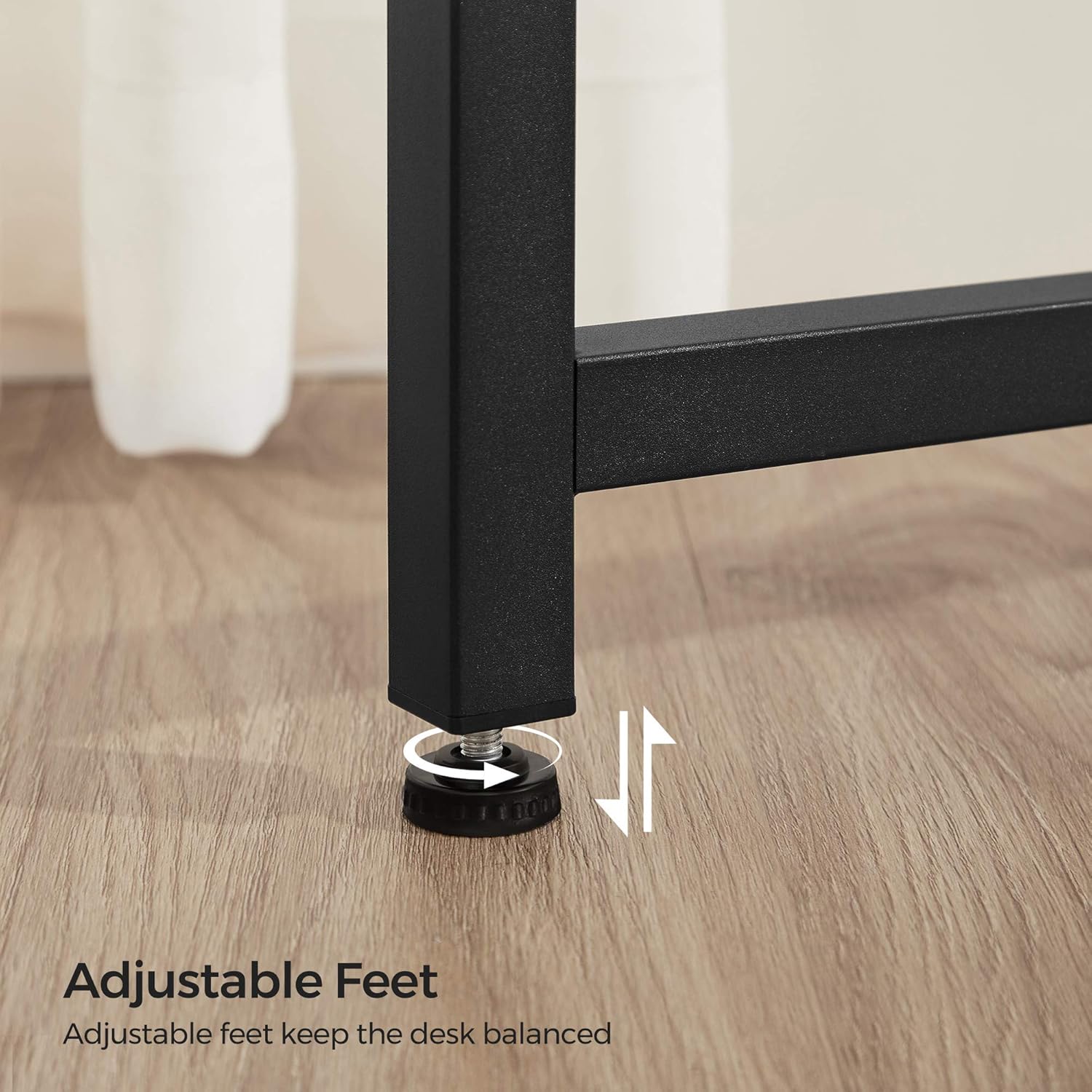
This image focuses on the adjustable feet at the base of the desk legs, showing how they can be rotated to compensate for uneven floor surfaces, ensuring the desk remains stable and level.
Assembly Video
This video provides a visual overview of the VASAGLE ALINRU Computer Writing Desk, showcasing its features and design. While not a step-by-step assembly guide, it offers a dynamic perspective on the product and its components, which can be helpful during the setup process.
Operating Instructions
Using the Monitor Stand
The integrated monitor stand elevates your screen by 5.7 inches, promoting a healthier posture by allowing you to view your monitor at eye level. This helps reduce neck and back strain during long working sessions. The space beneath the stand can be used for storing books, documents, or other small office items.

This image illustrates the ergonomic benefit of the monitor stand, showing a user maintaining a correct posture with their monitor elevated to eye level, preventing neck and back pain.
Utilizing the Storage Bag
The fabric storage bag provides convenient additional space for organizing your notepad, phone, sticky notes, USB drives, and other small essentials. It can be installed on either the left or right side of the desk to best suit your workflow and space configuration.
Ensuring Stability with Adjustable Feet
The desk is equipped with adjustable feet. After placing the desk in its final position, rotate these feet to fine-tune the height of each leg. This compensates for any unevenness in your floor, ensuring the desk remains perfectly level and stable, preventing wobbling during use.
Maintenance
- Cleaning: Wipe the desk surfaces with a soft, damp cloth. Avoid using abrasive cleaners or harsh chemicals, as these can damage the finish.
- Spills: Clean up spills immediately to prevent staining, especially on the particleboard surfaces.
- Fasteners: Periodically check all screws and bolts to ensure they remain tight. Re-tighten if necessary to maintain structural integrity and stability.
- Placement: Avoid placing the desk in direct sunlight or near heat sources, which can cause material degradation or discoloration over time.
Troubleshooting
Desk Wobbles
- Check Adjustable Feet: Ensure all four adjustable feet are making firm contact with the floor. Rotate them to extend or retract until the desk is stable.
- Tighten Screws: Verify that all assembly screws, especially those connecting the frame and desktop, are fully tightened. Loose connections can cause instability.
- Level Surface: Confirm the desk is placed on a flat, level surface.
Missing or Damaged Parts
- If you discover any missing or damaged parts upon opening the package, please do not proceed with assembly. Contact VASAGLE customer support immediately for replacement parts.
Warranty Information
Specific warranty details for the VASAGLE ALINRU Computer Writing Desk are typically provided with your purchase documentation or can be found on the official VASAGLE website. Please refer to these resources for information regarding warranty coverage, terms, and conditions.
Customer Support
For any questions, concerns, or assistance with your VASAGLE ALINRU Computer Writing Desk, please contact VASAGLE customer support. You can typically find contact information on the manufacturer's website or within your product packaging.
We are committed to providing quality products and support to ensure your satisfaction.