
1. Introduction
This manual provides detailed instructions for the safe and effective use of your Prtukyt 8S Over Ear Wireless Headphones. Please read this manual thoroughly before using the product and retain it for future reference.
The Prtukyt 8S headphones offer a versatile audio experience with both wireless Bluetooth 5.0 connectivity and a wired option. Key features include up to 52 hours of playtime, 6 EQ sound modes, a built-in microphone for calls, and a foldable design for portability.
2. Package Contents
Ensure all items are present in the package:
- Prtukyt 8S Over Ear Wireless Headphones
- USB Charging Cable
- 3.5mm Audio Cable
- User Manual (this document)
3. Product Overview and Controls
Familiarize yourself with the headphone components and control buttons.

Image: Detailed diagram of the Prtukyt 8S Wireless Headphones showing control buttons, indicator lights, and ports.
- Previous Track / Volume Down: Short press for previous track, long press to decrease volume.
- Bluetooth Mode / FM Mode: (Note: FM mode functionality is not specified in product details, focus on Bluetooth).
- Equalizer (EQ): Press to cycle through 6 different sound equalization modes.
- Play / Pause / Answer / Hang Up: Press once to play/pause music or answer/end a call.
- Next Track / Volume Up: Short press for next track, long press to increase volume.
- Indicator Light: Displays charging status (Red) and Bluetooth pairing/connection status (Blue/Red for pairing, Blue for connected, Red for charging).
- TF Card Slot: (Note: TF card functionality is not specified in product details).
- Power ON / OFF: Slide switch to turn headphones on or off.
- Microphone: Built-in for hands-free calls.
- Micro Charging Port: For connecting the USB charging cable.
- 3.5mm AUX Plug-in Port: For wired audio connection.

Image: Front view of the Prtukyt 8S Wireless Headphones in grey, highlighting the over-ear design and integrated controls.
4. Setup
4.1 Charging the Headphones
Before first use, fully charge the headphones. Connect the USB charging cable to the Micro Charging Port on the headphones and the other end to a USB power source (e.g., computer, wall adapter).
- The indicator light will be RED during charging.
- The indicator light will turn BLUE when charging is complete.
- A full charge typically takes 2-3 hours.
- The headphones provide up to 52 hours of continuous music or talk time on a full charge.

Image: Graphic illustrating the 52-hour battery life of the Prtukyt 8S Wireless Headphones.
4.2 Bluetooth Pairing
To connect your headphones wirelessly:
- Ensure the headphones are charged.
- Slide the Power ON/OFF switch to the "ON" position. The indicator light will flash BLUE and RED alternately, indicating pairing mode.
- On your device (smartphone, tablet, computer), enable Bluetooth and search for available devices.
- Select "Prtukyt 8S" (or similar name) from the list of found devices.
- Once connected, the indicator light will flash BLUE slowly.
The headphones utilize Bluetooth 5.0 technology for stable and efficient wireless connection.
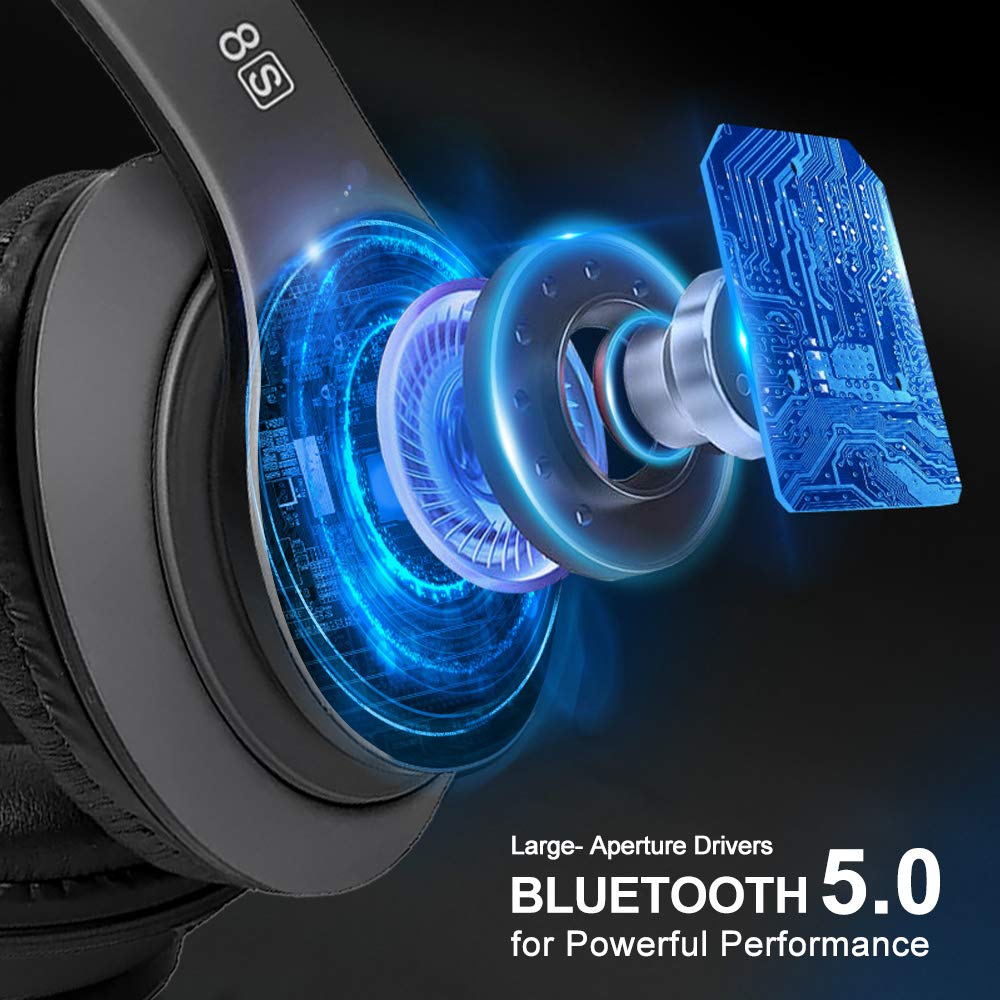
Image: Internal view of the Prtukyt 8S headphones highlighting large-aperture drivers and Bluetooth 5.0 technology for powerful performance.
5. Operating Instructions
5.1 Power On/Off
- Power On: Slide the Power ON/OFF switch to "ON".
- Power Off: Slide the Power ON/OFF switch to "OFF".
5.2 Music Playback
- Play/Pause: Press the Play/Pause button once.
- Next Track: Short press the Next Track / Volume Up button.
- Previous Track: Short press the Previous Track / Volume Down button.
- Volume Up: Long press the Next Track / Volume Up button.
- Volume Down: Long press the Previous Track / Volume Down button.
5.3 Equalizer (EQ) Modes
Press the EQ button to cycle through 6 different sound equalization modes, allowing you to customize the audio output to your preference.
5.4 Hands-Free Calling
The built-in microphone allows for hands-free communication when connected via Bluetooth.
- Answer Call: Press the Answer/Hang Up button once.
- End Call: Press the Answer/Hang Up button once during a call.
- Reject Call: Long press the Answer/Hang Up button.
5.5 Wired Mode
When the battery is depleted or if you prefer a wired connection, use the included 3.5mm audio cable.
- Plug one end of the 3.5mm audio cable into the 3.5mm AUX Plug-in Port on the headphones.
- Plug the other end into the 3.5mm audio jack of your audio source device.
Note: In wired mode, the headphone buttons (play/pause, volume, track control, EQ) will not function. All controls must be managed directly from your connected audio source device.

Image: Illustration of the Prtukyt 8S headphones' dual connectivity, highlighting wireless Bluetooth and wired (3.5mm audio cable) options.
6. Maintenance
- Clean the headphones with a soft, dry cloth. Do not use abrasive cleaners or solvents.
- Avoid exposing the headphones to extreme temperatures, humidity, or direct sunlight.
- Store the headphones in a cool, dry place when not in use. The foldable design aids in compact storage.
- Do not attempt to disassemble or modify the headphones, as this will void the warranty and may cause damage.
- Keep the charging port and 3.5mm jack free of dust and debris.
7. Troubleshooting
| Problem | Solution |
|---|---|
| Headphones do not power on. | Ensure the headphones are charged. Connect to a power source using the USB cable. |
| Cannot pair via Bluetooth. |
|
| No sound in wireless mode. |
|
| No sound in wired mode. |
|
| Poor call quality. |
|
8. Specifications
| Feature | Detail |
|---|---|
| Model Name | 8S Over Ear |
| Connectivity Technology | Wired, Wireless (Bluetooth 5.0) |
| Headphones Jack | 3.5 mm Jack |
| Audio Driver Type | Dynamic Driver (57mm large-aperture) |
| Battery Life | Up to 52 Hours |
| Charging Time | Approx. 2-3 Hours |
| Battery Type | Lithium Polymer (Rechargeable) |
| Microphone | Built-In |
| Control Method | Touch (Buttons) |
| Material | Leather (earcups) |
| Item Weight | 210 Grams |
| Special Features | Foldable, High fidelity, Lightweight, 6 EQ Modes |
| Compatible Devices | Devices with 3.5 mm Audio Jack, Bluetooth-enabled Devices |
9. Warranty and Support
Prtukyt products are designed and manufactured to the highest quality standards. For warranty information or technical support, please refer to the warranty card included in your package or contact Prtukyt customer service through the retailer where the product was purchased.
Please retain your proof of purchase for warranty claims.