
Prominence Home 51640-01
Prominence Home Potomac Smart Ceiling Fan User Manual
Model: 51640-01 | Brand: Prominence Home
Introduction
This manual provides detailed instructions for the installation, operation, and maintenance of your Prominence Home Potomac Smart Ceiling Fan (Model 51640-01). This 52-inch smart ceiling fan integrates modern design with advanced technology, offering control via voice, remote, or the FansIO app. Please read these instructions thoroughly before installation and use to ensure safe and efficient operation.
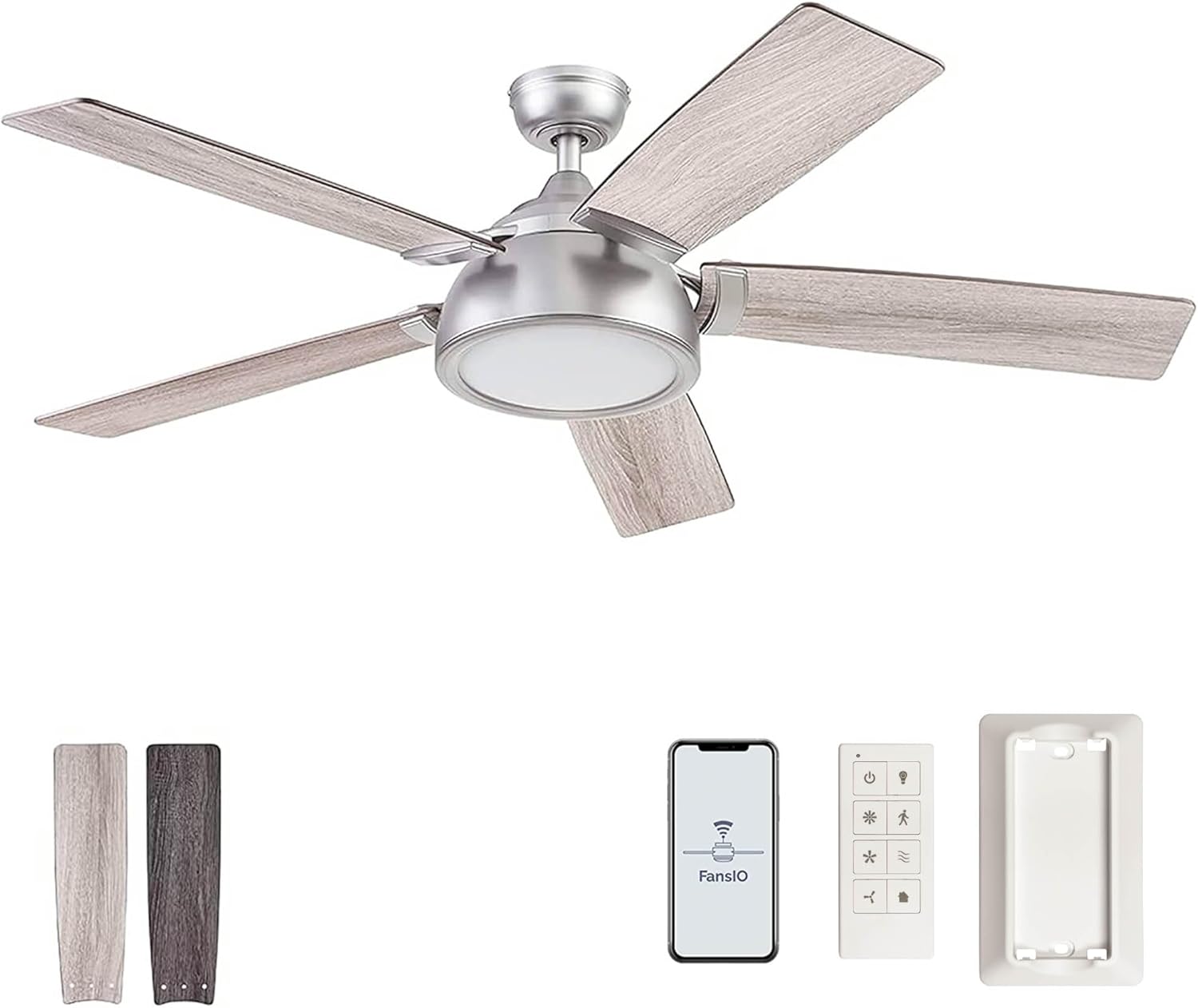
Image: The Prominence Home Potomac Smart Ceiling Fan, featuring a pewter finish and light gray wood-tone blades, with an integrated LED light kit.
Safety Information
- Always disconnect power at the circuit breaker before installation or servicing.
- Ensure all electrical connections comply with local codes and ordinances.
- This fan is ETL dry-rated and designed for indoor use only. Do not install in damp or wet locations.
- Mount the fan to a ceiling joist or support structure capable of supporting the fan's weight.
- Do not insert objects into the path of the fan blades.
- Consult a qualified electrician if you are unsure about wiring procedures.
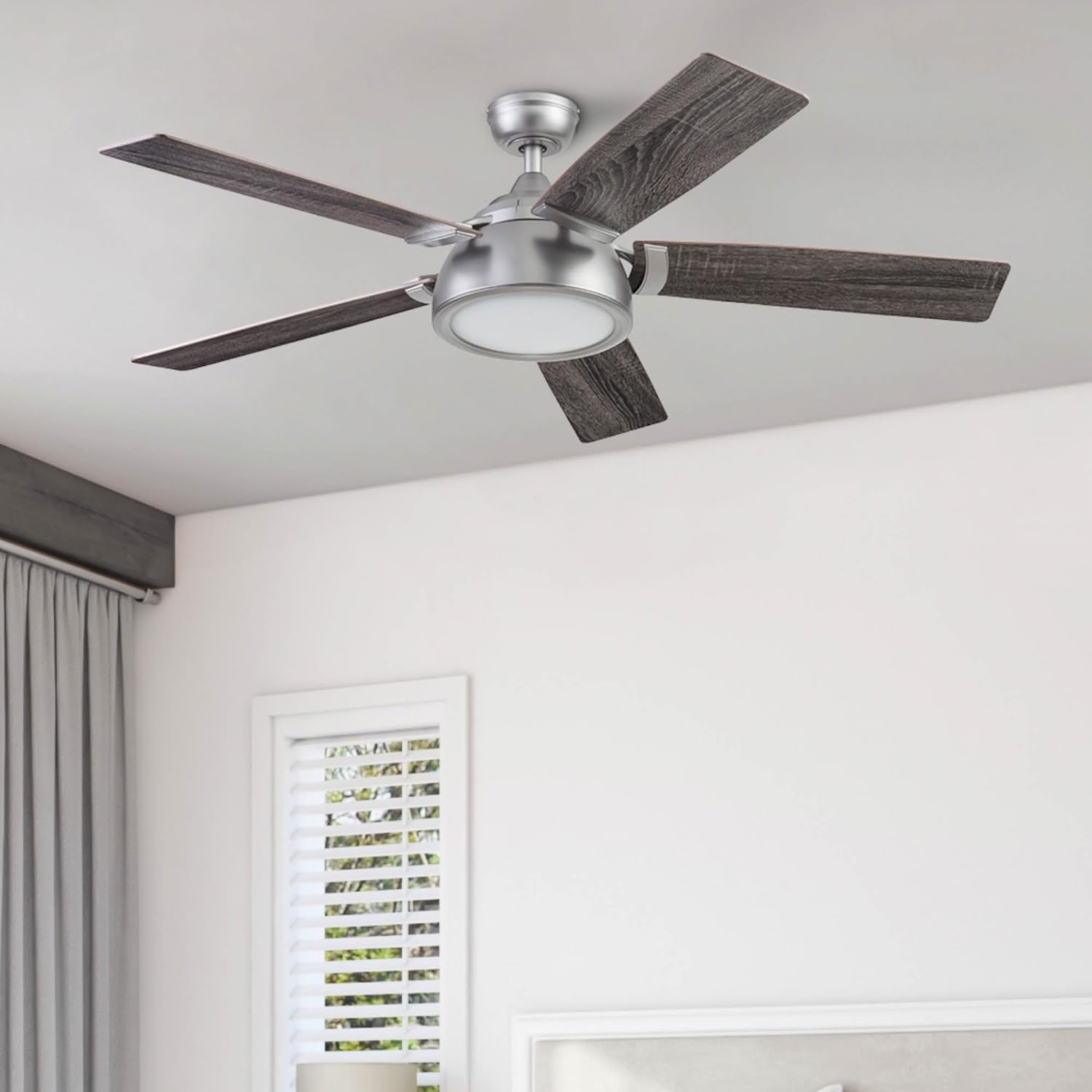
Image: Certifications indicating compliance with safety and environmental standards, including ETL, DOE, and CA CEPA/CARB regulations.
Package Contents
Verify that all components are present before beginning installation:
- Blade Irons
- Blades (5)
- Hardware Pack
- Light Kit
- Owner's Manual (this document)
- Remote Control
- 4-inch Downrod
Setup and Installation
Mounting Options
The Prominence Home Potomac fan supports dual mounting options:
- Standard Downrod Mount: Utilizes the included 4-inch downrod.
- Angled Ceiling Mount: Suitable for sloped ceilings. An angle bracket for angles greater than 17 degrees is sold separately.
- Flush Mount: This fan can also be flush mounted directly to the ceiling without the 4-inch downrod, which is ideal for rooms with lower ceilings.
Wiring and Assembly
Follow the detailed wiring diagram provided in the separate installation guide. Ensure all wires are securely connected and properly housed within the canopy. The smart fan controller requires careful placement within the electrical box.
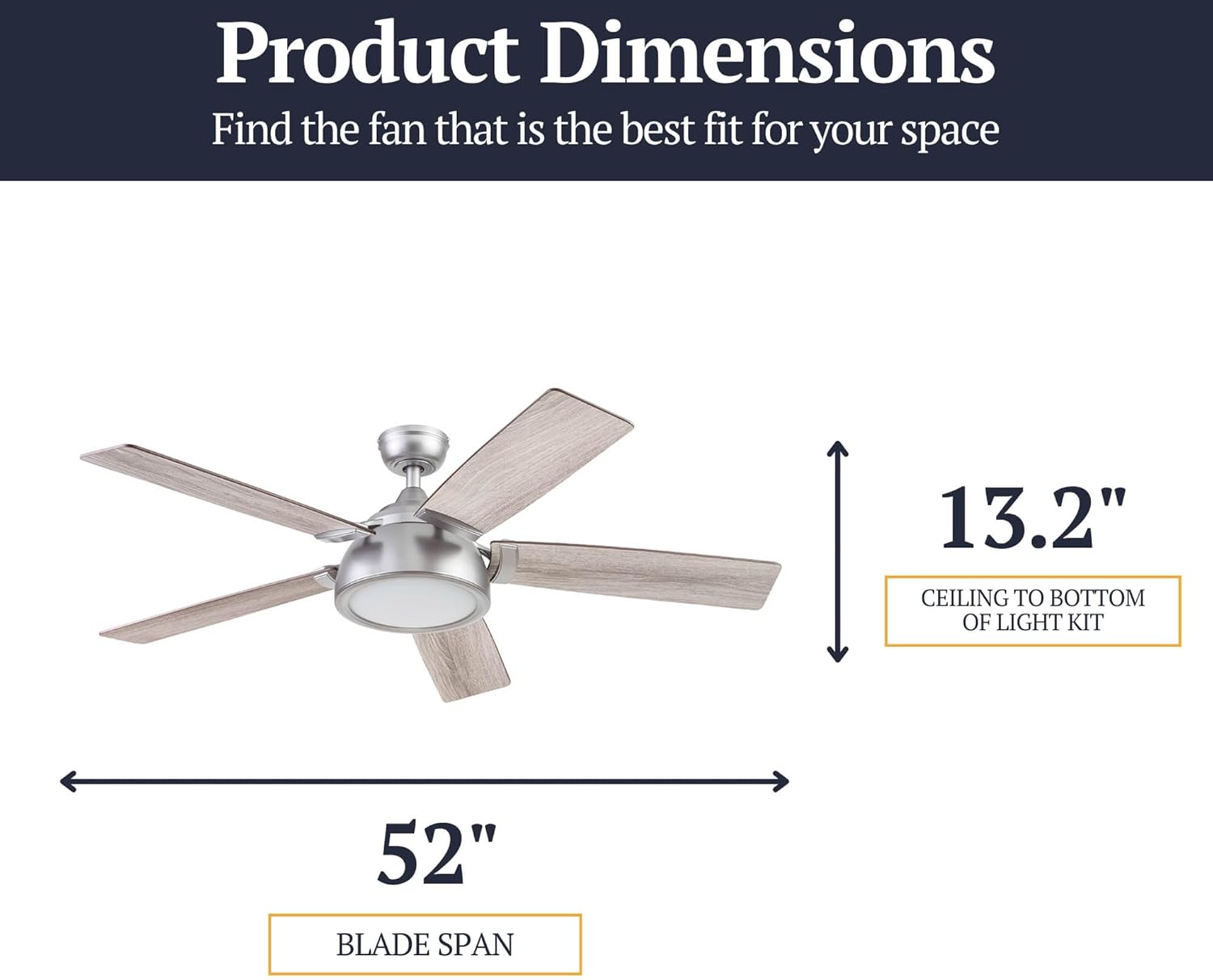
Image: Diagram illustrating the dimensions of the fan: 52-inch blade span and 13.2 inches from the ceiling to the bottom of the light kit.

Image: Guide for selecting the appropriate fan size based on room dimensions: Small Room (up to 32-in fan), Medium Room (32-in to 48-in fan), Large Room (48-in to 58-in fan). This 52-inch fan is suitable for large rooms.
Operating Instructions
Control Options
Your Prominence Home Potomac Smart Ceiling Fan can be controlled in three ways:
- Remote Control: Use the included handheld remote.
- Smartphone App: Download the FansIO app from the App Store or Google Play.
- Voice Control: Compatible with Amazon Alexa and Google Assistant.

Image: Illustration of the three control methods: a handheld remote, voice commands via a smart speaker (Alexa), and the FansIO smartphone application.
Remote Control Functions
The included remote control allows for direct operation of the fan and light. A wall dock is also included for convenient storage.

Image: Detailed view of the remote control, showing buttons for Power Indicator, Power Fan On/Off, High Speed, Medium Speed, Low Speed, Light On/Off (hold to dim), Walk Away Light Delay, Variable Breeze, and HomeShield (simulates occupancy).
- Power Fan On/Off: Turns the fan on or off.
- Light On/Off: Press to toggle the light. Hold to dim the light from 10% to 100%.
- Fan Speed: Buttons for High, Medium, and Low fan speeds.
- Walk Away Light Delay: Delays light off for one minute.
- Variable Breeze: Simulates a natural breeze by varying fan speed.
- HomeShield™: Simulates occupancy while away from home.
FansIO App Control
The FansIO app provides advanced control features:
- Remote control of fan speed and light dimming.
- Set fan schedules.
- Utilize sleep timers and light timers.
- Access seasonal reminders to change fan direction.
Note: For initial setup and pairing, ensure your Wi-Fi network is set to 2.4 GHz. Some users may need to temporarily set their phone's Wi-Fi to 2.4 GHz for successful pairing.
Voice Control
Integrate your fan with Amazon Alexa or Google Assistant for convenient voice commands. Link the FansIO app to your smart home platform. You can typically turn the fan and light on/off and dim the light using voice commands.
Reversible Motor Function
The fan features a quiet, 3-speed reversible motor to optimize air circulation year-round. A physical switch on the fan housing allows you to change the direction of the blades.
- Summer Mode (Counter-clockwise): Creates a downward airflow, producing a cooling effect.
- Winter Mode (Clockwise): Creates an upward airflow, circulating warm air trapped near the ceiling.

Image: Illustration demonstrating the reversible motor's function: in winter, it circulates warm air upwards; in summer, it creates a downward breeze for cooling.
Integrated LED Light Kit
The fan includes an integrated 6-inch LED light board providing 19.5 watts and 1600 lumens. The light has a color temperature of 3000K and is dimmable from 10% to 100% via the remote or app.
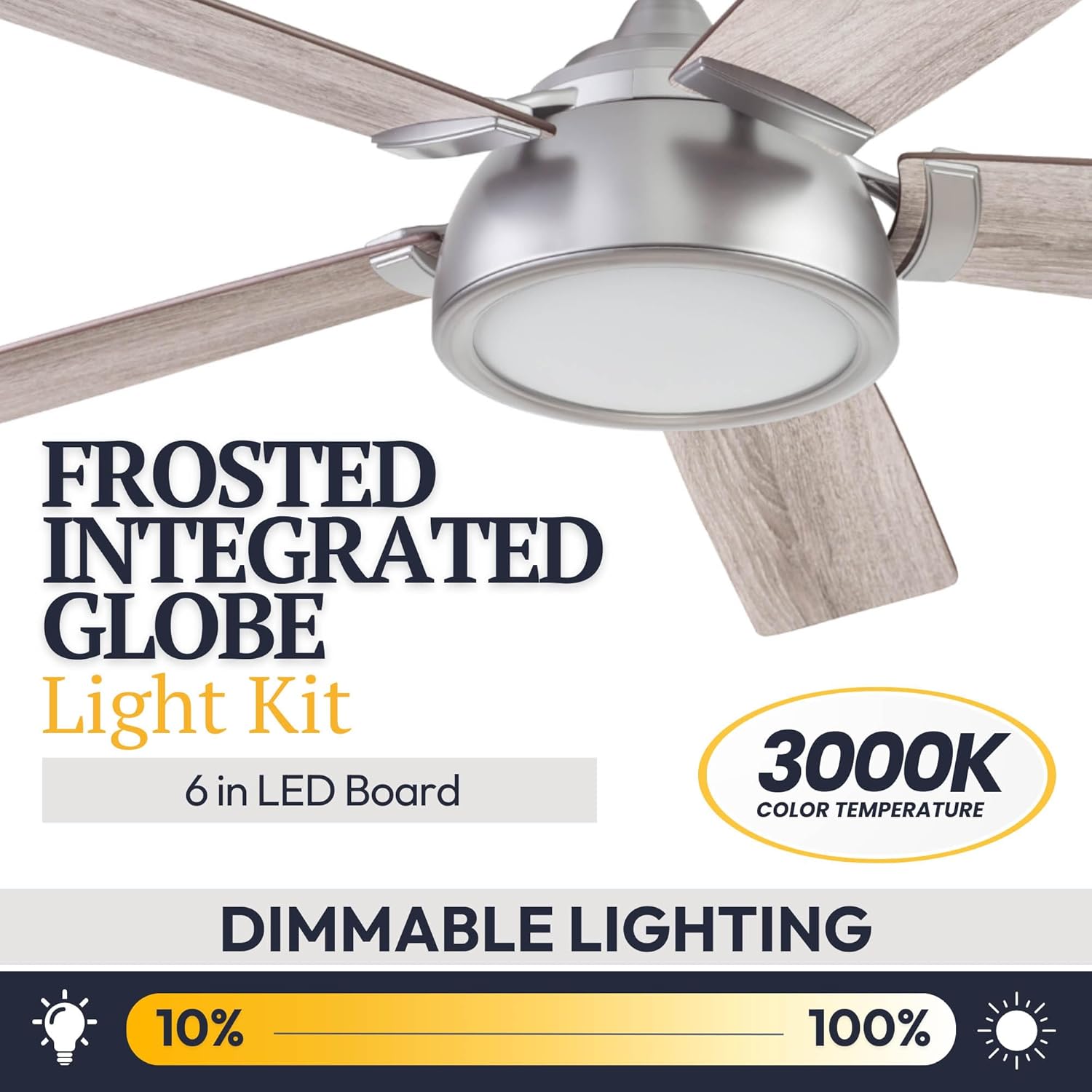
Image: Close-up of the frosted integrated globe light kit, highlighting its 6-inch LED board, 3000K color temperature, and dimmable range from 10% to 100%.
Reversible Blades
The fan blades feature a dual-finish design, allowing you to choose between Gray Oak and Coal finishes to match your decor.

Image: Comparison of the reversible fan blades, displaying one side in Gray Oak finish and the other in Coal finish.
Maintenance
- Cleaning: Periodically clean the fan and blades with a soft, damp cloth. Do not use abrasive cleaners or solvents.
- Blade Balance: If the fan wobbles, ensure all blade screws are tightened. A balancing kit (not included) can be used if wobbling persists.
- Light Kit: The integrated LED light board is designed for long life and typically does not require replacement.
Troubleshooting
| Problem | Possible Cause | Solution |
|---|---|---|
| Fan does not operate. | No power, loose wiring, remote battery dead. | Check circuit breaker. Ensure all wiring connections are secure. Replace remote battery. |
| Light does not turn on. | No power, loose wiring, LED board issue. | Check power. Verify wiring. Contact support if LED board is suspected. |
| Fan wobbles. | Loose blade screws, unbalanced blades, improper mounting. | Tighten all blade screws. Ensure mounting bracket is secure. Use a balancing kit if necessary. |
| Cannot connect to FansIO app or smart assistant. | Incorrect Wi-Fi band, pairing issue. | Ensure your Wi-Fi network is 2.4 GHz. Temporarily set your phone to 2.4 GHz for pairing. Follow app pairing instructions carefully. If issues persist, try resetting the fan's Wi-Fi module (refer to the full installation guide for specific steps). |
| Remote not responding. | Dead battery, remote not paired. | Replace the remote battery (Lithium). Refer to the full installation guide for remote pairing instructions. |
Specifications
| Feature | Detail |
|---|---|
| Model Number | 51640-01 |
| Brand | Prominence Home |
| Size (Blade Span) | 52 inches |
| Color | Pewter |
| Material | Metal, Wood Laminate, Glass |
| Power Source | AC |
| Voltage | 120 Volts |
| Light Type | Integrated LED (6-inch board) |
| Light Wattage | 19.5 watts |
| Brightness | 1600 Lumens (Dimmable 10%-100%) |
| Color Temperature | 3000K |
| Mounting Type | Downrod Mount (4-inch downrod included), Angled Mount, Flush Mount |
| Certification | ETL Dry-Rated |
| Controller Type | Remote Control, App Control (FansIO), Voice Control (Alexa, Google Assistant) |
| Item Weight | 9.84 kg |
Warranty and Support
Limited Lifetime Warranty
This Prominence Home ceiling fan is backed by a Limited Lifetime Warranty provided by the manufacturer. Please refer to the warranty card included with your product for specific terms and conditions.
Customer Support
For technical assistance, troubleshooting not covered in this manual, or warranty claims, please contact Prominence Home customer support. Contact information can typically be found on the manufacturer's website or on the product packaging.
Ask a question about this manual
Ask about setup, troubleshooting, compatibility, parts, safety, or missing instructions. Manuals+ will review the question and use this page’s manual context to help answer it.