
XML Battery XML-746RCB-4BC
XML Battery 7.4V 600mAh Li-ion Battery Pack User Manual
For UD08, UDI001, UDI008 RC Racing Boats
Introduction
This manual provides essential instructions for the safe and effective use of your XML Battery 7.4V 600mAh Li-ion Battery Pack. Designed for specific RC racing boat models including UD08, UDI001, and UDI008, this battery pack ensures reliable power for your remote-controlled watercraft. Please read this manual thoroughly before initial use to ensure proper operation and longevity of your battery.
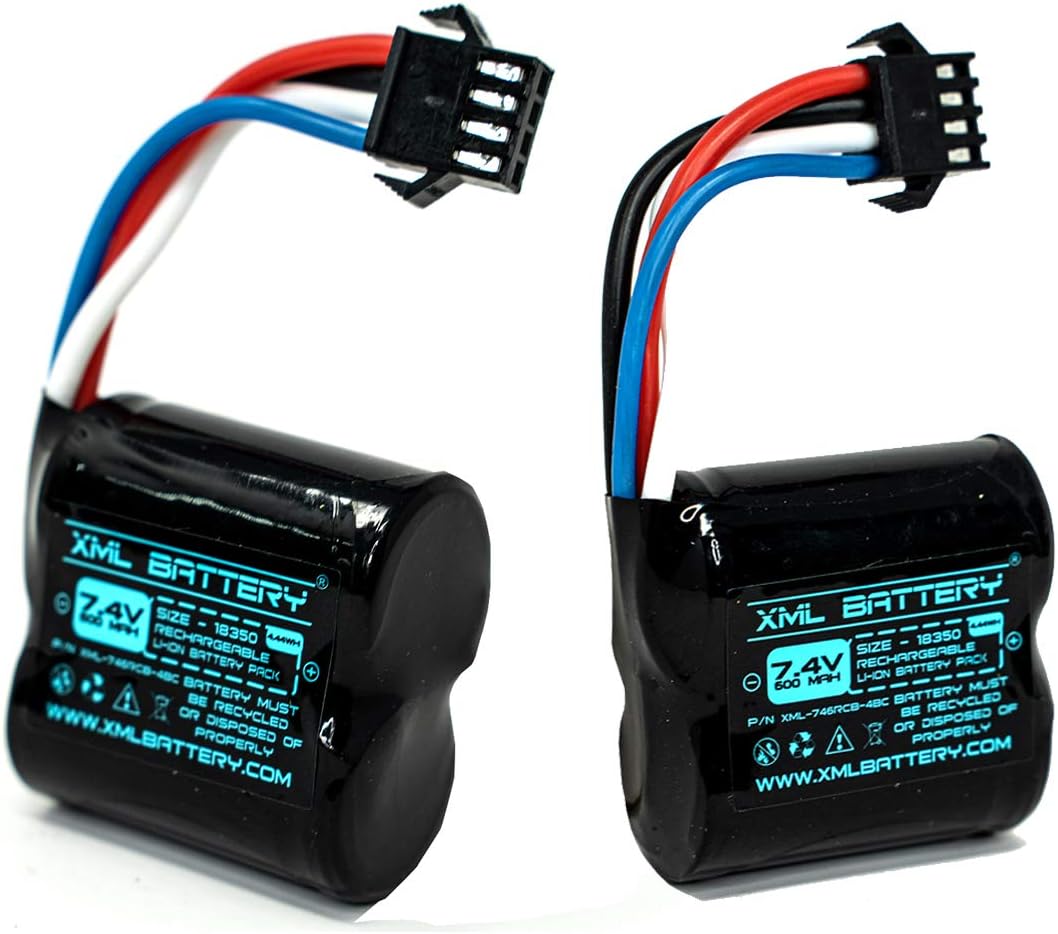
Image: Two XML Battery 7.4V 600mAh Li-ion Battery Packs, showcasing their compact design and wiring.
Safety Information
Lithium-ion batteries require careful handling. Adhere to the following safety guidelines:
- Do not disassemble, puncture, short-circuit, or expose the battery to extreme temperatures (above 60°C / 140°F or below 0°C / 32°F).
- Use only chargers specifically designed for 7.4V Li-ion batteries. Using an incompatible charger can cause fire or explosion.
- Do not charge unattended. Always charge on a non-flammable surface away from combustible materials.
- If the battery shows signs of damage, swelling, or leakage, discontinue use immediately and dispose of it properly.
- Keep batteries out of reach of children and pets.
- Do not immerse the battery in water.
- Recycle used batteries according to local regulations.
Setup and Charging
Initial Charging
Before first use, fully charge the battery pack. Connect the battery to a compatible 7.4V Li-ion battery charger. Follow the charger's instructions for proper charging procedures. Charging time may vary depending on the charger's output and the battery's initial charge level.
Battery Installation
- Ensure your RC boat is powered off.
- Locate the battery compartment on your RC boat (UD08, UDI001, or UDI008).
- Carefully insert the XML Battery 7.4V 600mAh Li-ion Battery Pack into the compartment.
- Connect the battery's SM-4P plug to the corresponding connector in the RC boat. Ensure the connection is secure and correctly oriented to avoid damage.
- Close the battery compartment securely.

Image: A single XML Battery 7.4V 600mAh Li-ion Battery Pack, highlighting the SM-4P connector for proper installation.
Operating Instructions
Once the battery is installed and fully charged, you can operate your RC boat.
- Power on your RC boat and its remote control.
- Perform a range check to ensure proper communication between the remote and the boat.
- Operate the boat according to its specific instruction manual.
- Monitor battery performance during operation. Reduced speed or responsiveness indicates a low battery.
- Avoid completely draining the battery, as this can shorten its lifespan.
Maintenance and Storage
Battery Care
- After each use, allow the battery to cool down before recharging.
- Clean battery contacts periodically with a dry cloth to ensure good conductivity.
- Inspect the battery for any physical damage before and after each use.
Storage
- For long-term storage, charge the battery to approximately 50-60% of its capacity. Do not store fully charged or fully discharged.
- Store the battery in a cool, dry place, away from direct sunlight and extreme temperatures.
- Remove the battery from the RC boat if it will not be used for an extended period.

Image: A gloved hand holding the XML Battery, illustrating its manageable size for handling and storage.
Troubleshooting
| Problem | Possible Cause | Solution |
|---|---|---|
| Battery not charging | Incorrect charger, loose connection, damaged battery/charger. | Ensure charger is compatible and connected properly. Inspect battery and charger for damage. Replace if necessary. |
| Short run time | Battery not fully charged, aging battery, extreme operating conditions. | Ensure full charge. Consider battery replacement if run time significantly decreases. Avoid operating in very cold conditions. |
| Battery swelling/overheating | Overcharging, internal damage, short circuit. | Immediately discontinue use and safely dispose of the battery. Do not attempt to charge or use a swollen battery. |
Specifications

Image: Detailed specifications table for the XML Battery 7.4V 600mAh Li-ion Battery Pack.
| Feature | Detail |
|---|---|
| Voltage | 7.4V |
| Capacity | 600mAh |
| Battery Chemistry | Lithium-ion |
| Connector Type | SM-4P Plug |
| Cell Size | 18350 |
| Dimensions (L x W x H) | 1.5" x 1.4" x 0.75" (38.1mm x 35.6mm x 19.1mm) |
| Weight | Approximately 43.5g / 1.53 oz |
| Part Number | XML-746RCB-4BC |
Compatibility
This XML Battery 7.4V 600mAh Li-ion Battery Pack is compatible with the following RC Racing Boat models:
- UD08 RC Boat
- UDI001 Venom RC Boat
- UDI008 Venom RC Boat
Always verify the battery specifications and connector type of your device before purchasing to ensure compatibility.

Image: Visual representation of the XML Battery pack and its compatibility with Venom UD101 and UD08 RC boats, as depicted.
Support and Warranty
For technical support or warranty inquiries, please refer to the contact information provided with your purchase or visit the official XML Battery website. Keep your proof of purchase for warranty claims.
Ask a question about this manual
Ask about setup, troubleshooting, compatibility, parts, safety, or missing instructions. Manuals+ will review the question and use this page’s manual context to help answer it.