
HOMIDEC 55-inch Computer Desk with Drawers (Model B08N4XKGLB)
HOMIDEC 55-inch Computer Desk with Drawers User Manual
Model: B08N4XKGLB
1. Introduction
Thank you for choosing the HOMIDEC 55-inch Computer Desk with Drawers. This desk is designed to provide a functional and stylish workspace for your home office, study, or bedroom. Featuring a spacious E1 grade solid particle wood board tabletop, a sturdy steel frame, and integrated storage solutions, it offers durability and convenience. This manual provides essential information for assembly, operation, maintenance, and troubleshooting to ensure optimal use and longevity of your desk.

Figure 1.1: The HOMIDEC 55-inch Computer Desk with Drawers, showcasing its spacious white tabletop, black metal frame, and integrated gray fabric drawers.
2. Important Safety Information
Please read and understand all safety instructions before assembling or using the desk. Failure to follow these instructions may result in injury or damage to the product.
- Always follow the assembly instructions carefully. Ensure all components are securely fastened before use.
- Ensure the desk is fully assembled and stable on a level surface before placing any items on it.
- Do not exceed the maximum weight limit of 110 kg (242.5 lbs) for the desk surface.
- Keep small parts and packaging materials away from children to prevent choking hazards.
- Avoid placing hot items directly on the desk surface without protection.
- Do not stand or sit on the desk.
3. Components List
Before beginning assembly, verify that all parts are present and undamaged. Refer to the detailed instruction manual included in the packaging for a complete list of hardware and components. Typical components include:
- Desktop Panels (Main and Side)
- Metal Frame Legs and Support Beams
- Storage Shelf Panels
- Fabric Drawers (2 units)
- Adjustable Leg Pads
- Iron Hook
- Assembly Hardware (screws, bolts, Allen wrench)

Figure 3.1: Key features of the desk, including the convenient iron hook for headphones or bags, enhanced structural metal supports for stability, and adjustable leg pads to ensure stability on uneven floors.
4. Setup and Assembly
Assembly of the HOMIDEC desk is designed to be straightforward. It is recommended to assemble the desk with two people, though it can be done by one. All necessary tools are included.
4.1. Preparation
- Unpack all components and lay them out on a clean, soft surface (e.g., a blanket or cardboard) to prevent scratches.
- Identify all parts and hardware using the included instruction manual.
4.2. Assembly Steps
- Assemble the Metal Frame: Connect the main leg frames and support beams using the provided screws. Do not fully tighten screws until all parts are aligned.
- Attach the Desktop Panels: Secure the main desktop panel and the side desktop panel to the assembled metal frame. Ensure the panels are flush and aligned.
- Install Storage Shelves: Attach the lower storage shelf to the designated frame sections.
- Insert Fabric Drawers: Place the two fabric drawers into their respective compartments.
- Attach Iron Hook: Secure the iron hook to the side of the desk frame as desired.
- Adjust Leg Pads: Once the desk is upright, adjust the leg pads at the bottom of each leg to ensure the desk is stable and level on your floor.
- Final Tightening: Once all components are in place and aligned, carefully tighten all screws to secure the desk structure.
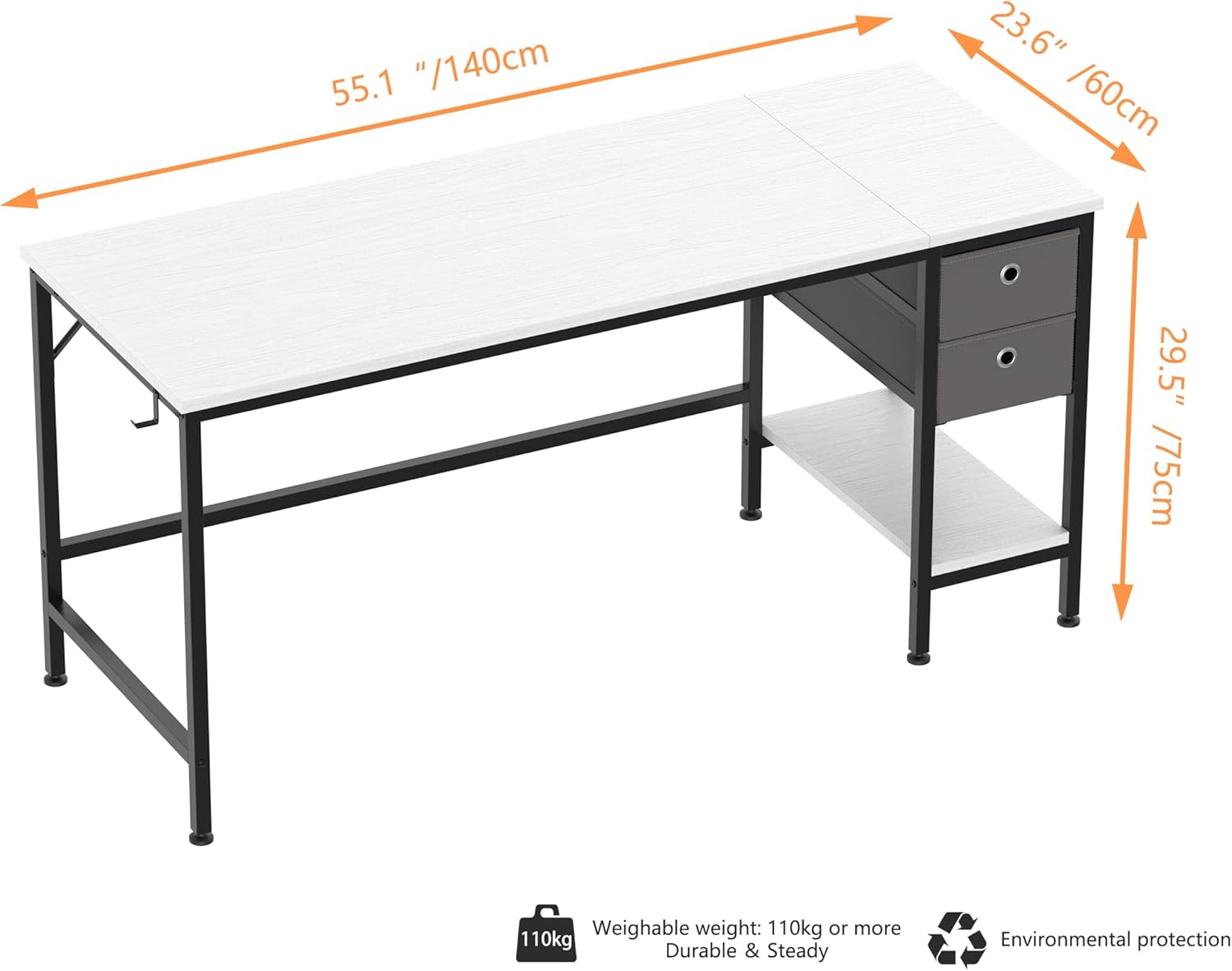
Figure 4.1: Overview of the desk dimensions, indicating a length of 55.1 inches (140cm), width of 23.6 inches (60cm), and height of 29.5 inches (75cm). Also highlights the 110kg weight capacity and environmental protection.
5. Operating Your Desk
The HOMIDEC desk is designed for versatile use in various settings.
5.1. Storage Drawers
The desk features two-tier open drawers made of fabric, providing ample space for organizing office supplies, documents, books, and personal items. These drawers can be easily removed and used as single storage boxes, allowing for flexibility to store larger items like a computer case on the shelf below.
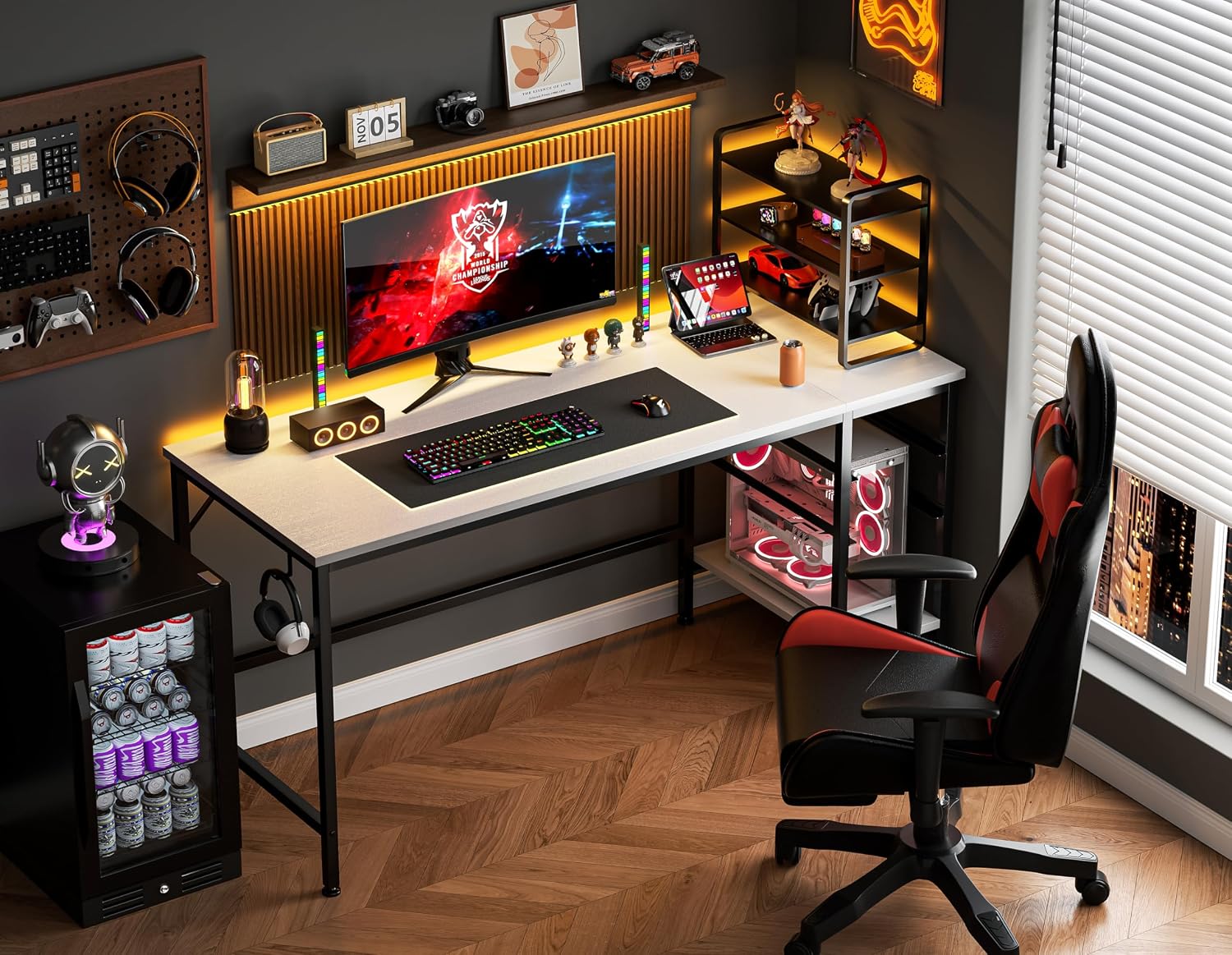
Figure 5.1: A detailed view of the two-tier fabric drawers, showing their depth and the lower open shelf, ideal for storing books or a CPU tower.
5.2. Iron Hook
An integrated iron hook is provided on the side of the desk. This hook is ideal for hanging headphones, backpacks, or other accessories, helping to keep your workspace tidy and organized.
6. Care and Maintenance
Proper care will help maintain the appearance and extend the life of your HOMIDEC desk.
- Cleaning: The desk surface is anti-scratch and wear-resistant. Wipe the surface with a soft, damp cloth. Avoid using harsh chemicals or abrasive cleaners, as these can damage the finish.
- Spills: The tabletop has a waterproof protective layer. In case of spills, wipe them immediately with a dry cloth to prevent water damage.
- Protection: Use coasters for drinks and protective pads under hot items or sharp objects to prevent marks and scratches.
- Hardware: Periodically check all screws and bolts to ensure they remain tight. Re-tighten if necessary to maintain stability.
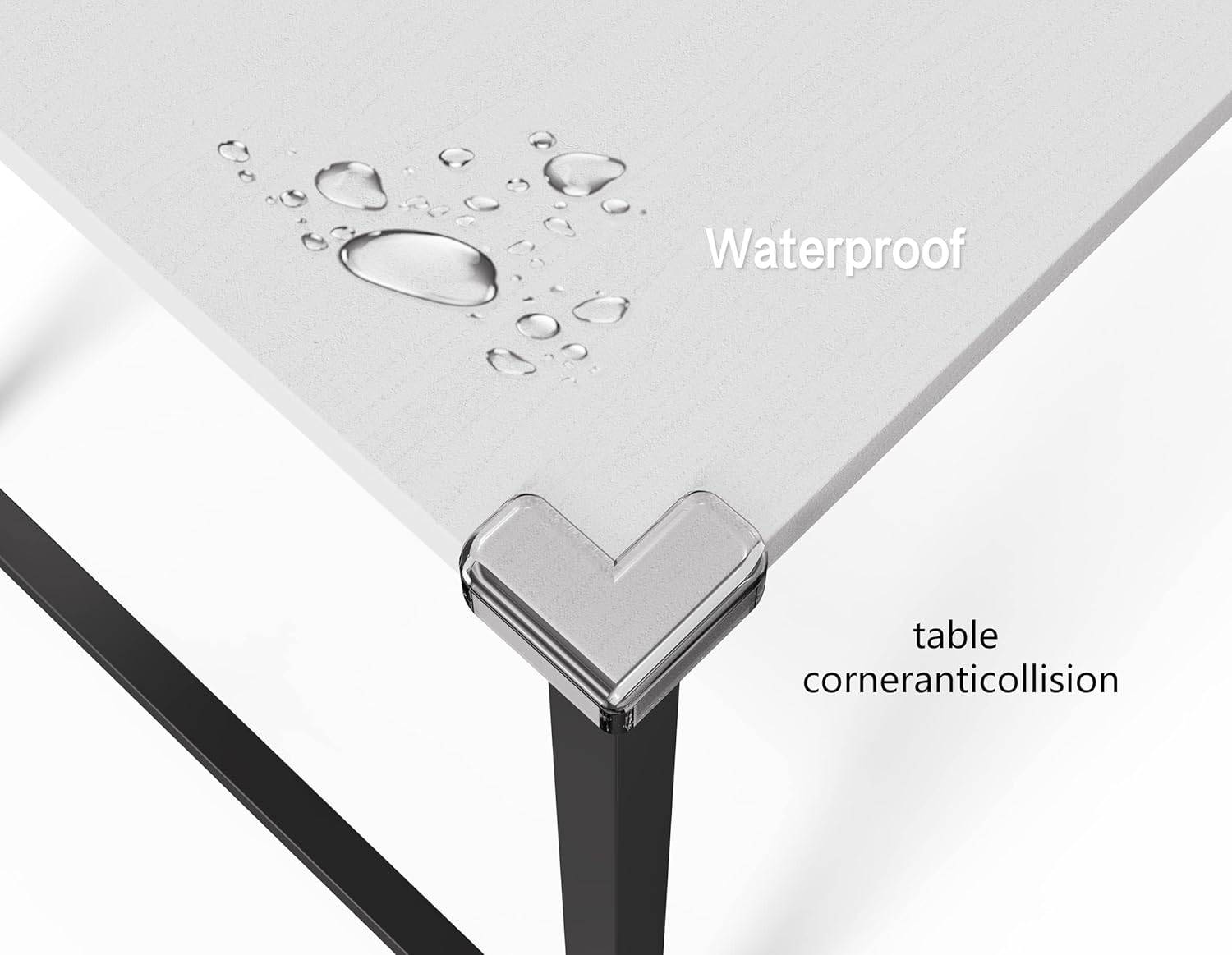
Figure 6.1: The desk surface demonstrating its waterproof properties, with water droplets beading on the tabletop.
7. Troubleshooting
This section addresses common issues you might encounter with your desk.
| Problem | Possible Cause | Solution |
|---|---|---|
| Desk is wobbly or unstable. | Loose screws; uneven floor; incorrect assembly. | Ensure all screws are fully tightened. Adjust the leg pads to level the desk on uneven surfaces. Review assembly steps to confirm correct installation. |
| Drawers are difficult to slide in/out. | Overloaded drawers; misaligned drawer rails (if applicable); fabric distortion. | Reduce the weight in the drawers. Ensure the fabric drawers are properly shaped and not sagging. Check if the internal supports for the drawers are level. |
| Missing parts or hardware. | Packaging error; lost during unpacking. | Carefully check all packaging materials. If parts are still missing, contact HOMIDEC customer support with your purchase details. |
| Surface scratches or marks. | Sharp objects; abrasive cleaning. | Use protective pads for items. Clean with a soft cloth and mild cleaner. Minor scratches may be reduced with furniture polish. |
8. Product Specifications
| Feature | Specification |
|---|---|
| Brand | HOMIDEC |
| Model Number | B08N4XKGLB |
| Product Dimensions (D x W x H) | 23.6"D x 55.1"W x 29.5"H (60cm x 140cm x 75cm) |
| Color | White (tabletop), Black (frame) |
| Style | Vintage |
| Top Material Type | E1 Grade Solid Particle Wood Board |
| Base Material | Alloy Steel |
| Finish Type | Varnished |
| Special Features | Compact, Scratch Resistant, Waterproof, Adjustable Leg Pads, Iron Hook |
| Maximum Weight Recommendation | 110 Kilograms (242.5 lbs) |
| Number of Drawers | 2 (fabric, removable) |
| Number of Shelves | 1 |
| Assembly Required | Yes (assembly tools included) |
| UPC | 193674401423 |
9. Warranty Information
Specific warranty details for the HOMIDEC 55-inch Computer Desk are typically provided with your purchase documentation or on the product listing page at the time of sale. Please retain your proof of purchase for any warranty claims. For detailed warranty terms and conditions, please refer to the information provided by the retailer or contact HOMIDEC customer support directly.
10. Customer Support
If you have any questions, require assistance with assembly, or need to report missing/damaged parts, please contact HOMIDEC customer support. You can often find contact information on the product packaging, the retailer's website, or by visiting the official HOMIDEC store on Amazon:
Visit the HOMIDEC Store on Amazon
Please have your model number (B08N4XKGLB) and purchase date ready when contacting support.
Ask a question about this manual
Ask about setup, troubleshooting, compatibility, parts, safety, or missing instructions. Manuals+ will review the question and use this page’s manual context to help answer it.