
SVBONY SV501P
SVBONY SV501P Astronomical Refractor Telescope User Manual
Model: SV501P
Introduction
The SVBONY SV501P is a portable astronomical refractor telescope designed for beginners and enthusiasts. With a 70mm aperture and 400mm focal length, it provides clear views of celestial objects like the Moon and planets, as well as terrestrial observations. This manual provides detailed instructions for assembly, operation, maintenance, and troubleshooting to ensure optimal performance and longevity of your telescope.

Image: The SVBONY SV501P telescope assembled on its tripod, alongside its portable backpack.
Package Contents
Before beginning assembly, verify that all components listed below are present in your package:
- 1x SV501P Telescope Tube (70mm Aperture, 400mm Focal Length)
- 1x SV101 Aluminum Alloy Tripod
- 1x 5x24mm Finderscope
- 1x 1.25" K20mm Eyepiece
- 1x 1.25" 45-degree Correct-Image Prism Diagonal
- 1x Black Portable Backpack
- 1x User Manual

Image: A visual representation of all items included in the SVBONY SV501P telescope package, including the telescope tube, tripod, accessories, and backpack.
Setup and Assembly
Follow these steps to assemble your SVBONY SV501P telescope:
- Set up the Tripod:
Unfold the tripod legs and extend them to your desired height. Secure the leg locks. The tripod features 4-section aluminum alloy legs for adjustable height and stability. Ensure the tripod is placed on a stable, level surface.
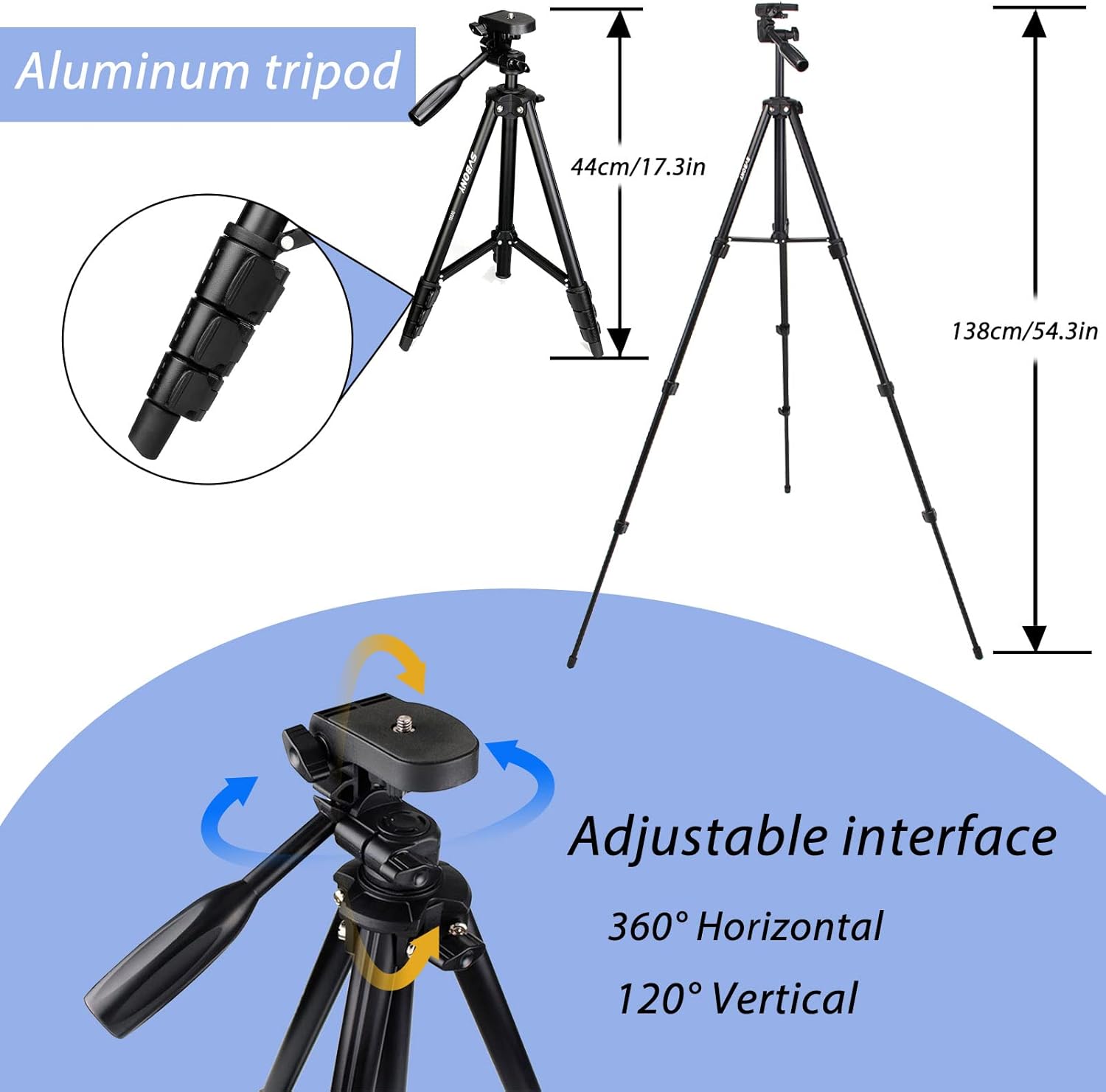
Image: Diagram illustrating the adjustable height of the aluminum tripod, ranging from 44cm (17.3in) to 138cm (54.3in), and its 360-degree horizontal and 120-degree vertical adjustable interface.
- Attach the Telescope Tube:
Locate the mounting screw on the tripod head. Align the telescope tube's mounting hole with the screw and firmly attach the tube to the tripod. Tighten the screw to secure the telescope.
- Install the Finderscope:
Slide the 5x24mm finderscope into its bracket on the telescope tube. Secure it with the small thumbscrews. The finderscope helps in locating objects before viewing them through the main telescope.
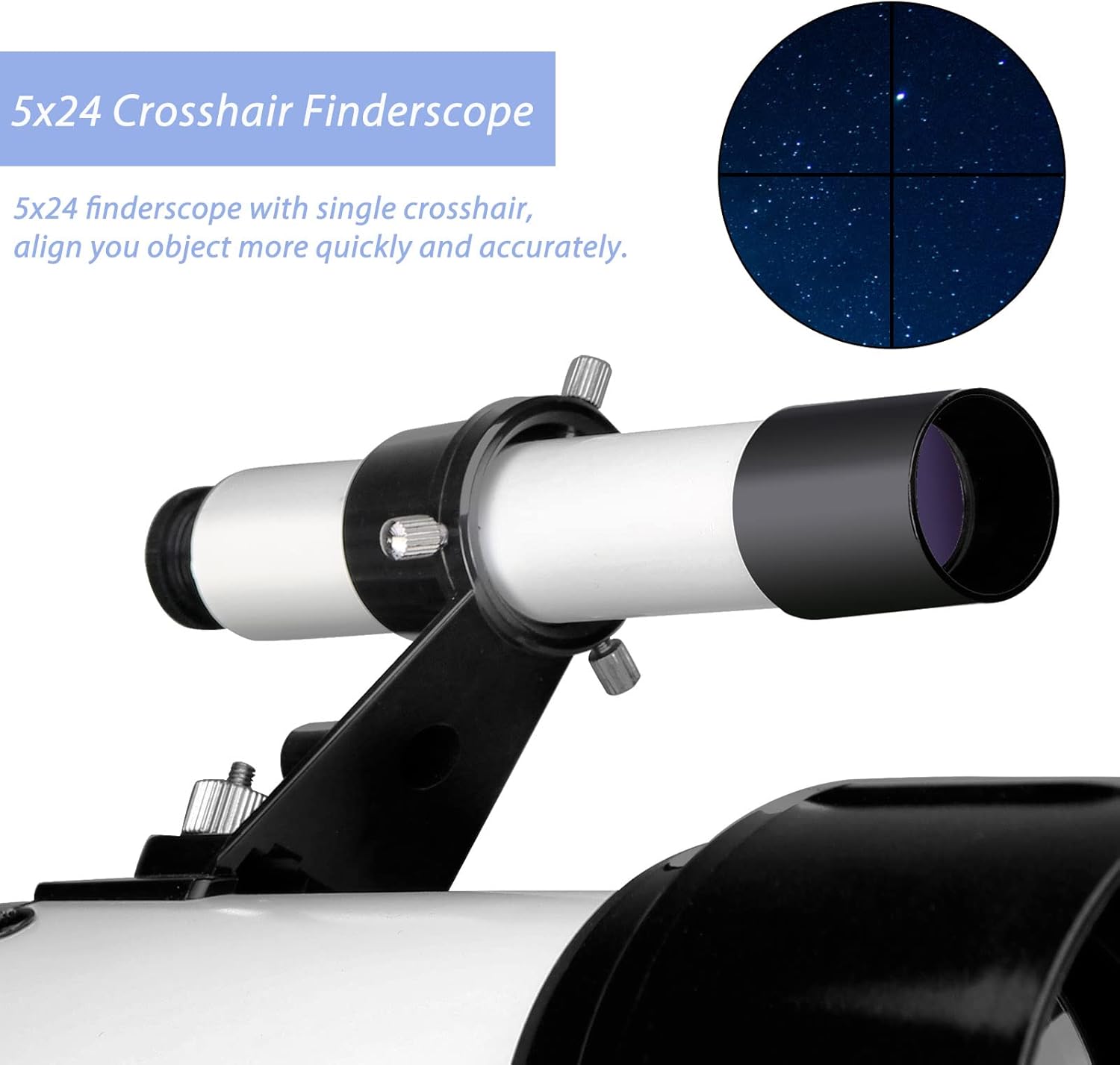
Image: Close-up view of the 5x24 crosshair finderscope, showing its mounting and the crosshair reticle for precise object alignment.
- Insert the Diagonal:
Insert the 45-degree correct-image prism diagonal into the focuser tube of the telescope. Secure it with the small thumbscrew on the focuser. This diagonal provides an upright, non-reversed image, suitable for both astronomical and terrestrial viewing.

Image: Illustration of the 45-degree erect diagonal, demonstrating how it corrects the image orientation for comfortable viewing.
- Insert the Eyepiece:
Insert the K20mm eyepiece into the diagonal. Secure it with the thumbscrew on the diagonal. This eyepiece provides a 20x magnification (400mm focal length / 20mm eyepiece = 20x).

Image: A visual representation of the K20mm eyepiece, highlighting its role in providing medium-powered magnification for observations.
Operating the Telescope
Aligning the Finderscope
Before observing, the finderscope must be aligned with the main telescope. This is best done during daylight hours:
- Point the main telescope at a distant, stationary object (e.g., a tree top or a street light) at least 500 yards away.
- Center the object in the main telescope's eyepiece.
- Look through the finderscope and use its adjustment screws to move the crosshairs until they are centered on the same object.
- Once aligned, the finderscope will help you quickly locate objects in the night sky.
Focusing
To achieve a clear image, rotate the focus knob located on the side of the focuser until the image appears sharp. For astronomical observations, slight adjustments may be needed as objects move across the sky or due to atmospheric conditions.
Observing Celestial Objects
The SV501P is well-suited for observing the Moon and brighter planets. Its 70mm aperture gathers sufficient light to reveal details on the lunar surface and the phases of Venus, the Galilean moons of Jupiter, and the rings of Saturn (though the rings may appear small).

Image: A collage of images showing different phases of the Moon as observed through a telescope, demonstrating the clarity of lunar details.
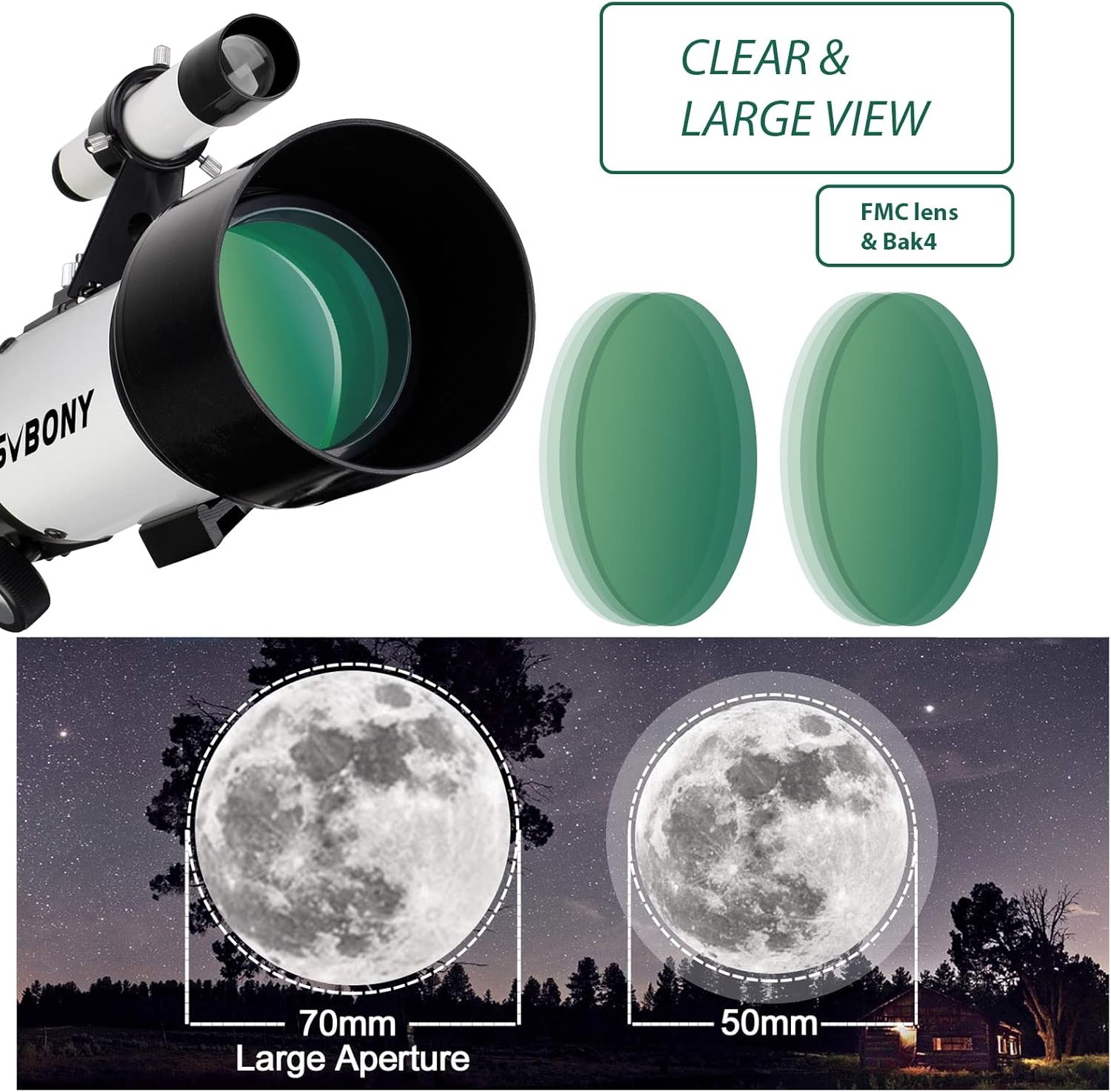
Image: A visual comparison illustrating the larger and brighter view of the Moon achieved with a 70mm aperture compared to a 50mm aperture, highlighting the light-gathering capability.
Terrestrial Viewing
Thanks to its 45-degree erect-image diagonal, the SV501P can also be used for daytime terrestrial observations, such as bird watching or landscape viewing. The erect image ensures that objects are seen right-side up and correctly oriented.
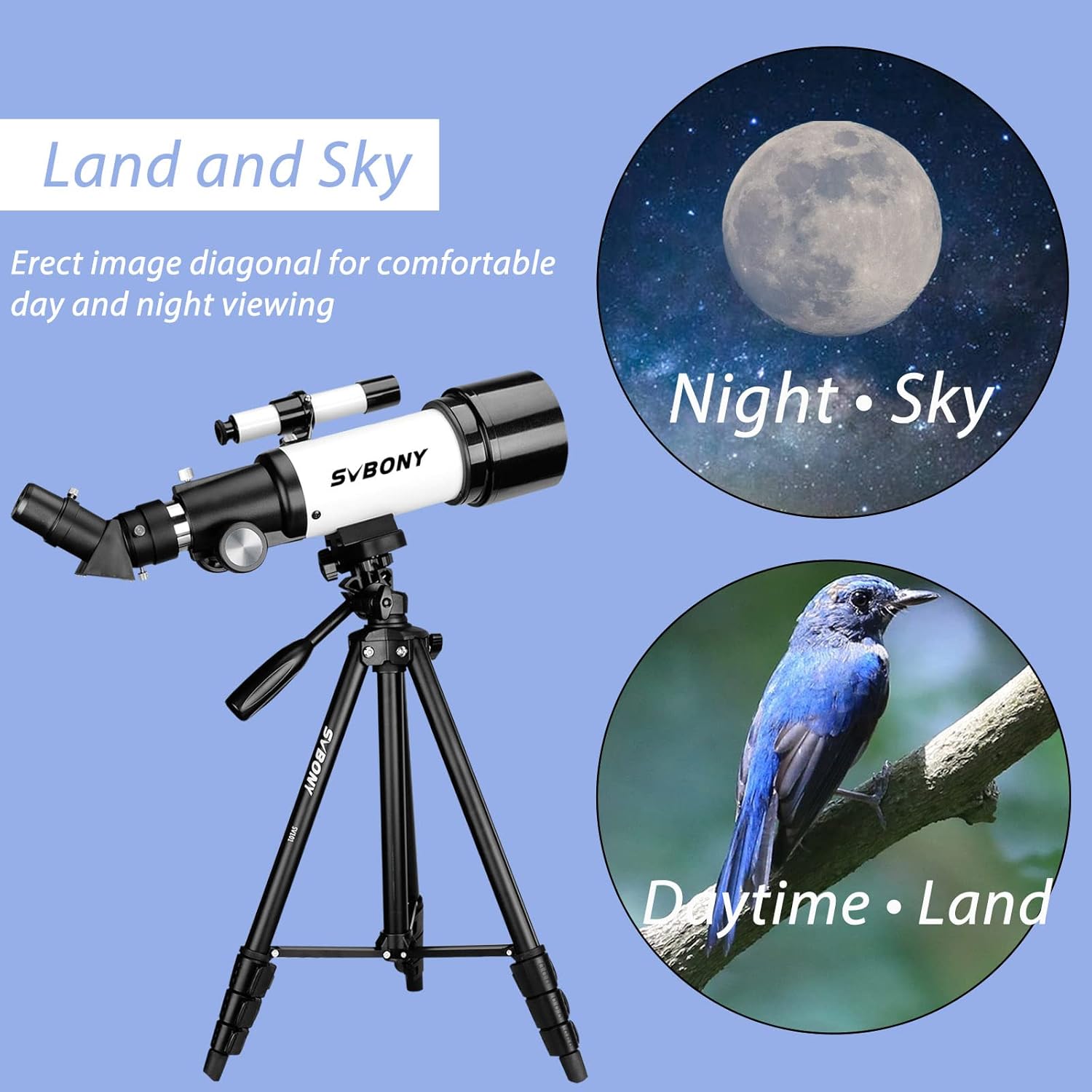
Image: A graphic demonstrating the versatility of the telescope for both night sky observation (Moon) and daytime land viewing (bird on a branch), enabled by the erect image diagonal.
Maintenance
Proper care and maintenance will extend the life of your telescope and ensure clear views:
- Cleaning Lenses: Use a soft, lint-free cloth specifically designed for optical lenses. Gently wipe the lens surface. For stubborn smudges, use a small amount of optical cleaning fluid applied to the cloth, not directly to the lens. Avoid touching the lens surfaces with your fingers.
- Storage: When not in use, store the telescope in its provided backpack in a dry, dust-free environment. Avoid extreme temperatures and humidity, which can damage optical coatings and mechanical parts.
- General Care: Keep dust caps on the telescope and eyepiece when not in use. Avoid dropping or subjecting the telescope to harsh impacts.

Image: A diagram illustrating the multi-coated optics of the telescope, emphasizing the importance of careful cleaning to maintain optical clarity and performance.
Troubleshooting
Here are some common issues and their solutions:
- Image is blurry or out of focus:
Adjust the focus knob slowly until the image becomes sharp. Ensure the eyepiece is fully inserted into the diagonal and secured. Check if the objective lens or eyepiece is fogged or dirty and clean as per maintenance instructions.
- Cannot find objects in the eyepiece:
Ensure the finderscope is properly aligned with the main telescope. Practice using the finderscope to center objects before looking through the main eyepiece. Start with bright, easy-to-find objects like the Moon.
- Image is upside down or reversed:
The 45-degree erect-image diagonal should provide an upright and correctly oriented image. If the image is still inverted, ensure the diagonal is fully inserted and oriented correctly. Without the diagonal, the image will naturally appear inverted in a refractor telescope.
- Image shakes or vibrates excessively:
Ensure the tripod legs are fully extended and locked, and the telescope is securely mounted. Observe from a stable surface. Avoid touching the telescope tube while observing, as this can cause vibrations. Allow a few seconds for vibrations to settle after adjusting.
Specifications
| Feature | Specification |
|---|---|
| Model Name | SV501P |
| Optical Design | Refractor |
| Aperture | 70 mm |
| Focal Length | 400 mm |
| Focal Ratio | f/5.7 |
| Eyepiece | K20mm (1.25") |
| Finderscope | 5x24mm Crosshair |
| Diagonal | 45-degree Erect-Image Prism (1.25") |
| Lens Coating | Multi-Coated |
| Telescope Mount | Altazimuth Mount |
| Tripod Material | Aluminum Alloy |
| Product Dimensions | 14.17 x 9.06 x 4.33 inches |
| Item Weight | 6.29 pounds |
Warranty and Support
SVBONY products are designed for reliability and performance. For any questions, technical assistance, or warranty claims, please contact SVBONY customer service through their official website or the retailer where the product was purchased. Please have your model number (SV501P) and purchase date available when contacting support.
For more information and resources, visit the official SVBONY store: SVBONY Store on Amazon
Ask a question about this manual
Ask about setup, troubleshooting, compatibility, parts, safety, or missing instructions. Manuals+ will review the question and use this page’s manual context to help answer it.