
HOMIDEC ycx2023080201
HOMIDEC Computer Desk
Model: ycx2023080201
User Manual
1. Product Overview
The HOMIDEC Computer Desk is a modern and functional workspace solution designed for students, home offices, and professional environments. It features a robust construction combining MDF panels and a steel frame, offering durability and stability. The desk includes integrated storage solutions such as non-woven drawers and shelves, along with a convenient headphone hook, to help maintain an organized and efficient workspace.

Figure 1.1: The HOMIDEC Computer Desk, showcasing its main features including the spacious desktop, integrated storage, and headphone hook.
2. Key Features
- Modern and Stylish Design: Combines MDF panels and a steel frame with a simple, contemporary aesthetic.
- Integrated Storage: Features exquisite non-woven drawers for storing items and keeping the desktop tidy, along with additional shelving space.
- Headphone Hook: An extra hook is provided for easily placing headphones or other accessories, helping to declutter the main desk surface.
- Easy Assembly: Designed for quick and straightforward setup with included tools and clear instructions.
- High Quality and Durable: The tabletop and steel frame are treated with a special protective layer to resist shocks and water.
- Adjustable Feet: Equipped with adjustable pads to ensure stability on various floor types.

Figure 2.1: Detail of the two-tier fabric drawers, providing ample storage for office supplies and personal items.

Figure 2.2: The convenient headphone hook, designed for easy access and desktop organization.
3. Setup and Assembly
3.1 Before You Begin
Ensure all components are present and undamaged before starting assembly. It is recommended to assemble the desk on a soft, clean surface to prevent scratches. While assembly is designed to be straightforward, having a second person may assist with certain steps.
3.2 Assembly Instructions
- Unpack Components: Carefully remove all parts from the packaging and lay them out. Verify against the parts list (not provided in this manual, refer to your product's included guide) that all pieces are accounted for.
- Assemble Frame: Begin by connecting the steel frame components using the provided screws and tools. Do not fully tighten screws until all parts are loosely assembled.
- Attach Desktop: Secure the MDF desktop to the assembled frame. Ensure proper alignment before tightening screws.
- Install Storage Unit: Attach the side storage unit, including shelves and drawer supports, to the main desk frame.
- Insert Drawers: Place the non-woven fabric drawers into their designated slots within the storage unit.
- Attach Headphone Hook: Secure the headphone hook to the desired side of the desk frame.
- Adjust Feet: Once fully assembled, adjust the leveling feet at the bottom of the desk legs to ensure stability on uneven surfaces.
- Final Tightening: Systematically tighten all screws to ensure the desk is sturdy and secure.
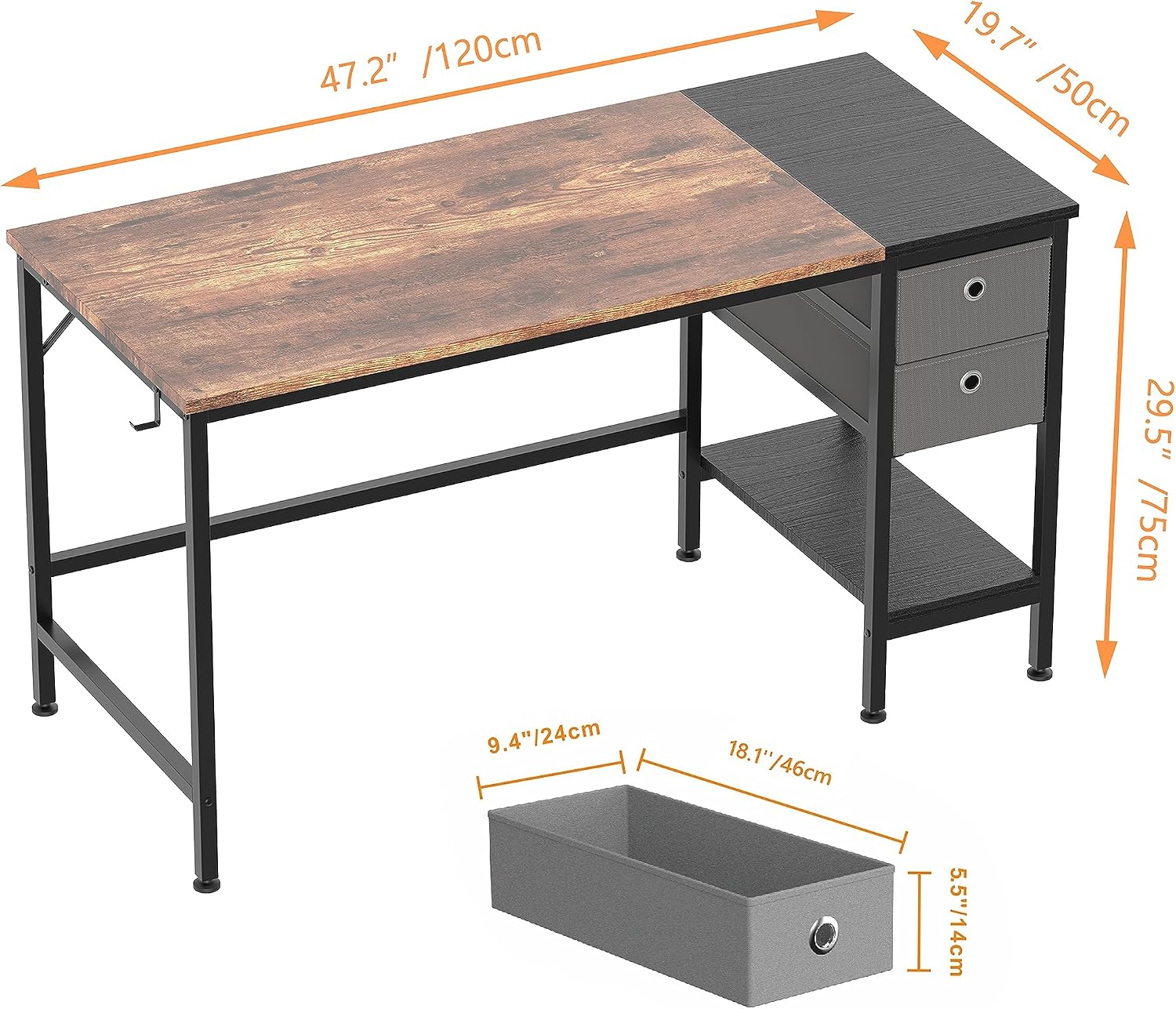
Figure 3.1: Overview of desk dimensions and drawer size, useful for understanding component fit during assembly.
4. Operation
4.1 Using Your Desk
The HOMIDEC Computer Desk is designed for versatile use in various settings, including home offices, study rooms, and bedrooms. Its spacious desktop accommodates computers, keyboards, mice, and other office essentials, providing ample space for work or study.
4.2 Utilizing Storage Features
- Fabric Drawers: Use the non-woven fabric drawers to store documents, stationery, small gadgets, or personal items, keeping your desktop clear and organized.
- Open Shelves: The open shelves beneath the side storage unit are ideal for books, binders, decorative items, or small storage boxes.
- Headphone Hook: Hang your headphones, cables, or other small accessories on the dedicated hook to keep them easily accessible and off the desk surface.
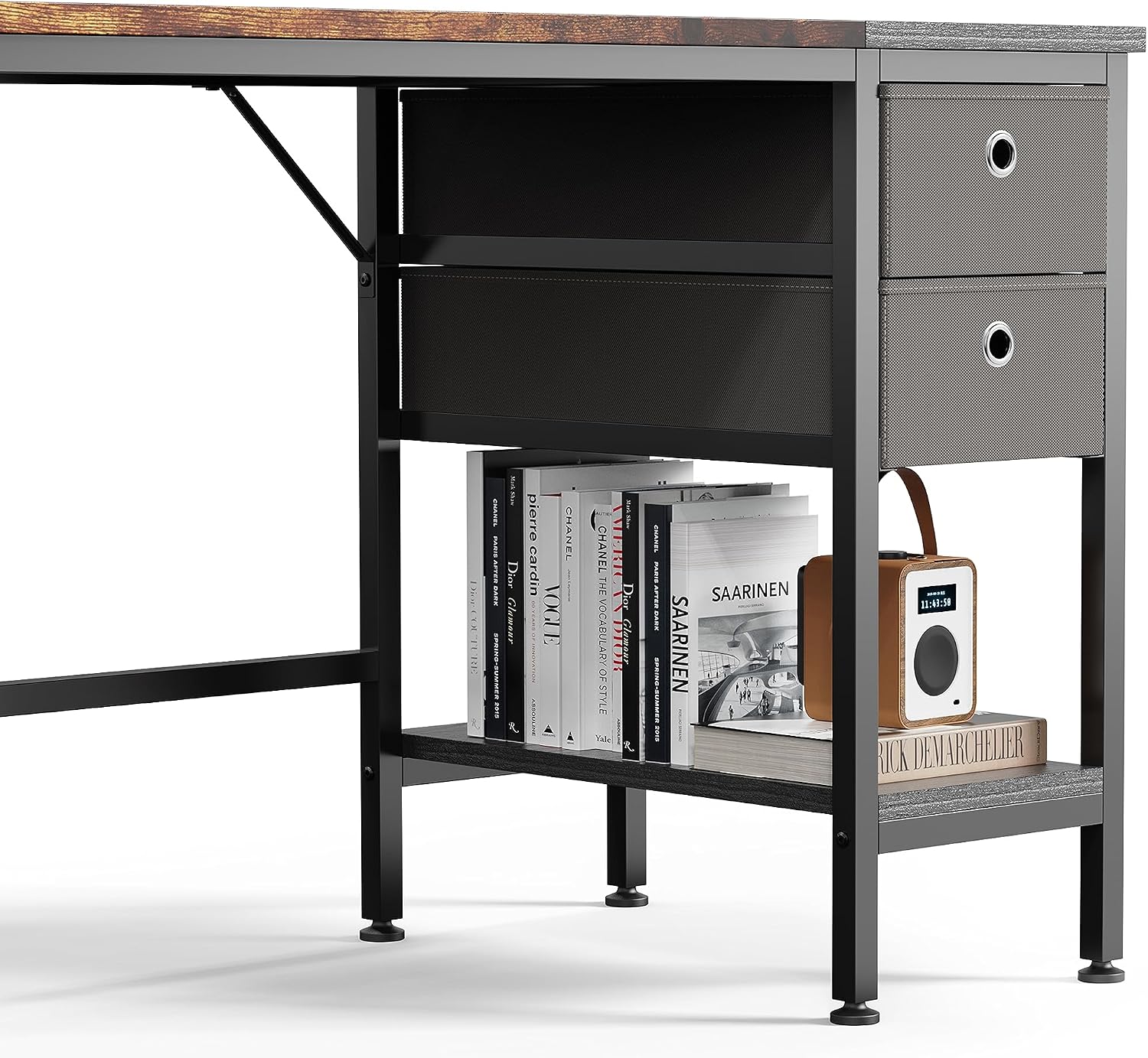
Figure 4.1: The integrated storage unit, demonstrating its capacity for books and other items on the lower shelf, and the fabric drawers for concealed storage.
5. Maintenance and Care
5.1 Cleaning Instructions
The desk's smooth tabletop and steel frame are designed for easy cleaning. For general cleaning, simply wipe the surfaces with a damp cloth. For spills, the special protective layer on the tabletop helps prevent water damage. Wipe spills immediately with a dry cloth.
5.2 General Care Tips
- Avoid using harsh chemicals or abrasive cleaners, as these can damage the finish.
- Do not place extremely hot items directly on the desktop without a protective coaster.
- Periodically check and tighten all screws to ensure the desk remains stable and secure.
- Keep the desk away from direct sunlight and extreme temperature changes to prevent material degradation.

Figure 5.1: The waterproof surface of the desk, designed to protect against spills and moisture.
6. Troubleshooting
6.1 Common Issues and Solutions
| Problem | Possible Cause | Solution |
|---|---|---|
| Desk is wobbly or unstable. | Screws are not fully tightened; uneven floor. | Ensure all assembly screws are securely tightened. Adjust the leveling feet at the bottom of the desk legs to compensate for uneven flooring. |
| Parts do not align during assembly. | Incorrect orientation of parts; screws tightened too early. | Review the assembly diagrams carefully to ensure correct part orientation. Loosely assemble all components before fully tightening any screws. |
| Fabric drawers do not slide smoothly. | Drawer is overloaded; obstruction in the slot. | Reduce the weight or volume of items in the drawer. Check the drawer slot for any obstructions and remove them. |
7. Product Specifications
7.1 Technical Specifications
| Attribute | Detail |
|---|---|
| Brand | HOMIDEC |
| Model Number | ycx2023080201 |
| Color | Vintage |
| Product Dimensions (L x W x H) | 120 x 50 x 75 cm (47.2 x 19.7 x 29.5 inches) |
| Item Weight | 9.07 Kilograms (20 lbs) |
| Material | Engineered Wood, Alloy Steel |
| Features | Adjustable (feet) |
| Finish Type | Varnished |
| Style | Modern |
| Desk Design | Computer Desk |
| Shape | Rectangular |
8. Warranty and Support
8.1 Warranty Information
HOMIDEC products are manufactured with quality and durability in mind. For specific warranty details regarding your HOMIDEC Computer Desk, please refer to the warranty card included with your purchase or visit the official HOMIDEC website. Keep your proof of purchase for any warranty claims.
8.2 Customer Support
Should you encounter any issues, have questions about assembly, or require assistance with your HOMIDEC Computer Desk, please contact HOMIDEC customer support. Contact information can typically be found on the product packaging, the official HOMIDEC website, or through your retailer's support channels.
Ask a question about this manual
Ask about setup, troubleshooting, compatibility, parts, safety, or missing instructions. Manuals+ will review the question and use this page’s manual context to help answer it.