
SuppliesMAX TN-221K_2PK
SuppliesMAX Compatible Black Toner Cartridge Instruction Manual
Model: TN-221K_2PK for Sindoh D310 / D311 Printers
Introduction
This instruction manual provides essential information for the proper installation, operation, and maintenance of your SuppliesMAX Compatible Black Toner Cartridge (TN-221K_2PK). This product is designed as a compatible replacement for use with Sindoh D310 and Sindoh D311 series printers.
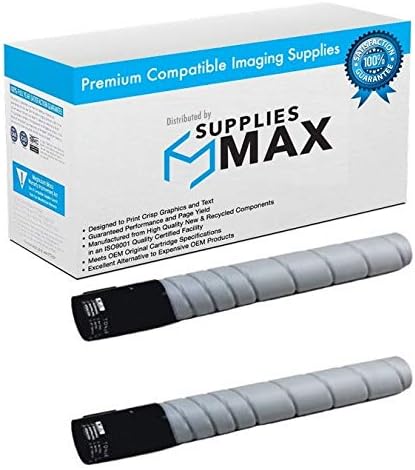
Image: The SuppliesMAX Compatible Black Toner Cartridge packaging and the two toner cartridges included.
Setup and Installation
- Unpack the Cartridge: Carefully remove the new toner cartridge from its packaging. Avoid touching the green drum surface.
- Gently Shake the Cartridge: Hold the cartridge horizontally and gently rock it from side to side 5-6 times to distribute the toner evenly inside.
- Remove Protective Seals: Locate and remove any protective tapes, seals, or covers from the cartridge as indicated by the manufacturer. Refer to your printer's specific instructions for exact locations.
- Open Printer Access Door: Open the toner cartridge access door on your Sindoh D310 or D311 printer. Consult your printer's user manual for the precise location and method to open this door.
- Remove Old Cartridge: Carefully pull out the used toner cartridge from the printer.
- Insert New Cartridge: Align the new SuppliesMAX toner cartridge with the slot in the printer and slide it in until it clicks securely into place. Do not force the cartridge.
- Close Printer Access Door: Close the toner cartridge access door. The printer should automatically detect the new cartridge and prepare for printing.
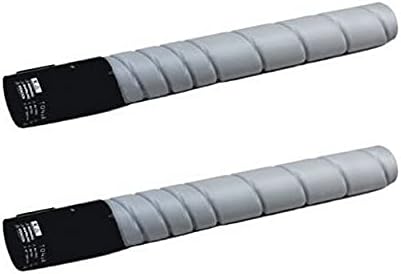
Image: Two individual SuppliesMAX Black Toner Cartridges, ready for installation.
Operating Instructions
Once installed, the SuppliesMAX Compatible Black Toner Cartridge operates seamlessly with your Sindoh D310 or D311 printer. The cartridge is designed to deliver consistent print quality for text and graphics.
- Print Quality: This cartridge is engineered to produce clear, crisp black prints.
- Page Yield: Each cartridge provides an estimated page yield of 24,000 pages based on 5% page coverage. Actual yield may vary significantly depending on content of printed pages and other factors.

Image: A magnifying glass highlighting the clarity and detail of printed text and graphics, demonstrating expected print quality.

Image: Stacks of paper illustrating the high page yield capacity of the toner cartridge.
Maintenance
- Storage: Store unused toner cartridges in their original sealed packaging in a cool, dry place, away from direct sunlight and extreme temperatures.
- Handling: Avoid touching the photosensitive drum surface of the cartridge, as oils from your skin can affect print quality.
- Disposal: Dispose of empty toner cartridges responsibly according to local regulations. Many manufacturers and retailers offer recycling programs.
Troubleshooting
- Poor Print Quality (Streaks, Fading, Spots):
- Gently remove the cartridge and rock it side to side to redistribute toner. Reinstall.
- Ensure no protective seals or tapes were left on the cartridge.
- Check printer settings for print density or toner save modes.
- "Toner Low" or "Replace Cartridge" Message:
- If the message appears immediately after installation, remove and reinsert the cartridge to ensure proper seating.
- If the message persists, the cartridge may be genuinely low on toner.
- Cartridge Not Recognized:
- Remove the cartridge and inspect the chip for any damage or debris. Clean gently with a lint-free cloth if necessary.
- Ensure the cartridge is fully seated in its slot.
- Restart the printer.
If issues persist, refer to your Sindoh printer's official troubleshooting guide or contact SuppliesMAX customer support.
Specifications
| Feature | Detail |
|---|---|
| Product Type | Compatible Black Toner Cartridge |
| Model Number | TN-221K_2PK |
| Compatibility | Sindoh D310, Sindoh D311 |
| Ink Color | Black |
| Page Yield | 24,000 pages (at 5% coverage) |
| Item Weight | Approximately 12 pounds (per 2-pack) |
| Included Components | Toner Cartridge |
| Manufacturer | SuppliesMAX |
Warranty and Support
SuppliesMAX compatible toner cartridges are constructed to meet or exceed original equipment manufacturer (OEM) specifications. The use of SuppliesMAX supplies does not void your machine's warranty.
For any questions, technical assistance, or support regarding your SuppliesMAX toner cartridge, please contact SuppliesMAX customer service directly. Refer to the product packaging or the retailer's website for contact information.

Image: SuppliesMAX 100% Satisfaction Guarantee badge, indicating commitment to product quality and customer assurance.