
1. Introduction
This manual provides essential information for the safe and efficient operation of your Wansa 65 Inch UHD Smart QLED TV. Please read this manual thoroughly before using the television and retain it for future reference. This television combines advanced display technology with smart features to deliver an immersive entertainment experience.
2. Safety Information
Always observe the following safety precautions to prevent electric shock, fire, or damage to the television.
- Do not expose the TV to rain or moisture.
- Ensure proper ventilation around the TV. Do not block ventilation openings.
- Do not place the TV on an unstable cart, stand, tripod, bracket, or table.
- Protect the power cord from being walked on or pinched.
- Unplug the TV during lightning storms or when unused for long periods.
- Refer all servicing to qualified service personnel.
3. Package Contents
Verify that all items are present upon unpacking your Wansa 65 Inch UHD Smart QLED TV:
- Wansa 65 Inch UHD Smart QLED TV
- TV Stand components
- Remote Control (with batteries)
- Power Cord
- User Manual (this document)
4. Setup
4.1 Assembling the Stand
Carefully place the TV face down on a soft, flat surface to prevent screen damage. Attach the stand components to the designated slots on the bottom of the TV using the provided screws. Ensure the stand is securely fastened before placing the TV upright.
4.2 Connecting Power
Connect the power cord to the TV's power input and then to a wall outlet. Ensure the power outlet is easily accessible.
4.3 Connecting External Devices
Your TV is equipped with multiple ports for connecting external devices such as Blu-ray players, gaming consoles, and sound systems. Use HDMI cables for high-definition video and audio. Refer to the port labels on the back of your TV for correct connections.
4.4 Network Connection
This Smart QLED TV supports Wi-Fi connectivity. During the initial setup, you will be prompted to connect to your home Wi-Fi network. Select your network from the list and enter the password.
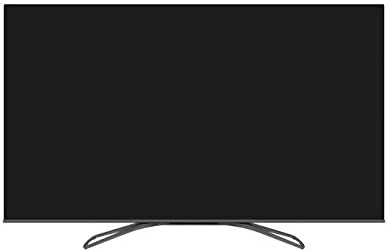
This image displays the Wansa 65 Inch UHD Smart QLED TV from the front, showcasing its sleek design and the minimalist stand. The screen is dark, indicating it is powered off, highlighting the bezel and overall form factor.
5. Operating the TV
5.1 Basic Functions
- Power On/Off: Press the power button on the remote control or on the TV.
- Input Source: Use the 'Source' button on the remote to select between connected devices (HDMI 1, HDMI 2, etc.) or TV tuner.
- Volume Control: Use the 'Vol +/-' buttons to adjust the sound level.
- Channel Selection: Use the 'CH +/-' buttons to change channels (for broadcast TV).
5.2 Smart TV Features
Your Wansa QLED TV runs on a Linux operating system, providing access to a variety of smart features and applications. Navigate the smart hub using your remote control.
- App Access: Popular apps like Netflix and YouTube are pre-installed. Select them from the home screen to start streaming.
- Internet Browsing: Use the built-in web browser to access websites.
- Multi-Screen Interactive Sharing: Share your TV screen content to multiple Android-powered smartphones or tablets connected to the same network (LAN, Wi-Fi). This allows you to view TV content in other rooms.

A close-up side view of the Wansa 65 Inch UHD Smart QLED TV, emphasizing the narrow bezel around the screen. This design minimizes distractions, allowing for a more immersive viewing experience.
5.3 Picture Quality Enhancements
This TV features Quantum Dot Color technology and UHD 4K resolution for superior visual fidelity.
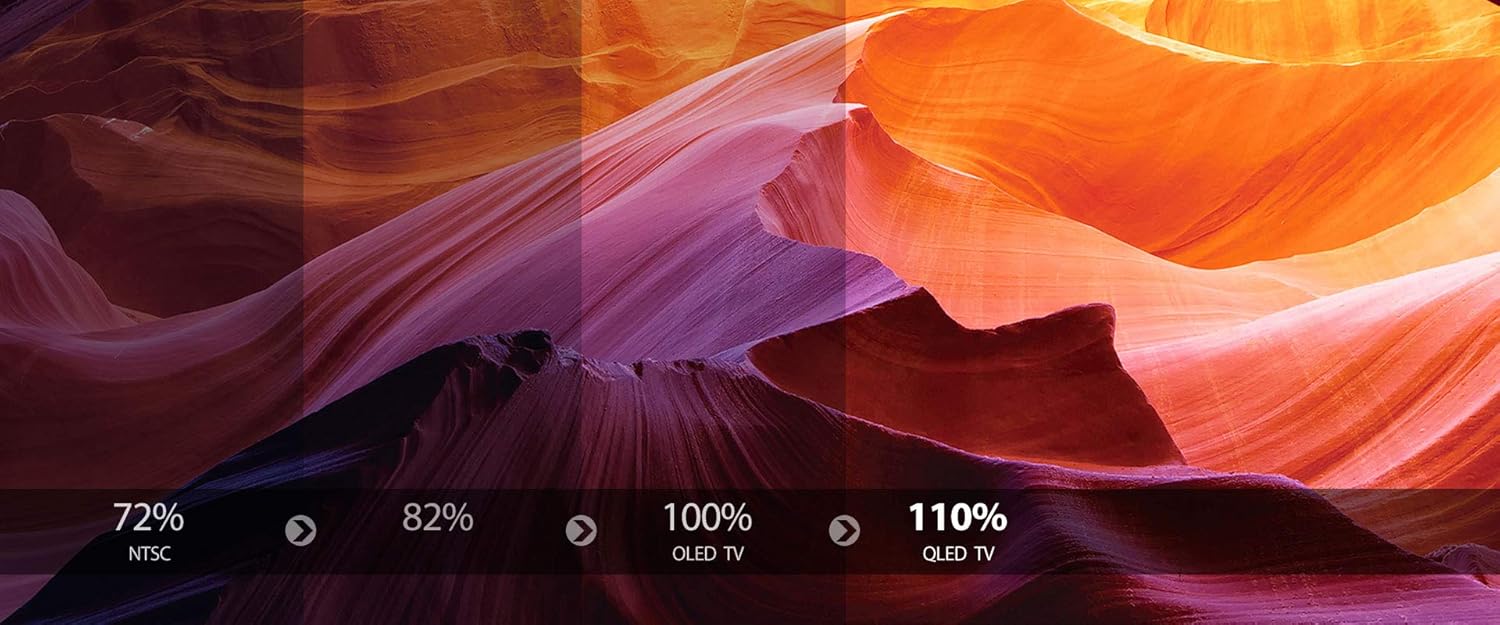
This graphic illustrates the superior color reproduction of Quantum Dot technology. It shows a gradient of colors across a landscape image, comparing NTSC (72%), 82%, 100% OLED TV, and 110% QLED TV, indicating that QLED offers a wider and richer color spectrum.

An illustrative image comparing different display resolutions. It shows a scenic landscape progressively zoomed in to demonstrate the pixel density of HD, Full HD (1920 x 1080, 2M Pixels), and UHD 4K (3840 x 2160, 8M Pixels), highlighting the significantly greater detail offered by 4K resolution.
6. Maintenance
6.1 Cleaning the Screen
Gently wipe the screen with a soft, lint-free cloth. For stubborn marks, lightly dampen the cloth with water or a specialized screen cleaner. Avoid using harsh chemicals or abrasive materials.
6.2 Cleaning the Cabinet
Wipe the TV cabinet with a soft, dry cloth. Do not use liquid or aerosol cleaners directly on the TV.
7. Troubleshooting
If you encounter issues with your TV, refer to the following common problems and solutions:
- No Power: Ensure the power cord is securely plugged into both the TV and the wall outlet. Check if the outlet is functioning.
- No Picture/Sound: Verify the correct input source is selected. Check all cable connections to external devices.
- Poor Picture Quality: Adjust picture settings (brightness, contrast, sharpness). Ensure the input source is providing a high-quality signal.
- No Wi-Fi Connection: Check your router and modem. Ensure the Wi-Fi password is entered correctly. Try restarting the TV and your network equipment.
- Remote Control Not Working: Replace the batteries in the remote control. Ensure there are no obstructions between the remote and the TV's IR sensor.
For persistent issues, contact customer support.
8. Specifications
| Feature | Specification |
|---|---|
| Brand | Wansa |
| Model | 65 Inch UHD Smart QLED TV |
| Screen Size | 65 Inches |
| Display Technology | LED, QLED |
| Resolution | 4K (3840 x 2160) |
| Refresh Rate | 120 Hz |
| Processor | Quad Core Processor |
| Operating System | Linux |
| Connectivity | Wi-Fi |
| Special Features | Curved, Quantum Dot Color, Dolby Atmos Immersive Audio, Multi-Screen Interactive Sharing |
| Aspect Ratio | 16:9 |
| Item Weight | 30 kg |
| Date First Available | 8 November 2020 |
9. Warranty and Support
Your Wansa 65 Inch UHD Smart QLED TV comes with a standard manufacturer's warranty. Please refer to the warranty card included in your package for specific terms and conditions. For technical support, service inquiries, or warranty claims, please contact Wansa customer service through the contact information provided with your purchase documentation.