
1. Introduction
This instruction manual provides comprehensive guidance for the proper use and maintenance of your EMAIKER USB Type C Headset, Model 809DUSBC. Please read this manual thoroughly before using the product to ensure optimal performance and longevity.
2. Package Contents
- EMAIKER USB Type C Headset (Model 809DUSBC)
- Instruction Manual
3. Product Overview
The EMAIKER 809DUSBC is a wired USB-C headset designed for clear communication and comfortable extended use. It features a noise-canceling microphone and in-line controls for various applications.

Image 3.1: EMAIKER USB Type C Headset (Model 809DUSBC)
Key Features:
- Seamless Plug & Play USB-C Connectivity: Designed for direct connection to USB Type C ports on mobile devices and PCs. Note: Not compatible with USB-C charging-only ports.
- High-Definition Audio & Advanced Noise Cancellation: Provides clear audio output and features a precision-engineered noise-canceling microphone to reduce background distractions.
- Effortless In-Line Control: Integrated controller for managing calls and audio settings.
- Broad Compatibility: Works with various operating systems and communication platforms.
- Comfort-Focused Design: Lightweight construction with skin-friendly protein leather ear cushions, an adjustable headband, and a 330° rotatable microphone boom. Includes a built-in hearing protection circuit.
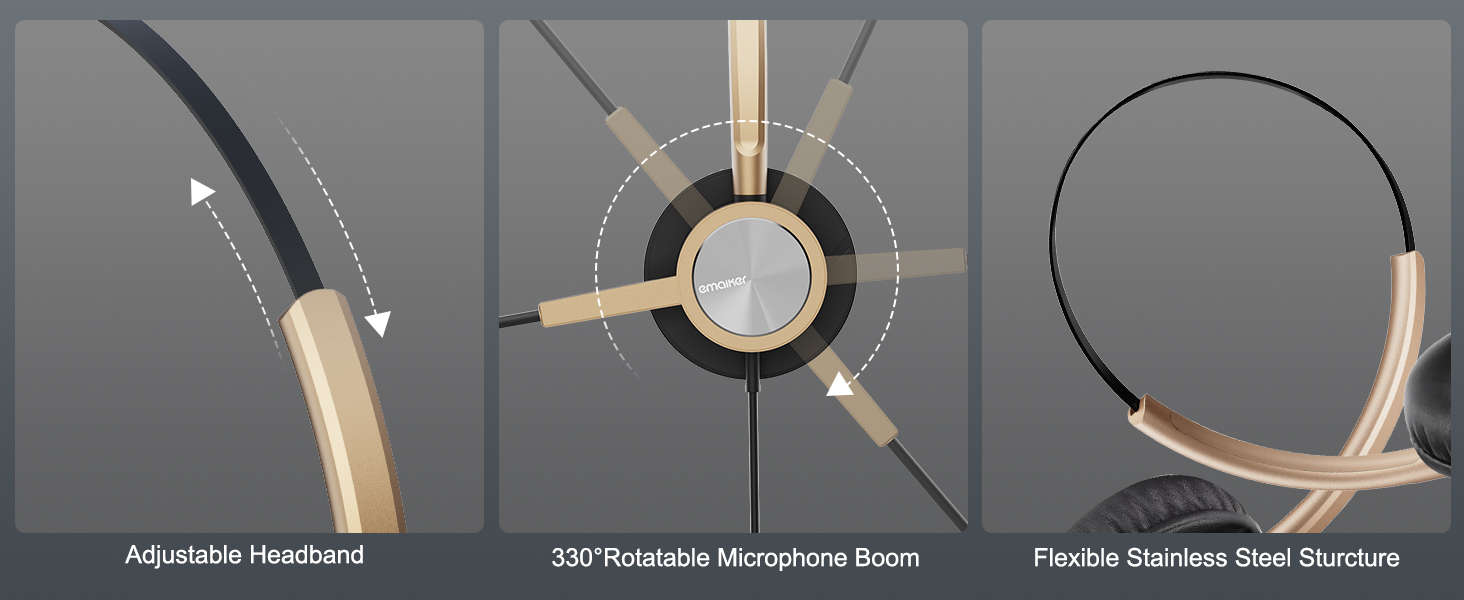
Image 3.2: Ergonomic and Durable Design Features
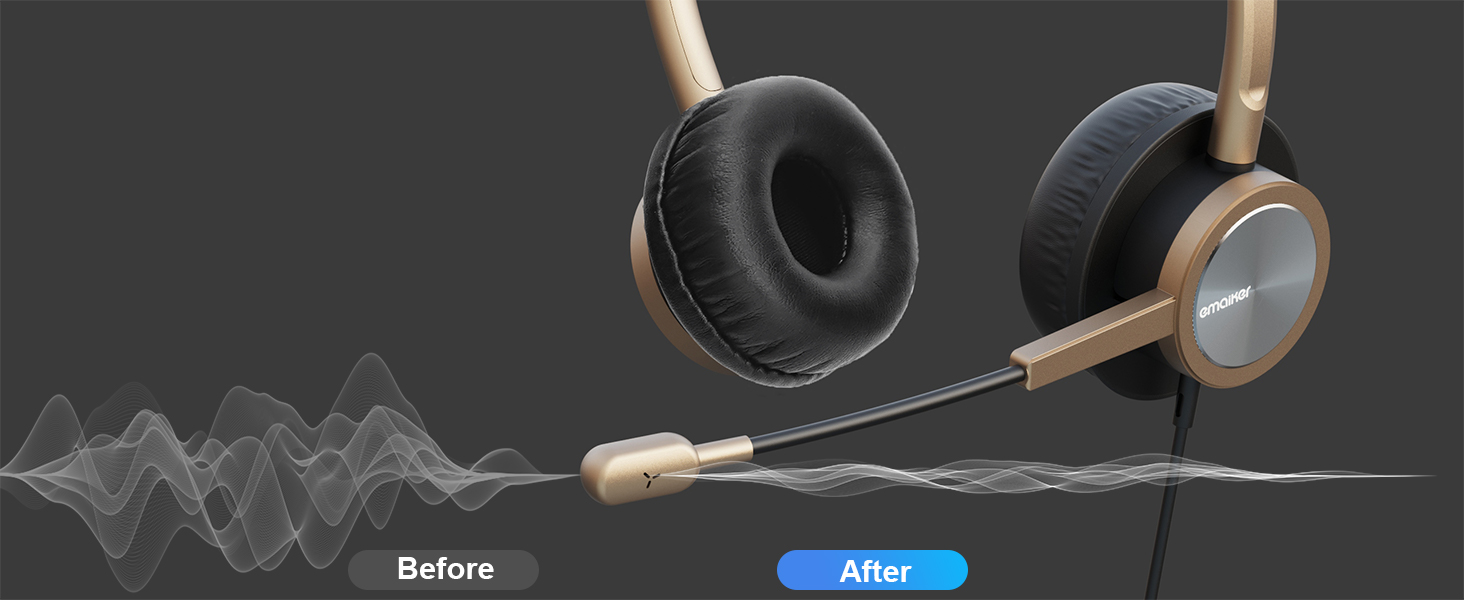
Image 3.3: Uni-Directional Noise-Canceling Microphone
4. Setup and Connectivity
The EMAIKER 809DUSBC headset is designed for plug-and-play functionality, requiring no additional drivers for basic operation on most compatible devices.
4.1 Connecting the Headset
- Locate an available USB Type C port on your computer, laptop, tablet, or mobile device.
- Insert the USB Type C plug of the headset firmly into the port.
- The device should automatically recognize the headset. You may need to select the headset as the default audio input and output device in your operating system's sound settings or within your communication application (e.g., Zoom, Microsoft Teams).
Important Note: This headset is designed for data and audio transfer via USB-C and is not compatible with USB-C ports intended solely for charging.
4.2 Compatibility
The headset is compatible with a wide range of devices and operating systems, including Windows (11, 10, 8, 7, Vista, XP), macOS, and Android. It supports various communication platforms and applications:
- Google Pixel series, HTC U series, Samsung Galaxy phones, Essential phone, HUAWEI, Mi Mix 2, and other devices with a functional USB-C audio port.
- UC applications, softphones by Microsoft Teams, Skype for Business, AVAYA, 3CX, Jabber, Zoom, Google Meet, Cisco Webex, and VoIP platforms.
- Dragon Nuance and other speech recognition software.
- Online courses and webinars.

Image 4.1: Wide Device Compatibility

Image 4.2: Application Compatibility
5. Operating Instructions
The in-line controller provides convenient access to essential functions.
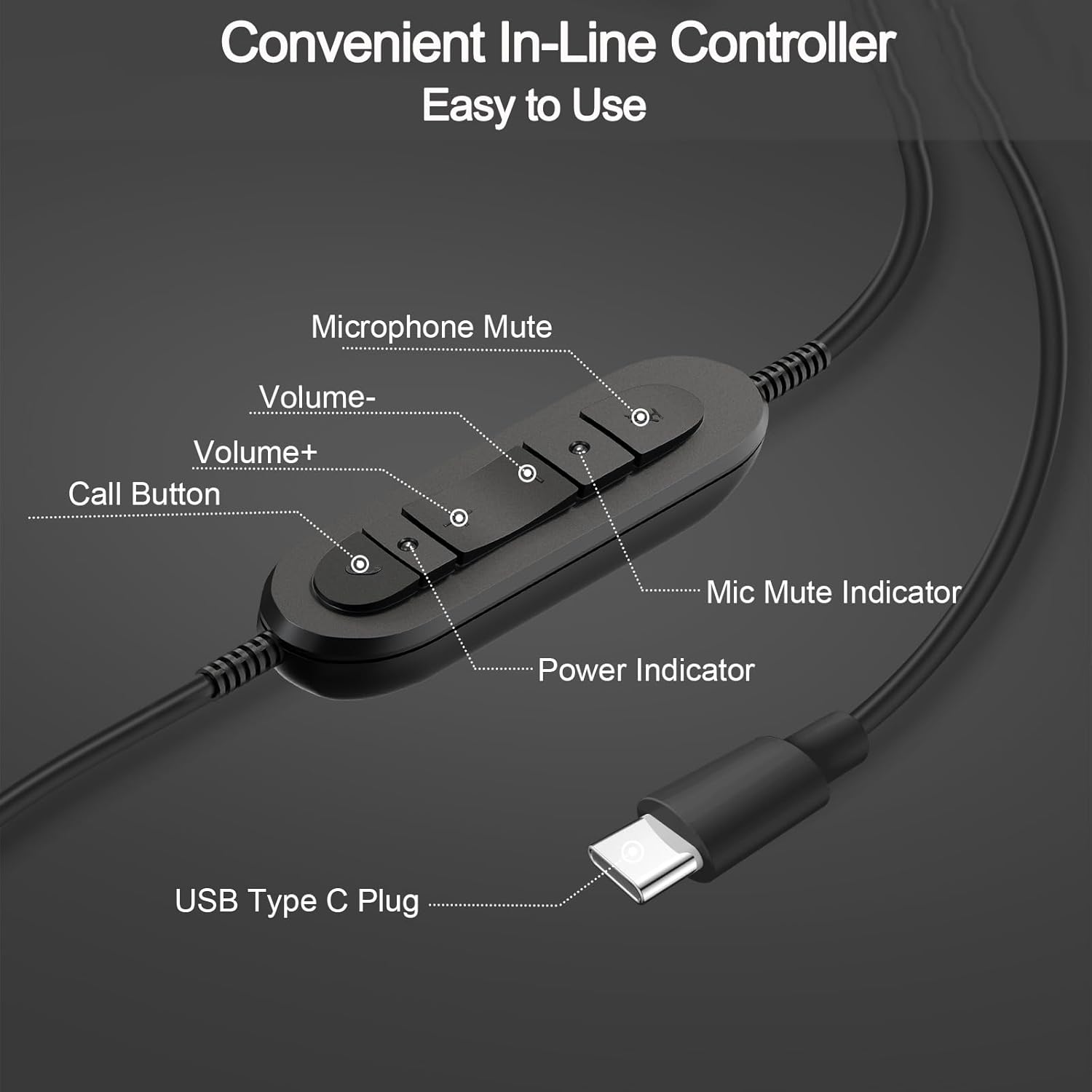
Image 5.1: In-Line Controller Functions
5.1 In-Line Controller Functions
- Microphone Mute Button: Press to mute or unmute the microphone. A corresponding indicator light will show the microphone's status.
- Volume Up (+): Press to increase the audio output volume.
- Volume Down (-): Press to decrease the audio output volume.
- Call Button: For compatible softphones on PCs and laptops (e.g., Microsoft Teams, Skype for Business, AVAYA, 3CX, Jabber), press to answer or end calls. Note: This function may not be supported on all mobile devices or tablets.
5.2 Adjusting the Headset
- Headband Adjustment: Extend or retract the headband to fit your head comfortably.
- Microphone Positioning: The microphone boom can rotate 330°. Position the microphone approximately 1-2 inches from your mouth for optimal voice pickup.
- Ear Cushion Orientation: The ear cushions are designed for on-ear placement. Ensure they sit comfortably over your ears.

Image 5.2: Common Usage Scenarios
6. Maintenance and Care
Proper care ensures the longevity and performance of your headset.
- Cleaning: Use a soft, dry cloth to clean the headset. For ear cushions, a slightly damp cloth with mild soap can be used, but ensure they are completely dry before use. Avoid harsh chemicals or abrasive materials.
- Storage: When not in use, store the headset in a clean, dry place away from extreme temperatures and direct sunlight. Avoid tangling the cable.
- Handling: Do not pull on the cable to disconnect the headset. Always grasp the USB-C plug. Avoid dropping the headset or subjecting it to strong impacts.
7. Troubleshooting
If you encounter issues with your headset, refer to the following common solutions:
| Problem | Possible Solution |
|---|---|
| No sound from headset |
|
| Microphone not working |
|
| Call button not functioning |
|
| Headset not recognized by device |
|
8. Product Specifications
| Specification | Detail |
|---|---|
| Model Name | EMK809DUSBC |
| Connectivity Technology | Wired (USB Type C) |
| Headphones Jack | USB Type C |
| Noise Control | Adaptive Noise Cancellation (Microphone) |
| Frequency Response | 20 Hz - 20,000 Hz (20 KHz) |
| Impedance | 150 Ohm |
| Ear Placement | On Ear |
| Form Factor | Over Ear |
| Control Type | Volume Control, Microphone Mute, Call Button |
| Cable Feature | Detachable (referring to the overall cable from the headset to the USB-C plug) |
| Item Weight | 105 Grams (3.7 ounces) |
| Product Dimensions | 92.13 x 5.91 x 1.57 inches |
| Material | Acrylonitrile Butadiene Styrene (ABS), Leather, Stainless Steel |
| Color | Gold+Black |
| UPC | 883343292475 |
9. Warranty and Support
9.1 Warranty Information
EMAIKER products are manufactured to high-quality standards. For specific warranty details, please refer to the warranty card included with your product or contact EMAIKER customer support. Keep your proof of purchase for warranty claims.
9.2 Customer Support
For further assistance, technical support, or inquiries, please visit the official EMAIKER store or contact their customer service department.
EMAIKER Store: https://www.amazon.com/stores/EMAIKER/page/D913705F-B342-4179-823A-67C2E41008B3