Introduction
Thank you for choosing the boxtech K2 Ultra-Quiet Aquarium Air Pump. This manual provides essential information for the proper setup, operation, and maintenance of your new air pump. Please read it thoroughly before use to ensure optimal performance and longevity of the product.

Figure 1: The boxtech K2 Ultra-Quiet Aquarium Air Pump in an aquatic environment, demonstrating its powerful and quiet operation.
Safety Information
WARNING:
- Ensure the rated voltage is correct for your region before plugging in the device.
- Do not place the pump where it might come into contact with liquid.
- Do not place the pump in direct sunlight.
- Do not place the pump near flammable or other dangerous materials or objects.
- Use only to pump air; do not use for other gases or liquids.
- Install the pump horizontally on a stable surface.

Figure 2: Product packaging highlighting important safety warnings and manufacturer details.
Product Features
- Ultra-Quiet Operation: Designed for minimal noise, making it suitable for various environments, including bedrooms. Ideal for 10-120 gallon freshwater and marine aquariums.
- Adjustable Airflow: Features an easy-to-use knob to customize air volume, ensuring optimal oxygen levels for your specific aquarium needs.
- Dual Air Outlets: Equipped with two outlets, allowing you to drive two 4-inch air stones or filters simultaneously, or one air stone using a 'T' connector.
- Durable Construction: Built with a full copper wire motor for energy efficiency and a longer service life. The membrane is made of special synthetic rubber for enhanced durability.
- Efficient Air Filtration: A bottom air intake filter blocks contaminant particles, ensuring cleaner air output and normal pump operation.

Figure 3: Key features of the boxtech K2 Air Pump, including the adjustable gas volume knob, non-slip anti-vibration rubber pads, suction filter hole, and double air outlet.
Setup Instructions
- Unpack: Carefully remove the air pump from its packaging. Inspect for any damage.
- Placement: Place the air pump on a stable, flat surface, ensuring it is installed horizontally. It should be positioned above the water level of your aquarium to prevent water backflow. If placing below water level, use a check valve (not included).
- Connect Air Tubing: Connect standard aquarium air tubing (not included) to the dual air outlets on the pump. You can connect two separate air stones or filters, or use a 'T' connector for a single air stone.
- Connect Air Stones/Accessories: Attach your desired air stones, sponge filters, or other air-driven accessories (not included) to the other end of the air tubing and place them in your aquarium.
- Power Connection: Plug the power cord into a suitable AC 110-120V, 60Hz power outlet.

Figure 4: The dual air outlets of the boxtech K2 Air Pump, designed to drive two air stones or filters simultaneously.
Operating Instructions
- Power On: Once connected, the pump will begin operating.
- Adjust Airflow: Use the adjustable knob located on the top of the pump to control the air volume. Turn the knob clockwise to increase airflow and counter-clockwise to decrease it. Adjust the airflow according to the size of your fish tank and the requirements of your air discs or accessories.
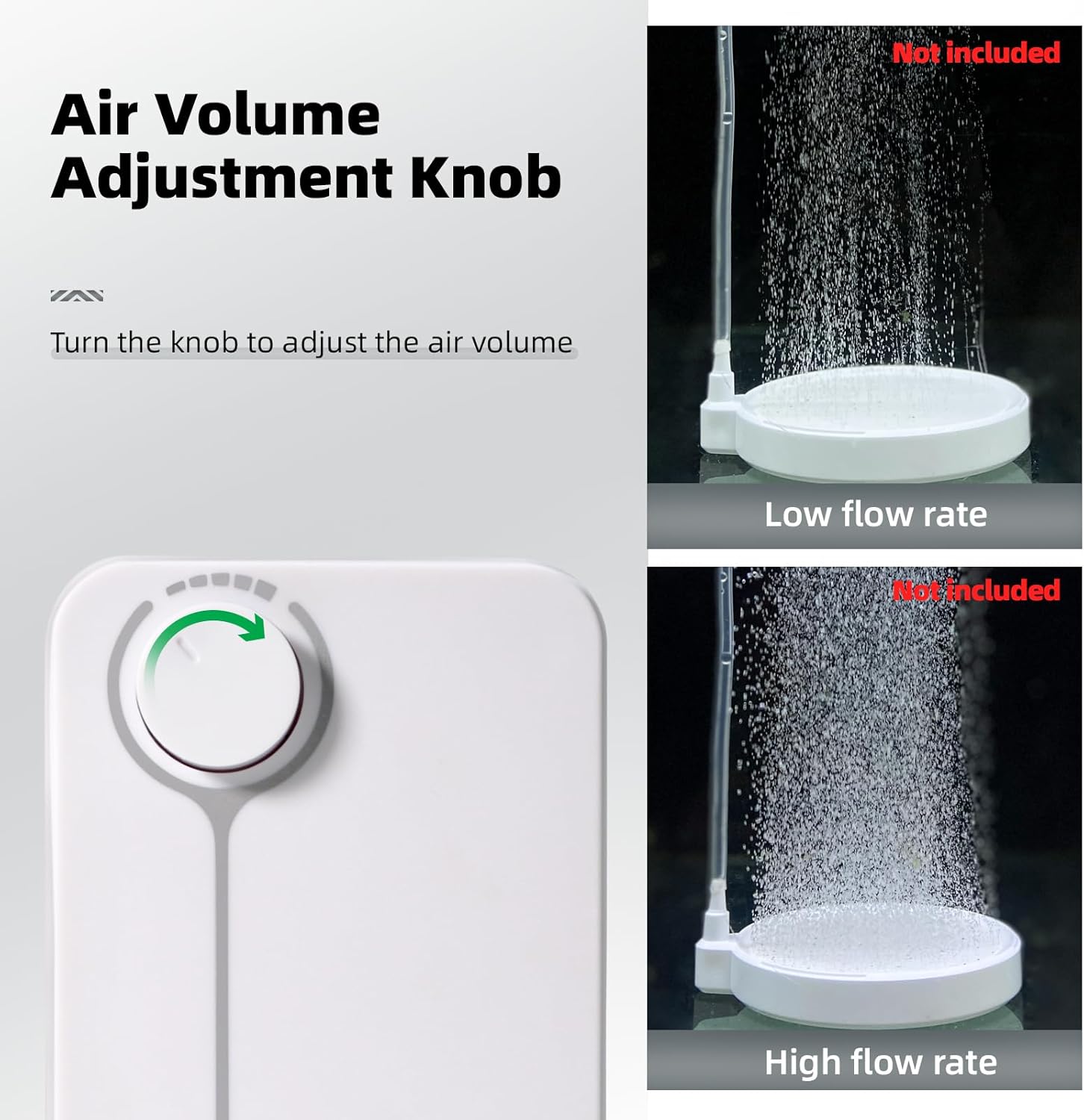
Figure 5: The air volume adjustment knob allows precise control over the air output, from low to high flow rates.
Video 1: Demonstration of the boxtech K2 Aquarium Air Pump's powerful and quiet operation, showcasing its adjustable airflow and dual outlets in a fish tank environment.
Maintenance
Regular maintenance ensures the longevity and efficient operation of your boxtech K2 Air Pump.
- Clean Air Intake Filter: Periodically check and clean the bottom air intake filter to prevent the accumulation of dust and debris. A clogged filter can reduce airflow and strain the pump. Gently remove the filter cover and clean the filter material with clean water. Ensure it is completely dry before reinserting.
- Inspect Air Tubing and Air Stones: Regularly check air tubing for kinks or blockages and air stones for clogs. Replace if necessary to maintain optimal bubble production.
- General Cleaning: Wipe the exterior of the pump with a soft, damp cloth. Do not use harsh chemicals or abrasive cleaners.
Troubleshooting
| Problem | Possible Cause | Solution |
|---|---|---|
| No air output or weak airflow |
|
|
| Pump is noisy |
|
|
Specifications
| Attribute | Value |
|---|---|
| Model | K2 (White-K2 5W) |
| Brand | boxtech |
| Material | Synthetic Rubber |
| Item Weight | 0.71 Kilograms (1.57 pounds) |
| Product Dimensions (LxWxH) | 5.9" x 3.8" x 2.7" |
| Power Source | Corded Electric |
| Air Flow Capacity | 2 LPM (Liters Per Minute) |
| Maximum Pressure | 0.02 MPa (2.9 PSI) |
| Operation Mode | Automatic |
| UPC | 784133414414 |
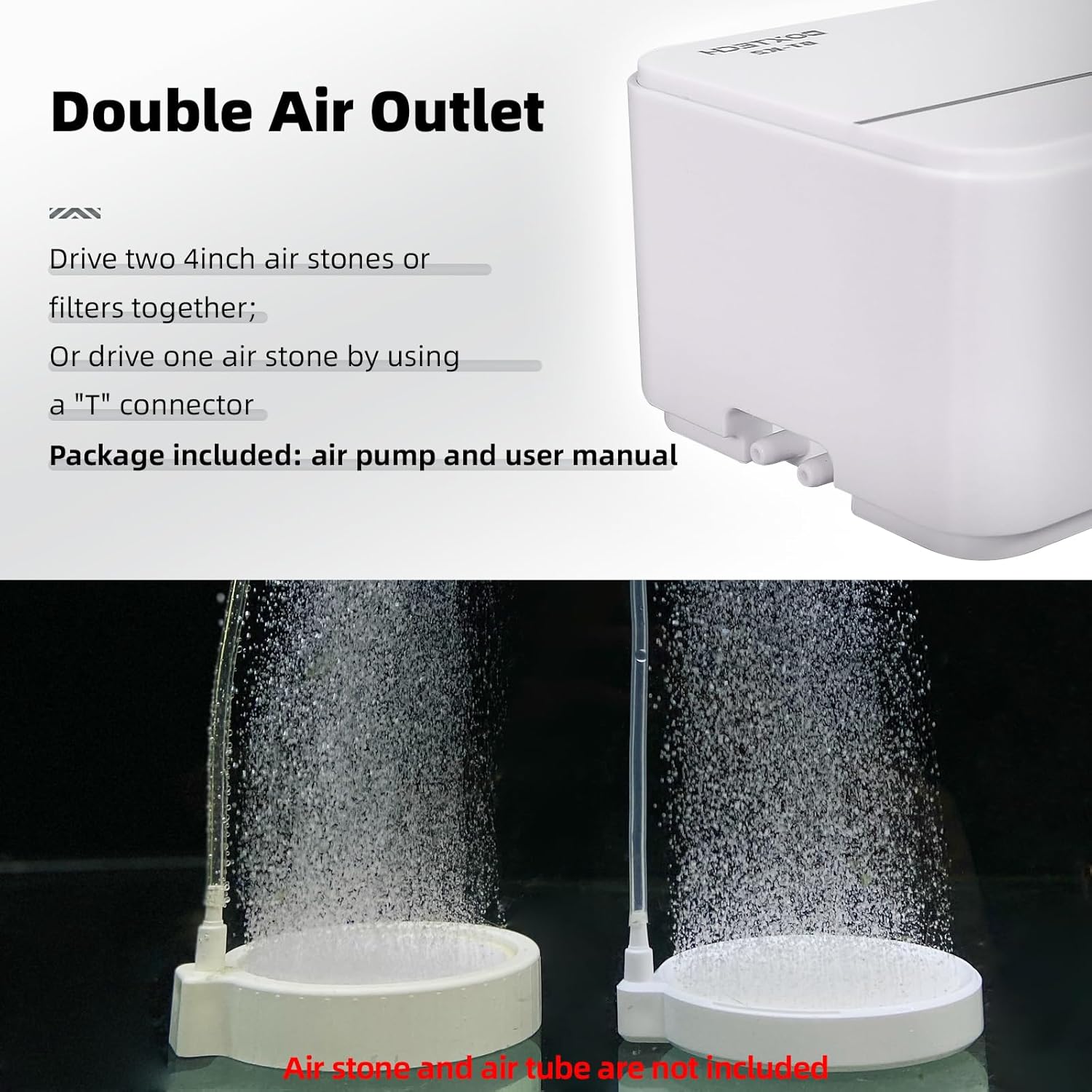
Figure 6: Product dimensions of the boxtech K2 Air Pump.
Warranty and Support
For any product inquiries, technical support, or warranty claims, please contact boxtech customer service:
- Email: aquariumfilter@163.com
- Website: For additional resources and product information, visit www.upettools.com