
Introduction
Welcome to the instruction manual for your Nakamichi NQE514B Car Receiver. This document provides essential information for the safe and effective installation, operation, maintenance, and troubleshooting of your device. Please read this manual thoroughly before using the product to ensure optimal performance and longevity.
Product Overview
The Nakamichi NQE514B is a car receiver designed to elevate your in-car audio experience with advanced features and powerful sound output. It integrates a vibrant multicolor LCD display, high-speed Bluetooth connectivity, and comprehensive app control for a modern and user-friendly interface.

Image 1: Front view of the Nakamichi NQE514B Car Receiver, highlighting its display and control layout.
Key Features
- Amplifier: TOSHIBA amplifier with 4 channels, each delivering 50W maximum power.
- Display: 4.3” VA multicolor LCD display with 2 lines for clear information.
- Equalizer: 32-band digital equalizer with 9 preset modes, controllable via the Nakamichi AMC app.
- Audio Formats: Compatible with MP3, WMA, AAC, FLAC, and APE audio formats.
- Bluetooth: High-speed Bluetooth 5.1 for seamless phone calls and audio streaming.
- Voice Control: Push-to-Talk function for convenient voice commands during calls.
- Control: Remote control included for enhanced user convenience.
- Steering Wheel Control: Input for Steering Wheel Control (SWC/SWI) integration.
- RCA Outputs: 4 RCA 2V outputs for integration with external amplified systems.
- USB Power: Integrated USB Power for charging compatible devices.

Image 2: Diagram illustrating key audio and connectivity features of the NQE514B Car Receiver.
Setup and Installation
Proper installation is critical for the performance and safety of your car receiver. It is highly recommended to have this unit installed by a professional car audio technician.
Wiring Diagram
Refer to the detailed wiring diagram provided in the separate installation guide for specific connections. Ensure all connections are secure and properly insulated to prevent short circuits and electrical damage.
Mounting
Mount the unit securely in your vehicle's dashboard using the provided mounting hardware. Ensure adequate ventilation around the unit to prevent overheating during operation.
Operating Instructions
Basic Controls
- Power Button: Press to turn the unit ON or OFF.
- Volume Knob: Rotate to adjust the audio volume. Press to access menu options and settings.
- Source Button: Press to cycle through available audio sources such as FM, AM, USB, SD, Bluetooth, and AUX.
- Navigation Buttons: Use these buttons for track skipping, radio station tuning, and navigating through menu options.
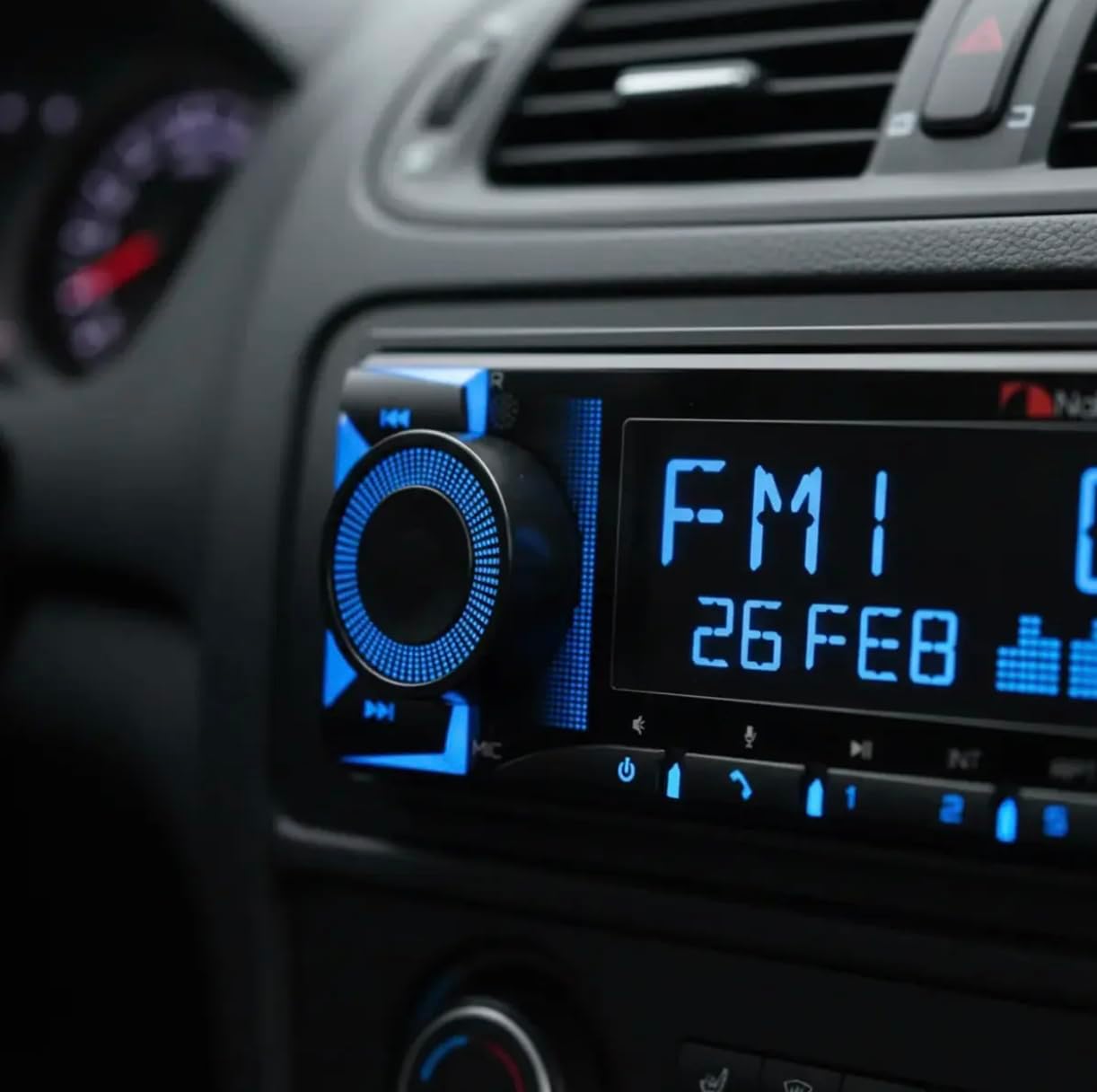
Image 3: The NQE514B Car Receiver seamlessly integrated into a vehicle's dashboard, showing its operational display.
Radio Operation
- Select FM or AM as the audio source using the Source button.
- Use the tuning buttons to automatically search for available stations or manually tune to a specific frequency.
- Press and hold a preset button to save your favorite radio stations for quick access.
Bluetooth Connectivity
- Enable Bluetooth on your mobile device.
- Select "Bluetooth" as the source on the car receiver.
- Search for "Nakamichi NQE514B" on your device's Bluetooth settings and initiate pairing.
- Utilize the Push-to-Talk function for convenient voice commands during phone calls.
USB/SD Playback
- Insert a USB drive or SD card into the respective slot on the unit.
- The receiver will automatically switch to the USB/SD source and begin playing compatible audio files.
- Supported audio formats include MP3, WMA, AAC, FLAC, and APE.
Nakamichi AMC App Control
- Download the Nakamichi AMC app from your mobile device's app store (available for Android and iOS).
- Connect your phone to the receiver via Bluetooth.
- Use the app to gain full control over the 32-band equalizer, various audio modes, display color customization, and other advanced functions.
Video 1: A demonstration of the Nakamichi NQE514B Car Receiver's features, including various display color options and app-controlled equalization settings.
Maintenance
- Keep the unit clean by regularly wiping it with a soft, dry cloth.
- Avoid using harsh chemicals, solvents, or abrasive cleaners, as these can damage the display and finish.
- Periodically check that all electrical connections are secure and free from corrosion.
Troubleshooting
No Power
- Check the vehicle's fuse box and the unit's inline fuse for any blown fuses.
- Verify that all power connections to the unit are securely attached.
No Sound
- Ensure the volume is not muted or set to a very low level.
- Inspect all speaker connections for proper attachment and polarity.
- Confirm that the correct audio source (e.g., FM, Bluetooth, USB) is selected.
Bluetooth Pairing Issues
- Ensure the receiver is in Bluetooth pairing mode.
- On your mobile device, delete any previous pairings with the receiver and attempt to pair again.
- Move your mobile device closer to the receiver to ensure a strong signal.
Specifications
| Feature | Specification |
|---|---|
| Brand | Nakamichi |
| Connectivity Technology | Bluetooth |
| Controller Type | Button |
| Special Features | Volume control |
| Compatible Devices | Speaker |
| Connector Type | RCA |
| Audio Output Mode | Stereo |
| Surround Sound Channel Configuration | 5.1 |
| Output Power | 50 Watts per channel (4 channels) |
| Item Dimensions (D x W x H) | 8.2D x 21.2W x 17.2H centimeters |
| Item Weight | 700 Grams |
| Included Components | Nakamichi MP3 Radio NQE514B (Corrected from NQ533BD) |
Warranty and Support
This Nakamichi NQE514B Car Receiver comes with a 3-month warranty provided by the seller. For information regarding extended warranty options, please refer to the protection plans that were available at the time of your purchase.
For technical support, service inquiries, or any questions not covered in this manual, please contact your authorized Nakamichi retailer or visit the official Nakamichi website for further assistance.
Safety Information
- Do not operate the unit in a manner that distracts you from driving, as this can lead to accidents.
- Ensure proper ventilation around the unit to prevent overheating, which can cause damage or malfunction.
- Avoid exposing the unit to extreme temperatures, direct sunlight, or excessive moisture.
- Do not attempt to disassemble, modify, or repair the unit yourself. Refer to qualified personnel for service.