
Motorola Sound SH057-White
Motorola Escape 220 Over-The-Ear Bluetooth Wireless Headphones User Manual
Model: SH057-White
Introduction
This manual provides comprehensive instructions for the safe and effective use of your Motorola Escape 220 Over-The-Ear Bluetooth Wireless Headphones. Please read this manual thoroughly before using the product to ensure optimal performance and longevity. Keep this manual for future reference.
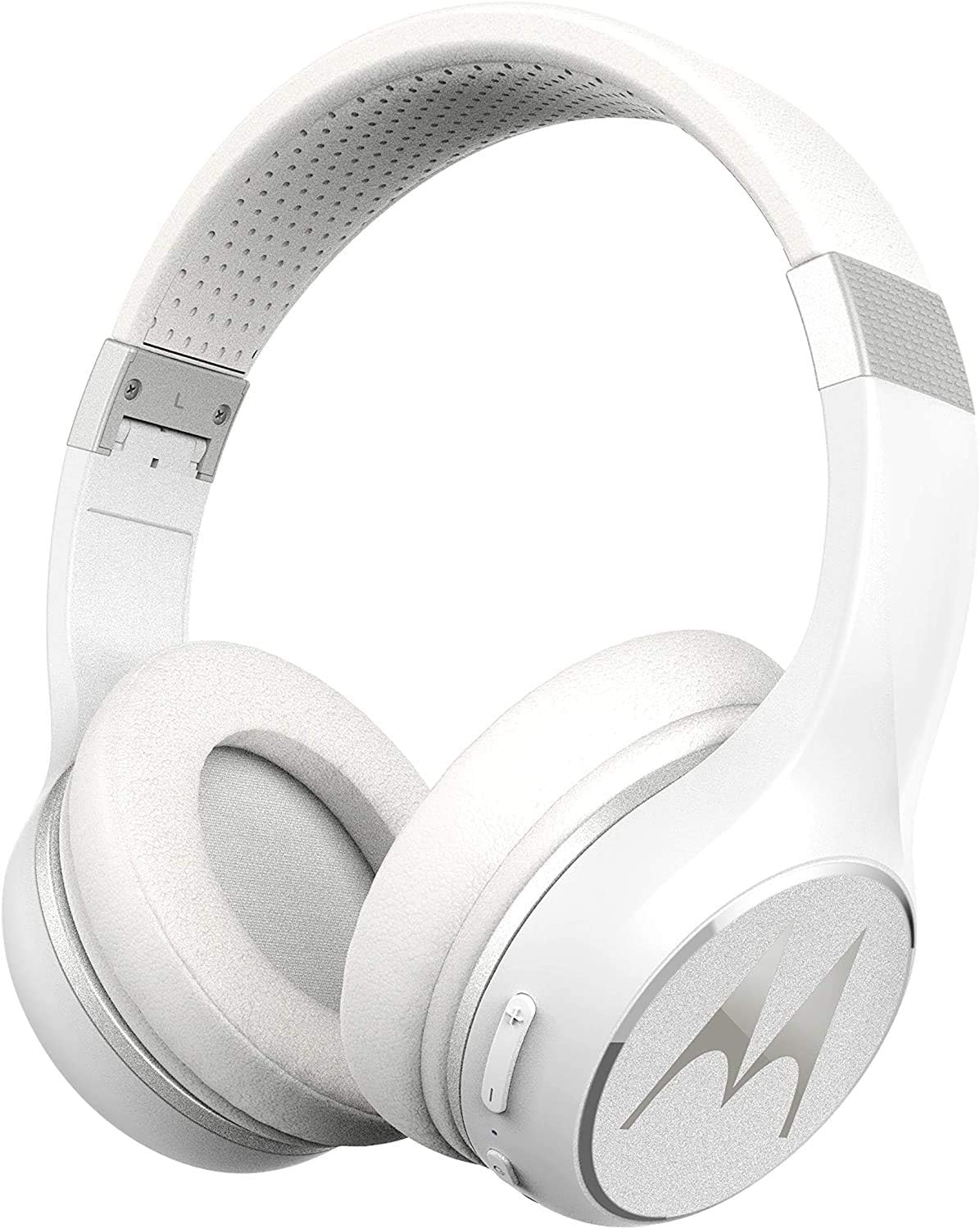
Image: Motorola Escape 220 Over-The-Ear Bluetooth Wireless Headphones, showcasing the white over-ear design with the Motorola logo on the earcups.
Package Contents
Verify that all items listed below are present in your product package:
- Escape 220 Wireless Over-ear Headphones
- USB Charging Cable
- 3.5 mm Audio Cable
- Quick Start Instruction Guide
- General Information
Product Features
The Motorola Escape 220 headphones are designed with several key features for an enhanced audio experience:
- Extended Battery Life: Up to 23 hours of continuous play time on a single charge.
- Integrated Microphone: For clear, hands-free calling.
- High-Definition Audio: Equipped with 40mm sound drivers for crisp and clear sound.
- Wireless Connectivity: Bluetooth technology for untangled listening freedom.
- Comfortable Design: Cushioned ear caps and an adjustable headband ensure a soft and comfortable fit for extended wear.
- Passive Noise Isolation: Helps to reduce external distractions for a more immersive listening experience.
- Foldable Design: Compact and convenient for storage and travel.
- Voice Assistant Compatibility: Works with Siri, Alexa, and Google Assistant.

Image: A man wearing the Motorola Escape 220 headphones, with an overlay highlighting key features such as Bluetooth 5.0, 24-hour battery life, passive noise isolation, HD sound, lightweight design, foldable ear cups, in-line microphone, and voice assistant compatibility.
Setup
1. Charging the Headphones
Before initial use, fully charge your Motorola Escape 220 headphones. Use the provided USB charging cable to connect the headphones to a USB power source (e.g., computer USB port, USB wall adapter). The charging indicator light will provide status. A full charge provides up to 23 hours of play time.
2. Bluetooth Pairing
- Ensure the headphones are powered off.
- Press and hold the Power button on the headphones until the indicator light flashes blue and red, indicating pairing mode.
- On your device (smartphone, tablet, computer), enable Bluetooth and search for available devices.
- Select "Motorola Escape 220" from the list of found devices.
- Once connected, the indicator light on the headphones will turn solid blue or flash blue slowly.
Note: The headphones will automatically attempt to reconnect to the last paired device when powered on.
Operating Instructions
Power On/Off
- To Power On: Press and hold the Power button until the indicator light turns blue.
- To Power Off: Press and hold the Power button until the indicator light turns red and then off.
Music Playback
Use the controls on the headphones to manage your audio:
- Play/Pause: Press the Multi-function button once.
- Next Track: Press and hold the Volume Up button.
- Previous Track: Press and hold the Volume Down button.
- Volume Up: Press the Volume Up button briefly.
- Volume Down: Press the Volume Down button briefly.

Image: A man running outdoors while wearing the Motorola Escape 220 headphones, illustrating the product's portability and long battery life for uninterrupted music.
Call Management
The built-in microphone allows for hands-free calls:
- Answer/End Call: Press the Multi-function button once.
- Reject Call: Press and hold the Multi-function button for 2 seconds.
- Redial Last Number: Double-press the Multi-function button.

Image: A man smiling while wearing the Motorola Escape 220 headphones, emphasizing the convenience of the in-line microphone for hands-free calling.
Voice Assistant Activation
Activate your device's voice assistant (Siri, Alexa, Google Assistant) by pressing the Multi-function button twice quickly. This allows you to issue voice commands directly through your headphones.
Maintenance
Proper care ensures the longevity of your headphones:
- Cleaning: Wipe the headphones with a soft, dry, lint-free cloth. Do not use abrasive cleaners, solvents, or spray directly onto the headphones.
- Storage: When not in use, store the headphones in a cool, dry place. The foldable design allows for compact storage.
- Avoid Moisture: Keep the headphones away from water and excessive humidity.
- Temperature: Avoid exposing the headphones to extreme temperatures (hot or cold).

Image: The Motorola Escape 220 headphones being folded and placed into a suitcase, demonstrating their compact and travel-friendly design for easy storage.

Image: A man wearing the Motorola Escape 220 headphones while relaxing on a couch with a laptop, illustrating the comfortable fit provided by the soft ear cushions.
Troubleshooting
| Problem | Possible Solution |
|---|---|
| Headphones do not power on. | Ensure the headphones are fully charged. Connect to a power source using the USB cable. |
| Cannot pair with device. |
|
| No sound or low volume. |
|
| Poor call quality. |
|

Image: A woman wearing the Motorola Escape 220 headphones, demonstrating the effect of passive noise isolation in helping to tune out distractions.
Specifications
| Feature | Detail |
|---|---|
| Model Number | SH057-White |
| Connectivity Technology | Wireless (Bluetooth) |
| Headphones Jack | 3.5 mm Jack (for wired use) |
| Battery Life | Up to 23 Hours |
| Battery Type | 1 Lithium Ion battery (included) |
| Control Type | Voice Control |
| Item Weight | 180 Grams (6.3 ounces) |
| Product Dimensions | 7.48 x 7.05 x 8.35 inches |
| Manufacturer | Binatone |
| UPC | 816479017919, 816479017926 |
| Noise Control | Passive Noise Cancellation |
Warranty and Support
For warranty information and technical support, please refer to the "General Information" document included in your package or visit the official Motorola Sound website. Keep your proof of purchase for warranty claims.
For further assistance, you may contact Motorola Sound customer service through their official channels.
Related Documents - SH057-White
 |
Motorola Sound Catalogue 2024: Wireless Earbuds, Headphones, Speakers & Adapters Explore the comprehensive 2024 catalogue from Motorola Sound, featuring a wide range of wireless earbuds, headphones, portable speakers, and car adapters. Discover innovative audio solutions for every lifestyle. |
 |
Bopmen S40 Headphones FAQ and Quick Guide A quick guide and FAQ for Bopmen S40 headphones, covering common issues like no sound, poor sound quality, bad connection, Bluetooth pairing problems with TVs and other devices, and fitting issues. Provides solutions and contact information for further assistance. |
 |
DOQAUS LIFE 4 Wireless Bluetooth Headphones User Manual - 80 Hour Playback, HiFi Sound Comprehensive user manual for DOQAUS LIFE 4 wireless Bluetooth headphones. Learn about features like 80-hour battery life, HiFi stereo sound, 3 EQ modes, and easy pairing. Includes setup, operation, and troubleshooting guides. |
 |
Acer OHR633 Over-ear Headphones User Manual User manual for Acer OHR633 Over-ear Headphones, detailing product features like Hifi Stereo Sound, ANC, Noise Reduction, and foldable design. Includes specifications, operation instructions, safety guidelines, and regulatory information for this wireless Bluetooth headset. |
 |
iKF R1 Wireless Headphones User Manual This document provides instructions and specifications for the iKF R1 Wireless Retro Headphones, including features like game mode, transparent mode, Bluetooth pairing, and app integration. |
 |
Maono AU-MH601 Studio Headphones User Manual Comprehensive user manual for the Maono AU-MH601 studio headphones, detailing specifications, features, warnings, and usage instructions for optimal audio performance and care. |
Ask a question about this manual
Ask about setup, troubleshooting, compatibility, parts, safety, or missing instructions. Manuals+ will review the question and use this page’s manual context to help answer it.