
1. Product Overview
These Perco Lite ink rolls are designed as preferred replacement inkers for the Perco Lite price tag gun. They provide an easy and convenient way to refill ink, ensuring sharp and legible prints for pricing and dating labels. This pack contains 4 ink rolls.
Important Compatibility Note: These ink rolls are exclusively designed for Perco Lite price tag guns. They are NOT compatible with Perco X, Perco Plus, or Perco Pro models. Always verify your gun's model name, typically found on the side, to ensure correct fitment.
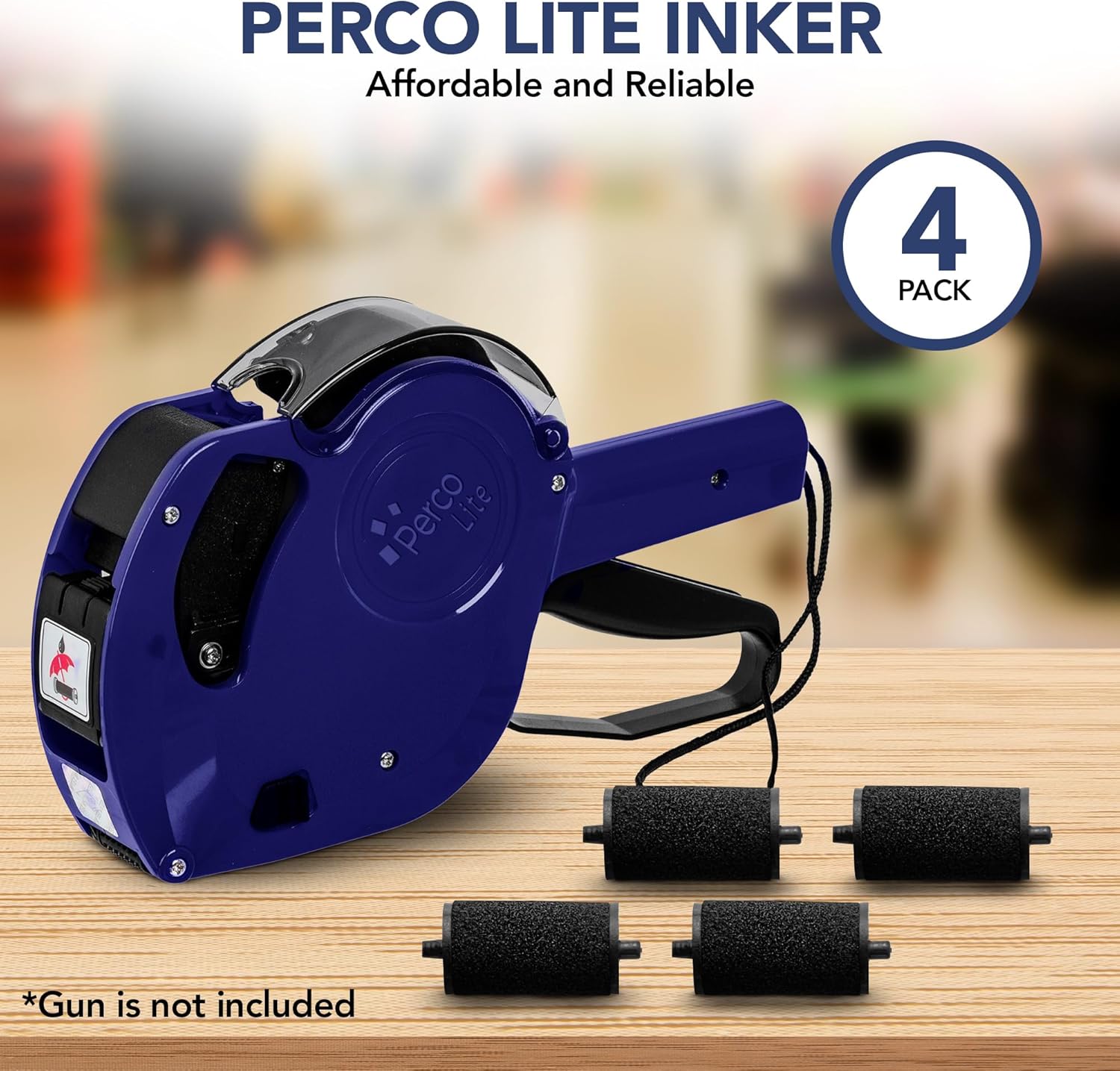
Image 1: Perco Lite Inker 4 Pack. This image shows four black ink rollers next to a blue Perco Lite pricing gun, indicating the product and its intended use.

Image 2: Ink Replacement for Perco Lite Guns. This image illustrates the correct ink roller for Perco Lite guns and shows incompatible models (Monarch, Perco X, Perco Pro, Perco Plus) with red 'X' marks, emphasizing compatibility.
2. Setup and Installation
2.1. Replacing the Ink Roll
Follow these steps to replace the ink roll in your Perco Lite pricing gun:
- Wear Gloves: It is recommended to wear gloves to prevent ink stains during the replacement process.
- Locate the Inker Symbol: On the side of the pricing gun, identify the small inker symbol.
- Open the Compartment: Press down on the top of the compartment indicated by the inker symbol. A small piece will become accessible.
- Remove Old Inker: Pull out the old inker, aiming for the holder. Gently pull the sides of the holder apart to release the old ink roll.
- Insert New Inker: Open the tools of the new ink roll. Insert the new ink roll into the holder until it clicks into place.
- Reinsert Holder: Slide the holder with the new ink roll back into the compartment.
- Close Compartment: Close the compartment securely. The gun is now ready for use with the new ink roll.

Image 3: Easy to Load Ink Roller Replacement. This image shows a hand holding a new ink roller, and two smaller images demonstrating how to open the labeler and replace the ink roller inside.

Image 4: Changing Ink Without the Mess. This image shows a gloved hand holding an ink roller next to a Perco Lite pricing gun, emphasizing the recommendation to wear gloves during ink replacement.
2.2. Loading Labels
To load labels into your Perco Lite pricing gun:
- Open Back Cover: Open the back cover of the label case on the gun.
- Open Inner Base Plate: Then, open the inner base plate.
- Place Label Roll: Place the roll of labels onto the spindle and guide the leading edge of the labels towards the center of the gun's mechanism.
- Pull Label Across: Pull the label strip across the mechanism.
- Close Covers: Close the back cover and secure it by closing the inner base plate.
- Center Labels: Ensure the labels are centered within the gun's feeding mechanism.
Video 1: How to Load Inker and Labels to a Price or Date Gun. This video provides a visual guide on the complete process of replacing the ink roller and loading labels into the Perco Lite pricing gun.
3. Operating Instructions
Once the ink roll and labels are loaded, your Perco Lite pricing gun is ready for use:
- Set Price/Date: Adjust the dials on the side of the gun to set the desired price, date, or other information you wish to print on the labels.
- Apply Label: Position the gun over the item or tag where you want to apply the label.
- Press Handle: Squeeze the handle firmly. This action will print the set information onto a label and dispense it, ready for application.
- Adhere Label: Press the dispensed label onto the surface.
The Perco Lite ink rolls are designed to produce sharp and legible prints, ensuring clear and professional tags for your business needs.

Image 5: Reliable Perco Lite Ink Refills. This image displays three ink rollers with text overlays highlighting "Quick Replacement," "Precise Printing," and "Long-lasting Performance," indicating the benefits of using these ink refills.
4. Maintenance
To ensure the longevity and optimal performance of your Perco Lite ink rolls and pricing gun:
- Regular Replacement: Replace ink rolls as soon as print quality begins to degrade to maintain clear labels.
- Cleanliness: Periodically inspect the ink roller compartment and label path for any debris or dried ink. Use a soft, lint-free cloth to gently clean any accessible areas.
- Storage: Store unused ink rolls in a cool, dry place away from direct sunlight to prevent drying out.
5. Troubleshooting
If you encounter issues with your Perco Lite pricing gun or ink rolls, consider the following:
- Faint or Inconsistent Prints:
- Check if the ink roll needs replacement. A dried-out or depleted ink roll will result in poor print quality.
- Ensure the ink roll is correctly seated in its compartment.
- Labels Not Feeding Correctly:
- Verify that the label roll is properly loaded onto the spindle and guided through the mechanism.
- Ensure the labels are centered and not jammed.
- Check for any obstructions in the label path.
- Ink Smudges:
- Ensure the ink roll is not over-saturated or damaged.
- Clean any excess ink from the printing mechanism using a soft cloth.
For further assistance, refer to the contact information in the Support section.
6. Specifications
| Brand | Perco |
| Model Number | PL-PERCO-LITE-P |
| Item Weight | 0.704 ounces |
| Package Dimensions | 3.7 x 1.5 x 0.71 inches |
| Number of Items | 4 (Ink Rolls) |
| Ink Color | Black |
| Material Type | Paper (for labels, ink rolls are typically foam/plastic) |
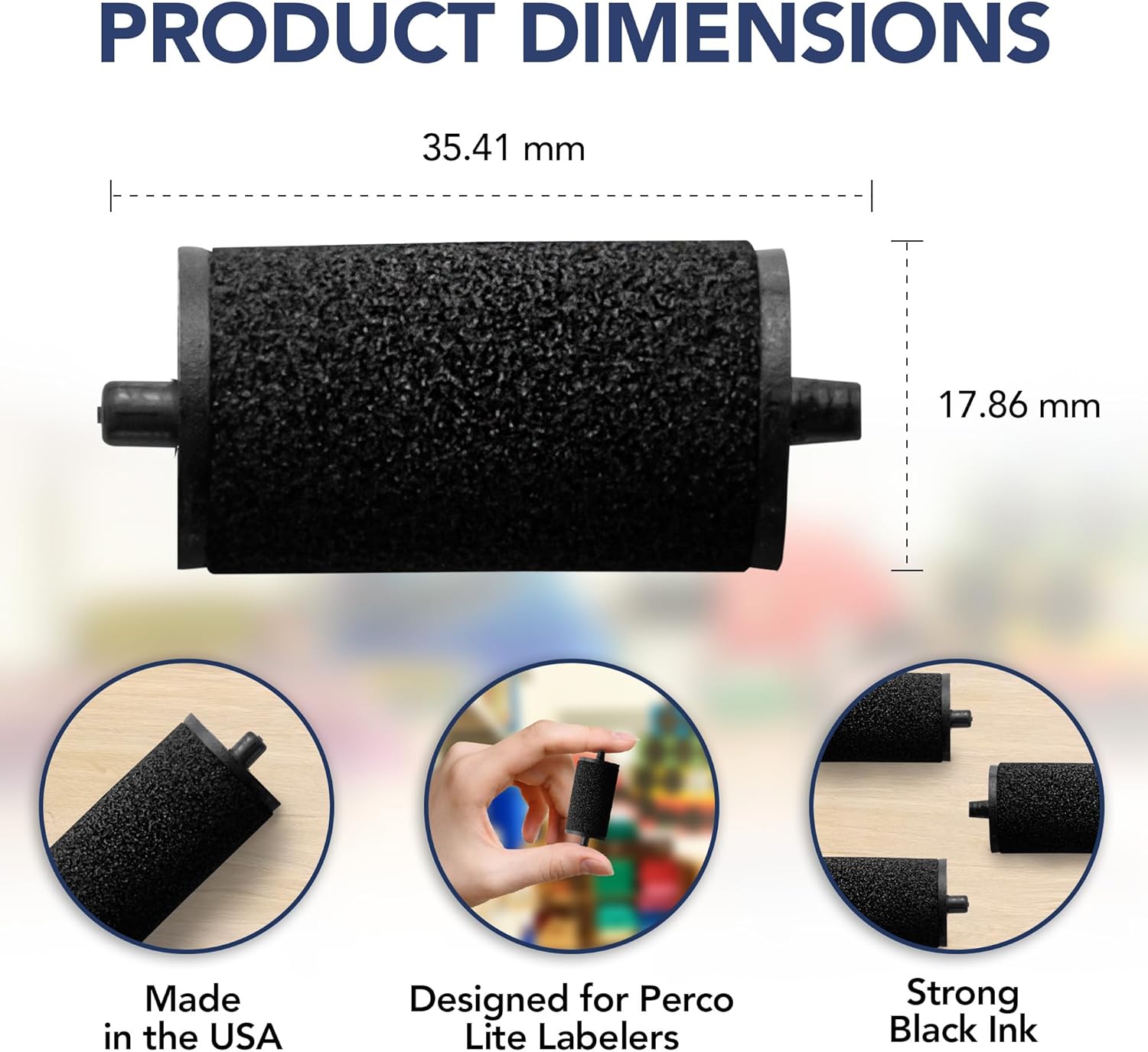
Image 6: Product Dimensions. This image shows a detailed diagram of the ink roller with its dimensions: 35.41 mm length and 17.86 mm height, along with callouts for "Made in the USA," "Designed for Perco Lite Labelers," and "Strong Black Ink."
7. Warranty and Support
Perco products are designed for reliable performance. For any questions, technical support, or warranty inquiries regarding your Perco Lite ink rolls or pricing gun, please contact Perco customer service.
You can visit the official Perco website or refer to the contact information provided on the product packaging or the pricing gun itself (e.g., QR code or phone numbers like 800-666-LABEL (5223) or 845-354-8363 as seen in the video).
Return Policy: The standard return policy is 30 days for refund/replacement.


